






✨ Transform your laptop into a touchscreen powerhouse in seconds! 🖱️➡️🖐️
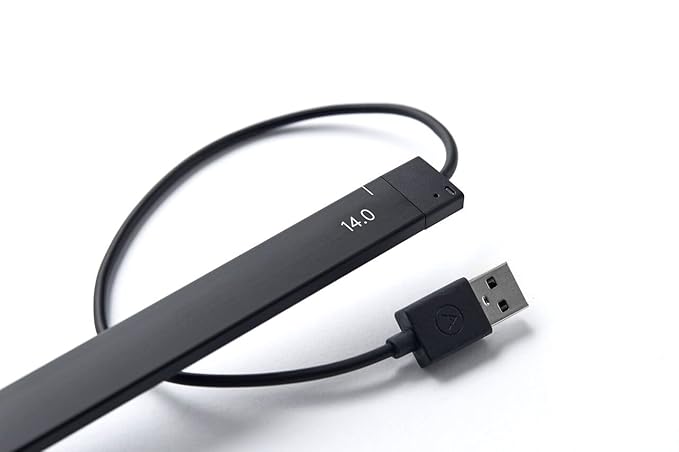
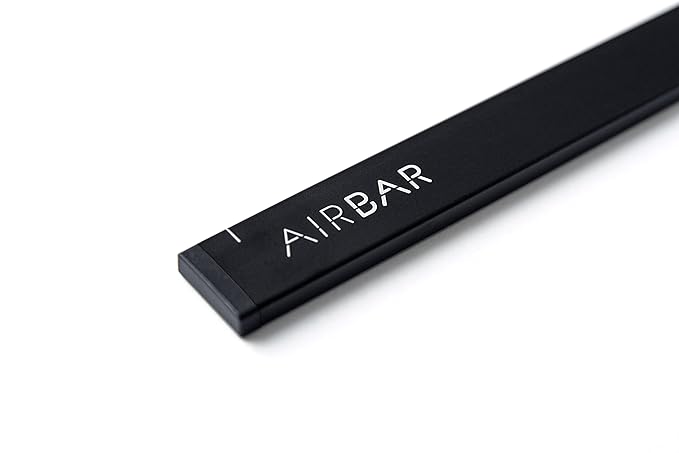
The Neonode AirBar 14-inch Touchscreen Enabler is a sleek, lightweight USB-powered device that magnetically attaches to compatible Windows 10 laptops, instantly adding full touchscreen functionality. Supporting multi-object touch input and intuitive gestures, it transforms traditional laptops into interactive, modern workstations without the need for hardware replacement.





| Brand | Neonode |
| Connector Type | USB Type A |
| Compatible Devices | Laptops with 14-inch screen size running Windows 10 |
| Special Feature | Lightweight, Touchscreen |
| Compatible Phone Models | No Compatible Phone Models |
| Recommended Uses For Product | Add touchscreen capabilities |
| Colour | Black |
| Item Weight | 53 Grams |
| Model Name | AirBar 1005 |
| Indoor/Outdoor Usage | Indoor |
| Manufacturer | Neonode |
| UPC | 853661007037 |
| Global Trade Identification Number | 00853661007037 |
| Form Factor | Laptop |
| Item Height | 17 Inches |
| Item Width | 5 Inches |
| Standing screen display size | 14 Inches |
| Screen Resolution | 1366x768 |
| Product Dimensions | 861.06 x 12.7 x 43.18 cm; 53 g |
| Item model number | NNABC3100XU01 |
| Processor Brand | AMD |
| Processor Type | A Series A13 |
| Processor Count | 1 |
| RAM Size | 4 |
| Computer Memory Type | DDR3 SDRAM |
| Memory Clock Speed | 1600 MHz |
| Hard Disk Description | SSD |
| Hard Drive Interface | USB |
| Hard Disk Rotational Speed | 5400 RPM |
| Audio Details | speakers |
| Speaker Description | Built-in Speakers |
| Graphics Coprocessor | Intel HD Graphics |
| Graphics Chipset Brand | Intel |
| Graphics Card Description | Integrated |
| Graphics Card Ram Size | 2 GB |
| Power Source | corded electric |
| Operating System | ms windows 10 |
| Are Batteries Included | No |
| Included Components | AirBar Touchscreen Sensor, Instructions, legal folder |
| Item Weight | 53 g |
D**R
Innovative product. Value for money.
Great innovative product. Works as desired. However I was thinking that I could use pen. That's not working. You cannot write on screen. Rest all touch commands work.
W**M
Works well on laptops with a usb on the right hand side
it works well on the windows laptop but not on the MacBook as the connection is on the left hand side for the USB whereas the way it is setup - it needs a USB connection on the right hand side of the laptop. On the windows machine it works perfectly well and am very happy with the product.
P**S
Good Product but not for my work.
I bought this product mainly to make easier my designing work. But touch is not working with Adobe product as well as I found some compatibility issue with my Dell laptop with that mouse not working as well as only gestures was working with airbar. It not value for money. Its good if you want to use you pic like tablet .
A**S
not useful
This product is not particularly useful on Thinkpad T410 running Windows 7 or Ubuntu 16.04. It is not able to detect the point of touch correctly.
Y**J
superb
Initially I felt disappointed as it did not work to my speed of touch. Later day2,3 onwards I understood how touch works slightly different from mouse actions. I would say this replicated actual touch screen by upto 95%. The remaining is lag but in few days you get accustomed and understand how to make best use of touch. Recommend for Hobbyist. I now take it everyday to work and it has become an essential part of navigation. The attention and jealousy obtained from coworkers is priceless.
A**N
Awesome concept and design....Superb.
It deserves a 5 star only the pricing can be a bit more competitive. 98% of screen touch works...certain edges don't respond. I don't regret buying....
P**I
Good
Good
U**Y
lenivo laptop compitable or not?
My laptop is Lenovo 14" windows-10, without touch screen,is it compatable with this airbar ? pl reply early in this page.
L**S
No funciona.
B**R
Wow it works! Please send more to Canada asap.
M**E
Doesn’t work with my Mac as I thought-im bummed
E**.
it works like a magic , it really turn laptop or pc screen into touch screen , it works really fine. but only if the sceen size was 14.
C**Y
It repeatedly pops up a keyboard on my screen...not sure why I'd want a touch keyboard when there's a keyboard on my laptop I can type much faster on (using all my fingers). Also it makes a high pitched beeping noise when jostled a bit, I don't know why. The touch screen worked like magic, I was really excited about that. It's really neat. However, it's finicky, and I don't like the onscreen keyboard that pops up (I can't find any option to remove it), and it seems to be confusing my laptop about all sorts of things. Like now when I use my mouse wheel to scroll, it thinks I'm pressing Control plus using the mouse wheel-- so it zooms in and out. I can sort of draw a smiley face, but it's not much better than using my mouse, honestly. It doesn't detect when my finger has lifted off the screen and come back down for the second eye.of the smiley, so it's like a cursive smiley. There's a bit of a delay, and also the position is not exact. The advantage of the mouse is that you can see where the pointer is before holding down left click, so you know where you are underlining or drawing. With AirBar, of coures there is no indicator where it's going to start drawing: maybe a centimeter above your finger.
Trustpilot
2 days ago
4 days ago



