Some deliveries may take a little longer than usual due to regional shipping conditions.

DOWNLOAD THE APP


Customer Services
Copyright © 2025 Desertcart Holdings Limited
DOWNLOAD THE APP
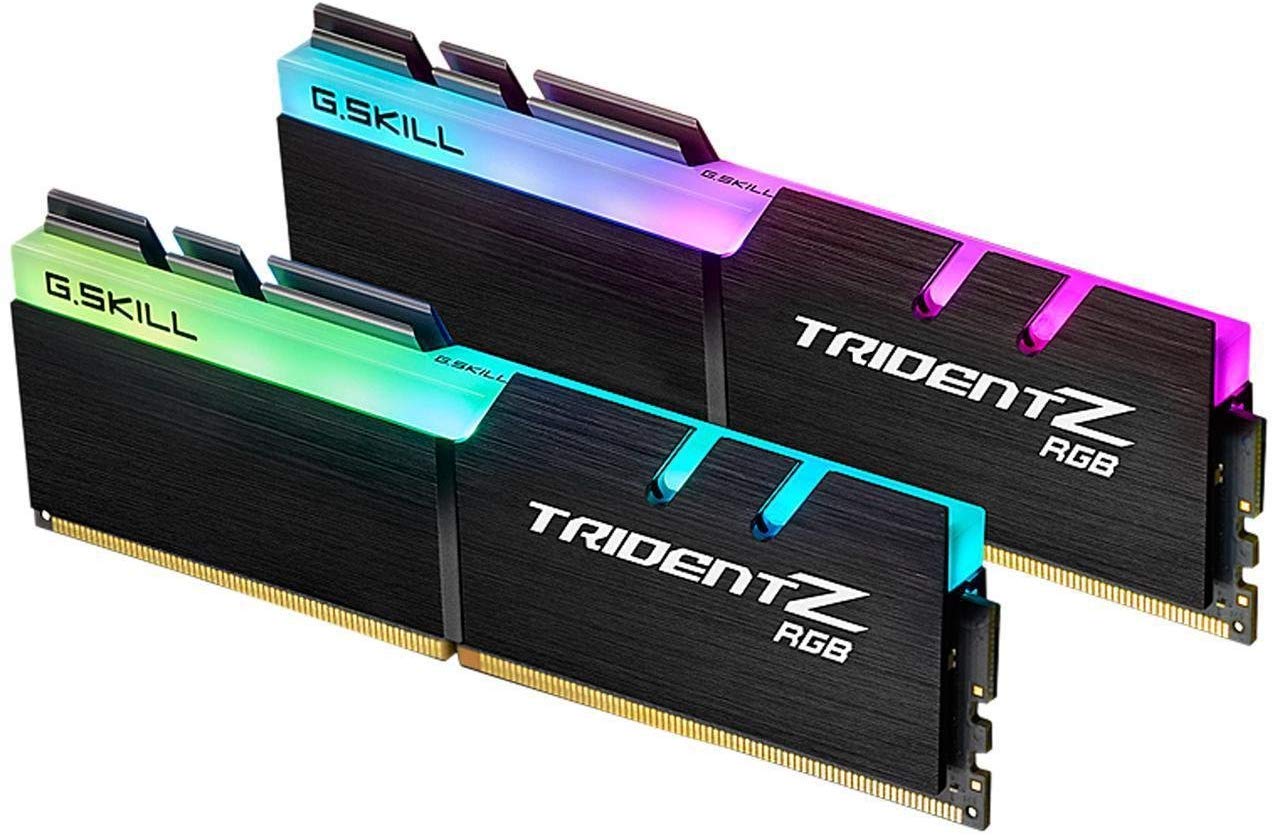
🌈 Light up your rig with speed and style — don’t just build, make a statement!
The G.SKILL Trident Z RGB Series DDR4 RAM kit offers 32GB (2x16GB) of high-performance memory running at 3200MT/s with low latency CL16 timings. Featuring Intel XMP 2.0 support for easy overclocking, it combines premium hand-screened ICs on a 10-layer PCB with a luxurious aluminum heatspreader and customizable RGB lighting, making it the perfect upgrade for professionals and gamers seeking both power and style.


| ASIN | B07DMNZY56 |
| Additional Features | Intel XMP 2.0 |
| Best Sellers Rank | #22 in Computer Memory |
| Brand | G.SKILL |
| Column Address Strobe Latency | 16 |
| Compatible Devices | Desktop |
| Computer Memory Size | 32 GB |
| Customer Reviews | 4.8 out of 5 stars 4,483 Reviews |
| Data Transfer Rate | 3200 MHz |
| Form Factor | DIMM |
| Item Weight | 186 Grams |
| Manufacturer | G.Skill |
| Memory Speed | 3200 MT/s |
| Model Name | Trident Z RGB |
| Number of Pins | 288 |
| RAM Memory Technology | DDR4 |
| RAM Size | 32 GB |
| Special Feature | Intel XMP 2.0 |
| UPC | 848354025399 |
| Voltage | 1.35 Volts |
| Warranty Description | Limited Lifetime Manufacturer Warranty |
P**S
tunning Performance and Beautiful RGB
The G.SKILL Trident Z RGB 64GB kit is phenomenal. Installation was straightforward, and it runs perfectly at the advertised 3200MT/s with XMP enabled. Performance in gaming, multitasking, and heavy workloads is incredibly smooth, and the RGB lighting adds a stylish touch to my build. The quality and reliability are top-notch, making this RAM kit an excellent choice for anyone looking to upgrade their system.
C**S
Good Stuff - but beware
Well for me, I am not all that technically savvy. It was a scary process for about 3 minutes. Especially for the $600 price tag. So typically, All I did was open the side case to my "AlienWare" Aurora (Yeah I know no one likes it, but I do, paid $2000 for it back in the day) So anyway, opened it up, took out my 2 16's and replaced it with these two 32's. Closed the case, plug up all the wires again for power , KB&M, hdmi, etc. Turned it on, got scared as it landed on a mnfr page telling me memory changed, to reseat the cards or do this or that. All I did was continue to bios, looked at the next screen and clicked save and continue. The machine turned right on, no problems. I'm happy with this product. Up until the second week it stop working and got 4 blinking lights on my pc. Thanks mates.
J**E
Solid ram for both look and reliability on AM4
A nice aesthetic RGB compliment to the build while being practical and reliable as it shines within a recycled PC case I refurbished with a black stained wood bezel I made since the original was smashed in a move. I've included pictures of the project case make over using scraps destined for the landfill but not this PC I named Woodstock. Thanks Gskill for your contribution of these modules.
H**R
Great RAM
I have some discontinued RAM in my MSI AEGIS PC that I cannot match and find a replacement for. I went with 2 32 GB RAM sticks of G.Skill Trident Z and it runs perfectly fine with my existing RAM. Install was seamless and the RAM looks great! I might go back and order 2 more sticks to have a complete set...love this RAM.
M**L
I absolutely love these memory sticks.!!!
I bought these memory sticks for a desktop rebuild. I thought they were a little pricey at first, but then again you have to consider they are a combined 64 gigabytes. What I didn't know, was that when my pc is powered up, these sticks turn different colors, which I think is great.!!! If I had known that, I might have installed a clear side panel on my tower so that I can enjoy seeing them alternate color while my pc is on. I now think these are well worth the price, and they work perfectly.!!
T**I
Great Product and Customer Service!!!
I am not a technie so please bare with my explanation. I previously bought G.Skill back from my home country and found that it was working great so I decided to upgrade my system from 8x2 (16 GB) to 16x2 ( 32 GB) RAMs. At first I was thinking about buying from a different vendor but turns out that each DDR4 RAM out there in the market has different dimensions so I stuck with G.Skill. The shipment arrived on time with no defects but after I installed the RAMs and powered up the system I found that one of the new RAMs (comes in pairs) was not working so I shutdown the system and tried to manually re-install the RAMs again. After that, all the RAMs were all lighting up, however I was experience various problems i.e. BSOD (Blue Screen of Death), system freeze, system restart and I was clueless (not a techie) but I was adamant that it wasn't due to my new RAMs because they were all lighting up. I did several research and tried to diagnose what the problem was, I did my system checks: Windows Memory Diagnostics (for each stick) which didn't find any problems, Event Viewer, etc. and performing minor fixes. It was not apparent until I read the dumpfile (thru WindDBG, you would get a dump file only when the computer restarts without prior notice) that I eventually tracked that it was indeed the RAMs that were causing the problems (screenshot). Within the same day I requested for a replacement and shipped my first RAMs (back to the retailer). Within a couple of days I received my new RAM sticks. Thank You Neuteck for your prompt action! I gave a 4 star rating because the product speaks for itself and the customer service from Neuteck is great. They didn't even need to receive my return package before sending out replacements. My return did not cost anything because I dropped the product at an Amazon Hub Locker (you can print the returns and drop-off there). Thanks again. . . .Merry X'mas and Happy New Year
B**D
Looks good and performs perfectly
Why pay more when this work and looks just as good.
N**R
It works great!
So I installed the ram the other day with questionable results. At first I was very concerned since the ram according to memtest64 did not work properly. After some further analysis with prime64 I realized that there was no problem with the ram or the CPU. To be honest I am probably never going to use all 64 gigs of ram on my computer from the ram cards that I just managed to install but here are my first thoughts about using it so far. 1. The ram is so much more responsive with the new ram cards installed. My old ram ran at 2200mt/s and I am running this ram with XMP at 3000 mt/s and it is so much more responsive probably cause I am able to move the mouse faster than before. 2. When I did the prime95 test I wasn't able to fully achieve all 64 gigs of ram to be used. More like 62 gigs. Granted that is a lot of ram still considering the price and everything but that is still not a good thing. You shouldn't be two gb from the target. If anything 1 gb of ram off is acceptable I guess. Still 62 gb of ram is a lot and I am still impressed. 3. With everything that has been said I am not gonna talk about the RGB features of it. Granted it worked just fine but with that said my cpu air cooler is so big it takes up all the space needed to look at the cool lights the ram has making it kind of a useless feature for myself. Thanks!
Trustpilot
2 months ago
1 day ago