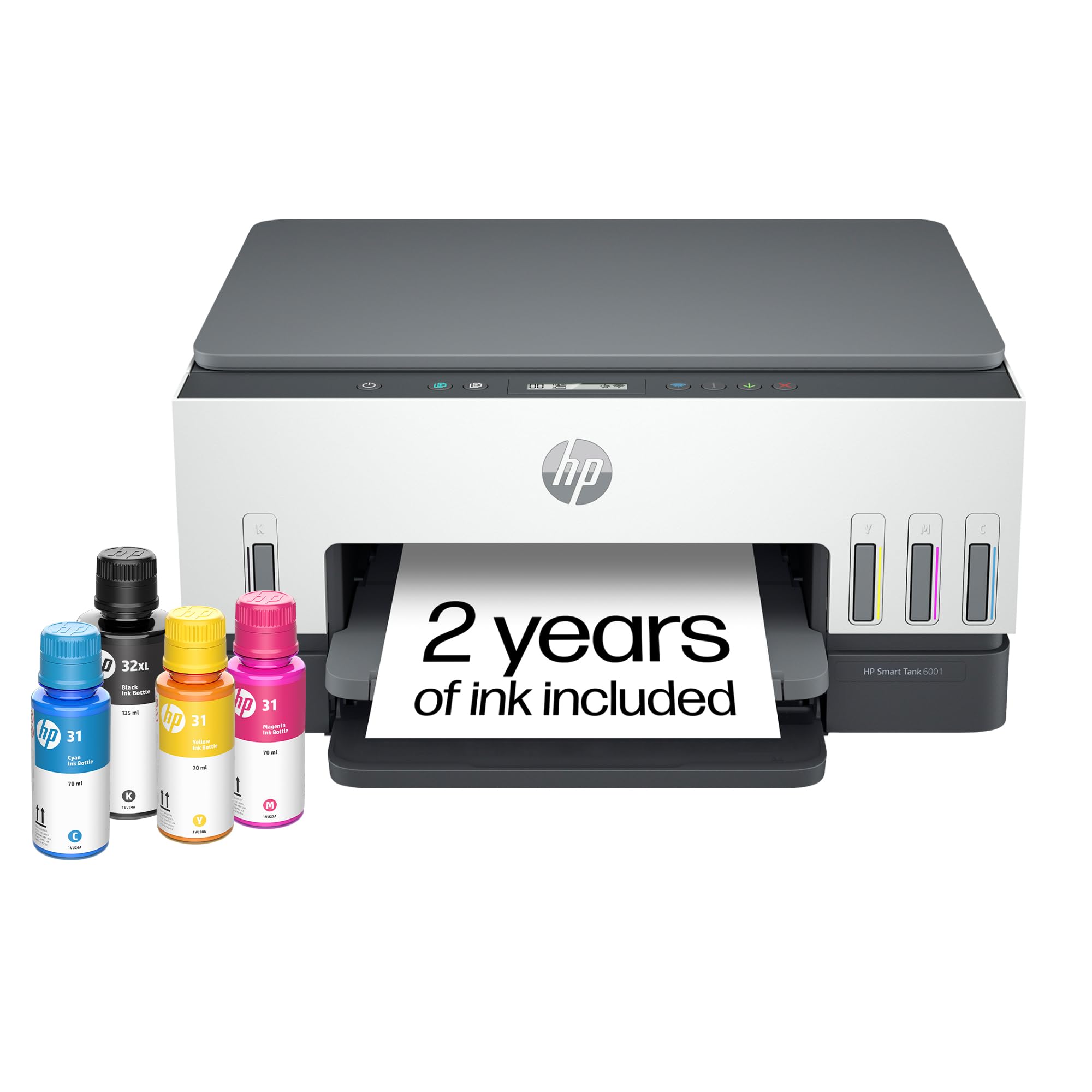
🖨️ Print smarter, save bigger, connect faster — the future of office efficiency is here!
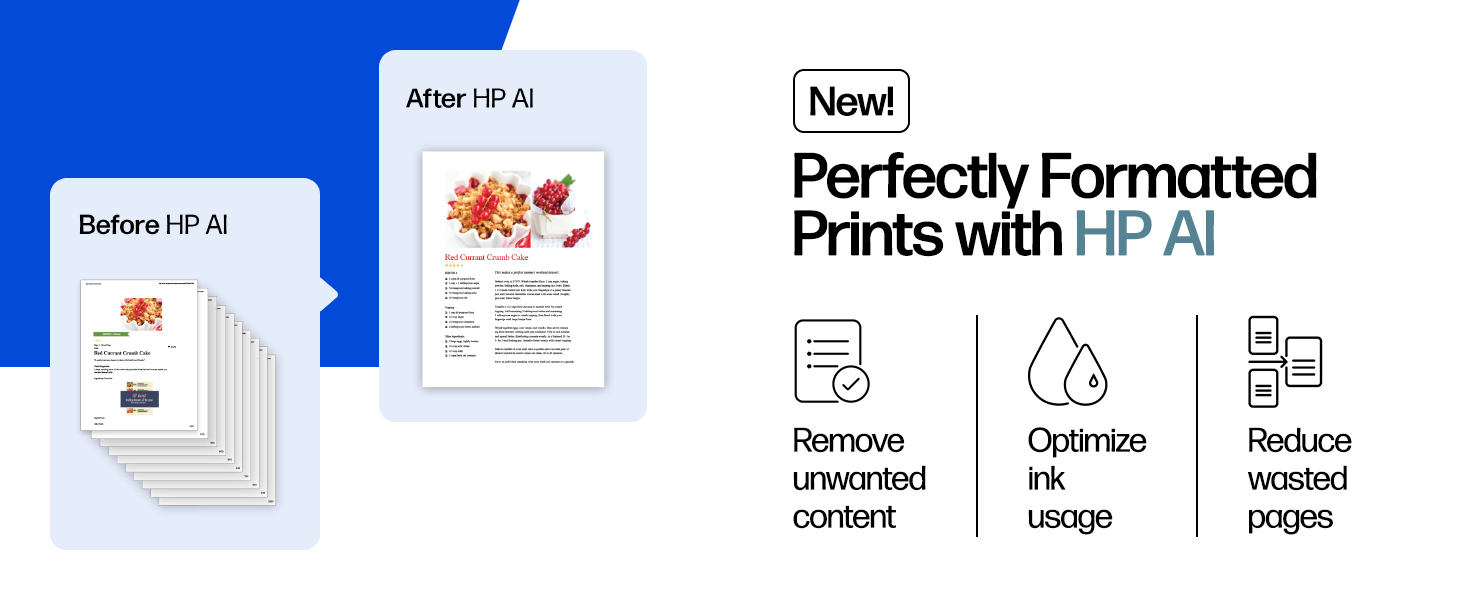
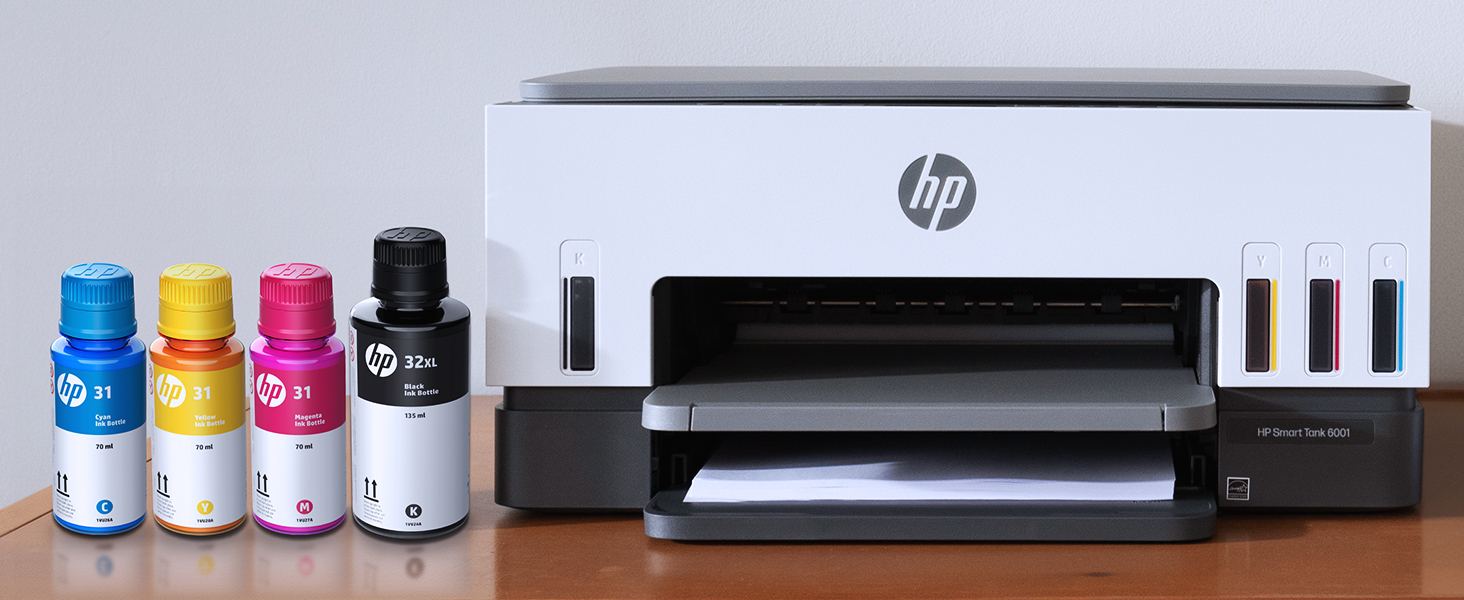
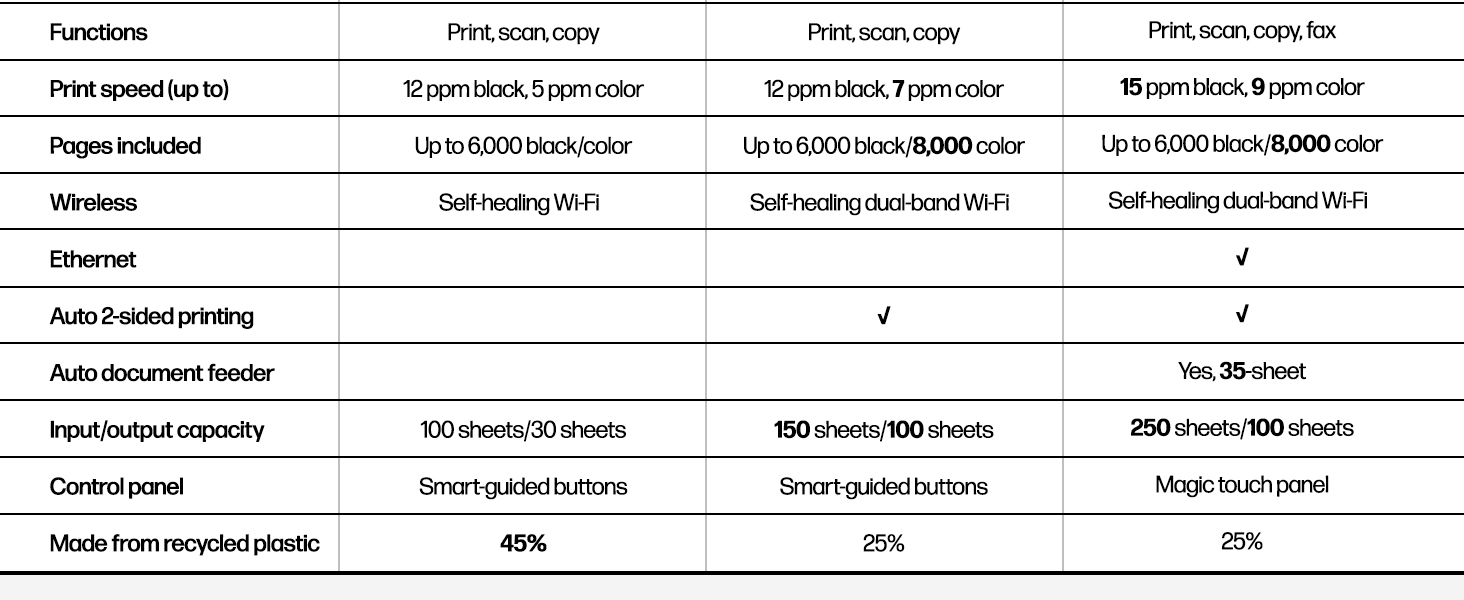
The HP Smart Tank 6001 is a high-capacity A4 color all-in-one printer designed for professionals who demand volume, quality, and cost-efficiency. Featuring pigment black ink for smudge-resistant documents, ultra-high print yields up to 12,000 monochrome and 8,000 color pages, and a dual-band self-healing Wi-Fi system for flawless wireless connectivity. Its intuitive HP Smart app integration enables seamless printing, scanning, copying, and faxing from mobile devices, making it an indispensable tool for the modern, connected workspace.
| 1回あたりの最大コピー数 | 99 |
| ASIN | B09TPZ3HLZ |
| Amazon 売れ筋ランキング | パソコン・周辺機器 - 6,283位 ( パソコン・周辺機器の売れ筋ランキングを見る ) インクタンクプリンター - 41位 |
| Amazon.co.jp での取り扱い開始日 | 2024/6/12 |
| USB2.0用ポート数 | 1 |
| おすすめ度 | 3.6 5つ星のうち3.6 (7,669) var |
| カラー | グレー |
| コントローラーの種類 | Apple AirPrint, iOS |
| シートサイズ | A4、A5、A6、B5、封筒(長形3号/長形4号)、はがき、往復はがき、10×15cm、L判、2L判など |
| スキャナータイプ | フラットベッド |
| スタンディングスクリーンディスプレイサイズ | 1.2 インチ |
| フォームファクタ | オールインワン |
| プロセッサ数 | 1 |
| メーカー | 日本HP |
| ワット数 | 2 W |
| 両面印刷 | はい |
| 付属コンポーネント | 本体、インクボトル一式+黒ボトル1本、黒プリントヘッド、カラープリントヘッド, 電源ケーブル(約1.5m)、USBケーブル(約1m)、セットアップガイド、リファレンスガイド、保証書 |
| 保証タイプ | 限定 |
| 印刷媒体 | プレーン紙, 光沢のある写真用紙, 光沢フィルム, 封筒, 高解像度紙 |
| 同梱バッテリー | いいえ |
| 商品の寸法 | 36.4奥行き x 42.8幅 x 19.9高さ cm |
| 商品の寸法 幅 × 高さ | 42.7 x 36.4 x 19.9 cm |
| 商品の重量 | 6.38 Kilograms |
| 商品モデル番号 | 6001 |
| 対応デバイス | Android / iOS, スマートフォン, タブレット, デスクトップパソコン, ノートパソコン |
| 最大コピー速度 (白黒) | 11 ページ/分 |
| 最大メディア(用紙)サイズ | A4 |
| 最大印刷解像度 (カラー) | 4800×1200 1インチ当たりのドット数 |
| 最大印刷解像度 (モノクロ) | 1200×1200 |
| 最大積載枚数 | 150 |
| 消費電力 | 2 ワット |
| 色深度 | 24 |
| 通信形式 | Wi-Fi |
| 電圧 | 240 ボルト |
| 電源 | AC。 |
A**T
今も使ってます
特に問題なく使えてます 購入したあとに使う用途が頻繁になり 買ってよかったと思ってます。 インクがそれぞれ別で液体なのがよかったと思います
禁**ん
給紙ミスからおさらば
給紙の安定性が優秀です。紙の自重を利用しているのがいいです。インクタンクが大きいのも良いです。
K**K
After quite a bit of research, I took the risk to buy this machine, although there were some negative reviews. After spending 10 minutes, taking everything out and getting it assembled, the power cable does not securely attach to the body. The printer that is not being supplied with enough electricity for it to run properly. Even if you push it with a little bit of force, it does not securely attach, and it feels like the interior "male" electrical prongs are not securely fastened within the machine and feel like they are wiggling. It's really disappointing to have to give a one star review after not even being able to use the machine. if anything, I'm fortunate that I checked the power capability before adding all of the ink. That would have been a nightmare to return. I am sending it for an exchange in hopes that the second one is better, although I've now wasted a lot of time and in desperate need of a printer in the meantime.
B**N
インクも一色ごとのカートリッジで大容量
大容量インクタンク式でしかもインクも一色ごとのカートリッジになっており、使って少なくなった色を補充すればよいので、経済的でかつ大容量なので頻繁に交換する必要がないのでストレスがない。(以前使っていたプリンターではカラーカートリッジは三色一体型で一色の量が少なく、ある色がなくなるとカートリッジを全部交換しなければならないのがストレスだった。)
D**ト
電源コード装着がしっかりしてない。外れる。
印刷に関しては特に問題もなかったが、電源コードの所が外れやすいという事がわかった。本体に差し込む電源コードがいつのまにか外れてるという状態があり、当初電源を入れてるはずなのに、電源が入らないという事で不良品なのかと思い調べてみたら、電源コード装着が直ぐ外れるので、どうにかしてもらいたいと思う。電源コードのリコールは入ってないのでしょうか?
A**1
家庭用プリンターとして最適!でもL版写真は・・・?!
当方、一般家庭での使用(写真プリント、子供の学校プリント印刷・コピー、年賀状印刷、時々スキャン・・など)が中心で、USB・有線接続などは行わず無線LAN接続でMac3台、スマホ4台など接続している環境です。 これまで使用していたHP PhotoSmat 6521が調子悪くなったのでそこからの買い替えです(これはこれで10年使用したので非常に満足)。Amazonブラックフライデーにて28,050円(税込)で購入しました。 ◎HP伝統の「前面給紙」「前面排出」! に加えて「インクカートリッジ式」➡︎「大容量インクタンク」に変更したのが決め手で購入しました。 ・HPというとワールドワイド仕様のためか日本語の説明書が貧弱という印象がありましたが、 本機種は日本語の説明書もあるため、梱包から開けて緩衝材の除去、インクのセットなどはとてもわかりやすいです。 ・無線LANの設定などはPC経由よりもスマホアプリからセットアップが正解です。 ・全体的に梱包を開けてから、テストプリントまで約30分でできました。 ◎良い 大容量インクタンク形式で、インク代のコストダウンが図れる(これは大きい!)。 インクヘッドも交換可能(購入時は自分でインクヘッドを取り付けるようになっており、公式オンラインショップで印刷ヘッド単体も購入可能なのがよい) ❌イマイチ 全体的に大きい(インクタンク方式にしたのでしょうがないか) SDカードリーダが無くなった(頻度は少ないが残して欲しかった) A4普通紙の印刷は問題なくできるが、L版の写真印刷は印刷位置がずれて出てきます(←当方の環境だけのエラーなのか、仕様なのか調査中)。 ➡︎2025.12.05追記:印刷位置のズレ問題については、サポートセンターに電話し諸j期不良ということで本体を交換してもらいました!新しく届いた機種は問題なく印刷されるようになりました! ⚠️注意点 大容量インクボトルの補充は、プリンタ本体に逆さまにして「注ぎ口」に差し込むのですが、 「カチッ!」となるまで差し込まなくてはなりません(ここはマニュアルに書いてありません)。 ちゃんとハマると「ゴボゴボ・・・」と本体に入っていくのが確認できます。
吉**誠
以外に簡単に設定できました。
進化を感じさせる器械です。
A**ー
印刷は良いが接続性能がダメ
印刷のレベルは高いし早い。 インクの減りも少ないのは助かる。 ただ、PCと繋がらない時があったり、印刷開始にものすごい時間がかかる時が多い。 スキャナやコピーが使えないこともあり、電源ボタン長押ししてもダメ。 電源を抜き刺しして解決させてますが、2025年製の機械で、こんなことありますかね? プリンターって何十年も前から出てるものだし、何十年も全世界で改良に改良を重ねた結果がコレなの?と思ってしまいます。
M**E
I bought this printer after wanting to decrease my ink cost from a laser printer. I expect my print quality to be high, and I figured I wouldn't be able to find a quality printer. Boy was I wrong! After trying a few other brands with liquid ink, I bought this one and it did not disappoint. The ink is super easy to install, and the quality is near laser, but it's difficult to know the difference! I bought this so I could print my own cards for birthdays, anniversaries and anything else. Now I'm printing quality cards that I make myself, and I couldn't be happier! Once my husband found out I wasn't worried about ink consumption and how cheap the refills were, he's printed hundreds of pages of color for his classes, and they come out just beautiful! He wasn't too sure about me wanting to upgrade to a color printer, but now he loves it as much as I do! I have only used the scanner a few times because I have a document scanner that does more. However, the scanner works fine for larger or book scans. If you don't have another scanner, you will like at least having the option to scan. I especially like this printer over its larger models because the paper is SUPER easy to load! The larger ones need you to remove the entire front of the tray before putting paper in. This one you just take a stack of paper and slip it into the front of the paper tray. I can load it very easily from my chair without removing any parts. The printer connected to the wireless network pretty easy, and adding it to our phones and other computers was a breeze! I do notice every once in a while when the network is having trouble, it will scan for wireless networks and disconnect & reconnect. That usually isn't a problem, just something for you to know. After owning the printer a few weeks now and printing about 400 sheets of color AND about 50 greeting cards, the ink still reads full. I'm really looking forward to saving money on ink. I use the IP address to connect to the printers' interface, and I love that more than its software. Both work fine and similar. I highly recommend this HP SmartTank Printer for anyone who wants to save on money and have quality printed products.
S**D
In 2017 I bought an Epson ET-2850, because for years before that Epson never let me down and I was off of HP at the time. Anyway, things have really changed and that printer was a nonstop source of frustration. Fast forward 6 years and I had just had enough. Settled on the HP Eco Tank 6001, and it's just so much better in every way. Prints much, much faster. It can do two sided printing. The WiFi connection is actually usable without jumping though hoops. Photo printing quality is on par but takes less than a quarter of the time. I can say setup wasn't exactly a breeze and was a bit frustrating, but that's a one time thing. Printer had to be online for the setup to complete. My printer's IP is now blocked by my firewall. It will never speak to anything on the internet again. This ensures no unwanted firmware updates that disable functionality, which is apparently an issue some people have faced. The printer didn't come with a USB cable but I had one lying around. It's the old square type. When you set the printer up, you're forced to "choose between USB and WIFI" and it disables whatever option you don't choose. I was able to reenable the USB right after however, and both work fine side by side. This made my life a lot easier because printing from PCs is a pain over WiFi (can't cross LAN segments) and printing over USB is nearly impossible for mobile devices. I can't speak for ink costs as I'm not a heavy user, but once you've used an eco tank type printer, the idea of having to pay for cartridges every few months is just a bad memory. You are saving HUNDREDS of dollars. One of my main gripes with my old printer was trying to clean the print heads when nozzles clogged. At first it was possible, but it got to a point where nothing I did worked. If that ever happens with this printer, the print heads are replaceable, easily.
E**M
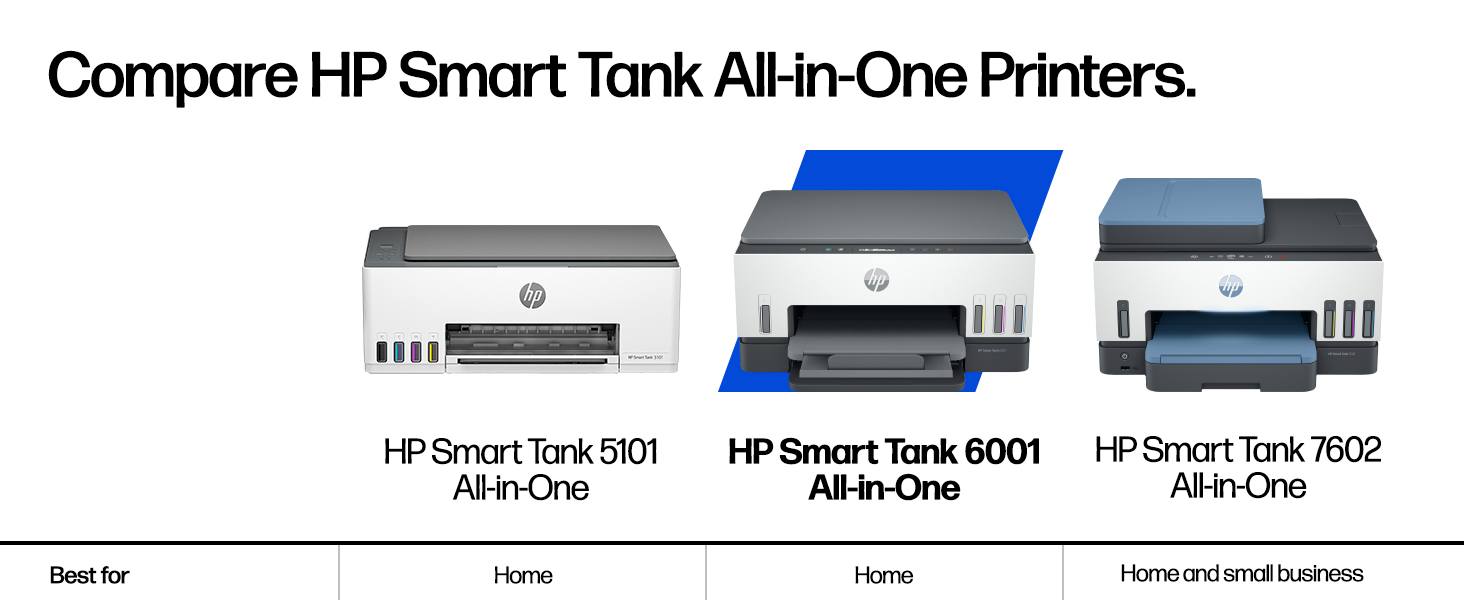
I recently purchased the HP Smart Tank 5101 Wireless All-in-One Ink Tank Printer, and so far I’ve been very impressed. The setup instructions were clear and easy to follow, and installing the ink was straightforward with no mess. My first print job came out crisp and high quality, which immediately gave me confidence in the printer. I’m primarily using this printer for labels and real estate documents, so I don’t anticipate heavy ink usage, but the print quality has been excellent across the board. The Wi-Fi connectivity works seamlessly, and being able to print directly from my phone has been incredibly convenient. Overall, this printer has exceeded my expectations and has been a great addition to my home office. I’m very happy with the performance and print quality so far.
C**R
I think HP brand name is not something I can trust on now. I bought this printer in Nov 2023, and had some trouble with connecting to Wifi in between. But usually a reboot would fix the connectivity and was able to print again. Another issue was that the Attention LED used to blink occasionally when I try to print and until I disconnect power and power it on it was never able to print anything. I should have complained about it long back but I didn't. And yesterday it stopped working completely. Even factory reset could not make it work. Luckily I was still under warranty so I decided to contact Customer service last night. I followed the instructions and reported this, and got a Case Id. I was assuming someone would email or call me, but This morning I saw email notification that the case is closed. No update, no resolution. Nobody tried to contact me. What are they trying to do?? And today I was trying to contact the customer service, it took me 1 hr to navigate through and get past their stupid chatbot which cannot understand anything at all. Finally once the live agent started they were able to troubleshoot for the next 30 min or so and get an a replacement part ordered. I will update once I get the replacement part to see if it really gets fixed. Another thing with this printer is that you can keep hearing a small squeeling noise continuously from the printer, even when it is not doing anything at all. I am thinking this is one of the other hidden issues I may have to worry about soon. I asked the customer service person, but they just said to contact after the replacement printhead comes and is replaced. I feel they just are not interested in helping to fix issues. Overall I feel like I should stay away from HP printers from now on. (Its sad to see that once such a great brand is falling to this low). Update on 10/16/2024 I got the replacement printheads, and guess what, replacing them did not help to resolve the issues. the printheads are not detected or something else is wrong, I am not able to print anything at all. The LED display still shows the black cartridge missing icon flashing. Contacted HP customer care again today and spent > 1hr to explain this and try to get a resolution for this. And they are sending me a replacement unit, but to send the replacement, I have to get the old one returned first. (They will send me the box and label but its going to take a few days). And then another few days for them to get the printer. Only then they will send you a replacement printer. They said approximately 2 weeks, but I doubt. that. All these days I don't have a printer at all. And now once I get the replacement part, I get the warranty transferred to the new replacement unit, meaning only till the original warranty expires. If this new unit fails the same way or with a different issue after that I am on my own, throwing all that $$ down the drain. At the minimum they should have offered to extend the warranty for the number of days I did not have a printer (from the day the case was opened to a replacement was received). I have now made a decision to stay away from HP printers forever. My last Canon Inkjet was excellent. It never gave me any complaint at all since I bought it in 2009, till now. The only reason I bought a new one was because the Canon printer was end of life already and they dont have drivers that would work with the newer OS. Update 10/25: Waited for 3 days for me to send the box and label and they gave me conflicting information in each email one email with a fedex label said I have to send the shipment first to them, (no mention of box or anything that they promised to send me ). Right after that they send another email stating they will send me the new unit first and I can send back the old one in the same box once I get it. Both of these conflicted with what the customer service said, but I waited for 3 days and since I didn't see any updates I contacted customer service again. After some back and forth they said they will send me a box to send the old one back. But it was too slow, so I was able to scavenge some other shipment box, pack the printer and use the shipment label they sent via email to send the defective unit back. And they received it, but no update even on the next day. So I asked them via customer support chat again and they said it would be updated withing 2 business days. Still no udpate and when I contacted them again, now they are claiming that it will take 15 days for them to process the replacement and that time starts when they received the defective unit (Oct 23rd morning). Which means I am out without a printer till Nov 7th. In my opinion, with this kind of customer "service", there is no point in giving warranty for a product. If anyone out there is in the process of getting a new printer, stay away from HP. In my experience, their printer don't last, and they don't provide any customer service at all. All their customer service department does it create tickets for their service center and there is no way to contact anyone there to see what is going on with your repair order. Better go with any other printer and they should work. Even if it does not work after sometime, its cost effective to return it (and pay the restocking fee at amazon) or even thrown it away and get a completely new one. It would still be cheaper and less stressful than dealing with HP customer service.
A**M
The HP Smart Tank 6001 is a solid all-in-one printer with a lot of great features, but there are a few things to keep in mind before buying. First, the good stuff—the print quality is excellent, and having up to two years of ink included is a huge bonus. Once set up, it works flawlessly for everyday printing, scanning, and copying. The cartridge-free ink system is efficient, and refilling is mess-free compared to traditional cartridges. Wireless printing from my phone or laptop has been smooth, and I love not having to deal with constant ink replacements. Now, the downsides—the printing speed is incredibly slow. If you’re in a hurry, this might not be the best choice, especially for large documents. Additionally, paper jams happen occasionally, which can be frustrating, though they’re not a constant issue. The initial setup was also a pain, taking longer than expected to get everything connected and working properly. That said, once the setup is done, it’s a hassle-free printer that does exactly what it’s supposed to do. If you can deal with slow speeds and the occasional jam, this is a great long-term printer with excellent ink efficiency.
Trustpilot
1 month ago
2 months ago



