Some deliveries may take a little longer than usual due to regional shipping conditions.

DOWNLOAD THE APP


Customer Services
Copyright © 2025 Desertcart Holdings Limited
DOWNLOAD THE APP

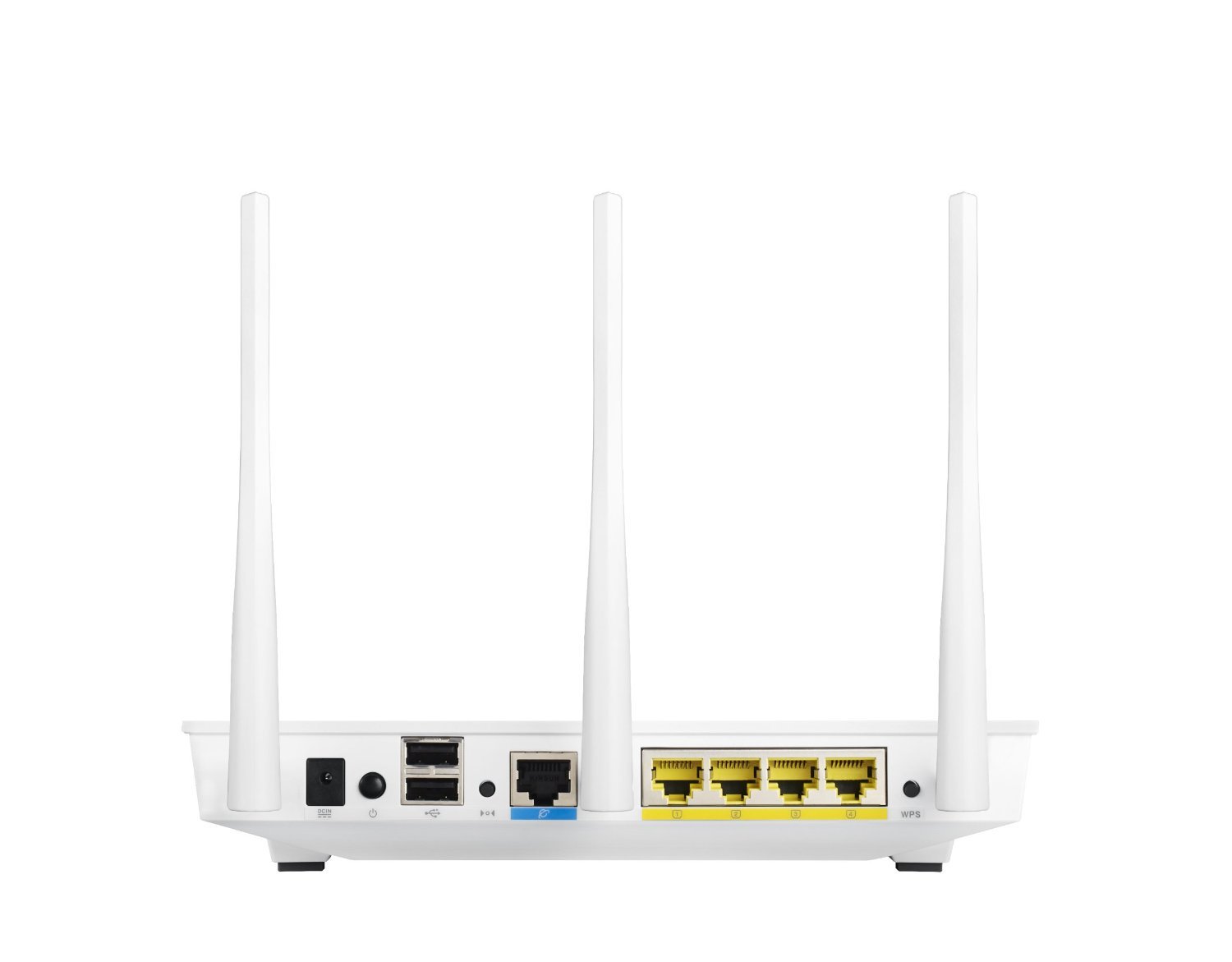

🚀 Elevate your home network to pro-level speed and security!
The ASUS RT-N66W Dual-Band Wireless-N900 Router delivers robust 900Mbps WiFi across 2.4GHz and 5GHz bands, enhanced by three detachable antennas for superior coverage. Equipped with four gigabit LAN ports and dual USB 2.0 ports, it supports versatile device connectivity including printer and HDD sharing. Featuring built-in VPN server support and IPv6 compatibility, it ensures secure, future-ready networking for Windows and Mac users alike.


| Wireless Type | 802.11n |
| Number of USB 2.0 Ports | 2 |
| Brand | ASUS |
| Series | RT-N66W |
| Item model number | RT-N66W |
| Operating System | Windows 7, Windows 8, Mac OS |
| Item Weight | 1.8 pounds |
| Product Dimensions | 14 x 3.5 x 11 inches |
| Item Dimensions LxWxH | 14 x 3.5 x 11 inches |
| Color | White |
| Voltage | 100240 Volts |
| Manufacturer | ASUS |
| ASIN | B00FK1E46U |
| Is Discontinued By Manufacturer | No |
| Date First Available | October 1, 2013 |
A**R
ASUS Routers Worth Buying
It seems like every year or less I am replacing my two routers at home. I used to buy Netgear routers only to have them fail and have to be replaced and ditto for Cisco/Linksys home routers. I have really hated to spend over $60 for a router and perhaps that is why I have gotten nothing but junk out of the name brands just mentioned? Enter the ASUS RT-N66W and ASUS RT-N66U.When my two good for nothing pieces of junk routers (Cisco/Linksys E series) began failing, I decided never to go back to that brand again. I am just really tired of having to deal with poor products. I took a seriously hard look at other "off brands" and just wasn't satisfied. As an avid home computer "tinkerer" I have exclusively used ASUS main boards for my gaming computers for around 20 years now. Typically, ASUS products have done very well for me. I have had the occasional lemon, but more often than not, ASUS main boards have lasted me over five years without breaking. I replace them only to get the "latest and greatest." So, I decided to spend the extra money on their routers.I purchased both the ASUS RT-N66W and ASUS RT-N66U when they were on sale. The price tag was steep for me because I am used to spending under $60 per router, but at the rate of replacement (about twice a year) I was spending $240 per year to replace two routers every six months... no joke!I haven't owned the ASUS RT-N66W and ASUS RT-N66U more than a couple weeks, but I already love them! They are doing exactly what they are supposed to do without any problems.The construction on these routers feel like top quality. They are heavier than the crap-o Cisco/Linksys home products I am used to. I don't know that the better quality "feel" means the ASUS routers are going to be a better router in the long term, but I already like them because of their quality. All the hard ware connectors, lights, chassis, and antennas look and feel durable. I hope that turns out to be true!The internal workings of both the ASUS RT-N66W and ASUS RT-N66U are pretty good. I like the interface software. It is simple and intuitive. I don't have to fuss about with the settings unless I want to. If I want to "geek out" and play with the settings, the router software is advanced enough for me to do so. However, I don't like to fuss with settings all that much, and both routers where essentially just plug and play. I set the ASUS RT-N66W to be my gateway router and set up the RT-N66U to be a wireless AP. It only took five minutes to have them set up and they worked.What I have really appreciated about these routers is that while they do everything any other home router should do, these routers have really good signal strength in my three story home. I can even connect 60 ft. away from my home with good signal strength.When I plugged these routers in, once they found the internet they automatically checked for firmware updates and updated. You will want to make sure to update your firmware. I think part of the reason I am not seeing problems is that the latest firmware fixed bugs some have reported about here on Amazon. Get those updates!Both the ASUS RT-N66W and ASUS RT-N66U aren't rebooting every other hour (like some of the junk I have had in the past). The gigabit speeds really do work. They really do route IPv6 (a bonus!), they do setup DHCP nicely. I can connect USB drives and they detect them and use them albeit a little slower than I like. The DLNA and iTunes servers actually work! And... you get free DDNS from ASUS, which again, it works as advertised!Perhaps these routers will turn out to be pieces of junk, too. I will find out in six months if I have to replace them and if that happens I will downgrade my rating. Until then, I am feeling really happy that I have two routers that are problem free at the moment and if they are half as good as ASUS main boards, then I won't have to spend another dime on a router until it is time for an upgrade!
L**D
Excellent Router, Good Range, Sustains Large Bandwidth and Stable. Go with AsusWRT-Merlin firrmware
My first "wifi router" was a PCI card in a home-built PC more than a decade ago, in ad hoc mode. No one else in my neighborhood had wifi. Since then, I've moved and gone through a few consumer-rated routers from Cisco, D-Link, Netgear, Asus, Buffalo and TP-Link.Fast forward.. my Tomato-USB Cisco E2000 finally started getting flakey. Decided on a used RT-N66U because it could run Tomato Shibby. The first flash took a while because I didn't know to give it time to finish and instead I kept re-trying to flash after 10 minutes. I ran Tomato Shibby AC firmware for a few days, both 5 and 2.4Ghz bands simultaneously. Excellent and stable results.I thought things were great until I discovered AsusWRT-Merlin on the Small Net Builder forum. I've been drinking the 3rd party firmware, but immediately agreed with Merlin's reasoning behind his firmware (Merlin is the author's nickname). Why stray from manufacturer's firmware unless one has a good reason to use 3rd party firmware features? The manufacturer's firmware will likely be more stable. They take the pain to make sure of that. Marlin takes Asus' own open source AsusWRT, and fixes bugs, completes features and adds basic necessities only in his AsusWrt-Merlin. Flashing it from Tomato's Web UI took only a few minutes, and off it goes. The UI is not as clean and as fast as Tomato Shibby, but the results are great. I get better range with the 5Ghz band. No error with IPv6 either. So, even more excellent and stable results!Regarding bandwidth, in my household, there more than a handful of devices connected and saturating the air. There are Android devices including phones, tables, Google TV, Chromecast; then several laptops, printer and voip modem. I set devices used by myself and my wife to prefer the 5 Ghz band, while the rest stay on 2.4. Both bands are on the same SSID (so I can roam and can also control Chromecast, which isn't 5 Ghz capable). Inssider shows a handful of other wifis from my neighbors and I manually set my control channels to the empty ones. So far, the N66W is holding up just fine.It does run a little warm. I have it standing up on the stand to give a little more air circulation. Hopefully it will provide serve for a few years at last. The blue lights are on the bright side, so I might cover them. The on-off switch is great.Finally, don't hesitate to get a used unit sold by Amazon Prime. It's much cheaper. The used unit I got was in brand new shape.
Trustpilot
1 month ago
1 day ago