


🎧 Elevate your audio game with FLOOGOO’s Bluetooth dongle—where pro sound meets effortless style.
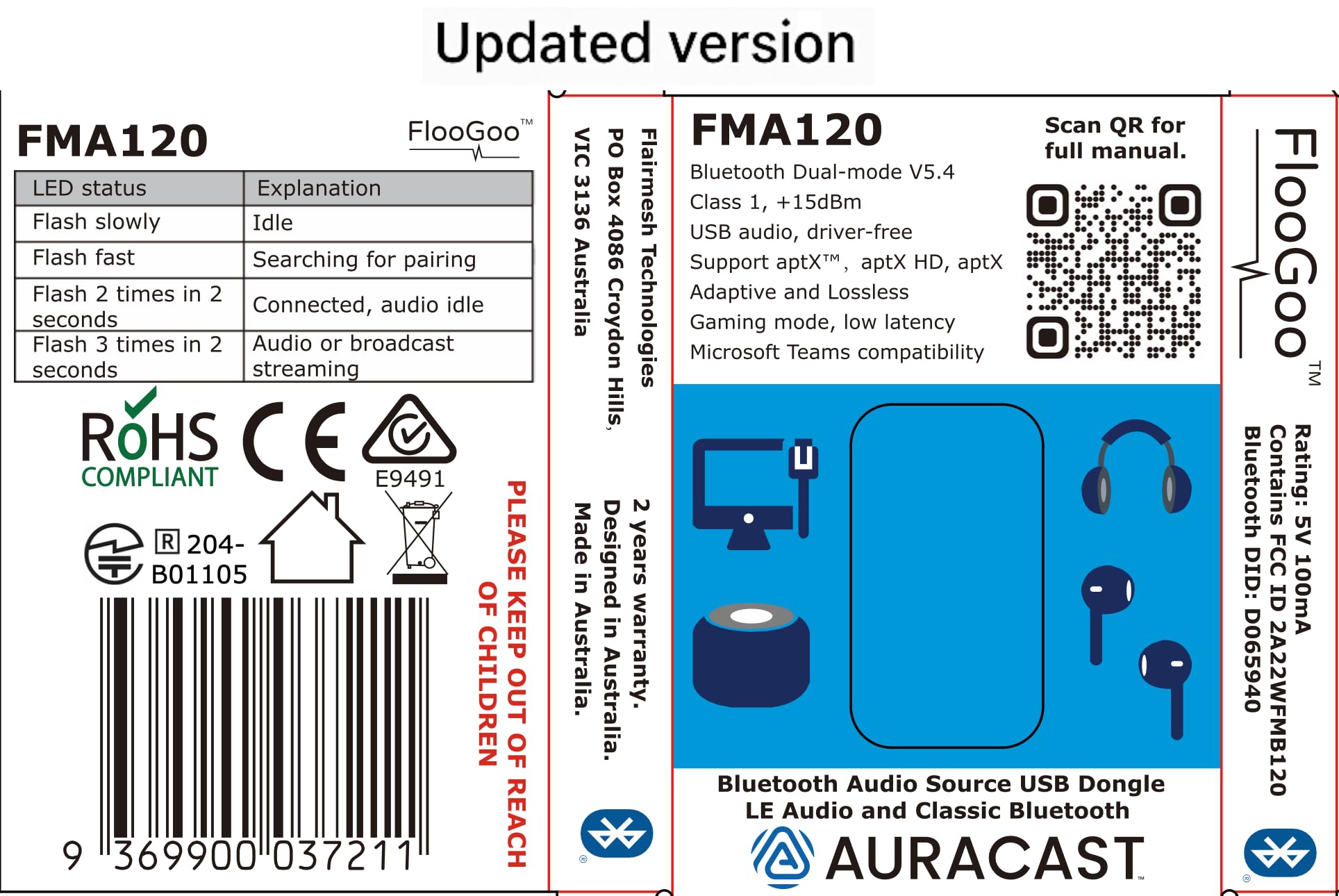
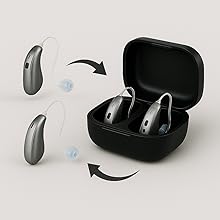
The FLOOGOO FMA120 is a compact, ultra-lightweight Bluetooth 5.4 USB dongle that supports dual-mode audio streaming, including advanced LE Audio and Auracast broadcasting. It delivers high-fidelity sound with aptX HD and Adaptive codecs, offers plug-and-play compatibility across major OS and gaming consoles, and uniquely supports hearing aids for inclusive, next-level audio experiences.







| ASIN | B0CN71FL92 |
| Best Sellers Rank | 26,558 in Computers & Accessories ( See Top 100 in Computers & Accessories ) 132 in Bluetooth Network Adapters |
| Brand | FLOOGOO |
| Colour | white |
| Customer Reviews | 4.3 4.3 out of 5 stars (103) |
| Date First Available | 13 Nov. 2023 |
| Guaranteed software updates until | unknown |
| Item Weight | 5 Grams |
| Item model number | FMA120 |
| Package Dimensions L x W x H | 9.9 x 6.1 x 0.9 centimetres |
| Package Weight | 0.02 Kilograms |
| Part number | FMA120 |
| Product Dimensions L x W x H | 39 x 20 x 7 millimetres |
M**S
Amazing Auracast Transmitter works with Resound Enzo IA Hearing Aids
Very happy with this product - highly configurable and works extremely well with my Laptop and Resound Enzo IA hearing aids. Excellent value for money
G**M
Fantastic, it works with my hearing aids
I have Windows 11 24H2 and was pleased that within 30 mins of receipt I was able to download the latest irmware and get this working. Fantastic!! It is really easy to install and configure and has full support for my Starkey hearing aids which are Bletooth LE audio.
G**F
Works with Oticon Intent 1 & Steamdeck OLED
My Floo Goo FMA120 arrived this morning, did a quick update to the latest firmware using the FlooCast software on my Microsoft Surface Pro 9. Now have my Oticon Intent 1 hearing aids functioning as a head set to my PC. Also plugged the FMA 120 into my Steamdeck Oled & it also connects the audio to my Intent 1 hearing aids without issues. Could not be happier.
L**G
Most compatible Bluetooth LE Audio transmitter
It is a great little device to have to test out different Bluetooth LE Audio capable devices. It works great with the Avantree AS70P in 'Gaming' mode. In fact it has the best compatibility so far. A few little issues I have: - The FlooCast user interface is a bit confusing, sometimes I don't know if it's searching for devices or not. - Sometimes the device will crash and I would get an "Unrecognized USB Device" error and then I need to unplug it and plug it in again. I've noticed that this mostly happens during mode switches. - The operating range could be a bit better
A**E
Nach ein paar Realtek-basierten Bluetooth-Antennen (Windows Bluetooth-Stack) und dem Sennheiser BTD 700 Dongle (Knack-Geräusche seit Firmware 3.11.0, Probleme mit aptX Lossless, bzw. Wechsel zu aptX Adaptive) habe ich den FlooGoo FMA120 für mich entdeckt. In Verbindung mit der FlooCast-App ist der Dongle eher ein Schweizer-Taschenmesser als ein gewöhnlicher Dongle. Ich nutze den Dongle mit einem Bose QuietComfort Ultra (Gen 1) Headset. Über die App kann ich sauber zwischen allen Codecs wechseln und das Headset macht die Wechsel (insbesondere im Vergleich zum BTD 700) problemlos mit. Die blinkende LED lässt sich per App abschalten, sehr gut. Firmware-Update (und da gab es schon diverse Upgrades) ist auch schnell eingespielt und die App lässt sich nach dem Autostart automatisch in die Systray minimieren. Zur Sprachqualität in Teams Meetings kann ich zwar noch nichts sagen, aber bisher bin ich sehr glücklich mit dem Dongle. Es lohnt sich also, ein paar Wochen (kommt aus den USA) auf das Teil zu warten.
G**H
I bought the Sony INZONE Buds in 2023 and initially I was only plannung to use them for the PS5, knowing that compatibility will be limited. The peculiar feature of these is that they don't use any classic bluetooth connection or codec (like adptX), only LE Audio (also know als LC3 codec). The only method of connection was the bundled dongle, a rather flimsy piece of equipment and very soon I felt it a bit tiresome to always unplug it from one device and plug it into another; was almost a bit regretful over not having bought inears with broader compatibility. Nonetheless, since the headset was pretty great (good sound and very long lasting battery) I kept it while being on the lookout for a way to connect it to pc and smartphone another way. Smartphone compatibility simply rose over time, but on the pc front I went through several dongles without success. Among them the eppfun AK3040 PRO MAX, which claims to be LE Audio compatible as well as the Creative BT-W6 for which even the Creative support gave misleading feedback before the purchase, only to admit it isn't compatible after I returned the device. -.- I was about to give up when I stumbled over an Australian company, Flairmesh, producing a bluetooth LE Audio dongle, the FlooGoo FM120. Since I needed to import the dongle to Germany, again I sent a question to the customer support: "Is it compatible with the Sony INZONE Buds?" Their answer really suprised me: "No", but they promised me to buy the Sony INZONE Buds, test them and publish a compatible firmware. And...well...they did, a few weeks later. Nothing more to it other than to acknowledge and praise what is EXCELLENT customer support, dare I say a rare thing these days. I imported the dongle, and it works. If I had to dig up any kind of critique for the FM120, it'd be that the process of pairing bluetooth devices is a bit finicky. Because there is a button on their software that reads "add device" and I was expecting it to show me a list of devices to pair, as when you use a regular bluetooth dongle in Windows or when adding devices with a mobile phone. Instead it will automatically search for and pair with devices that are in close proximity to the dongle. The software is not needed for (subsequent) pairing, or at all. You just plug the dongle it, use the inears and it works. But with the software you can change modes and codecs according to your needs, be it high quality lossless audio or low latency for gaming. Especially the latter is very impressive because it really is fast, making for no perceivable audio delay for the inears I tested. There is a limitation in the hardware or software, as in that an LE Audio device will always take precedence over any classic bluetooth device. This is a limitation by the current available chipset for LE Audio and other dongles (who weren't compatible in the first place though) have these notes plastered on their description pages as well. I tested several classic bluetooth headsets / inears (before I settled to only use the Sony INZONE Buds, as they are the best I have anyway) and when only these you can easily switch between them. All in all I'm very pleased with the whole process of aquiring the FlooGoo FM120 and it finally fullfills the task I've been looking for, for almost two years. :)
H**M
Finally, Stable Calls and LE Audio! This little adapter is a game-changer. I paired the FlooGoo FMA120 with my Sony WH-1000XM6 headphone and my Samsung Android phone, and the performance is excellent. It delivers crisp, clear LE Audio without any issues. The most significant improvement is with Microsoft Teams calls. Before, I had constant audio dropouts, but with this adapter, the connection is perfectly stable. It has made work calls significantly less frustrating. Important Note: You must upgrade the firmware as soon as you get it for it to work properly. The only real downside is that the firmware update software is only available for Windows. Despite the initial painful setup step, I highly recommend the FMA120. It's a fantastic solution for anyone wanting to improve call stability and take full advantage of LE Audio.
謎**謎
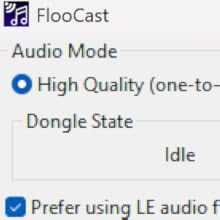
想えば LC3 という規格を知ってからずいぶんと苦労してきました。 これからのスタンダードは LE Audio になるなんて登場した LC3 ですが、ふたを開ければ信じられないレベルの互換性問題。 ほとんどのトランスミッターは SoC が qualcomm。 aptX 対応機種はほぼ例外なく qualcomm。 実は本機も例にもれず qualcomm です。 そして、LC3 対応のはずなのにうまく接続できないイヤホンやヘッドホンたち。 aptX 非対応機種はほぼ例外なく airoha です。 イヤホンの SoC が qualcomm だったら別に良いのです。 素晴らしい LE Audio の世界を楽しんでください。 でも、Sony をはじめとした割と主力なメーカーたちは airoha を選択しました。 トランスミッターが qualcomm だと何か問題なの?と思われるかもしれませんが、ほとんどの場合ドライバが未完成で airoha 相手に接続がうまくいかないのです。 そして、トランスミッターを出しているメーカーは airoha に接続することをはじめから放棄しています。 もしくは対応する詐欺です。 彼らにそんな技術力はありません。 ところが、本機メーカーである FlooGoo は、この問題に積極的に対応してきました。 今でも活動的に更新が続いており、おそらく airoha 相手に安定して接続できる唯一の qualcomm ドングルです。 この製品に出会えた時、今まで抱えてきた LC3 へのジレンマがすべて解決しました。 ソフトウェアの SS を載せておきます。 同じく LC3 で苦労してきた方は目を輝かせてしまうのではないでしょうか? 洗練されつつ、必要な要素を全て押さえています。 いまなんのコーデックで通信しているの? ビットレートは?遅延は? 全部表示してくれます。 また、これらの調整は使用者であるあなたが決めてよいのです。 メーカーが適当に決めた、不明なビットレートに縛られる必要はありません。 LC3 って低遅延じゃなかったの? そう思いながらだましだまし接続してきました。 本機に出会う前までは。 いまなら声を大にして言えます。 LC3 って低遅延なんだよって。 そして、確かに高音質なのです。 あなたがしている苦労、僕にはとてもよくわかります。 イヤホンは airoha ばかりなのに、なんでドングルはほとんど qualcomm なの? LC3 対応予定って何? なんでこんなに遅延するの? なんでこんなにノイズが乗るの? 音悪くない? 結局メーカーの怠慢です。 なんとなく自社製品が接続できればそれでよいのです。 むしろそのほうが良いと思っているのかもしれません。 さあ、あなたはやっとまともに接続できるドングルに出会うことができました。 次世代規格 LE Audio を楽しみましょう!
J**E
Fonctionne parfaitement, la connexion avec mes aides auditives Signia à été aisée (avec l'aide d'internet). Très satisfait
Trustpilot
2 months ago
2 months ago



