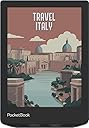
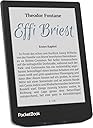
📚 Elevate your reading game with color, sound, and waterproof freedom!
The PocketBook Verse Pro Color is a sleek 6-inch e-reader featuring the latest E Ink Kaleido 3 color screen technology for eye-safe, glare-free reading. Equipped with Bluetooth 5.4 and Text-to-Speech, it supports audiobooks and hands-free listening. Its SMARTlight adjusts screen color tone for optimal comfort, while the IPX8 waterproof rating ensures durability in any environment. Lightweight and compact, it’s designed for professionals who demand versatility and style in their digital reading experience.
| Standing screen display size | 6 Inches |
| Screen Resolution | 800 x 600" or "1024 x 768 |
| Brand | PocketBook |
| Series | Verse Pro Color |
| Item model number | PB634K3-1-WW |
| Item Weight | 12.3 ounces |
| Product Dimensions | 5.12 x 7.09 x 1.18 inches |
| Item Dimensions LxWxH | 5.12 x 7.09 x 1.18 inches |
| Color | Stormy Sea |
| Battery Type | Lithium-Ion |
| Batteries | 1 Lithium Polymer batteries required. (included) |
| Manufacturer | PocketBook |
| Language | German |
| ASIN | B0D9QTSVXC |
| Date First Available | July 19, 2024 |
S**M
Amazing e-reader for those trying to avoid Kindle
Amazing e-reader for those trying to avoid Kindle. The Libby integration update that just released December 2025 is super cool and a huge selling point. Screen is clear and easy on the eyes, perfect size for me. Bluetooth connected a remote for page turning from a distance.
S**6
A Review from Someone Who Read the Product Description
Before I bought this I was reading the reviews and it seems to me that about half of them were by people who didnt read the product description (ironic on an e-reader) or do any research for this multi-hundred dollar device. So let's talk about some of the reasons people took stars off of this product: "It's not on Android" Correct, it doesn't say anywhere that it is. Check out Boox if that's what's important to you "It only has 32GB of storage" You knew that before buying this, right? Right?? Also most ebooks are around 1-10mb. You could easily fit 100 ebooks and 10 audiobooks and a nice collection of comics and not run out of room. If you can consume ALL of that without ever connecting to wifi a single time in between I'd be shocked. Seriously, just put your backlog on a cloud service of your choice and grab new books when you need them. You don't need 800 hours of books in your pocket at all times. Chances are if you can't find Internet you also can't find a charger, anyway. "It doesn't have an SD card slot" It doesn't say anywhere that it does. Instead, you get waterproofing. And as I mentioned before, an internet connection gives you virtually limitless storage. Think of it that you only have 32GB of offline storage. "It only has 1GB of RAM!" You're reading books, not playing games. Also this is another easily found fact before you make the purchase and not a reason to remove stars. This could be a valid reason to decide not to buy the product, but you don't get to complain after the fact that you got the thing you purchased. "You can't use Kindle on this" Yes and no. First, of course Amazon isn't going to make it easy for you to leave their ecosystem. If you want easy Kindle access, buy a Kindle. That's like being upset your Android didn't boot up iOS when you turned it on. Second, you can download the Kindle software on your computer, download your ebooks. Transfer them to your Pocketbook, and then log into Adobe Digital Editions to authenticate and allow you to read your Kindle books on your Pocketbook. Google it for a more in depth guide "There are books in other languages installed on it!" Oh no! How dare you be subjected to other cultures!!! Ugh... Just plug it into your computer and delete all of the folders named after languages that aren't ones you speak. Problem solved "The screen is too small for comics" Find yourself a tape measure before you spend this much money on a product. The dimensions didn't change after you bought it. A comic book would have an equivalent "screen size" of about 12.2 inches. This is 7.8. "Page turns require swiping, not tapping" Incorrect, at least on mine. You can also change gesture behavior in the settings if for some reason yours doesn't do this. "Should have a better CPU" It is technically an upgrade from the previous model. Also, for reading, this doesn't effect anything "Only 2GB of free cloud storage" There's plenty of other free cloud storage choices. You can log into any of them from the built in web browser and download your files there. Bookmark the folder in the browser to make it even easier to access your stuff Alright so what's MY actual review? Well this is really long already so I'm just going to spill out random bits of info and opinions: yeah, I'd agree that the menus can be a little laggy. This CAN be annoying for the first 10-15 minutes you're setting the device up. But ultimately you're here to read books, not navigate menus for 30 minutes, right? When you're reading books pages load very quickly. Probably faster than you could turn a physical page. There's no ghosting issues, and the front light is very even. I experienced no eye strain after reading for several hours straight. The battery is still above 75% after reading 500+ pages with the light at about 50% brightness. The color is muted, but that will be the case with every single current generation color e-reader. From reviews on YouTube (Chalid Raqami, I'd recommend his videos if you're debating between a few models), this one is actually best in class for color reproduction. I personally find the screen a great size for books. The screen is clear unless you look really closely, then you'll see the texture of the color layer. This will be true for every single Keleido screen (current industry standard) because that's how the tech works, there's no getting around it. The back plastic feels a bit cheap but it doesn't effect my experience at all. The buttons are easy to locate without looking and in the dark. You can remap the buttons and change the gesture settings to your liking. Menus are easy to navigate despite being a little laggy. The device is lightweight and can fit into a large pocket (sorry to the unfortunate souls who wear women's pants) or a bag easily. Would recommend the screen cover if you plan on doing this though to keep it safe. I personally manage my ebooks with Calibre. I set up a local server and can pull my books right from my computer to my device from the Pocketbook browser when I'm at home. I also have Google Drive syncing my Calibre library folder to the cloud so I can access all of my books anywhere I can connect to the internet. I personally chose the Pocketbook over all the competition because it has the best and biggest screen for the pricepoint - which is ultimately what you're interacting with 99% of the time for an e-reader. If the price doesn't scare you away, then I think it's worth what you pay for it. If you want something a little cheaper and smaller, Kobo and Boox seems to be the top competitors outside of Kindle. Hope this review was helpful!
M**Y
Best e reader I have owned
I am absolutely in love with my Pocketbook Pro Color. It is my 3rd book reader. I have had a Nook and a Kindle previously and I am an avid reader. If you are someone who prefers devices where you have control and that are truly ad free this hits. I have wanted a pocketbook and finally made the switch. Plus no one can take your purchased books away(for whatever reason they feel necessary). Works beautifully for this nerdy girl. Highly recommend!
K**M
excellent quality, privacy, features, price
Easily the best quality, privacy, and feature set, for a steal of a price. Incredibly light, battery efficient, boots/sleeps in seconds, easy on the eyes, and passable colors. NO accounts or online access is required. Pocketbook is headquartered in Switzerland and Ukraine, which may have better handling of privacy data than other countries. Per their privacy notice, it seems they only collect the bare minimum necessary, and only if you actually use their optional online services. Copying DRM-free ebooks is incredibly simple: connect to your computer via USB, and the Pocketbook shows up as an external drive. Copy any files/folders, then safe disconnect -- the Pocketbook will automatically detect new books. Pocketbook library can be browsed via folder structure too, if you prefer to organize that way. Connecting via USB also exposes the underlying Linux file system, for tinkerers. Online transfers can be done via optional Dropbox, PocketBook Cloud, or Pocketbook's email service. Using FTP via the browser is a private/account-free option. It has handled all EPUB, MOBI, PDF, and CBZ (comic) formats that I've tried so far with no issues. The Gallery function is also nice for viewing images and art. Even the browser is surprisingly capable, able to handle FTP and even YouTube. Videos are not very watchable due to low framerate, but it could work in an emergency. The only minor downside is that a Bluetooth audio device is necessary if you want to listen to music or audiobooks, but it's not a huge deal. I recommend buying a flip cover to improve protection and handling.
M**V
Interesting concept, but extremely slow and outdated performance
I really wanted to like this PocketBook Verse Pro. The idea behind it is great — an e-ink reader that’s easier on the eyes, especially for kids, and closer to the feeling of reading a real book. That part is definitely appealing. However, the actual user experience was very disappointing. The device feels extremely slow and outdated. Page turns, menu navigation, opening files — everything takes several seconds, and the whole system constantly feels like it’s “thinking.” After being used to the speed and smoothness of modern devices like iPhones and MacBooks, using this reader feels like stepping back into the early 2000s. The display quality is also not impressive. Colors look muted, and overall the content appears washed out. For me, the slow response time completely breaks the reading experience. It’s just not enjoyable to use, so I ended up returning it. Pros: • Eye-friendly e-ink screen • Nice idea for kids who shouldn’t stare at tablets Cons: • Very slow performance • Outdated interface and overall feel • Display quality is mediocre • Not pleasant to use compared to modern devices
M**L
Compact and easy to sideload
I love the size and weight of the the Pocketbook Verse models - fits in the hand very comfortably and the buttons are in a great location for page turning. The new color layer dims the screen a bit but can be worked around once you turn on the frontlight. Color makes the covers pop and color images in some of the books I read looks great. Everyone has their own opinions on the color vs. b&w contrast but I personally don't mind it that much. Pocketbook's built in store is pretty useless if you're in the US - it is one of the first things I moved off the quick access bar. However, the system is practically built for sideloading so purchasing epubs from Kobo/Google Play Books/Etc and easily transfer them over with a computer or via email with Send-To-Pocketbook. Another bonus is that this model has usb-C OTG capabilities so the 16gb isn't that much of a limitation as long as you have a flash drive. The black and white Verse Pro does not have this capability. I also love how Pocketbook allows you to look directly at your folder structure so organization can be as simple as creating folders/subfolders on the computer and drag/dropping everything into place. Edit: Added photos to compare the screen of the Verse Pro to Verse Pro Color (Verse Pro Color on the right in the photos). First photo has no backlight on, second is with the Verse Pro Color's backlight on about 33%.
K**K
Does not support device passcode lock
Great screen. Software is just okay, could be much better. I'm giving only 1 stars because there isn't a feature to lock the device with a passcode/PIN. I still use my PocketBook, but I don't travel with it because I can't secure it. According to forums, users have been waiting over a year for PocketBook to support this feature. I reached out to support and they said it was planned but there was no specified release date.
K**L
Syncs Sideloaded Books
Reader is pretty good. Best part for me was that it syncs sideloaded books with the cloud. This allows easy resuming on my iPhone when I’m on the go. Colors are alright. Can’t be compared to iPad or computers. Must closely resembles the colors found in the comics in the newspaper, especially if the newspaper has sat in the sun for day. Color temperature light is great. Doesn’t automatically follow the sun like kindle does. However, it allows you to build a schedule for both the brightness and temp to adjust automatically. Vertical swipes on the left adjusts temp and vertical swipes on the right side adjust brightness. It does have page turn buttons, but they are awkwardly placed. Nook is the best for having buttons on both sides. Reader is a little slow, especially when looking up definitions. Comparable to Kobo/nook/kindle of 2017-2019.
Trustpilot
1 week ago
3 weeks ago