
DOWNLOAD THE APP


Customer Services
Copyright © 2025 Desertcart Holdings Limited
DOWNLOAD THE APP

⚡ Press, Create, Repeat — Elevate Your Engraving Game!
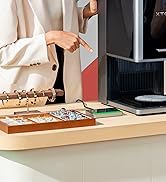
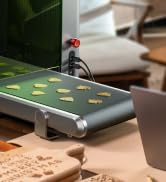
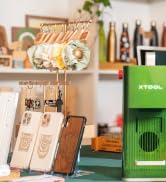
The xTool Button Switch is a high-precision, ergonomic accessory designed for xTool F1, F1 Ultra, and F2 Ultra laser engravers. Crafted from lightweight aluminum alloy, it enables hands-free batch engraving, boosting efficiency and reducing fatigue. Its portable design ensures stable placement and seamless workflow, making it an essential upgrade for serious creators.





























| Best Sellers Rank | #17,654 in Arts, Crafts & Sewing ( See Top 100 in Arts, Crafts & Sewing ) #30 in Jewelry Making Engraving Machines & Tools |
| Customer Reviews | 4.7 out of 5 stars 72 Reviews |
R**N
Engrave. Press Button. Rinse and Repeat.
Makes it extremely easy to repeat the same action again when batching out items. It's easy to transport with the machine, and it's is easily removable when not in use. With a little double sided table, you can secure it down to a surface to prevent it from moving around.
K**S
Should come with the original unit
This button is so critical to the design of the laser that it should just come with your purchase. Disappointing that it's just accessory and not something that comes out of the box, but for what it is it works beautifully. Note that if you're using it and want to use it without the shield all the way down, there is a setting in the software to uncheck to allow this with the button.
G**N
Should Be Included With The F1
This is just a simple button but it's amazing how much it improves the workflow with the Xtool F1. Starting and repeating prints is so much easier and quicker than having to use the button on the F1 which in some cases could accidentally cause movement of the machine or the material setup to be engraved. Like most Xtool products, it is a very solid and durable build which I appreciate at an affordable price point. This is one of the must have accessories that Xtool should really just include with every F1.
M**S
Make your start button easier to reach.
I have the XTool F1 and where my laser is set up it is difficult to reach the button to start the engraving process. With this cable I was able to move it to the front where I could easily start the machine.
J**H
Definitely Recommend
I love the convenience of this little button. It saves you from having to potentially move the machine while trying to start it.
Z**S
Works great. Speeds up my process!
I use this with my XTOOL F1 Lite. It works perfectly! Give it a double tap and it repeats the last job without having to risk bumping the machine and messing up centering!
G**N
Helps avoid shaking the machine when starting a job
Using this button instead of the one on the side of the machine avoides the risk of having what you are engraving move. It speeds up production of pens, name tags, ornaments, etc
J**R
Convenience in a button
Great addition to the F1. Makes it easy to start or rerun a job.
Trustpilot
1 month ago
3 days ago