
DOWNLOAD THE APP


Customer Services
Copyright © 2025 Desertcart Holdings Limited
DOWNLOAD THE APP



🚀 Zoom In, Zone Out: Security That Sees It All, Day or Night!
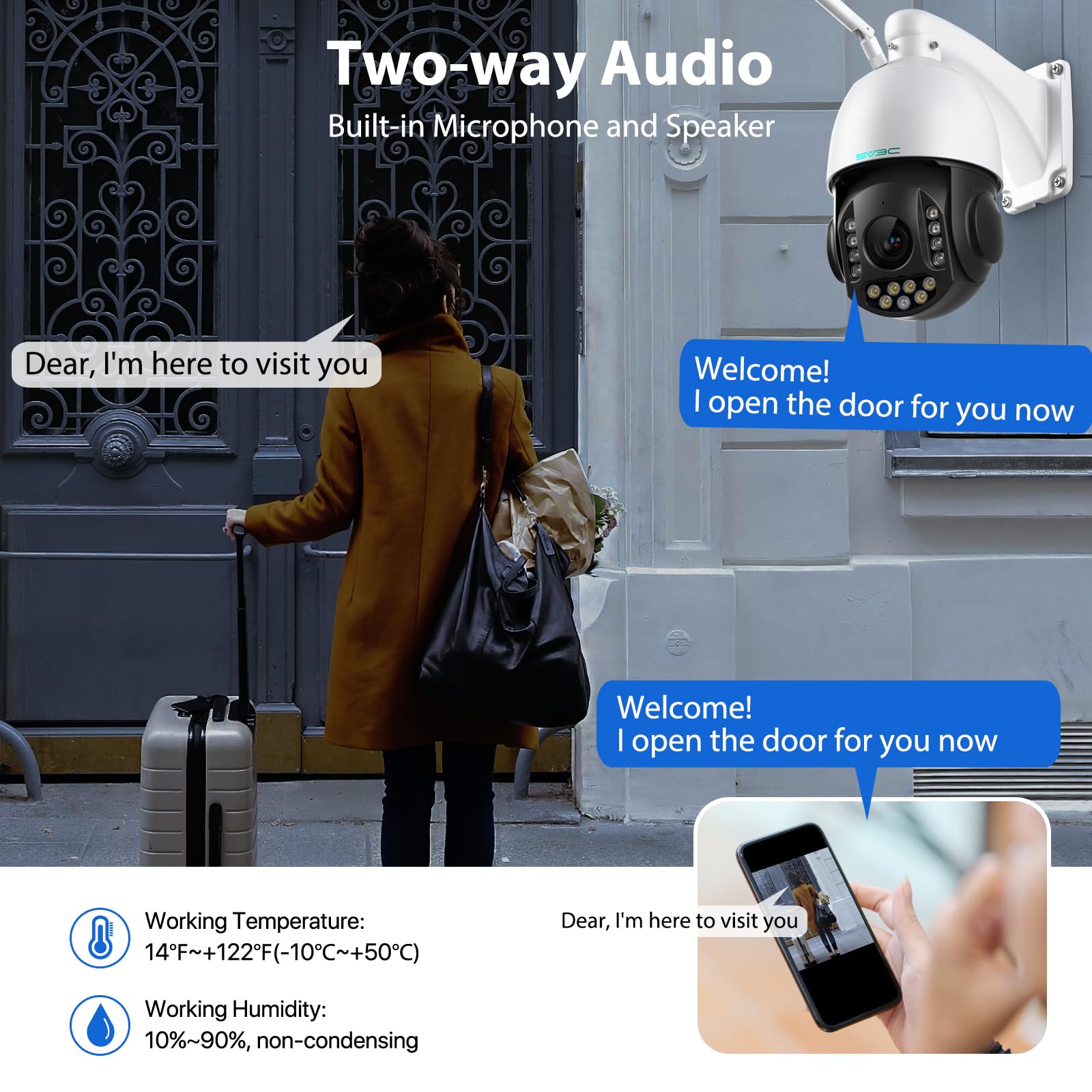
The SV3C 4K 36X Zoom PTZ Camera is a professional-grade outdoor security solution featuring an 8MP 4K sensor, dual-band WiFi, and a powerful 36X zoom combining optical and digital clarity. Its 350° pan and 93° tilt with automatic humanoid and vehicle tracking eliminate blind spots, while color night vision with floodlights ensures vivid surveillance in low light. Designed with IP66 weatherproof aluminum housing, it supports two-way audio, multiple storage options including cloud and SD card, and smart alerts with customizable detection zones—perfect for millennial professionals demanding reliable, high-tech security with seamless remote access.


| ASIN | B0CZ6J7GMR |
| Alert Type | Audio and Motion |
| Audio Visual Recording Capabilities | Video |
| Batteries Required? | No |
| Best Sellers Rank | #1,201 in Dome Surveillance Cameras |
| Color | 4K |
| Compatible Devices | Desktop, Laptop, Smartphone, Tablet, Television |
| Connectivity Protocol | Wi-Fi |
| Control Method | App, Remote |
| Controller Type | Android |
| Customer Reviews | 4.1 4.1 out of 5 stars (747) |
| Date First Available | March 27, 2024 |
| Effective Still Resolution | 8 MP |
| Flash Memory Installed Size | 128 GB |
| Flash Memory Supported Size Maximum | 128 GB |
| Flash Memory Type | Micro SD |
| Focus Type | Auto Focus |
| Form Factor | Bullet |
| Included Components | 1 X 20X Zoom PTZ Camera, 1 X Ethernet Cable, 1 X Screw bag, 1 X US power adapter with power cord, 1 X Waterproof lids |
| Indoor/Outdoor Usage | Indoor, Outdoor |
| Installation Type | Screw In |
| International Protection Rating | IP66 |
| Item Weight | 3.53 pounds |
| Item dimensions L x W x H | 5.51 x 7.87 x 9.83 inches |
| Item model number | C25 |
| Light Source Type | Infrared & Floodlight |
| Low light technology | Night Color |
| Manufacturer | SV3C Technology |
| Material | Aluminum |
| Maximum Webcam Image Resolution | 8 MP |
| Mounting Type | Wall Mount |
| Number of IR LEDs | 9 |
| Number of Items | 1 |
| Optical Zoom | 18 x |
| Photo Sensor Technology | CMOS |
| Power Source | Corded Electric |
| Product Dimensions | 5.51 x 7.87 x 9.83 inches |
| Room Type | Classroom, Garage, Hallway, Office, Store Room |
| Shape | Dome |
| Smart Home Compatibility | Smart Home Compatible |
| Specific Uses For Product | 360 Degree Coverage, Surveillance |
| Unit Count | 1.0 Count |
| Video Capture Format | H.264 |
| Video Capture Resolution | 4k, 8MP |
| Viewing Angle | 360 Degrees |
| Voltage | 12 Volts (DC) |
| Water Resistance Level | Waterproof |
| Wattage | 60 watts |
| Wireless Communication Technology | Wi-Fi |
| Zoom Type | Optical Zoom |
M**F
High Quality, Incredibly Capable Camera
I have a lot of security cameras on my property. Until this one, I have bought fairly inexpensive, and therefore limited capability cameras. I have one spot on my property, however, that I wanted something with some more features. There are a lot of cameras out there. I'm really glad I bought this one, though. I am very impressed by the construction of it...it's solid and not cheap feeling at all. It looks good and is easy to mount. One small negative is that I wish it had the option of being hard-wired instead of plugging into an outlet, but given all the positives, I don't mind that too much. It has way more capabilities than I will probably ever be using. I tried out all the features, and everything works as described. I honestly didn't even see the self-tracking features before I bought it, so those are an impressive capability. I have a lot of wildlife traversing my property, and this camera helps me see it and it even follows some of them (deer, raccoon so far). The zoom is what really attracted me to this camera. None of my other cameras have a zoom feature at all, let alone 36X zoom (it is basically half optical and half digital). What really blew me away was the zoom clarity when used at night in infrared mode. It is very impressive. Finally, I was impressed with the quick start guide that came with it and the manufacturer website that includes even more information about how to install it and use it, including tutorial videos. This company is not some fly by night company trying to make a quick profit. They care about the customer experience. I have not had to communicate with them with any problems, but the depth of information they give the buyer is outstanding. Overall, I'm very happy with this purchase, even at this higher price point. Sure, it's more expensive, but it's way more capable than my cheaper cameras.
P**L
Excellent Commercial Grade Camera
I’ve been really impressed with this camera. I’ve been testing this camera for a while now, and I have to say it’s exceeded my expectations in every way. This thing is built like a tank – seriously rugged construction that feels like it can handle whatever the weather throws at it. It’s definitely commercial-grade quality, which is exactly what I was looking for. Getting it on my network was surprisingly easy. I’ve set up quite a few cameras over the years, and this one was honestly one of the smoothest experiences I’ve had. No headaches, no frustration – just straightforward setup and I was up and running. The mobile app works great and gives you full control over all the camera’s features. It’s intuitive and responsive, which makes adjusting settings or checking in on things super convenient when I’m away from my computer. The 36X zoom is incredible – I can really zero in on something specific when I need to see what’s going on. The tracking feature is especially useful for following movement or keeping an eye on areas of interest. These features have proven invaluable for monitoring our property. Here’s what really sets this camera apart from others I own: I can access it directly via IP address through any web browser. Most of my other cameras are solid performers, but they don’t offer that kind of direct access or the rugged build quality. Since relocating, having a camera that I can access this way has been essential. If I don’t have the app handy, I just pull up a browser on my computer and I’m good to go. For the price point, this camera is an absolute steal. If you need commercial-grade reliability and features but don’t want to shell out hundreds of dollars more for comparable options, this is definitely the way to go. It delivers professional performance without the premium price tag.
S**S
Mistake
I've had several days to learn how this camera ticks and it is a big mistake. 1. Flash is required to use this camera on a desktop environment but Flash is *OBSOLETE* and though it can be downloaded, putting it on a Windows system creates several vulnerabilities. 2. FTP: This camera will not record to FTP in a continuous manner, only in alarm recording. I need a continuous stream, so I'm having to dedicate a small server to recording the main stream via RTSP, but those file sizes become ridiculously large. But it will continuously record to uSD cards, but there's no way to download those files in bulk. You have to do it one at a time. 3. The .264 files have some pretty fantastic compression rates, but you'll be lucky if you can play them without hunting around for something that works. If you're a linux user like me, [edit this to include Mystiq converter, turning on h264 in VLC, framerate screwitupery, and serious problems with Agent FVR and Zoneminder configs] 4. It's NOT a true 360-degree camera. It tries to spin farther than its stops, but it's truly only about a 300-degree pan. I needed a true 360 (but I'm accustomed to these cheapo Chinese manufacturers lying through their teeth and getting away with it). 5. The APP: It's probably the most horrendous camera app I've ever seen. The least they could have done is include on-screen buttons for pan/tilt, but no, you have to swipe, and that makes the p/t very, VERY flaky and sketchy at best. 6. The desktop interface is understandable if you've worked with IP cameras like this before. But it's pretty horrible if you're expecting ease-of-use. 7. I will bet that the good reviews here are fake. However, the video quality for the money is okay, as is the night vision and color night vision. But if full IR mode the RTSP stream gets very grainy. The motion detection is okay, too. But getting motion tracking to work kn Agent DVR is pretty impossible (hint: Use ONVIF). This camera is so cheap because it's an electronic and software wreck. For my uses, I can adapt to this mess. But I got what I paid for; I needed a dirt cheap P/T cam to replace a failing Foscam that's been running since 2012. Update, 8/24/2021: This camera has forgotten my setting for position 1 and inserted its own original home position, but remembering all the other position settings I set up, and gone to its position one, which for me does no good as that is the brick wall above my garage door 8.5 feet off the ground. It's happened at least four times in less than a week. I wish I could afford a better camera right now.
D**E
I've had a play around with this for a couple of weeks but only just found the time to install it. I have a couple of internal cameras but nothing outside and liked the idea of having a camera I could use to keep a watch over the drive and our vehicles. As always, the issue with external cameras is routing the power to them. I had a satellite dish fitted a long time ago no which was no longer being used, so pulled out the cable for that and fed the power lead through the hole to the outside of the bedroom. The camera was fitted to the front of the house, with the cable fixed using a couple of ties and cable clips. Installing an internal card (I had a spare 32Gb Toshiba micro SD so used that) is a bit fiddly and requires disassembly of the camera, but only needs doing the once. It would be good if the manufacture included instructions on how to do this, I had to look it up separately. The camera is fairly straightforward to set up. Downloading the app and connecting via a supplied Ethernet Cable to the router provides the only method of initial access. Via the app wireless settings (basically the password) can be entered. Then disconnecting the Ethernet means it's wireless only, which is what most uses will no doubt want, myself included. Once installed and configured it is easily accessed via the app, which also allows features such as auto emailing, duration and quality of recording, etc., to be set. The instructions aren't great, a leaflet that explains the basics but not much else, it doesn't include information regarding opening up the camera to install the SD card, for example. But there are videos on YouTube for this and other reviewers have provided useful guides. Quality of image is great, and the ability to access via a variety of software is a big plus. I use VLC Media Player and accessing the camera via this is very simple (rtsp://192.168.1.9:554/11 - replace the 9 with the address your router allocates to the camera) providing live streaming to your PC or other device without the need for downloading additional software. I'm very pleased with the quality and functionality provided by this camera, it's well worth considering by anyone looking for a low priced single camera security system, thought the App looks like it should be able to handle multiple cameras if required.
C**G
Firstly SV3C is a great seller, I had an issue with the first camera but they sorted that out very efficiently. The camera does everything you need from a bullet camera and does some of them better than most. I have had a lot of cameras over the years and still find wired better as wifi can drop and have lagging issues that means sometimes your images are useless. This is getting better all the time and thanks to my wifi setup there are no dead spots and the wireless camera locations are constantly over 18mb upload and 60mb download so I can't comment on how they would cope on a single wifi router with lower speeds. I use this camera via onvif and it hooks up to one of my DVRs, the downside is that onvif doesn't pull through the motion detection but I use my ftp server for this and this camera works really well in that it puts the images in date order sub folders, better than some of my cameras that put them all in a single folder so it makes it longer to load and difficult to find the ones you are after. Big plus for this. The image quality is great, 1080p. You can see faces from a fair distance and actually identify people from it. Setup is easy, you have a few ways to do it but I used the way that means you connect to your wifi through the app and then the app plays a sound to the camera when you hold your phone to it which allows it to connect to the network. First time I've used this sort of setup and I think it is easier than connecting to the camera via wifi first. Pros Great 1080p image quality FTP folder is done in date sub folders Works via onvif for use with a DVR Supports a decent sized micro sd if not using a DVR Great low price Great field of view Cons Not really any but onvif isn't as good as netip for connecting to a DVR as it doesn't pull through the motion detection. I knew what I was getting though and for the price it's a really good camera
M**E
Very impressed with this camera. The picture quality is excellent. Easy to setup and install. No need for network wires or a DVR. The software and instructions can take a while to set up, the first time. The software is not the best and neither are the instructions, but you shouldnt have difficulty getting the basic functions to work. A few tips which hopefully help other users. 1) You can access the camera on your browser by typing in the camera IP address (which you can find in the app - Device Settings). There are far more options to access here. 2) You can access the SD card from the browser (direct at 192.168.1.xx/sd) and view the photos and videos. I was only able to play the videos in their video player which you can access on their website 3) As others have reported, there is a slight delay in the video being recorded, from when the alarm is triggered (around 3-5 seconds). I therefore found it was best to have the SD card recording 24/7 and then triggering an alarm recording when the alarm was set off. That way, you had a recording before the new "alarm file" begins and no gaps in the footage. 4) You can view the camera in your browser (with a plugin) or VLC player at rtsp://192.168.1.xx:554/11 (HD) and rtsp://192.168.1.xx:554/12 (SD). You can change the quality of the 2 streams in the app or browser. You can view the streams on a smart TV using an app, or just have your PC act as a media streamer through a program like Serviio. 5) Reduce the alarm sensitivity to around 15% to avoid it being triggered by wind/flies 6) Reduce the stream quality/bit rate if you are having buffer problems (this will be due to WIfi signal)
A**.
I have a number of security cameras, and being at the seaside - literally by the beach - they don't last. I'd been paying around £150 per camera and replacing them annually. This one was £100 less expensive. How long it will survive the sea air remains to be discovered, but it has a very good picture and strong WiFi. It's let down by the pathetic instructions that are provided, and the ones available on-line are little better. For example, I wanted to fit an SD card. I read I had to remove the lens cover to access the slot and then remove four tiny screws. I struggled with the lens cover and eventually discovered that it had to be unscrewed. In fact unscrewing was the first thing I tried, but initially that didn't work. I returned to try unscrewing again after everything else failed and at my second attempt, using a rubber glove for better grip, it came off. But there were no tiny screws. I contacted their help line by email and received a response within 12 hours that pointed-me to a video of how the card should be inserted. The video showed I had to remove a black adhesive cover that was not mentioned in the support notes. That done I could see the four very small screws. Good job I had a little cross-head screwdriver that was magnetic!
A**R
Camera is great. I just wish there was more help with the set up. I have it set up on my phone and pc, but am struggling with the email screenshot/recording back ups.
Trustpilot
2 months ago
2 weeks ago