We remain fully operational. Our teams are working around the clock to ensure your deliveries continue safely.

DOWNLOAD THE APP


Copyright © 2025 Desertcart Holdings Limited
DOWNLOAD THE APP


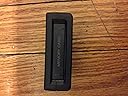
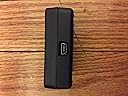


Buy anything from 5,000+ international stores. One checkout price. No surprise fees. Join 2M+ shoppers on Desertcart.
Desertcart purchases this item on your behalf and handles shipping, customs, and support to Kyrgyzstan.
🎮 Unlock Your Gaming Legacy!
The PS3 Memory Card Adapter is an official accessory that allows you to transfer your PlayStation and PlayStation 2 memory card data directly to your PlayStation 3's hard drive. With a single USB port and a lightweight design, this adapter is the perfect solution for gamers looking to preserve their cherished gaming memories.
| ASIN | B000K1GZIU |
| Best Sellers Rank | #20,273 in Video Games ( See Top 100 in Video Games ) #31 in PlayStation 3 Cables & Adapters |
| Brand | PlayStation |
| Color | Black |
| Compatible Devices | Gaming Console |
| Connector Type | USB |
| Customer Reviews | 3.9 3.9 out of 5 stars (202) |
| Global Trade Identification Number | 00711719804208 |
| Item Dimensions | 8.5 x 3.5 x 1.26 inches |
| Item Weight | 0.2 Pounds |
| Manufacturer | Sony Computer Entertainment |
| Model Number | CECHZM1 |
| Number of Items | 1 |
| Number of Ports | 1 |
| Package Quantity | 1 |
| Power Plug Type | No Plug |
| UPC | 711719804208 |
| Unit Count | 1 Count |
C**U
Perfection, one-time use
An ideal PS3 would have everything the 60GB model had AND, among other things, a slot that accepted PS2 memory cards but... there is no such thing as an ideal PS3 :) If you have an old-style, PS2-compatible PS3, you can use this adapter exactly once. It will transfer information from your physical PS2 memory card into a virtual 'card' on your PS3 disk. Once you're done, you can sell it or give it away to a friend with similar needs because there's hardly any other use for it. It's perfect in what it does. It may be worth noting that the virtual PS2 cards were preserved when I upgraded the disk on my 60GB PS3. I used the 'system backup' option and, after I restored everything back on the new disk, the 'card' was there, to my kids' joy.
M**S
Get it, use it, and resell it.
First off, everybody needs to stop complaining that Sony didn't include this capability in the PS3 itself. Microsoft reamed us by providing No way to move saves from the Xbox to the 360, so having to pay a few bucks to do it on Playstation is a big step up in my opinion. (would have lost a 120+ hour Final Fantasy XII save if Sony was treating us like Microsoft.) Now that that's out of the way, this little gadget works just fine. All you do is plug it into your USB controller cable, pop in the memory card, and hit download. (it'll prompt you) I've moved both PS2 and PS1 saves with no problem. The only thing left to do now is assign the data to a `memory card slot' (just a software trick) so that your old games can find it. Once you're done, get some of your cash back by selling the adaptor and old memory cards to Gamestop, or on e-bay.
C**D
Only works on standard 8mb cards
Overall the quality is good and it worked great, for any of my "Sony" brand 8mb cards that we had. However, if you're like me and have a few > 8mb cards laying around (mine are all 64mb each), good luck getting them to work, the ones I have wouldn't show up on the PS3's XBM and therefore I can't retrieve any of my most recent saves. Also, even if you're lucky enough to have a memory card > 8mb in size that shows up (if thats even possible), PS3 only allows you to create 8mb partitions for the cards, so I'm guessing you'll still be out of luck or have to at least create multiple 8mb partitions to split the card on to. I think it would have been nice if Sony would have thought to include larger than 8mb cards in the PS3 design and this converter too, its not like they didn't know those kind of products existed, they've been around since the invent of video game memory cards.
K**E
Sony knows their stuff...kind of.
When the PS3 was first created you could put PS and PS2 memory saves in the PS3 internal memory cards option, but that would mean starting over on a lot of games- I honestly would have preferred a PS and PS2 memory card slot on the outside of the PS3 to save a lot of hassle. While you can create a lot of interal memory cards in the ps3 which makes the memory cards obsolete in a way, it would have gave Sony more money since memory cards had to be purchased that worked with the PS or PS2. This adapter allows one to connect it to the USB hub (It doesn't come with a USB cable but the USB cable that works with the controller will work with this) and transfer any saves from a PS or a PS2 memory card into the internal memory of the PS3- allowing one to keep going from their last saves. After transferring the memory over, both the adapter and the PS memory cards become basically junk unless one still plays with their PS2. Sony dropped the ball when it came to having a memory card slot on the PS3 for the older PS version games but recovered with this device. Now while the device and memory cards are pretty much junk, you have to thank Sony in a way. It's better to have them as junk and sell them for a few bucks, perhaps on Amazon *cough* rather than having to keep using the adapter every time you want to play a PS or PS2 game with the saves from there. So if you have a load of games that just HAVE to be transfered over, this item is perfect. Otherwise I suggest starting over and save some time from trying to sell the adapter to others after using it a whole whopping one or times. (Unless you still play your PS and PS2 and still use the memory cards...in which case this might be very good for more than one use.)
G**L
Works for PS1 <--> PC (Windows 8.0 64-bit)
**I'll state up front that I have not used this adaptor for its intended purpose (transferring PS1/2 saves -> PS3), so I actually can't comment on how it works in that case.** Instead, I bought it to transfer saves from my original PS1 memory cards to my PC (for backup and use with ePSXe 1.9.0), and vice versa. It took some hunting down of documentation, drivers, and software, but it worked for this purpose; ePSXe could read saves from my cards, and my PSX could read saves generated by ePSXe. Moreover, I heard people are having trouble using this adaptor on 64-bit Windows, but I was able to locate drivers and software that worked. It can read/write with both my 15-block official Sony and MadCatz cards. It does not seem to be able to read/write from my Performance 360-block Mega Memory Card, though I need to spend some more time figuring out why. Notes for managing expectations: 1) You can't plug a card into the adaptor and directly read from it using ePSXe, at least as of 1.9.0. I had to first copy the card contents to a file, and then point ePSXe at that file to actually use my saves. This is because ePSXe only knows how to read from files. Have not tried other emulators though; they may be able to. 2) Your card does not show up like a typical USB thumb drive that you can browse in Windows. This is because the data on PSX memory cards is not formatted in a way that Windows can read. Hence the need to find external software for reading from the card to a file. 3) As others have said, you need to provide your own male Mini-USB B to male USB A cable. I will update this review if I get more details.
S**G
Worked perfectly
J**Y
Works
M**U
tres bien recu
T**S
Works like a charm.
Trustpilot
2 months ago
1 month ago