

Desert Online General Trading LLC
Warehouse # 7, 4th Street, Umm Ramool, Dubai, 30183, Dubai
Desert Online General Trading LLC
Warehouse # 7, 4th Street, Umm Ramool, Dubai, 30183, Dubai


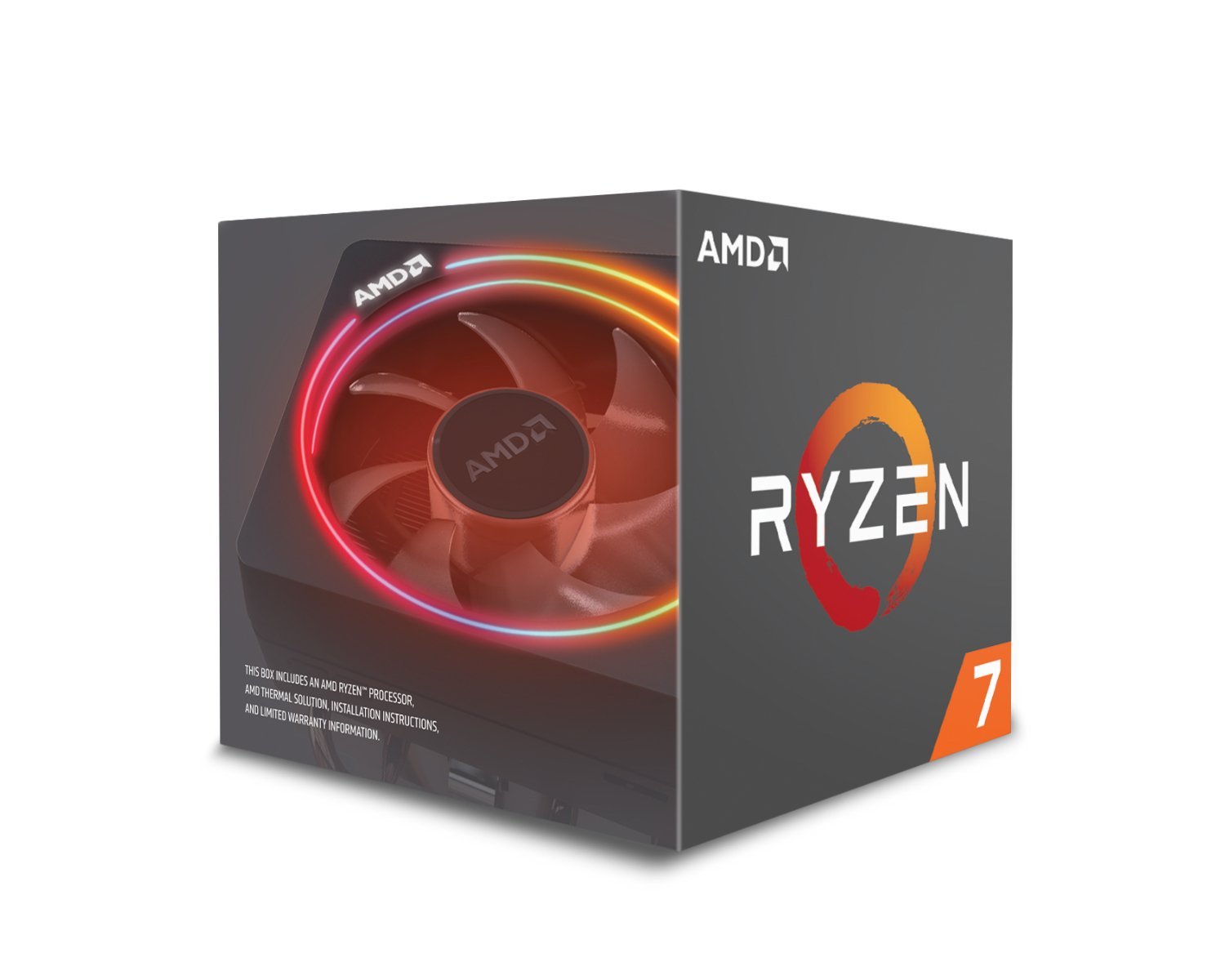
⚡ Power your productivity with RGB flair!
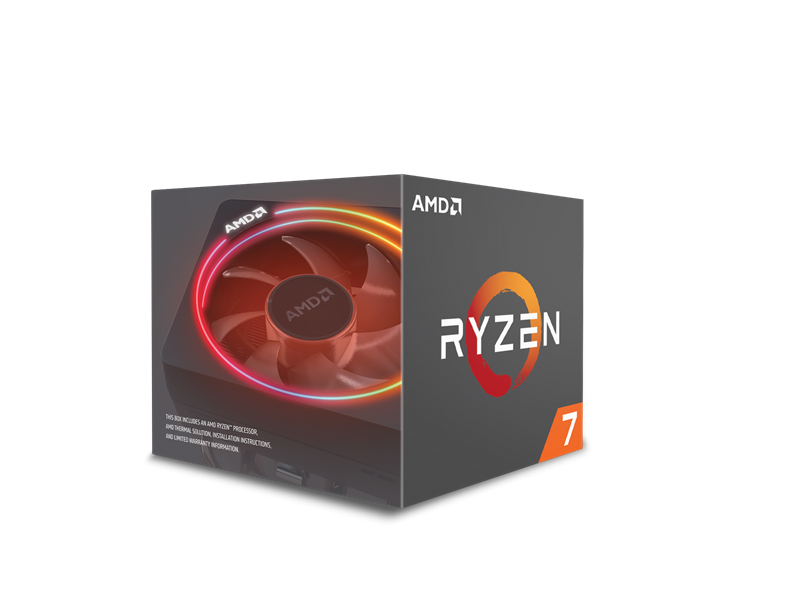
The AMD Ryzen 7 2700X is an 8-core, 16-thread processor clocked up to 4.3 GHz, paired with the RGB-lit Wraith Prism cooler for efficient thermal management and eye-catching aesthetics. Designed for DDR4 memory, it delivers robust multitasking and gaming performance in a compact form factor.


| Processor | 4.3 GHz ryzen_7_2700x |
| RAM | 16 GB DDR4 |
| Brand | AMD |
| Item model number | 115931 |
| Item Weight | 1.6 ounces |
| Product Dimensions | 1.6 x 1.6 x 0.1 inches |
| Item Dimensions LxWxH | 1.6 x 1.6 x 0.1 inches |
| Color | RGB |
| Processor Brand | AMD |
| Number of Processors | 8 |
| Computer Memory Type | DDR4 SDRAM |
| Batteries | 1 Lithium Ion batteries required. |
| Manufacturer | AMD |
| Language | English, English, English, English, English |
| ASIN | B07B428M7F |
| Is Discontinued By Manufacturer | No |
| Date First Available | April 13, 2018 |
J**S
Gaming Overkill
Got this during Black Friday 2019 for $160. It was an unbeatable deal. I just looked at the R5 3600 like "sorry buddy, I want you but lol...they're making it difficult." I know they usually say the extra 2 cores work well for streaming so I did some twitch streaming @60fps 720p high video bitrate over wifi just to see how it handled it. Had several of my friends tune in including myself from another device. Stream was flawless. Meanwhile the game I was running was Ace Combat 7: Skies Unknown. 1440p, completely maxed out graphics locked at 60fps. Didn't check the results without a cap while streaming but I know that when I was playing off stream and removed the cap I was getting like 170fps. I paired it up with a Sapphire Nitro+ 5700XT. It's a match made in heaven and the RGB of both the CPU and GPU are glorious. I've yet to find any reason to overlcock this CPU. It destroys everything I throw at it. Afterburner shows that the CPU handles itself nicely, boosting up to 4.2Ghz when it needs to, and coming back down to 3.7Ghz. I've never seen it hit 4.3Ghz on its own but like I said, when all your games get FPS like that at stock with those resolutions & graphics settings, what's the point? Emulators get devoured too. Wii U, PS3, Wii/GameCube, PS2 etc, just straight devoured. Breath of the Wild running at 4K@60 like....."WASSUP?" Not to mention CEMU 1.17.1 is dropping very soon and we're gonna see an even bigger boost in performance for AMD users. I always see the argument about "get the R7 2700X over the R5 3600 only if you stream". No bro, just get it cuz it's cheaper, has more cores, and has a monster heatsink. The gaming performance you're gonna lose is extremely negligent. Check out the testers on youtube. Speaking of heatsink, almost forgot the temps. I use a NZXT H510 with only the default exhaust fan setup. No extra case fans. I just tweaked the fan curves of the case, cpu and gpu slightly to my liking. Not enough for noise to be an issue either. I live in the Caribbean, it's dry season at the moment, so it's hot as hell. No AC in my room. My temps never go above 70c while gaming....so it's pretty safe to say the heatsink is doing its job. I was expecting more heat with a cramped case like mine and that monster AMD gpu (you know AMD looooves some toast action), but everything's actually running cool. This CPU/Heatsink combo man, there's just so much to love and so much money to save. Gotta love it lol.
S**S
Good cpu
Stable, no issues. Wrote more about my feedback in regards to the platform on my board review. You can find plenty of reviews on this, but this is highly recommended. Great for gaming and software development. The performance is really strong, no blue-screens, and they did a good job of coaching/handhold the board companies to make sure they have their act together on this release. I have only had it for a few days, but i didn't even need to reinstall my os from the previous cpu which was intel (your mileage will vary). This is truely a great platform. And with amd you can upgrade your cpu in a couple of years, in the same board. They promised though 2020 support which means you get the 7nm cpu. Since there is real competition now you can expect some real innovation in the next couple of years, so this is a big deal from both intel and amd. It makes everyone better Nice to see amd back in the game. It has made a huge impact on cpu prices and feature set. The cooler also worked great for me. No temperature issues. The cooler is louder than what i liked. as a bit of an enthusiast i would rather have a larger but quieter fan on the board. The cooler is perfectly designed for this cpu. i would by default spend any money on an after market cooler 100 would be better used on a gpu or ram by far. Note you can also make sure your case has good airflow and go with simpler cooling solutions since you don't need to compensate for a bad case or case fan setup. Anyway, this is a great well rounded cpu. As a software engineer it is great to see fast compile times, and cores to spare for hyperv and docker. I can also play all the latest games just fine. though truth be told you can do that with a 150 dollar cpu. I didn't have any problems with Ram compatibility. I came from Haswell (intel) i dont' notice any difference in gaming (not expecting to) but productivitivy is a big boost. If you just game you really don't need this much cpu generally.
E**N
Runs a little hot, but a great CPU for the current price
When I saw these go on sale for 160 I had to pick one up and get a new build going. My previous PC had an AMD FX 6300, so upgrading from that to this Ryzen 7 is pretty amazing. The 6300 could handle most of what I wanted to do, but this Ryzen handles it with ease and does more. Constant 60fps with 1440p and some games in 4k with good framerates paired with the RX 580, and down the line I plan to upgrade GPUs to get better performance since I'm sure it can do better. Nearly instant boot times when paired with an M.2 NVMe drive, and most processes are a breeze. The Wraith spire was very easy to install on the ASUS Strix B450-F since it went directly on the brackets that were already on the motherboard (which was great since the coolers I've installed in the past have been a pain in comparison), looks pretty with the LEDs and runs relatively well from what I can gather. My only concern is the temps on this CPU, and to my understanding the main difference with X models is that they come overclocked, and I imagine that's why the temps are high. Of course, the 6300 with an aftermarket cooler rarely went over 100°F and that's the CPU I've had for a while, so I was a bit surprised to see the temps show up at 130-140°F while idling. According to some posts I've seen this is the normal for the 2700X, and it does make sense since it is more powerful and comes overclocked in comparison to the CPUs I've had more experience with. Thankfully even though it does run hot it doesn't get much hotter, my temps haven't really gone over 155°F while gaming or performing tasks, and the max is about 185°F. The usage percent hasn't gone above 40 for most of my regular gaming and tasks either, which is impressive. It's a great CPU to get, especially while it's on sale for around $160.
A**E
This CPU performs great in any task, perfect for gaming
December 30, 2018 (5 days of use): I'm using this processor for gaming, but this is the PC that I use for all what I have to do and I can tell that this processor is made for any task, and it will perform great. Userbenchmark's bench gave me as a result of 100.2% in Base Clock. The AMD Wraith Prism performs great, even in long gaming sessions. I have a poor ventilation on my PC, because I've been armed it by pieces on my own (my next purchase will be some fans), and this Ryzen has never exceeded 85°C after long hours of playing games that demand enough CPU, taking into account that I'm only using a good GPU that generates some heat, that I'm using the stock AMD Wraith Prism Cooler and another intake fan in the front of the case, just that. Also, when I'm only surfing on internet or doing other tasks that demand almost nothing to the processor, the temperature at which it remains after a while is around 40°C - 48°C. AMD Ryzen Master works very well, you can change every aspect of the frecuency of your Ryzen, controll the RAM frecuency and even make some overclock of both, changing values like frecuency of every core, voltage, and even enable the Precision Boost Overdrive, that's a type of automatic overclock, where the CPU takes into account its temperature, maximum frequency and maximum power, to achieve values higher than the 3.7GHz base clock without having to worry about whether the temperature is harmful or if it is exceeding the maximum power or the maximum overclock frequency of the Ryzen. In my opinion, this is a great CPU for every task you need, you will not have only good gaming performace, also a great performance on every day use and in tasks that need a lot of cores and threads. Important for those who want to use the stock Wraith Prism Cooler: Connect ONLY the USB cable from the cooler to the motherboard and not use the RGB cable. Both work, but you will be able to controll RGB only with the USB cable. Also, don't connect both at the same time, because the cooler will only recognize the RGB header and not the USB. Then, download the Cooler Master Wraith Prism RGB Controller app from their website, and then you'll be able to change the color of the halo ring, the fan and the AMD logo, separately. My actual hardware is: -- AMD Ryzen 7 2700X -- Gigabyte Aorus B450 Elite motherboard -- Corsair Vengeance RGB PRO 3000MHz (2x8GB) -- AMD Wraith Prism RGB Cooler -- Gigabyte Nvidia GeForce GTX 1060 3GB OC G1 Gaming -- MyDigitalSSD SBX 256GB NVMe drive -- Seagate Barracuda 2TB (2016) -- Corsair CX600 ATX Power Supply -- AZZA Blaze 231 RGB case
A**N
Amazing performance, the fan is quiet and the cooler master software is better than Asus Aura.
As you can see, I eventually got an AIO for my CPU. I used the stock cooler for 2 weeks my idle Temps were 45 C and it got in the upper 70s under a load. I used Asus aura sync with the stock cooler, then I moved the cooler in my old PC, my FX-8320 is much cooler and I'm using cooler master's software, I like it more than Asus aura, it has 3 lighting zones the AMD logo, the rings, and the fan. The Ryzen 7 2700x gets up to 65% usage when playing Anthem (Ray-tracing enabled on GPU). I get amazing performance, watch out for TeamViewer if you have it, it used up 65% of my CPU! I don't know how it did that, but I knew it when I reached 100% CPU usage in Anthem. Overall, there are people who say AMD sucks, I'm an AMD fan and it's a good time to be an AMD fan. Their Ryzen CPUs are amazing and way cheaper than Intel. I hope they come up with Ray-tracing for their GPUs that would be a game changer. Seriously if you demand performance a powerful CPU at a low price, look no further than AMD! Update: I used the stock cooler on my AMD FX-8320 and the thermals are unbelievable, I'm still a little skeptical. According to all temperature apps my FX-8320 running at 100% usage 3.7 Ghz reached a max of 36 degrees Celsius. I was playing Assassin's Creed odyssey for 6 hours it was paused for 2 hours, but it still put a load on the CPU. I called AMD to see if my CPU might have a bad temperature sensor, they said it's fine. I guess I'll see, I touched the heatsink to see if it was hot, it was mildly warm. If it really is rimming at 36 degrees Celsius, then this is an amazing cooler.
M**W
Wonderfull Chip and cooler. Probably best not to use the stock thermal compoud though.
The first PC I ever built I used an AMD Athlon processor in, and I loved it. When I found out about the Ryzen processors I was excited to see what they could do, and I was not disapointed. This chip feels very compitent. I put it into a gaming system, and I have had no issues with it. I also like the cooler. It looks good, and seems to function well. My only complaint about this setup is the factory applied thermal compound. I know, wipe it off and apply third party, but Im not over clocking, so I figured it would work for my purposes, and I was not disapointed, that is untill I had to swap a faulty motherboard. When I removed my cooler, it pulled the whole chip out of the socket. I was terified thinking it had dammaged something. Thankfully all pins were in place. Then came the hard part. It turns out that the factory thermal paste had spread all across the chip, and melted down the sides. I have never seen factory paste do that. The real problem though was that it somehow formed a sort of glue that had now bonded the CPU and cooler togather. They were not coming appart for anything (at least anything I was willing to try on my $300+ chip). Eventually I was able to disolve the thermal paste and save my chip using some very light heat and a little alcohol and a piece of dental floss. Aparently this happens more often then I had realized because there was a whole subredit about how to fix it (Thank you Redit ;-) . In the end it all worked out well and I have everything back up and running in my new MoBo. It was just an experience I will not forget.
J**N
2700x is very well-rounded
What I've always loved about Ryzen CPUs is their value compared to Intel. AMD is comparable to the 8700k (~$360), and some even consider it to be on par with the 9700k (~$420 on Amazon). Upgrading from a 1600 (on one computer) and 2600x (on another) is a breeze. Why? AM4 compatibility, which is something Intel decides not to do. Want to upgrade to Ryzen 2 (TBA at CES)? Just take off your cooler, take your current CPU out, and put this new one in WITHOUT the hassle of dropping another $190-$290 on a new motherboard. The 2700x even comes with a cooler, which the 9700k does not have, and a fine cooler at that. An aesthetically pleasing cooler and fully functional one that keeps one of my 2700x under 73C with Precision Boost 3 (which goes up to 5Ghz for me). My other 2700x is AIO water cooled, and can push out up to 6.5Ghz (on all cores) with Precision Boost 2 at 70C-80C. This CPU at idle gives out 2% usage, which I took for granted until I looked at an i5 8400(?) which idled at 20%. Also, Ryzen Master, beautiful work of art. Instead of restarting my computer a million times to get a stable clock, I can just go into Ryzen Master, increase core clocks until it crashes, then raise the voltage and find a stable clock speed. Or you can leave it to Precision Boost 2, but I like to run my CPU at 4.2 Base with Precision Boost 2 enabled. If you're doing a mid-tier budget build for all-purpose, I really suggest this CPU, as it can do everything equally well, as it is more around daily tasks than Intel's gaming tasks. I love this CPU so much, that I've fitted it in all four of the computers in the house with no complaints on gaming or such from others. Edit: Added photos of stock 2700x cooler. Fan colour changes and the ring around the fan has an RGB wave pattern. It can maintain a semi-idle 2700x at 35C-45C. Also uploaded some photos of it. Haven’t touched the software though and I personally don’t plan to. Edit 2: Just got my 9900k, and it was a massive disappointment compared to this $310 Ryzen beast. In CS:GO, a CPU intensive game, it only ran 20FPS faster, which literally doesn’t matter since most monitors can’t go over 240HZ (2700x had 275 avg; 9900k has 300; but these CPUs max out at 500 in certain scenarios). My 9900k was even clocked at 5.3Ghz and costs $530, so compared to this Ryzen 2700x, it really isn’t worth it unless you want to show it off or do Adobe stuff which is optimised for Intel. But because I overclocked, my temps were 30C idle and up to 90C during gaming. On the 2700x, it never broke 60C, with the same cooler and fans. Pros -cost effective -comes with a decent stock cooler -easy overclock (if you like that sort of thing) -easy to upgrade from Zen 1 or upgrade to Ryzen 2 -cheaper motherboards that can easily overclock Cons -not the best single-core performance, but what do you expect for $310 compared to Intel's $380 CPU -not the best variety of motherboards (which isn't a 2700x problem, but just general) -I can't think of anything else
J**O
I love it
7/15/2020 UPDATE: So regarding the whole offset voltage thing. It seems you may find mixed results. Yes the decreased voltage reduces heat. Reduce heat means higher potential clock right? Wrong. In situations where the CPU was already more than capabable of handling itself to where it will not harm itself even running full speed(stock) under heavy load. It changes freq. But the problem comes with the voltage requests of the motherboard. The CPU will also downclock if it does not get the voltage it needs. "But you just enable PBO!" Yes that loosens the power caps but remember, volts = watts x amps and amps = watts/volts. So heres how it can possiBly screw you if you don't balance the reduced voltage with the increased amperage. Your MOBO is still requesting the same stock voltage of say 1.58v(my highest hwinfo64 reading) at 138w(PBOenabled. highest hwinfo64 reading) @ at full load causing almost 95amps draw. And thats a problem vs stock where the lack of voltage isnt causing power demands that just cant be met. Causing downclocking. And also reducing XFR to almost zero Benifet since the CPU will refuse to clock any higher if it feels any of its parameters that would allow it to aren't Being met. One of which is caused By the reported SV12 Voltage bing lower than the VID. Making the CPU think its reached max power already since hardware limitations didnt allow for an increasing in amps to compensate for the reduced voltage. Which I admit, a good power supply will help reduce the issue. In other words, yes you are shedding heat. Great if you dont need the extra horsepower and want to extend life. But if thats not for you, then I wouldnt recomend any voltage offset over -.0500v. Beyond that your just asking to starve the CPU of power. Check GamersNExus for Benchmarks on this exact scenario. So with the stock cooler. MSI b450m Tomahawk: My temps are around 40-45c idle. Expected. Loads under gaming 60-70c. p95 75c. ALL PRETTY DANG GOOD FOR A STOCK COOLER STOCK SETTINGS My boost clocks are hitting 4.25-4.35ghz consistently during gaming. Which is amazing. I noticed a HUGE difference since I upgraded from a FX 6350 to this monster. I recently tried a -.0750v offset and so far its very stable and shaved off about 3c-5c on all my temps. And the boost clocks seems to be running about the same. Benchmarks seem to be unaffected as well. I will remove the negative voltage offset as soon as my MSI Frozr L heatsink comes in tomorrow. There is no need to overclock this thing. DO NOT BY AN X if you want to overclock. Buy the non X save $20+ then OC to the X specs. Easy as that. The way ryzens are designed is to self OC to its limits. If you are running hot with high voltages GOOD. Its constantly pushing its limits to get the speeds it needs based on demand. I hit 1.5v+ during gaming all the time. Brief voltage and temp spikes will not hurt this baby at all. I love the way they designed this thing to run. All in all the Ryzens are great I HIGHLY recommend them. Save yourself hundreds and go with a Ryzen.
Trustpilot
3 weeks ago
3 days ago