🎬 Elevate your streaming game — don’t just watch, experience every pixel!
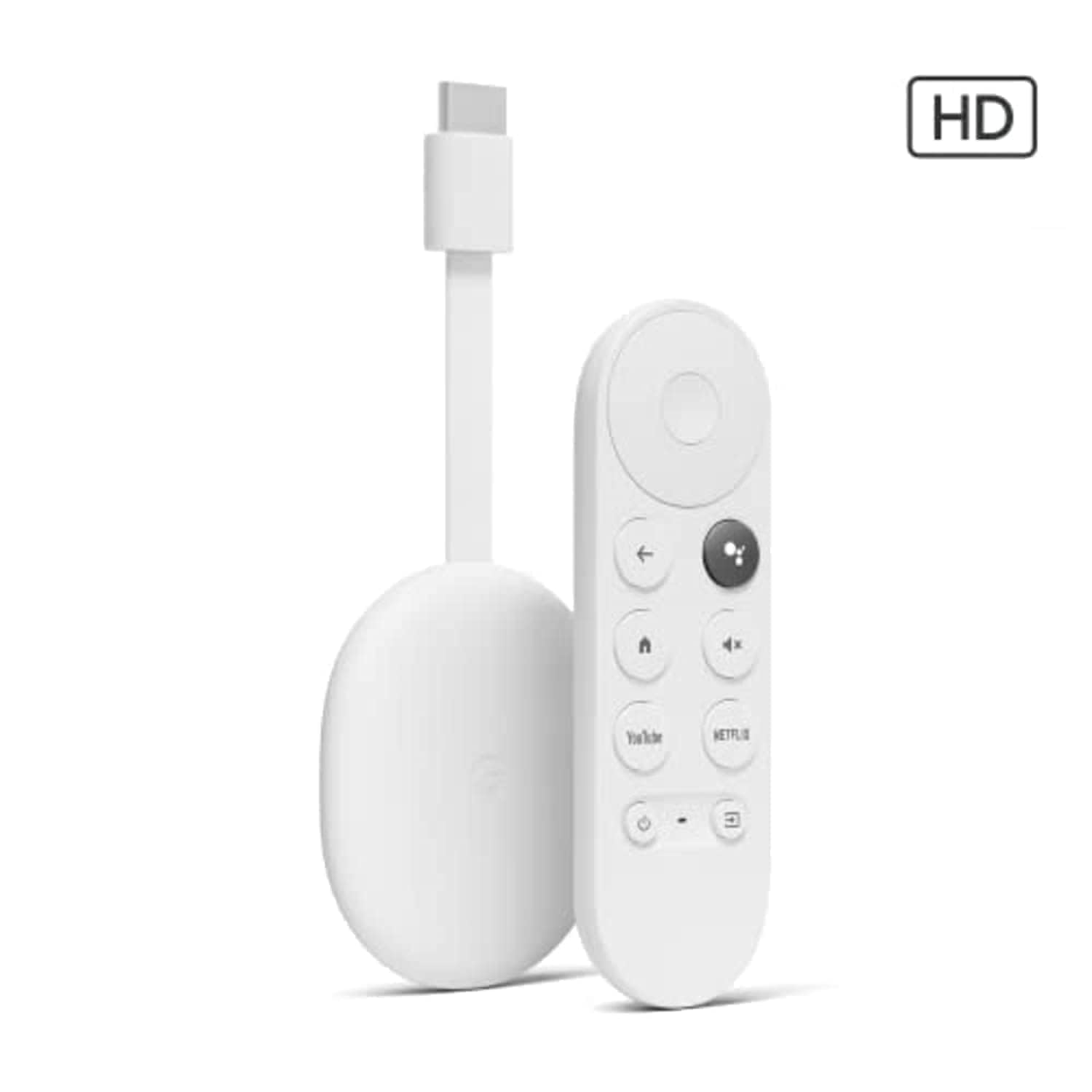
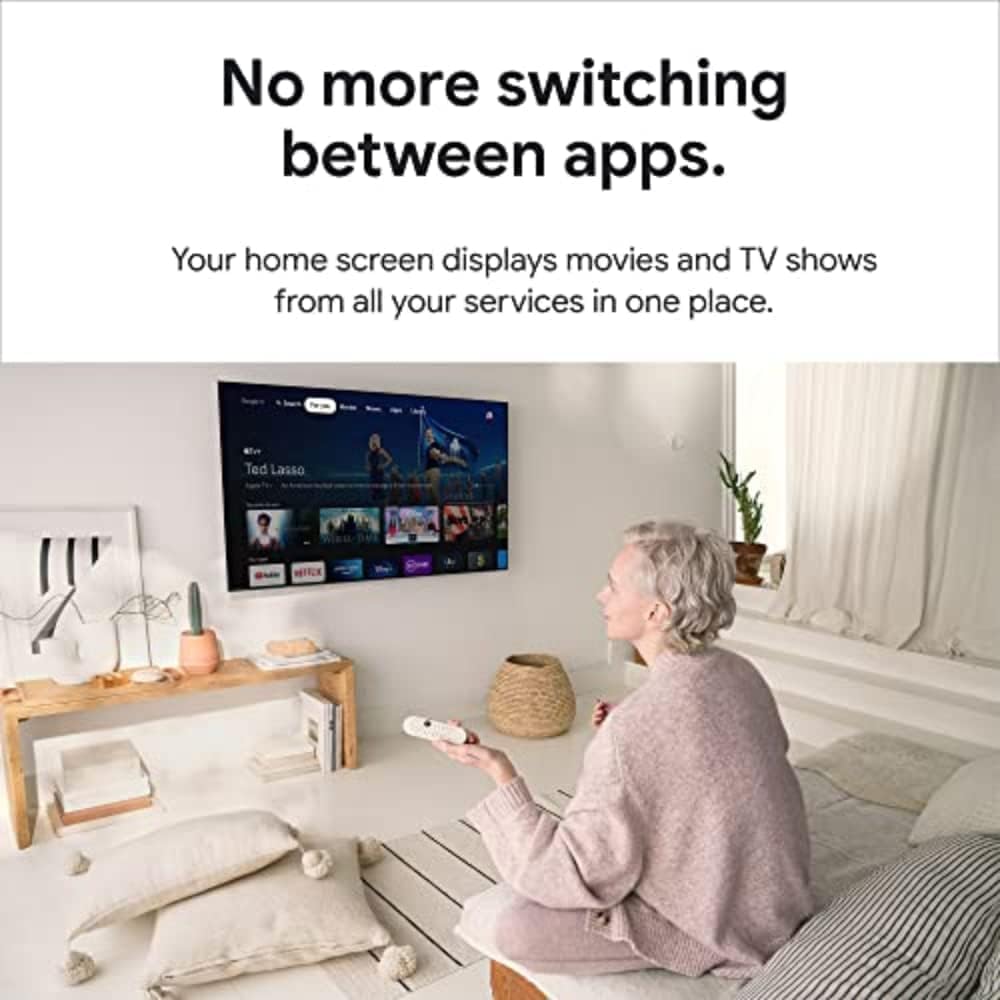
The Google TV Streamer (4K) combines a 22% faster processor and double the memory to deliver smooth, responsive navigation and personalized recommendations. It supports stunning 4K HDR Dolby Vision visuals and Dolby Atmos sound, making it perfect for upgrading older TVs. With 32 GB of storage and a voice search remote, it also doubles as a smart home controller, integrating seamlessly with Nest speakers. Ideal for professionals craving effortless, high-quality entertainment in a sleek porcelain design.


| ASIN | B0DBLWTQCT |
| Best Sellers Rank | 219 in Electronics & Photo ( See Top 100 in Electronics & Photo ) 6 in Streaming Clients |
| Box Contents | TV Streamer, TV Streamer Remote |
| Brand | |
| Brand Name | |
| Colour | Porcelain |
| Compatible Devices | Television, Projector |
| Connectivity technology | Remote |
| Connector Type | HDMI |
| Connector type | HDMI |
| Controller Type | Remote Control |
| Country of Origin | Thailand |
| Customer Reviews | 4.6 out of 5 stars 6,123 Reviews |
| Form Factor | TV Box |
| Item Dimensions L x W x H | 29.9L x 9.2W x 6.5H centimetres |
| Item Weight | 232 Grams |
| Item height | 6.47 centimetres |
| Manufacturer | |
| Memory Storage Capacity | 32 GB |
| Model Name | Google TV Streamer (4K) |
| Model Number | GRS6B |
| Network Connectivity Technology | Remote |
| Other Special Features of the Product | 4K HDR, Voice Control, Multi-Room Audio, Fast Performance |
| RAM Memory Installed | 4 GB |
| Resolution | 4k |
| Special feature | 4K HDR, Voice Control, Multi-Room Audio, Fast Performance |
| Supported Internet Services | Netflix, YouTube |
| Supported Internet services | Netflix, YouTube |
| UPC | 810037291278 |
| Video Codec | H.264, H.265/HEVC, VP9 |
| Video Output Resolution | 3840x2160 |
W**A
Very good overall, and excellent value!
I really like this Chromecast (prior to this I had used an Amazon Fire TV Cube, 3rd gen). However, compared to the Cube, this is noticeably slower in navigating around the UI and YouTube side menu... it can be choppy/sluggish at times. That being said, it doesn't feel particularly irritating, it's just something to be mindful of and is mostly fine. But to help mitigate this, I have a button remap app installed and for my use case I've just set three of the buttons to open the three apps I mostly/only use (Plex, Prime, and YouTube): the YouTube button can be left as-is obviously, so I've set the Netflix button to open Plex, and the mute button (not something I use) to open Amazon Prime. That works really well for me, and find I rarely need to return to the home screen. I'm considering printing up some coloured circular labels for the buttons too, just because I think it would be a fun thing to do! Seems like it would be simple enough. The remote is pretty good I'd say... IMO it could stand to be a little longer as it's just a tad on the short side (I'm 6ft guy with medium hands), but really it doesn't feel too bad, and I especially like the soft clicks as compared to the Amazon Fire remote (for example). The volume keys take a bit of getting used to as they're on the top-right edge; muscle memory being what it is I've come to expect the vol. keys to be on the face of the remote. I have paired a Fire remote with this and that works fine, but I'd like to see if I can get used to this one first. The wi-fi on this ain't great. I have a gigabit fibre connection and I'm still only getting around 85Mbps download speed. Considering the typical download speed on my Google Pixel is around 700Mbps, and on ethernet 900Mbps+, I was hopeful to take advantage of that. No such luck. But even at 85Mbps it's still enough for 4k. Just seems a shame to not be capable of utilising such high speeds :/ The initial set up of this Chromecast was WAY easier than I expected too, I didn't need to involve the use of my phone (via certain Google apps) which was a surprise, as I was fully expecting that to be the case. This was even quicker to setup than my Fire TV Cube, and that's saying something! Overall, I would say this is exceptional value for money, what minor negative points it has are greatly outweighed by the many positives (an option for 'Apps Only' mode being one of them!). So glad to have gotten it, and would easily recommend it.
D**B
Great Streaming Device, But Less Useful if You Have a Smart TV
We used the Chromecast with Google TV (4K) for about a year before upgrading to a smart TV. While we no longer use it, it was an excellent device during its time and made streaming on our older television a breeze. The interface is very user-friendly, and setting it up was quick and easy. It organises content well across multiple apps, giving personalised recommendations that make it easy to find something to watch. It supports all the major platforms like Netflix, Disney+, Prime Video, and YouTube, so you’re never short of entertainment. The addition of a remote control is a big improvement over older Chromecast models, and the Google Assistant voice feature worked smoothly for commands like “play The Crown on Netflix” or “what’s the weather.” The 4K picture quality, with HDR10+ and Dolby Vision, is excellent if you have compatible content and a good TV. Dolby Atmos support also enhances the sound experience. That said, the device has a few limitations. The storage space is small, which can be an issue if you install many apps. Occasionally, it would lag after prolonged use, though this wasn’t common. It also relies heavily on a strong and stable internet connection, especially for 4K content. The main reason we stopped using it is that a smart TV replaced most of its functions. For those with newer TVs, the Chromecast may feel redundant as modern TVs offer similar features. Overall, this is a great product for anyone with an older TV who wants to access streaming services and enjoy modern features. For smart TV owners, however, it may not add much value. Highly recommended for households with older TVs but less necessary for those who already have smart technology.
M**.
Brilliant upgrade from my androidtv.
I bought this even though there are cheaper options but it's definitely worth paying a little extra for it. Because it's a Google product it easy to set up, including integration with both my LG soundbar and my TCL TV. Everything just works. I also am using it with a Ugreen laptop hub which is plugged into the USB C socket and supplies power and I have a wireless keyboard dongle and a 500Gb usb hard drive connected in it usb ports. As to it's actual performance, it's FAR better than the TV android system and it supports Dolby Vision and Atmos flawlessly. Definitely recommend.
M**S
Simple to use and easy set up.
As you would expect really from Google. Easy to set up and works a treat. I suppose it depends on what your using it for but for the usual YouTube, Netflix etc it's perfect. Menu's are easy to navigate and not overly cluttered / complicated. It's easily concealed due to it's size and it's probably light enough to stick to the back of a TV if you wanted it out of sight altogether? Sound and picture quality are great with a range of options in the menu too so you can tweak it a little more to your liking. So far there doesn't seem to be any lag or buffering for me but I have a fast internet connection so I can only go of my personal experience. Very good product.
D**E
Easy setup,good product.
Great item. Yes it is nearly 100 pounds. Really easy to setup either by QR code or manually. I chose manual setup. Once ypu add your google account, it gives you apps to install like netflix. It does include all the main ones IPlayer ITV X CH4 5 ect and they all work properly. When you first tirn on thr system and connect to internet it will look for updates. LATEST IS MAY 2025 andriod 14. With 4gb of ram instread of 2gb you cam tell the diffrence its very snappy and easy to navagate. The buttons on the remote feel premium. Very much sn inprovement on my gen 2 fire tv cube. If your looking for an andriod alternative to amazon fire sticks/cubes, this is a good one.
J**E
Great product
Awesome product, comes with all cables, lots faster than fire sticks, complete selection of apps, love it
A**E
What a DEVICE.......for streaming
I have a 2017 LG OLED TV (premium when I bought it) which is getting on now and has started to cause a few problems - one pressing, in particular, is with streaming wirelessly. My first reaction was its time to fork right out for a new TV but being a big Google/Android fan I decided to try out Google TV. This should not be called a Chromecast with Google TV but rather should be titled Google TV with Chromecast. It is so much more than a Chromecast thanks to the great software that is Google TV. The Google TV OS is great because you are using android which results in apps that are android TV variants of the mobile ones and the app store selection is second to none. Want to watch a streaming service but watch the content store of another country by using a VPN? No problem! Download your VPN app (check to make sure your app for your VPN is available first before buying, most of the big providers are) sign in and presto it works just like on a computer or mobile device would. Plus you can side-load apps too. I also want to say that the streaming quality is a good improvement over my TV now, it almost instantly brings out 4K with HDR even running on a VPN and still loads faster than my TV would not on a VPN on 1080p. The OS runs really smoothly so going in and out of apps is seamless and it remembers where you left off within the apps even if you turn off your TV (which turns off the device as well). It also picked up my LG TV remote which I can use just like the Google TV remote and didn't even need to set it up, it just worked. Loading time when you turn back on your TV is almost nonexistent which makes it feel like you're waking up a computer screen than starting up a device. The Google assistant speech recognition is good, as good as it is on a newish android phone or Google assistant speaker but not much else to say other than the recommendations it brings in results are satisfying in general and you can also say instructions like close and open an app. It also supports Dolby Vision and Dolby Atmos making the most of my older TV that was one of the first to feature these enhancers and is on constantly by default so everything looks more detailed and natural, even Youtube. The drawback of this device I would say is there is no USB port if you wanted to plug into it so you're stuck with your TV on this but depending on the app some support access to Google Drive which is better than nothing if you are trying to access a file on the device. Another possible drawback is to really make the most of Google TV you would ideally need to be subscribed to a few streaming services as it creates a recommendation screen on the home screen of content from all the different platforms so without this you don't benefit as much and will obviously return fewer results when you do a search. I purchased mine at 33% off and for the price, it is easily one of the best-valued purchases I have ever made. I hope this review helps you with understanding what this device is capable of.
⭐**0
Lacks Apps, decent price when sales on.
I actually bought the Chromecast from this seller due to the good reviews I am not really sure to be honest why I needed one, except my husband kept going on and on how fabulous they were. So I took the plunge when it was Amazon prime week, and got the promotion. The cost at the time was £33.32, however had a £10 voucher, so added it. So the final costing £29.98. The price has gone back to the original and current cost of £58.78. So basically the Chromecast is a dongle that fits either at the side of your TV or the back, depending on the model. Arrived the next day with Prime, and to be honest wasn’t in a good place to get excited because all these type things come to me to sort with passwords etc as I am the one that knows them all. I left it a day, and felt much better the next day. I need not have worried, apart from putting the dongle in the Hisense TV, I just followed the instructions. One thing that always happens to me, same with “Alexa” takes an age for the wifi to connect. The initial set up was easy, remember to download the app on your phone so you can cast to the TV. Everything was fine and eventually worked well after twenty minutes for a decent signal from my wifi to connect, tried re-booting the signal, plug in and out etc. Eventually worked. I do get this issue with everything that needs to be synced. I had the same issue when on Virgin BB, now the same with the new provider. Maybe walls etc to close to the hub, I am not sure, but anyway, the main thing I got it up and running. We have just had our Pagan wedding review and had a stack of photos and my husband thought you could just cast from my phone and magically will appear on screen, well if it does, I have yet to suss that one out. According to Google, I have to download Google photo app to show on screen. So I downloaded the app, but in truth not looked on the TV as yet. Unlike Netflix which I can watch in any room, the Chromecast only works on one TV at a time, so although everything comes through my TV in my downstairs bedroom, I would need to remove the dongle into the living room. One thing I wasn’t happy about, the dongle overlaps two ports on the back back of my TV. My TV size in the bedroom is 43-46”. The dongle is big, and because of this and the overlapping of the port, I had to remove my NOW TV stick. So not happy about that. Why such a big dongle, some ports from different makes of TV maybe fine. Another beef I have on the white control panel. So a scenic for you as I did it. I was watching for the umpteenth time Vikings, I got it ready and got in bed to watch with my husband. I clicked play, and it went back to the beginning of season one. Same with anything I watch, if I pause a film and press the button it goes off and I have to redo the lot again, this is a pain, as a program with a lot of seasons is a nightmare as it just will not pause and start in the same place. If I say paused to go for a toilet break, then hit play, it comes on fine, but leaving more than five minutes, the screensaver comes on and all lost, so basically I do not bother setting anything up if I am going to be a while. I feel although the white control feels nice in the hand, there just isn’t enough to work with. Now for the actual streaming, majority of what we have watched is pretty good, maybe because I have ultra 4K not sure, but going from Netflix to say you tube is very fast, better than using Netflix from the TV. The volume on the side of the control doesn’t work unless you set it up correctly, go up to at least 80. Not that you will need it that loud, but I find it useful when watching old films that are not good quality. Chromecast hasn’t got many apps at all, and certain ones to use need a subscription. I would have thought Now TV would be on there, but it isn’t, so that makes a mockery of having all the apps in one place. Google do need to change the Chromecast, it is a bit behind some of the leaders. Firstly it is quite costly if other people want to watch their own device, the Chromecast isn’t multifunctional with all family members, only one. Not all channels from your TV will show on Chromecast. For example channel 4 etc. So you may have to source it from free view or freesat etc. There are a lot of you tube videos that actually are pretty good if you wanted to get the best out of it. It is nice to have just the one control So I have gone through some basics, some maybe irrelevant, some maybe useful, I am still learning. I do like the colour of the control and the Google assist works well I am getting used to just one control instead of three, so that’s a bonus. It is a useful device, and I do use the Chromecast everyday, I have given 4* because there are more apps that should and could be included, and that being said, free apps.. If you have a standard definition TV, maybe more advantageous having ultra HD or similar. Amazon works well and Netflix. I would only buy the Chromecast when on offer, I got a good price, so quite happy.
Trustpilot
1 month ago
1 month ago