







Official Atari 400 Mini & Joystick - HDMI Output - Includes 25 Games
Product ID: 600244259
⏪30-sec gameplay rewind
📺720p HDMI output, multi-region
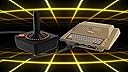
🕹️Classic CX40 joystick w/ 8 buttons
Desertcart purchases this item on your behalf and handles shipping, customs, and support to Kyrgyzstan.
🕹️ Own the past, play the future — Atari 400 Mini is your retro revival!
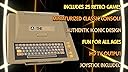
The Official Atari 400 Mini is a compact, HDMI-enabled retro console that emulates the full Atari 8-bit range and the 5200 home console. It features a USB-connected CXStick joystick modeled after the classic CX40, supports 720p multi-region output, and includes 25 pre-installed games. With gameplay rewind, save states, and USB compatibility for your own ROMs, it blends nostalgia with modern convenience for both seasoned gamers and newcomers.


| Asin | B0CS3VD9TJ |
| Brand Name | Deep Silver |
| Color | black |
| Connectivity Technology | USB |
| Customer Reviews | 4.5 4.5 out of 5 stars (258) 4.5 out of 5 stars |
| Input Device | Joystick |
| Manufacturer | Plaion |
| Manufacturer Part Number | 1120048 |
| Model Name | Atari 400 Mini |
| Model Number | 1120048 |
| Platform | Atari 400 |
| Resolution | 720p |
| Upc | 810086922376 |
A**R
Blast from the past! Awesome retro gaming system!
I LOVE The 400 Mini! I was one of the original supports of the Atari VCS on Indiegogo as I had an Atari 400 back when I was a kid, and I really wanted to relive those games on the updated VCS that was released a few years ago. Unfortunately the 8 bit games that the Atari 400/800 computers ran weren't included with the new VCS and there wasn't an easy way to run them on the VCS. But this little gem is designed to play all the 8 bit Atari games from the past. The 25 games that it comes with are great (some I had with my original Atari 400 and really enjoyed, like Asteroids, Lee, and Berserk). But the best part of this product is the ability to load your own Atari 8-bit games on a USB thumb drive that you attach to the back of this unit (which I was able to do by following the instructions on the manufacturer's website). The controller that comes with it is good, but sometimes I hit the buttons along the top ring by accident, so not sure if that was the wisest placement of them. I think Retro Games did a great job with this product overall, and it should provide for many hours of fun for anyone that enjoys 8-bit gaming. The only thing you will need that isn't included is a USB power adapter. Any 5-volt, 1 amp USB charger should do the trick (like those used for charging phones, or to power home video security cams like Wyze cams).
D**T
Scratches that old school Atari itch
Quick review but overall as a long time gamer and Atari kid I think this is a good quality and well executed product and I am glad to have it. You can add on tons of games if you want from other Atari platforms and so glad I can load all my Atari 800 and VCS favorites as a kid such as Conan or Caverns of Mars or many other games I had on disc or cassette or cartridge. Display and sound quality do not seem off or compromised to my eye. Good stuff !
S**R
Emulates all Atari 8-bit home computers
I am a large fan of Retro Games Mini (and Maxi) series of emulators. I am playing with retro emulators for over 25 years. My main driver is a Pi 400 with RetroPie, soon to be updated to a Pi 500. What I like about the Retro Games series is that it is a no-BS retro-gaming platform which you can quickly connect for the kids (or your party guests) and then put it away. I also very much like the nostalgia. While I like the small form factor, I definitely miss the keyboard, although the emulator has a virtual keyboard. A Pi keyboard works well with it. So, for whom is this product? If you had a home computer in the 80s, or knew friends who had one, this definitely wakes up nostalgia. If you enjoy the simplicity of 8-bit gaming, this emulator and the C64 Mini both are a good purchase for you. Adding games is easy: Format a 32GB (or smaller) USB thump drive with FAT32 and load games on it. What I do not like about it: You cannot add games to the carousel. While you can add games via USB card, you load them via a file system, and there is a limit to how many files each directory can carry. You end up with a messy file system. There is no way to add artwork to titles. The included joystick looks authentic, and the additional bottoms are clever, the playability of the joystick is limited. You may just use an Xbox controller instead. (It needs to be cabled via USB, there is no BT support). A small but annoying thing is the USB-C power-in port that does not support PD. For all of you guys who standardized on PD charging, it is not going to work. You need a USB-C to USB-A charging cable with an old dumb-charger, such as the old 5W iPhone cube-charger. (Cable is however included). I want to quickly talk about a misconception that many purchases of this product have: Atari came out with three 8-bit game consoles: The classic 2600 (also called the VCS), the 5200, and the 7800. After Atari started to develop the 5200, they pivoted into the home computer market. Though two different business units, the Atari 400 and all of its derivatives (which are primarily differentiated by their amount of RAM, number of joysticks ports, and their keyboards), and the 5200 game console are very similar machines. The 2600 is a more primitive machine, while the 7800 is the last iteration of the 8-bit consoles. This emulator is not compatible with 2600 or 7800 titles. It does play 5200 titles, which are somewhat limited in numbers because of the short duration of that console, but there is a huge catalogue of 2600 ports, ports from other console, and unique developments for the 400/800 platform. If you want to play 2600 titles you need a 2600 emulator or a 7800 emulator that plays most 2600 titles.
J**O
Power without the Price - Well, sort of.
(Way) back in the day I owned an Atari 800 computer which became my first real introduction into the world of home computing. I spent ages with that computer, playing games, learning to program, running a BBS, and more. It was great, nostalgic fun. When I learned about the 400 Mini I knew instantly that I wanted to dive back into the world of Atari. I've spent the last few weeks with the Mini, putting it through its paces, playing its games, loading new applications, and even dusting off my Atari BASIC programming skills. I was pleasantly surprised how well the Mini performed. You will hear complaints about the included joystick. I, however, find it delightful and ingenious. Look, back in the day we all abused our Atari joysticks as Bounty Bob fell off a platform and ruined our game. With the Mini's updated controller, simply take the care not to apply 400 lbs of force in any direction and you'll see that it works exceptionally well and is true to the original joystick. But if the joystick really isn't your cup of team, some generic gamepads will also function with the Mini. The ability to customize any loaded program, save your progress in up to four instances for every game/program, rewind game play, and more add tremendous value to this package and shows that it's far more than just another emulator. It also does an admirable job of loading old Atari 8-bit ROMs and allows you to select which 'computer' the ROM should run on (e.g. Atari 800, XL, XE, etc.) thus ensuring increased compatibility. And it looks great, too! It's a faithful reproduction of the famed Atari 400 computer in mini-form. It is a little pricey but I found it well worth the money. If you're an old-school Atari fan, you won't be disappointed. Have you played Atari today?
A**R
Absolutely love this! Best Atari emulator I ever used. =)
Loved the emulator, and you can put your own roms on it! Supports disk images (ATR's) so the sky is the limit. I even put a USB keyboard on it and started programming my old Atari Basic again! For nostalgic feelings, I absolutely love this. Controllers bring back such memories. I even bought 2 so I can have competitions with my kids. It's not next gen - no way - but just a blast from the past. Quality is much more than I expected, and I wish the keys on the unit actually worked, but they do not - just for show. But the selection and runtime are better than most emulators I have used. A+ if you love Atari 8 Bit.
S**N
Good concept but a bit of a failed execution
I love the concept of such an item. However, I found my nostalgia factor falling off a cliff after trying to play it. The joystick configuration just tries to do too much and fails miserably at times. It's far too easy to mistakenly hit the wrong button on the stick. It's also very hard to hit diagonals with it. They should have included another joystick for the price, or even just a knockoff gamepad so 2 people could play at the same time. The choice of included games is also not the best. Thankfully you can download almost anything you want from the internet. Bottom line, this is a $50 - $75 item. Don't spend more than that on it.
U**H
Really nice device. Recommended for hardcore retro game fans.
There aren't too many ways to play the Atari computer and 5200 games. This is a great way in. Pros: The system is small and very cute. Would be great to display but also very useful. Cons: The system as is works great. When you plug in the USB for extra games, that's where things get a little interesting. The system options (400, 800, 5200, 800xl, etc) revert to 800 every time I pick a game. Why? Another con - the controller is extremely stiff. I ended up plugging in an xbox controller and things improved immediately. It's quirky but it looks great and it's fun. Recommended for hardcore retro game fans.
E**N
Excellent system, controller could be better!!
Excellent system. i’m still giving it five stars even though the controller stinks kinda. It controls ok, but it is easy to hit the ring, and reset the game you worked so hard at. It can be remedied by using a cheap snes usb pad, and just using the one button once you start. If you sail the bloody seas there are many roms available, matey. This thing is a blast once you do that! I bought it used on Amazon, it came like new, but Amazon ruined the nice box, by placing the shipping label right on it. The whole experience was shoddy. I like to collect the retrogames ltd systems, and the box is part of that.
A**N
An Amazing Emulator You Need to Get Used To
I unpacked it, I set it up, and I instantly found the CXStick joystick difficult to use: it seemed sluggish, and going up or down would only work occasionally. It was hard to avoid pressing the multifunction buttons as well. I was very disappointed. If the joystick (and the other one I bought for 2p play) sucks then the whole device is compromised. But then I read more about it and I realized I had to set my HDMI input to "Game," which instantly cleared up most of the issues. Now I'm learning the quirks of the stick: it's stiffer than I remember ye olde Atari sticks being, so games like Pac Man can get frustrating...but I'll either figure it out or I'll hook up an Xbox controller and use the D-pad. The included games are amazing, and the ability to add more is beyond belief. It really works! Though I find it doesn't recognize .atx files (try renaming them to .xex) and a small handful don't launch correctly. In short: it's way better than I thought it would be! Some more work could have gone into the joystick, but I'm having so much fun with it to knock off a star for that reason. Great job!
E**G
Excellent Atari degice
Great little Atari emulator. Delivery was fast and package came without damage
G**L
Memory lane and its awesome!
So many memories! Great to play my old Atari games again. M.U.L.E. rules!
K**S
Great emulator
This emulator beats out all the free and open source Atari emulators for Windows, MacOS and Linux by a long shot. Plays atr,atx,car,xex,rom and cas from usb. The rewind option works great! A must have for retro gamers
X**0
A very good machine, held back by a flawed controller.
I received my 400 Mini a couple of days ago, and I've spent several hours trying a variety of different games out. My opinion: the 400 Mini is a nice try, but it could have been better with just a bit more effort. The tiny main unit actually does a decent job of emulating the old 8-bits, and I have had very little trouble loading a wide number of different games. I would give the system itself a 9 out of 10. If I find fault with anything, it's that it's actually too small. I don't think it needs to be full-size, but I think the 400 Mini needs more physical heft to it. Maybe 80% scale like the Plus would have been ideal. There's been a lot of negative comments about the CX-stick. I find the stick itself is decent for control. I've seen some folks complaining of false diagonal inputs, and I haven't seen anything like that. I find the stick reasonably responsive, as is the fire button. I've also read complaints of people frequently hitting the four 'ring' buttons during game play - and that I do agree with. In a couple of games (Ms. Pacman, Dig Dug) I was in the middle of a game that was going well, and I accidentally pressed against the Left ring button with the base of my thumb. This corresponds to the Option key, and ends those games immediately, taking you back to the Select/Options screen. Maddening. Whenever I try a game I haven't played previously, my first step is to remove the Option key mapping from the left Ring button. Luckily the 400 saves this mapping for each individual game file, but what a pain. I find this flaw puzzling, because I stumbled into this within 30 minutes of playing. How was this not noticed early in the development stage? It feels to me like the team was so eager to do something 'clever' like putting functionality into the orange ring, that they didn't actually test it with a lot of games. I've tried putting the CX-stick into another USB port, and then trying a couple of different gamepads in port 1. That works out for some games, yet, others it did not. I really think the designers should have just left the ring as a solid decoration like the original CX-40, and put some buttons on the front edge, similar to the Menu/Home buttons. Now that I think about it, a possible software fix would be to have the Mini only recognize the Ring buttons if they pressed in pair with one of the other buttons such as the shoulder or Menu button. Overall, I think I'll get my money's worth out of the 400 Mini, but the controller is somewhat flawed, and this could have easily been fixed early on.
Trustpilot
3 weeks ago
3 weeks ago