
DOWNLOAD THE APP


Customer Support

Desert Online General Trading LLC
Warehouse # 7, 4th Street, Umm Ramool, Dubai, 30183, Dubai
DOWNLOAD THE APP
Customer Support
Desert Online General Trading LLC
Warehouse # 7, 4th Street, Umm Ramool, Dubai, 30183, Dubai




🎥 Elevate your virtual presence with 4K precision and remote control finesse!
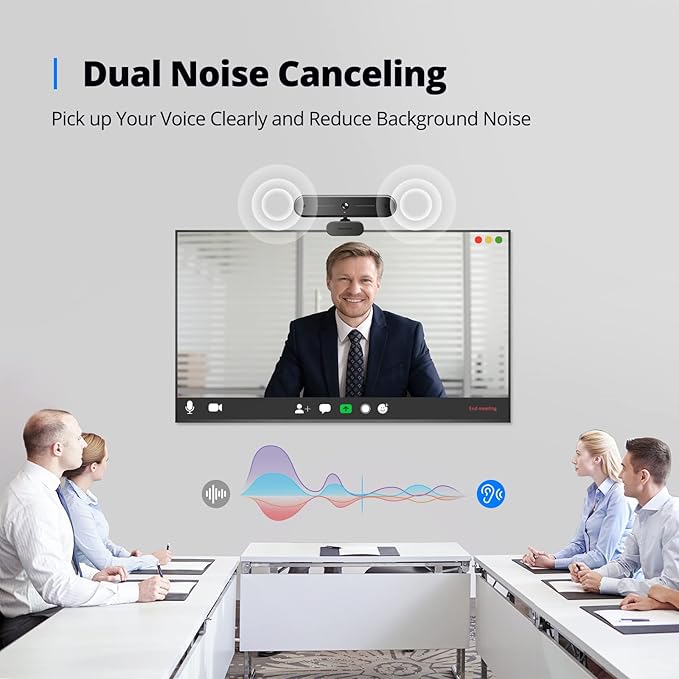
The DEPSTECH DW50 Pro is a cutting-edge 4K Ultra HD webcam featuring a Sony 1/2.55'' CMOS sensor for stunning video clarity at 30fps. It includes a remote control enabling 3x digital zoom and multiple camera adjustments, dual noise-canceling microphones for crystal-clear audio, and smart autofocus with automatic light correction. Compatible with Mac and Windows via a Type-C adapter, it’s designed for seamless integration with popular video conferencing platforms, making it the ultimate tool for professional streaming and remote collaboration.


| Package Dimensions L x W x H | 16.2 x 8.9 x 8.2 centimetres |
| Package Weight | 0.4 Kilograms |
| Product Dimensions L x W x H | 5.7 x 5.3 x 13.6 centimetres |
| Brand | DEPSTECH |
| Colour | Black |
| Has image stabilisation | No |
| Included components | 1 x 4K webcam, 1 x remote control, 1 x tripod, 1 x Type-C adapter, 1 x user manual (English language not guaranteed) |
| Max Focal Length | 3000 Millimetres |
| Min Focal Length | 30 Millimetres |
| Part number | DW50 Pro |
| Size | DW50 Pro |
| Water Resistance Level | Not Water Resistant |
| Zoom Type | Optique et numérique |
| Focus type | Auto Focus |
| Style | computer webcam |
| Effective still resolution | 8 MP |
| Guaranteed software updates until | unknown |
M**N
Great webcam that just works
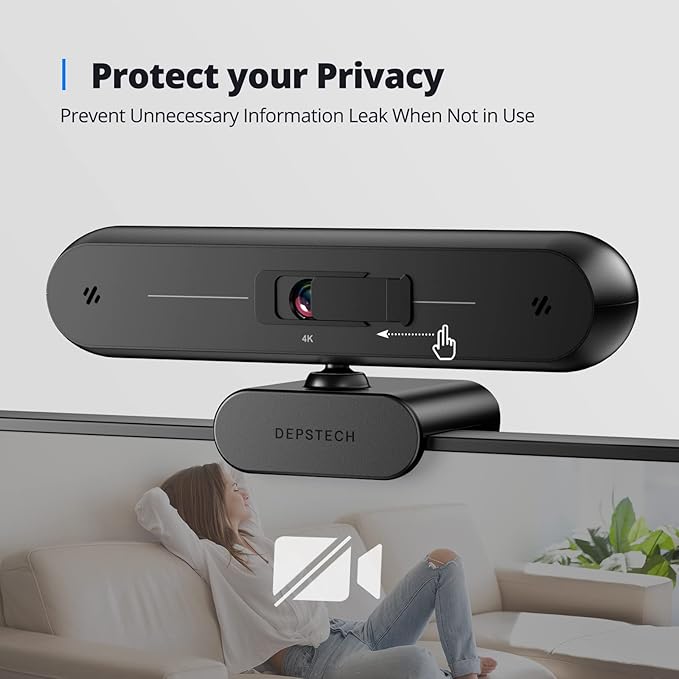
Like a lot of people, working from home with video conference meetings is the new normal for me. As an IT professional, the in built camera and microphone in my work computer is ok, but limiting. This webcam just plugs into my Macbookpro via USB and works without needing any drivers or software installation. I can now use my larger external monitor for video calls without appearing like I'm not looking, as it's easy to place the camera centrally on top of the monitor. The camera also has built in microphones. This is more useful than I first thought. If you use the computer in built microphone, that works well until you need to type on your keyboard while in a meeting when all anyone can here is your keys banging away; using the depsyech microphone means this keyboard noise isn't picked up. The image is also super clear and better than the quality of the Macbookpro camera. In video conference, the camera defaults to a nice wide angle mode which means your face doesn't fill the screen which is nice (but you might need to tidy up the room as more is visible in the background). If you don't want to have such a wide angle, simple and free apps are available to adjust the settings, for example "webcam effects " for mac in the app store is free and lets you alter many settings like zoom pan and tilt . Top tip, use this app to zoom in a little the use its pan and tilt settings to fine tune to view which for small adjustments is a little easier than trying to physically move the camera. Finally, a mini tripod is included so you can place the camera below or to the side of your monitor (or anywhere else really). It's also supplied with a stick on privacy filter which you can slide to cover the camera lense; I haven't bothered with this, as there's a white led that clearly indicates when the camera is enabled too
C**S
Good webcam overall
I am happy with the webcam so far, fit for purpose, image quality is good for a 4k / 8Mb webcam. Tested it on Windows Camera App, Zoom video test and Microsoft Teams, image quality, auto focus, audio and microphone were good. Will be using the webcam for video calls to relatives in Australia, doctor online sessions etc. So will not be able to test the 30fps rate right away, will look at using OBS Studio which is free, for streaming projects at a later date. Gave 4 stars, not the fault of the webcam, initially pnp only gave access to audio and microphone but not to video. Tracked down eventually to the USB port not having the UVC protocol extension installed. Having an old PC was the problem but did find a usable USB port on the back panel. Microsoft have a website dealing with installing a UVC protocol extension on your USB port. Would be nice if minimum system requirements were available for the different Depstech models, trouble shooting was not helpful, had to go online to search for solutions.. Some small issues; the webcam clamp is not a clamp but works as a cantilever perched on the screen, any jarring of the screen may dislodge the webcam, the provided tripod is a solution if the webcam is not secure. The privacy cover is not integrated with the webcam, it is stuck on with double sided tape to the front of the camera and slides back and forth.
M**N
Lovely upgrade from my previous webcam
Great Webcam, Massive upgrade from my Microsoft Lifecam 3000, which only has a 720P resolution but has served me well over the years. Figured it was time for an upgrade so given the price of this webcam I would say, it's not overpriced. I did miss the Prime day sale by a mere few hours so unfortunately I missed out on quite a nice discount but oh well. Webcam does well, 4K resolution. Being honest, was expecting a sharper, Twitch Streamer / YouTuber type of image quality but I can't complain as this camera isn't bordering on £200 or however much Professional webcams go for these days. Lighting is fairly good even in low light situations, can sit in my room with all the lights off in the middle of the night and see my face very well. Auto Focus is great, when it focuses in, but as soon as you remove the object from the view of the lens, it does have a little trouble focusing back. This may be a software problem as I was using the generic Windows camera app to record my videos, however, Trying it in Zoom, i noticed i had to manually refocus the lens to get it to latch back on to me from time to time. I've only had the camera for a relative 5 mins so i'm sure there are ways to adjust this feature a lot better. Am hoping this camera comes with regular firmware updates which may make better use of its features and improve the overall experience. Dual Microphone is fairly good, my voice wasn't muffled or making a fizzing sound when speaking which is also a positive. However, I do have a dedicated microphone I already use for my gaming and video call sessions, so I wasn't too bothered about the In-Built microphone in all fairness. Overall, I would say this is a worthy buy. Would've been nice if I had reacted sooner and taken advantage of the Prime Day sale, as I would say that would be the ideal price for this webcam. But Oh well, it is still quite an investment and I don't see myself upgrading for a number of years so it pretty much pays for itself.
M**R
Una cámara grande, acostumbrado como estaba a una logitech C310 esta es más del doble de grande. Sin embargo, a pesar del tamaño se puede poner fácilmente encima de un monitor. La cámara es reconocida automáticamente por el sistema (windows 10 y windows 11) pero no trae ningún software. Recomienda el programa de código abierto OBS Studio, que te puedes bajar de su página o de la tienda Microsoft. Trae un trípode, bastante malucho, yo prefiero algún otro mejor que tengo, un mando a distancia, muy útil, y un adaptador USB A -> USB C. Trae también un protector de privacidad, una tapa que se pone o quita con una pestañita debajo. No obstante, dado el tipo de cámara, el mejor protector de privacidad es desenchufar el cable USB. El mando a distancia es útil, pero cuidado, si estás con poca luminosidad (una lámpara de escritorio) no funcionarán algunas opciones (mayor brillo o contraste). El software que recomienda es bastante potente, así que hay que dedicarle tiempo para ver las opciones. En cuanto a la cámara, te permite elegir la definición sin problemas. Por ahora los resultados son muy buenos, a pesar de la poca luz con la que la he utilizado no han aparecido los típicos puntitos, se adapta bien a la falta de intensidad. A pesar de que dice que no viene incluida la pila del mando, sí viene, hay que quitar la pestaña de plástico que la aísla. Una buena cámara tanto para grabación como para streaming.
W**S
Die Webcam wurde schnell und zuverlässig geliefert. Optisch ein ansprechendes Gerät, lässt sich die Kamera problemlos auf dem Monitor montieren. Die softwareseitige Installation ist denkbar einfach. Die gelieferten Bilder sind brillant und reichen allemal für Videokonferenzen etc. Das Mikrofon liefert einen klaren Klang. Das Preis Leistungsverhältnis ist gut. Alles in allem ein solides Gerät, das aus meiner Sicht eine Empfehlung verdient.
F**O
Ce caméscope fonctionne très bien. Vraiment excellent. La définition et l'audio au top
M**R
Die DEPSTECH DW50 4K Webcam mit Sony-Sensor und Doppelmikrofon kommt gut und sicher verpackt in einer stabilen Pappschachtel die ich auch zur Aufbewahrung nutze wenn sie nicht benötigt wird. Im Lieferumfang enthalten ist die Webcam, ein Stativ, ein USB Adapter, eine Fernbedienung und eine mehrsprachige Anleitung. Die Webcam lässt sich mit dem festverbunden 170 cm langen USB-A Kabel an den Computer/Laptop anschließen, alternativ auch über USB-C mit dem mitgelieferten Adapter. Die Cam löst mit 3840 x 2160 bei 30 Bildern pro Sekunde sehr gut auf und der Sony Sensor sorgt für eine gute Bildqualität. Über einen Schieber kann eine Abdeckung vor die Linse geschoben werden, das ist etwas umständlich und man muss schon genau hinsehen um zu erkennen in welcher Position sie gerade ist. Die Cam verfügt des Weiteren über eine einstellbare Halterung für die Befestigung an Monitoren. Das Doppelmikrofon sorgt für einen guten Ton, ob die automatische Rauschunterdrückung etwas bringt konnte ich leider nicht testen da mir der Vergleich fehlt. Die Fernbedienung ist entgegen der Beschreibung bereits mit einer Batterie ausgestattet, man muss nur noch die Trennfolie entfernen. Die wichtigsten Einstellungen können über sie getätigt werden, leider gibt es keine optischen Anzeigen ob eine Funktion wie z.B. Stummschaltung gerade aktiv ist oder nicht! Das Stativ ist teilweise aus Metall und verfügt über einen verstellbaren Kugelkopf. Software liegt keine bei aber Empfehlungen für eine Freeware mit der ich auch ganz zufrieden bin. Die Cam wiegt inclusive dem Zubehör nur 212 g und stellt damit beim Transport kein großes Hindernis dar.
A**A
Me gustado la estética de esta cámara, personalmente la veo un poco mas grande de las que estoy acostumbrado pero aun así tiene in aspecto profesional. Dispone de un bloqueo de lente bastante discreto, lo que resulta muy útil. Lo mejor de todo es la calidad de imagen, tiene muy buen definición y la calidad de los colores es muy rica. No dispone de app para darle los ajustes. La tengo instalada en un pc con windows 11 la que reconoció a la primera. He hecho video conferencias, con whatApp, Zoom y Google meet. Desde cada aplicación puedes darles los ajuste que creas convenientes y dejarla a tu gusto. Como plus, en la caja viene un un tripode que por ahora no utilizo ya que tengo montada la cámara sobre el monitor. Ademas viene un mando que te da acceso a las funciones de las cámara. Me parece una cámara atractiva visualmente que ya forma parte de mi setup, con excelentes prestaciones y que recomiendo deben probar.
Trustpilot
2 weeks ago
2 months ago