We remain fully operational. Our teams are working around the clock to ensure your deliveries continue safely.

DOWNLOAD THE APP


Customer Services
Copyright © 2025 Desertcart Holdings Limited
DOWNLOAD THE APP

⚡ Stay Connected, Charged & In Control — Wherever You Go!
The SUNGUY USB C Android Auto Cable delivers ultra-fast 10Gbps data transfer and 3A quick charging in a compact 1.5ft design. Compatible with the latest iPhone 15 series, Android Auto, CarPlay, and external SSDs, it’s engineered for seamless connectivity and power on the move. Built with premium materials and backed by lifetime support, this cable is the essential tech upgrade for professionals who demand speed, reliability, and universal compatibility.


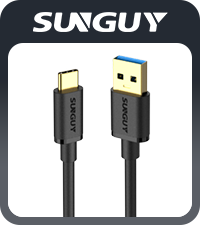


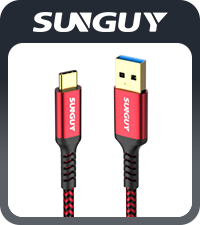
| AC Adapter Current | 2 Milliamps |
| ASIN | B0C5XCVZ3H |
| Best Sellers Rank | #2,711 in USB Cables |
| Brand | SUNGUY |
| Cable Type | USB |
| Color | Black |
| Compatible Devices | For iPhone 15/15 Pro Max, USB C External SSD, Galaxy S23,S22,S21 S20 S10 S10E Note 20, Pixel 7 6 5 |
| Compatible Phone Models | For iPhone 15/15 Pro Max, USB C External SSD, Galaxy S23,S22,S21 S20 S10 S10E Note 20, Pixel 7 6 5 |
| Connector Gender | Male-to-Female |
| Connector Type | Usb 3.1 Gen 2 |
| Data Transfer Rate | 9.99 Gigabits Per Second |
| Date First Available | May 22, 2023 |
| Frequency | 10000000000 Hz |
| Indoor/Outdoor Usage | Indoor, Outdoor |
| Item Weight | 0.631 ounces |
| Item model number | SUNGUY-USB-0.5M-C |
| Manufacturer | SUNGUY |
| Maximum Voltage | 9 Volts |
| Number of Items | 1 |
| Number of Pins | 9 |
| Outer Material | TPE+Gold-plated |
| Package Dimensions | 3.9 x 2.36 x 0.67 inches |
| Recommended Uses For Product | Charging |
| Shape | Round |
| Special Feature | 10Gbps Data Transfer / Car Android Auto / For iPhone 15 carplay / 18W Fast Charge |
| Specification Met | CE |
| Unit Count | 1.0 Count |
| Wattage | 18 watts |
S**A
Works on Dell WIndows 11
Works great to transfer files from a USB thumb drive to an external hard disk on a Dell Windows 11. A tad sluggish on speed, but that is more computer dependent than cable dependent. Cable's 1.5' length is just perfect for this port-to-port transfer needs.
M**E
Good quality
Use for data transfer and charging.
S**E
Works great on USB 3.1 gen 1, data and PD
This cable is working great for this specific situation I'm using it with: PC on the USB-A end of the cable: Dell 8930 USB-A front port (there are 3 of them), which is a USB 3.1 gen 1 running at 5 Gbps. External SSD on the USB-C end of the cable: An old Samsung 2TB EVO 860 SATA SSD (around 450 MB/sec transfer = 3.7 Gbps) in an Oyen external SATA case, which converts-to/has a USB 3.1 gen 2 (up to 10 Gbps) external port (which will also run at gen 1, ofc). The cable is supplying the power, via USB Power Delivery from the PC, of course. The case has an optional power connector, but so far isn't needed. The details :) The Dell 8930 also has a USB-C 3.1 gen 1 port along with the 3x USB-A's on the front panel, which I already have a similar 1TB SSD in an Oyen case plugged into. No a word anywhere in the Dell manuals about how much power these ports can supply via PD, if that total power budget is shared among the ports, or if the A ports are on the same hub as the USB-C ports. So... all that is left is "let's try it!" which I did here and it worked. The other existing SSD on the USB-C port seems to still be working great and has enough power. To further complicate things, lol, this PC has one USB-C 3.1 gen 2 10 Gbps port on the back panel, with a matching USB-A 3.1 gen 2 port (PLUS 2 more USB-A ports that are USB 3.1 gen 1, PLUS two that are USB 2.0 for mice and keyboard - lol you really have to be careful and look at the back panel map in the PC documentation). That USB-A USB 3.1 gen 2 is the one I was originally going to try this cable with, as I have yet another external SSD (a SanDisk NVME 10 Gbps) plugged into that back USB-C for backups (but again unsure if both can be active at once and what their power capabilities are, thanks for nothing Dell). So THAT IS WHY I originally bought this specific USB 3.1 gen 2 cable, for the 10 Gbps, but then while waiting for arrival realized this SSD in the 3.1 gen 1 case can even go that fast and maybe the front panel USB-A ports would have enough power. YEP! So this cable would probably ALSO work just fine in that rear panel USB-A 3.1 gen 2 port at 10 Gbps, but I haven't tried that configuration. WHYYYY does this stuff have to be so complicated? Just to hook an external drive to a PC? Sheesh
C**N
Reliable product
It works
C**N
Could be more flexible
Good short cord for charging anything with a USB C plug. I got this to charge my phone at work from the USB port on my monitor. I don't know if it's the port on the monitor or the cable but it's only a slow charge, not the fast charge. Additionally the cord itself isn't actually that flexible and would have liked it to be more pliable, the range of motion is a bit limited.
J**R
Solid Android Auto Cable
So far this cable is the best I have found for a Android Auto cable.
R**Y
Good
Amazing used this on my pxn v9 gen 2 works perfectly
B**R
High quality cable.
This is the highest quality cable I’ve ever bought and I bought a lot. It’s quite thick and the Length of 1.5 feet is perfect from my dashcam to the cigarette lighter location. It’s a little expensive but well worth it.
M**9
Rempli sa mission. Bon packaging même juste pour un câble . Fonctionne très bien, de très bonne qualité.
M**R
This product came quickly and was just as advertized. It works extremely well.
I**K
It connects well for the car
D**N
Needed a replacement cable to connect my phone to my car for Android Auto and this was exactly what was needed. The cable length was spot on, never needed it to be massively long, the cable is decently thick and a good quality, every time I used it with Android Auto it would connect straight away with no issue and no drops during use.
E**C
Es perfecto
Trustpilot
1 month ago
4 days ago