
DOWNLOAD THE APP


Customer Services
Copyright © 2025 Desertcart Holdings Limited
DOWNLOAD THE APP
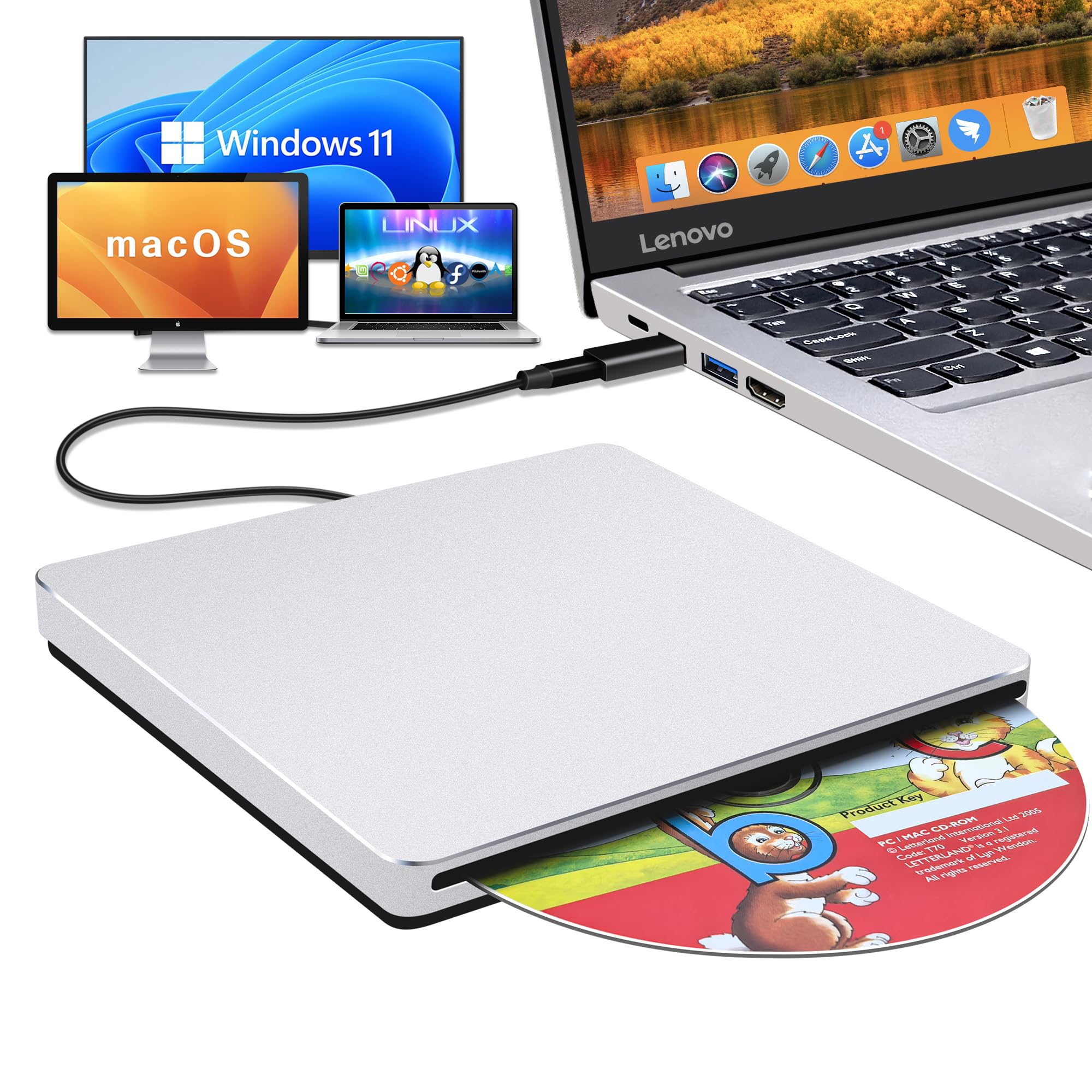
💿 Backup, play, and burn in style—your Mac’s perfect sidekick!
The NOLYTH USB C SuperDrive is a sleek, aluminum external CD/DVD drive designed for Mac and Windows laptops. It supports high-speed USB 3.0 and USB-C connections, offering up to 24X CD read/write and 8X DVD speeds. Plug & play compatible with macOS, Windows, and Linux, it requires no drivers or external power. Perfect for media playback, data backup, and burning discs on the go, its slim profile fits effortlessly into any professional’s mobile setup.


| ASIN | B0BX3S7CZH |
| Best Sellers Rank | #50 in External CD & DVD Drives |
| Brand | NOLYTH |
| Color | Silver |
| Customer Reviews | 3.8 3.8 out of 5 stars (1,867) |
| Date First Available | February 28, 2023 |
| Hardware Platform | Laptop/PC/Desktop, Mac/MacBoor Pro/MacBook Air/iMac |
| Item Dimensions LxWxH | 5.43 x 5.43 x 0.63 inches |
| Item Weight | 14 ounces |
| Item model number | NOLYTH CD ROM External Drive |
| Manufacturer | Confoly Tech |
| Operating System | Mac OS/macOS/Windows 11/10/8/7/98/XP/2000/Vista/Linux |
| Product Dimensions | 5.43 x 5.43 x 0.63 inches |
G**M
Confoly Superdrive is awesome!
I received the Confoly USB-C Superdrive last night. This superdrive is a hub to hub connection on my new MPB thunderbolt 3 port. When I first connected it I saw nothing on the desktop or anywhere else on the Mac computer. When I inserted a CD into it, iTunes popped up with all the information on the CD. When I inserted a DVD into the drive "My DVD Player" (software that comes with the Mac) opened, and started to play the movie. When a disk is inserted you will see a disk on your desktop right click on it to eject the disk. The superdrive is a solid piece with no eject button, and the drive does not open. The drive behaves just like the superdrive Macs used to come installed with. This is an extremely easy device to use, and feels very sturdy. The Confoly comes with a USB adapter in case you do not have the thunderbolt USB-C port on your computer. I would recommend this product to a friend.
J**X
Exceptional, especially for the price.
I truly had my doubts about this product but I'm ecstatic with it. It does all it says it will do. It's clean, smooth, and a work horse. I had to backup my 4TB external so I bought a 50 disc spindle of DVD-R DL discs and went to work. Took a a couple days but got everything off my external so I could repair and reformat it. Used all the DVD-R's I bought plus all the DVD-R's I had around. Burned discs night and day. Then when I was done repairing the drive I got to work putting all the files, pics, videos, and programs back on to the drive. Now I have back ups of everything and the drive is back how it was. Really impressed it could burn that much info and not have a failure. Had two discs that were bad but the drive never skipped a beat. I now have an Apple SuperDrive also, have yo say they work about the same, except the Apple SuperDrive is a bit louder and has more vibration but it doesn't write or read any better or faster so far. Guess we will see which lasts longer.
S**S
Crap shoot
Got around to trying this drive, hooked it up to two Macs and it took a DVD, started to hum bit, the DVD showed up on the desktop and that was it. The DVD software did not work and the drive is not following any commands namely will not give me back the DVD. My desktop is an older iMac, 2017 however the Apple Drive hooked up to it works perfectly. I got this unit to use with my M3 MacBook Pro in another room. That computer is running the latest Apple OS Tahoe. I think this brand is a bit of crap shoot and I lost out. Doubt they will take it back after I get my DVD out of it. I did not see any instruction but use should have been straight forward.
T**H
Works with 2019 16" MPB with 1 minor issue
I'm a happy camper with this! I just burned a 1965 oldies hits album to my 2019 16" MBP laptop & I'm listening to it as I type.. Before that, I viewed a 25 yr-old cd with photo files. All uploaded easily. Here's what you get: DVD drive with permanently attached USB-c plug, Optional USB plug (see photo) Well- padded, zippered case Owner's manual in broken English - but all you need to know is there if you have patience to figure out what they are trying to say. I had no issue.. TIPS: 1. When you plug drive in, nothing will show up on your screen until you put a cd/dvd in the drive, so don't despair! 2. EJECTing: there's no manual eject button on the drive; you eject from your computer. On my MBP (running OS Catalina) I eject from Finder, or drag drive's icon to the trash. HUGE CATCH: But in order to eject, I have to FLIP THE DRIVE OVER (black side up). This is in the owner's manual (pg 5 under "Disk was Stuck".) No clue if all of these operate this way, but the fact that it's mentioned means they know of issue...To me, not a deal-breaker. The usb-c plug fits a bit too snug imo into the port (not sure this is harmful to the laptop) Initially, I was thinking of returning the drive due to the "flip over to eject" issue, but having gone went thru hell trying to connect my Apple Super Drive to my laptop to no avail, I decided to get a drive with a usb-c plug. (Apple says the Super Drive is compatible with the newer MBP's..if it is no adapter worked) After hours on the phone with Apple, with them trying to trouble-shoot, I finally gave up & ordered this drive. If you also failed to get your USB Apple Super Drive to connect to your usb-c-only MBP (I tried with the Satechi adapter Apple sold me!!) , then this cheap little drive works, so I don't mind having to flip it over to eject disks at this point. I thought I would never be able to play cd's or watch movies on this new MBP laptop since Apple took away the internal cd/dvd player that older MBP & others had. Some people prefer to play our cd collection amassed over the years, rather than spend more money for the same songs they already own..Young people don't seem to get it. Finally, people should READ MANUALs before posting bad reviews, as most issues are covered!
G**S
Great device
I got this DVD drive mostly because it is a few one that has a usb-c connection to go straight into my macbook without adapter. It's an outstanding product from a cost/quality perspective What I also like about this device: - it just works as expected out of the box. I just connected it to my mac and it was immediately recognized as an external drive - it is a pretty quiet unit; it actually have the same level of noise than the internal drive in my old iMac - it comes with a nice, sturdy and padded travel case to protect it - it has a 2 years warranty
B**N
If you have considered purchasing an Apple USB Supedrive don't bother. Buy this one instead. Its form factor is the same, its silent operation is the same, its build quality is the same, except this one comes in two MacBook Pro colors grey or silver, it has an adapter in case you want to use USB A instead of the USB C which is attached to the drive, it even comes with a high quality case which Apple didn't bother to give. This is one heck of a great buy and I am delighted!!! 5/5 stars for this incredible value!!
V**N
After only 2 months of occasional use, this dvd drive no longer works and unable to return it for a refund. My advice would be to spend your money on somewhere else.
F**E
Ce lecteur est vraiment compatible avec Apple, avec Windows, etc. Il est rapide et silencieux.
R**N
Does the Job, looks well made i expect it to last based on a day of use so far.
A**X
Works exactly as described. The overall look and feel of the device is almost identical to the Apple Magic Drive, at almost half the cost.
Trustpilot
2 months ago
3 weeks ago