Desert Online General Trading LLC
Dubai, United Arab Emirates
Desert Online General Trading LLC
Dubai, United Arab Emirates

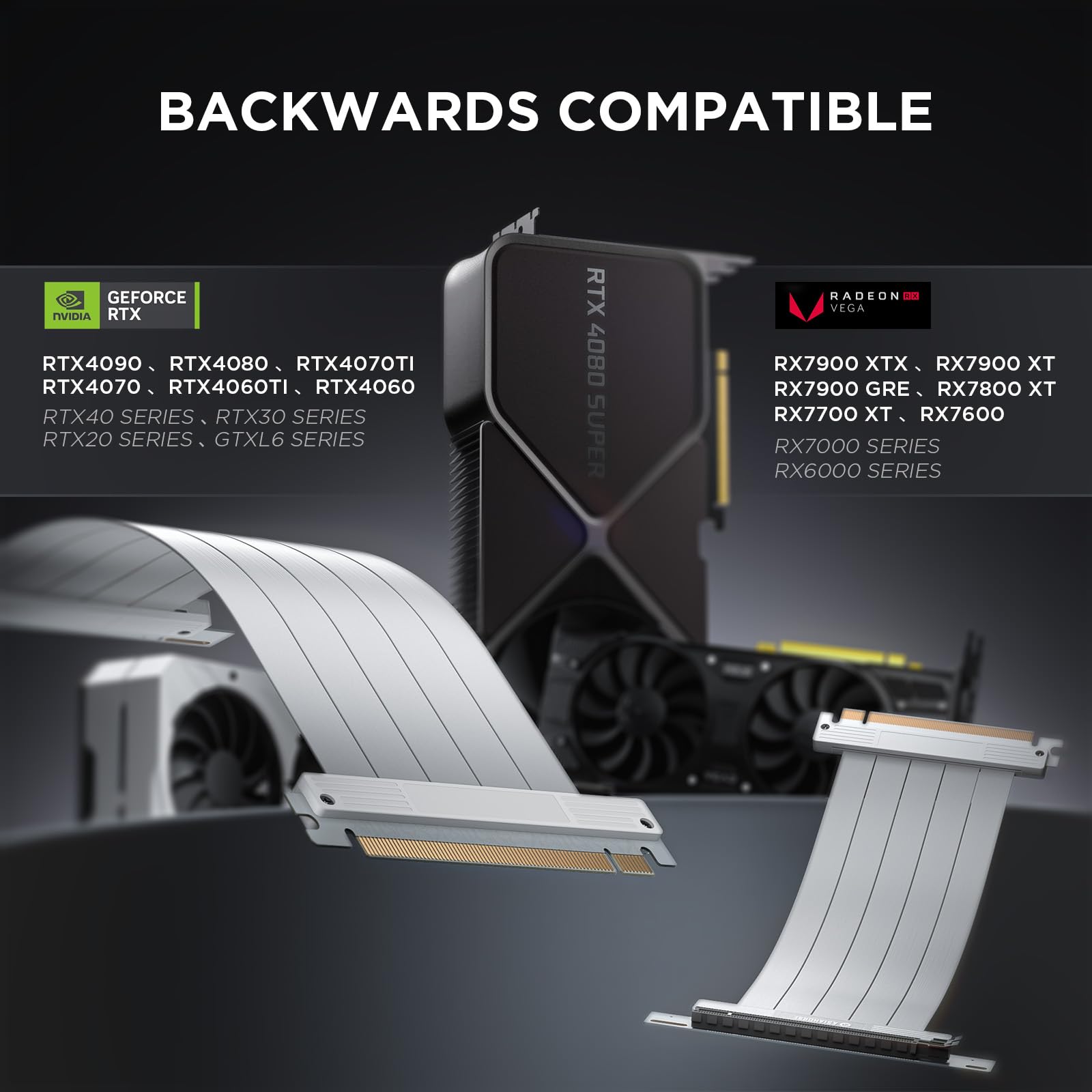


🚀 Elevate Your Gaming Experience with Unmatched Connectivity!
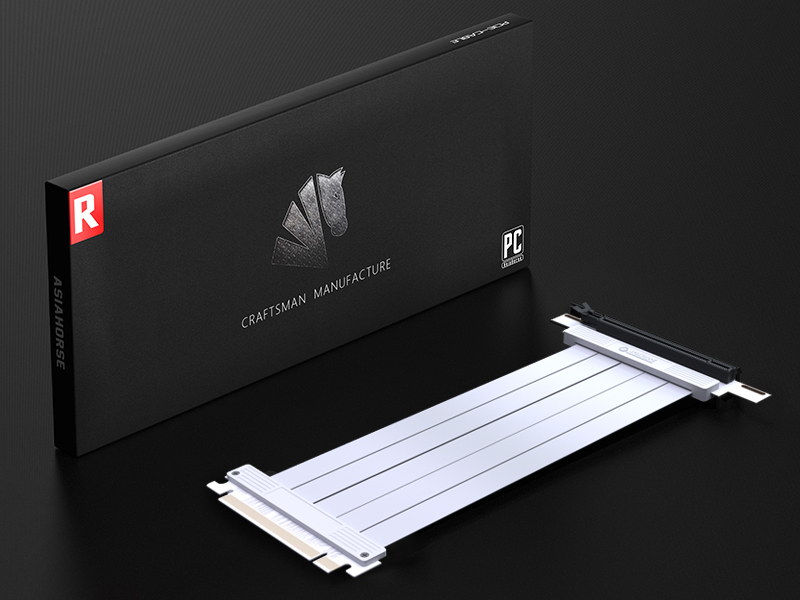
The AsiaHorse PCIE 4.0 Extension Cable is a high-performance GPU riser cable designed for maximum conductivity and signal integrity. With a length of 25cm, it features a segmented design for improved airflow, supports up to 64GBS transfer speeds, and is compatible with a wide range of high-power graphics cards, ensuring a seamless gaming experience.



N**.
Worked like a charm to add a GPU to my sff PC
I was looking for a solution to putting a graphics card in a small form factor (sff) computer. It is hard to find low profile graphics card, so I decided to modify the case and install the graphics card externally using this cable. It has been working flawlessly for me so far. I've had zero issue streaming 4k content, gaming, or doing anything really.It is an easy way to give life to an old office computer. I highly recommend this product vs using an adapter that connects to a mini pci e slot or a thunderbolt gpu enclosure.
K**E
Great For Older GPUs
Worked without issue on an older PC I had, the cable is somewhat stiff but not enough to cause any issues. Currently connected to an old GTX 960.
D**E
Works but…
This PCIe riser works well with my 3080 and system is picking up at PCIe 16x4.0Only issue is that the mounting for it is not perfect for my Fractal Design Define R6
S**Y
4.0 works great
I got the white 4.0 cable for my 3080ti. I don't over clock to crazy speeds, just what GPU Tweak 3 let's me. Usually around 2100mhz tops when I'm gaming and it still hits that no problem. I game on a gigabyte m32uc 4k 144hz monitor. I've noticed no loss in my performance as far as the speed or frames I see in games so far, but I haven't done any technical tests. I figure there's probably a little loss, nothing beats the speed of being directly on the mobo, but this has my CPU cooler tubes freed up, and my 140mm flans blowing straight up through my case now. My CPU is running at lower temps than when I initially installed this GPU traditionally, back to normal temps I was used to seeing, though it was never running close to hot. This GPU is water cooled so I don't worry about the card being close to the glass for fans as much. Corsair crystal series 680x is a big case, but still tough to install these two radiators in, and if you have a front radiator installed in it, say goodbye to high end cards unless they're water cooled like this one, as I only have 12in of clearance for a GPU with my front 360mm radiator installed. So this vertical mount helped out tube space a ton. My case has a solid vertical mount option, I don't need a GPU stand at all. This cable was not too long for my case mount distance, but if you installed a mounting system in your front horizontal slots, it may be too long for that. I think it works great and I hope it continues to perform well and doesn't melt like I've seen pictures of other brands doing. I made sure to connect everything securely so we'll see!
D**N
Moved an ASUS 3060 just for fun in a CM case
Seems fine so far. At first it seemed maybe a little short but I rerouted a couple of other backplane board connectors and moved at third out of the way and--better! Loops a nice "S". Might not work for everyone depending on what you have plugged inside.
C**O
Works at first, then fails and fails bad.
Got it delivered on February 27th, installed same day. Cable worked amazing during the time leading up to the last week. Unfortunately, as pretty much all of the negative reviews state, this just stopped working properly. Constant crashes in ALL games, varying between 5-10 minutes in game. Reseated it multiple times, all is dust free and it made 0 difference. Put my gpu back in the PCI slot directly, and have had 0 crashes since. The product is sadly just a piece of junk.Works well at first, then goes to complete crap. Save your money to get something better than this.
D**S
PCIe 4 POST Beep Fix
Upgraded wife’s rig to an 11700K from a 10400. Got the 1 Long, 3 Short POST beeps. Installed the GPU directly onto the motherboard and off the riser cable, and PC booted just fine.Had no desire to change BIOS settings, so went in search of new cable. Phanteks 4.0 cable went out of stock, so went with this based on price and reviews. Cable has good length and quality. PC booted with GPU on riser cable without BIOS changes.Unfortunately, the holes on PCB of the riser didn’t line up well enough to mount on the Phanteks vertical adapter. In lieu of buying anything else, I proceeded to a very ugly and amateur hack job. It ain’t pretty, but it works and you can’t see it.All this for the eventual final upgrade of the 4090 Suprim Liquid X. That’s a lot of horsepower in a smallish ($30) case.Don’t mod the BIOS, buy a better riser cable.
D**
Es perfecto
Funciona de maravilla y la estética es hermosaaaa
Trustpilot
1 week ago
3 days ago