We remain fully operational. Our teams are working around the clock to ensure your deliveries continue safely.

DOWNLOAD THE APP


Customer Services
Copyright © 2025 Desertcart Holdings Limited
DOWNLOAD THE APP
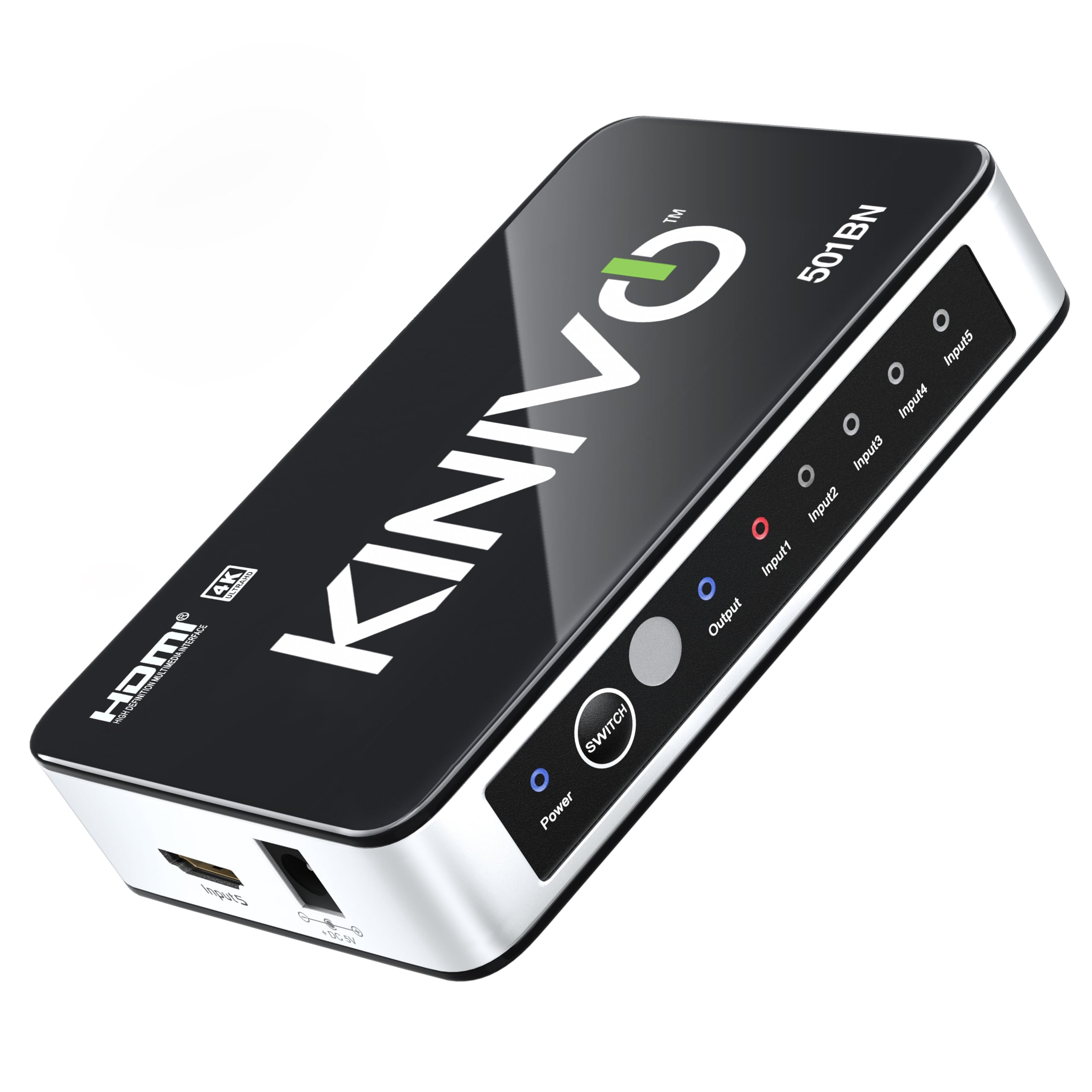
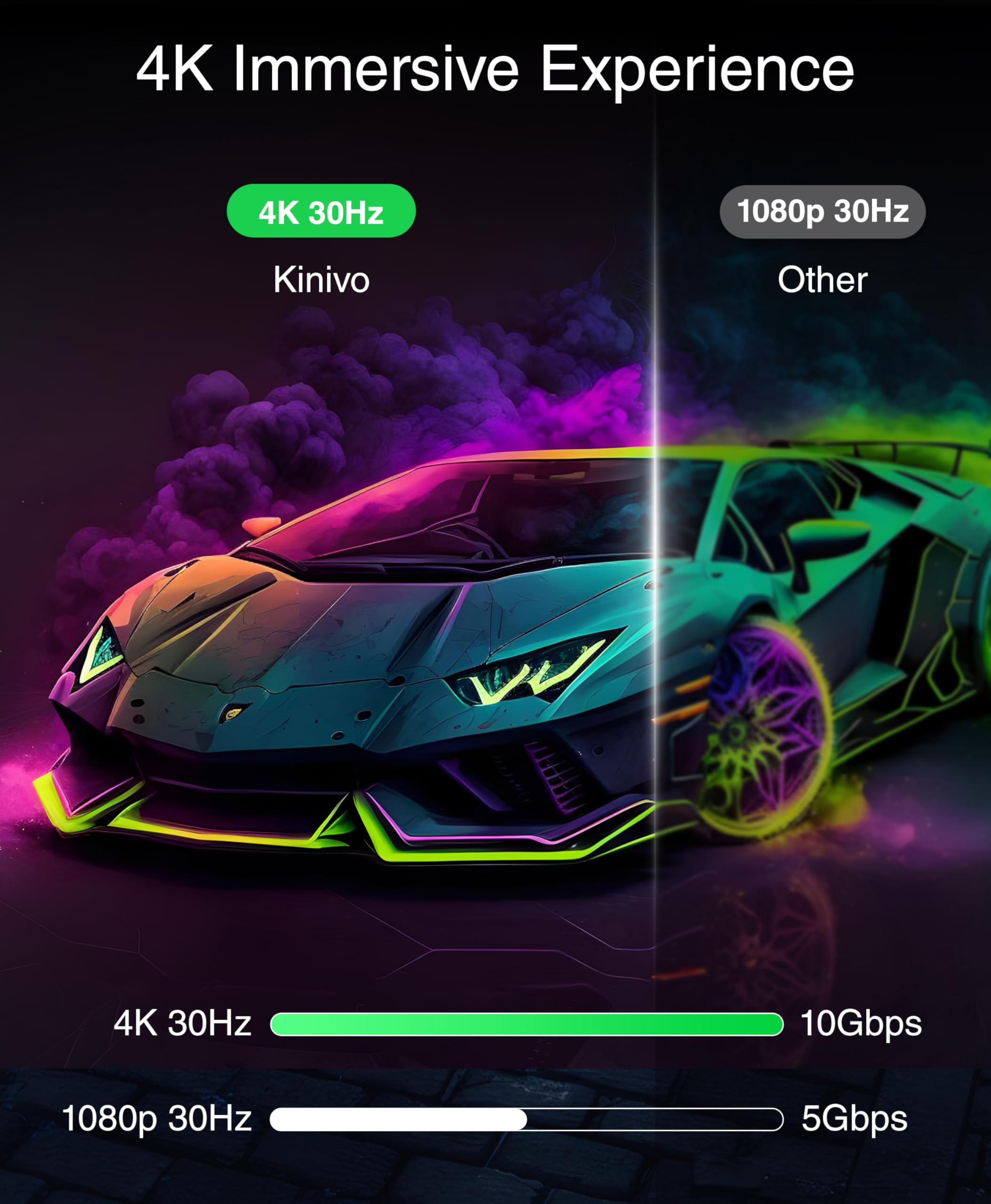
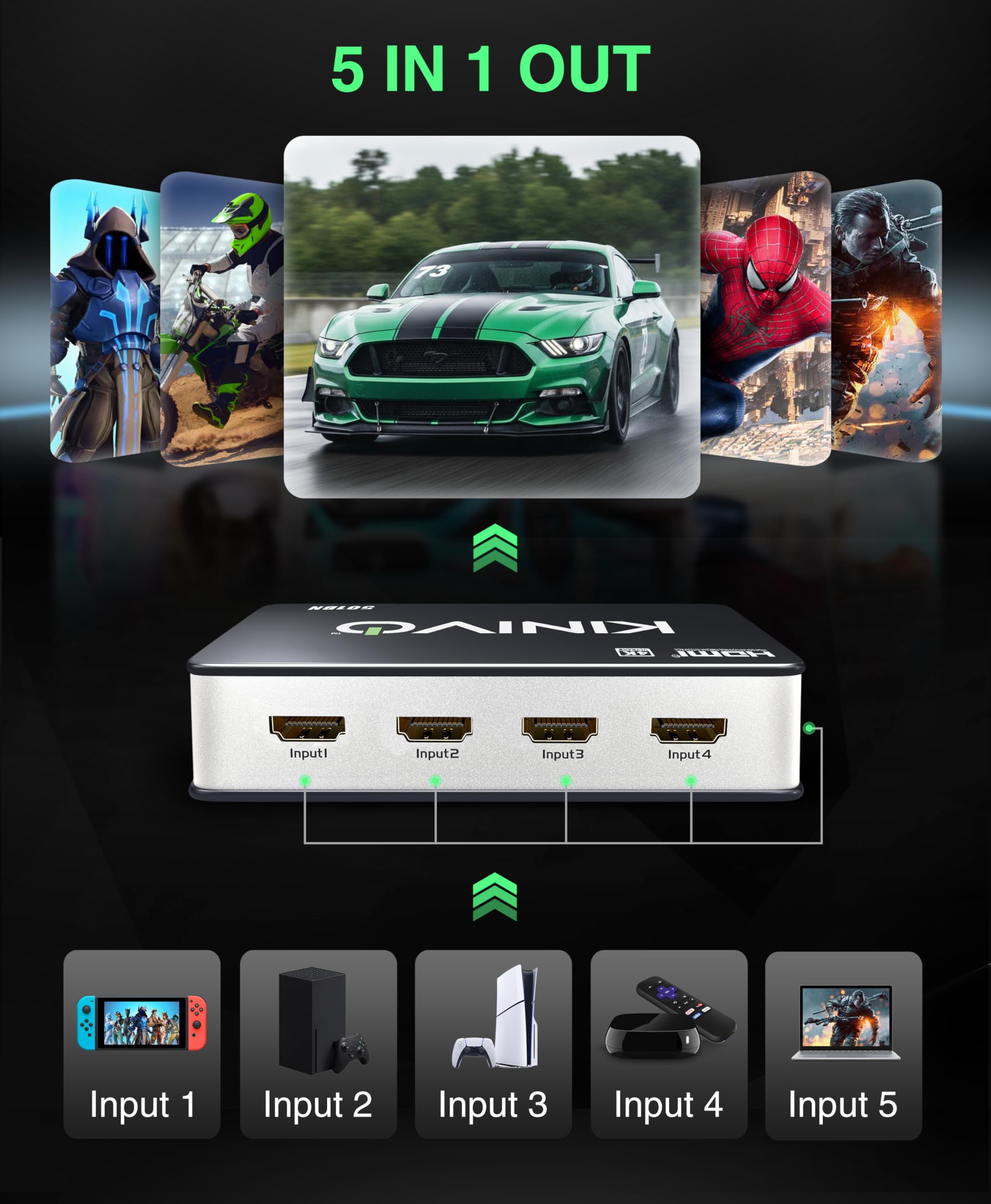
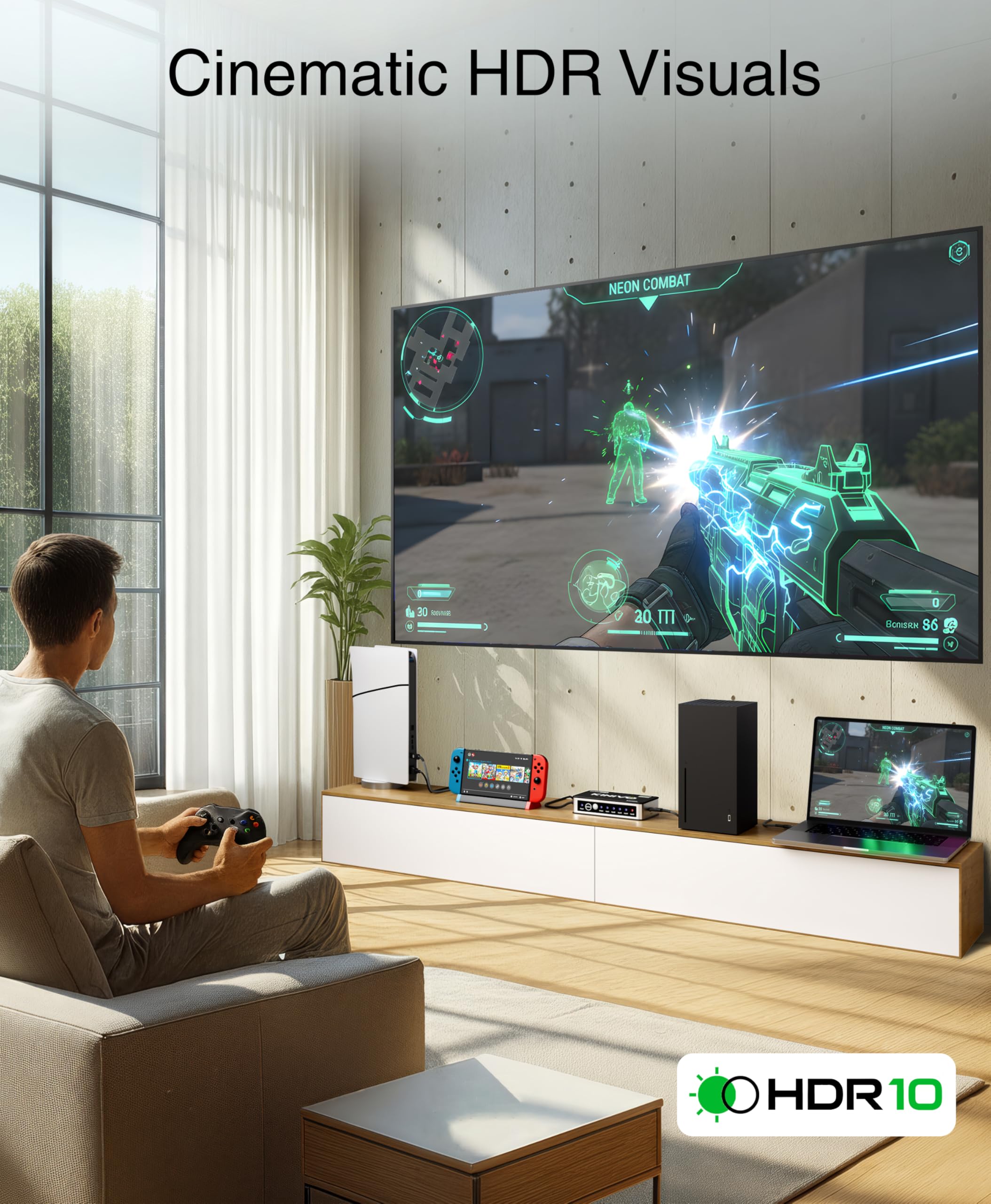
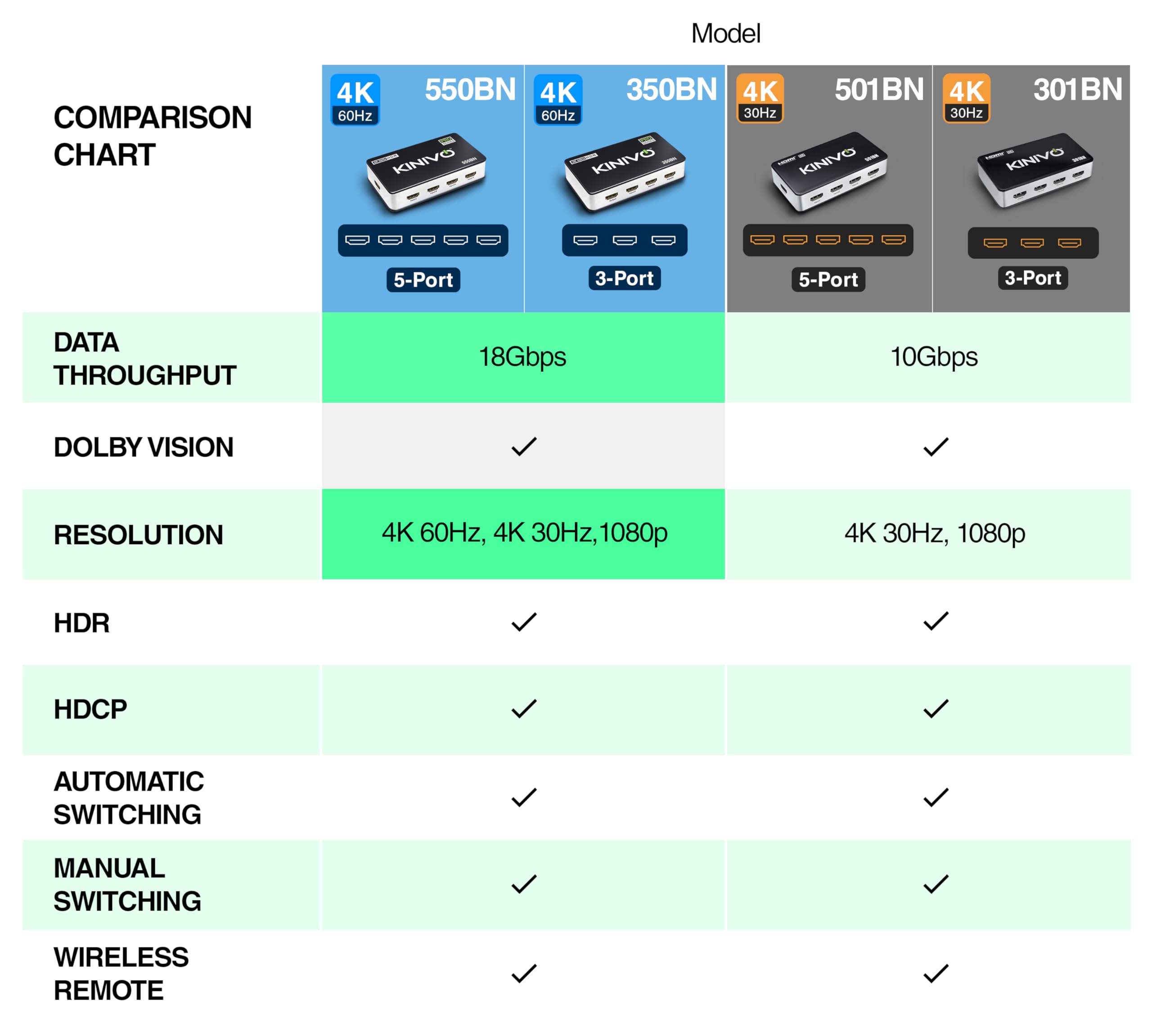
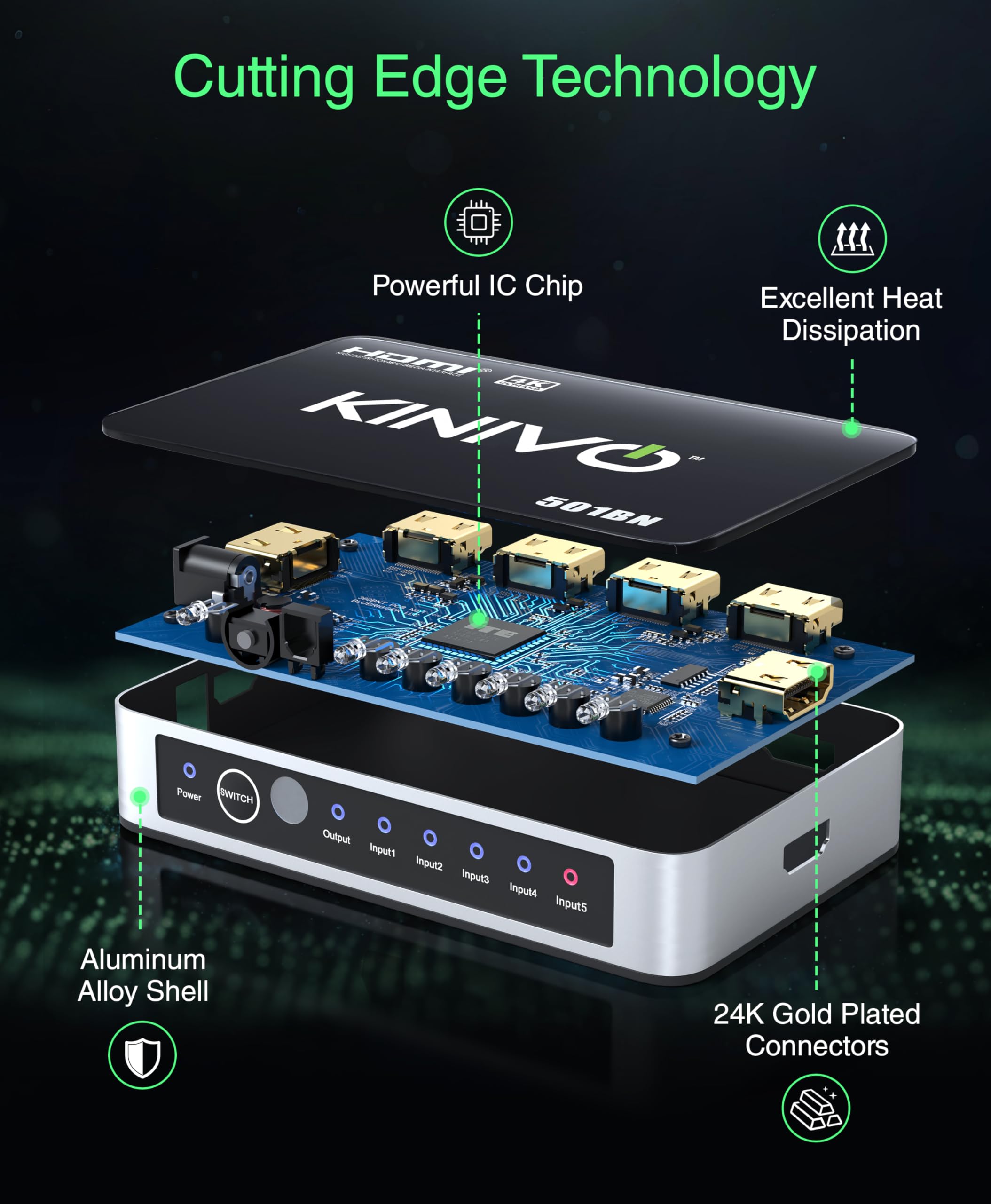
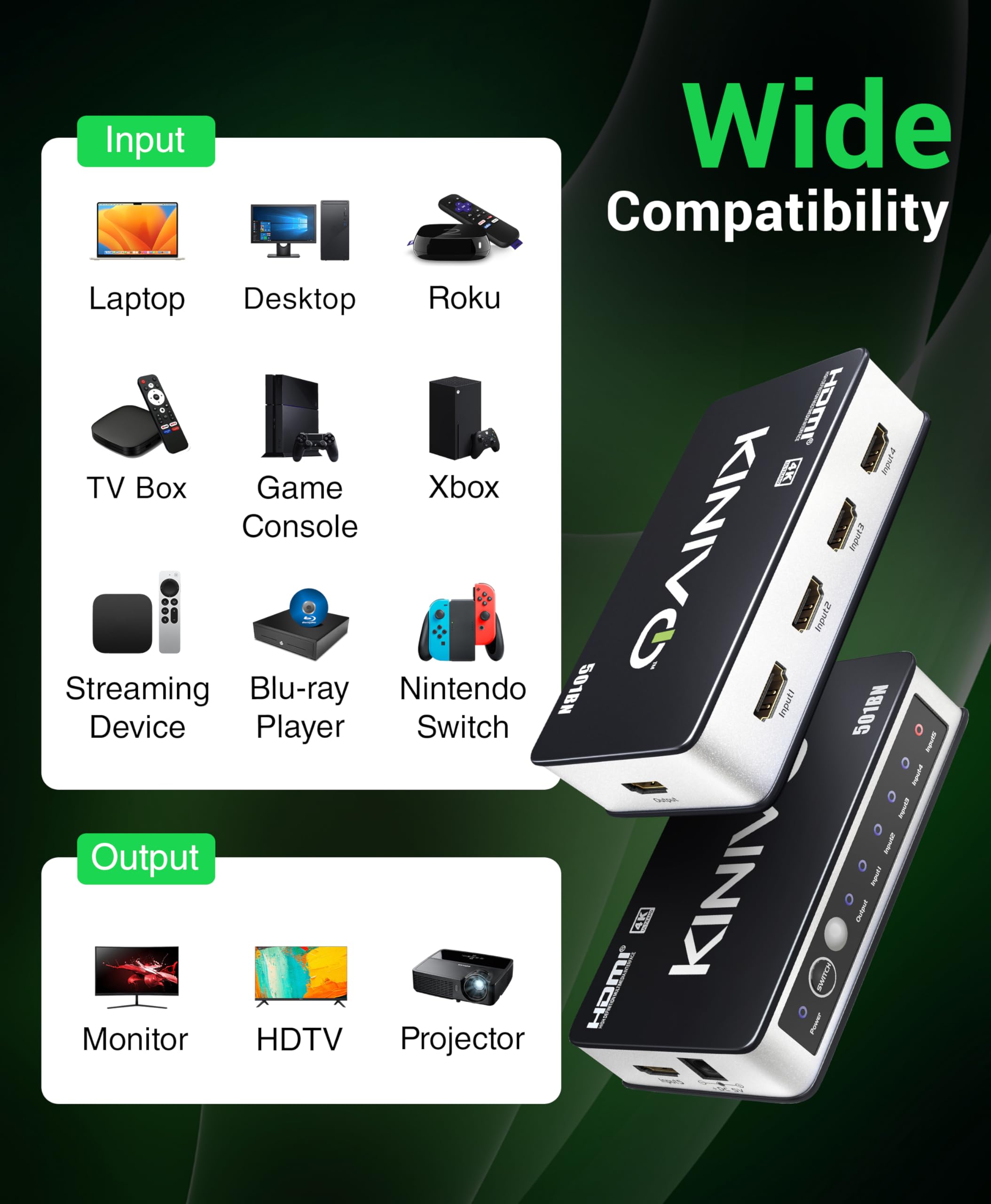

🎯 Level up your media game with seamless 5-in-1 4K switching!
The Kinivo 501BN HDMI Switch is a compact, high-speed 5-port switcher designed for professionals and gamers alike. It supports crisp 4K 30Hz and 3D content, auto-switches between active devices, and includes an IR remote for manual control. Its hybrid aluminum build ensures efficient heat management, while the 2-year warranty and lifetime US support guarantee reliability. Perfect for managing multiple consoles and media players without the clutter.


| ASIN | B0049SCB2Y |
| Best Sellers Rank | 211,670 in Electronics & Photo ( See Top 100 in Electronics & Photo ) 76,533 in Hi-Fi & Home Audio Accessories |
| Guaranteed software updates until | unknown |
| Item model number | 501BN |
| Manufacturer | Kinivo |
| Product Dimensions | 17.78 x 6.35 x 2.54 cm; 226.8 g |
B**N
Great
Works pretty well. Auto switches to whichever device you turn on. If you turn off the current device, it will go back to the previous device that's been left on. As another reviewer suggested, use port 5 for Sky or any other set top box as it searches for a device in order 1-5. So when everything else is turned off, it will default to 5. There are some issues with this though. The PS4 does not work very well with it. Not sure if its's the PS4 or the box itself. But it never reverts back to the PS4 in the same way as described above. Even if you turn everything else off, and even if you use port 5 it never seems to go back to it after you have turned on and then turned off any other device. If you put your PS4 in standby, the problem is even worse as it doesn't change inputs at all [No longer applies, see update below]. It might be because the PS4 is still sending some sort of power signal to it so it doesn't know that it's effectively off. It also comes with a remote. Not the best build quality, but suprisingly responsive. Another issue I had was with HDMI cables. It seems to be quite picky about which ones it will work with. Never had this problem with any other similar device. I had to use new cables. UPDATE After using this switch for many months, I have to say I like it more than I did initially. The issue with not switching after putting the PS4 into standby no longer seems to be an issue (the issue with not reverting back to the PS4 remains though). I don't know why, but putting the PS4 into standby mode is suddenly considered as an "off" signal, and so the box will switch to the next powered device in the chain as expected. It was clearly an issue with the PS4 itself. How it resolved, I don't know. This is a good switch box, with reasonably well implemented auto switching.
F**E
quirky but excellent
We bought this as it was cheap, to replace an Onkyo that our cat kindly decided to pee in and we're unable to replace such an expensive piece of equipment due to finances. Anyway, this switch works extremely well - once you manage to connect everything. When we first connected our equipment, it wouldn't output and only one of the inputs was detected. After a great deal of jiggery-pokery (a technical term!) we eventually unplugged every piece of equipment from the mains, connected everything back to the Kinevo, and gradually plugged all the equipment back in. It found everything - TV, PS3, XBox360, WD Media Player, Sky HD - and everything plays fine through it. No loss of signal, no picture degradation. It switches between equipment fine - we use the remote as auto-switching it perhaps a little hit and miss (which is due to the HDMI protocols of the equipment connected rather than the switch itself). The LEDs don't bother me - everything we have seems to have red, green or blue LEDs of varying brightness, static and flashing, so you learn to tune them out. My only real gripe is the remote. It's TINY!!! If you've ever had the 'lost the remote down the side of the sofa' syndrome then it'll be a permanent feature in your daily routine with this. Other than that minor gripe, and the initial connectivity issues, I have no problems with giving this a 5 star rating due to its size (small) and price (cheap). (And the cat gets minus 5 stars for not knowing the difference between an Onkyo Receiver and a litter tray) Everything is now housed in a cabinet from a charity shop, with glass doors to prevent any more kitty toilet issues!
E**M
Very Good HDMI switch(test without 'HDMI sensing' on initially for Televisions)
We wanted to route our PC/Freeview HD box,playstation 3 and new PS4 into one monitor that only has two HDMI ports. While the Tv in our living room has 3 HDMI ins which are enough for our devices in the lounge,buying another monitor for the bedroom just for extra hdmi inputs when the one we have is ips and 1080p seemed a bit daft, especially so near to Christmas. Enter Kinivo! We unpacked this and connected it to an asus monitor and it works very well,to be honest you don't need to use those really chunky HDMI cables - we made this look tidy with the new standard Amazon basic ones. *When using this on Tv's,note every single TV make has a different proprietary HDMI input sensing method/technology -they are all called different names-per brand -so too many to list here. MOST can be disabled in the tv menus. These sensing technologies can all work slightly differently and have names such as 'simplink' (in the case of LG) which are often changed technically and sometimes in name every few years, by each manufacturer. If you are using this unit with all 5 hdmi ins > one hdmi out connected to a TV's one HDMI input,it's probably a good idea to turn off that connected tv's own HDMI sensing feature,and using the TV remote when you want it's other inputs if you have switching issues. At least initially,anyway,as when you change through five sources on the kinivo,some tv's will flip back to an integral freeview tuner or even another HDMI input because the sensing of the HDMI input signal changing (even for half a second)can be interpreted by the tv as a unit switching off when it hasn't* In theory this could mean it appearing not to work correctly on some televisions where simply turning off HDMI sensing would allow it to function in most cases. I Can't see any deterioration in any inputs quality (My eyes and an Asus monitor confirm any 1080p signals are still 1080p,1080i are still 1080i.720p is 720p) Wide colour range passes through too. I have not tested this unit on lower native resolutions than 720p or 3d. The kinivo remote is handy to switch inputs if you leave the pc on and like to nip back and forth to another source using the remote or front panel. I Would have prefered a more substantial remote though, and it loses a star for me here. Note-no HDMI leads are included -the led input indicators are very clear and bright, perhaps a bit too bright but they serve a function. To be frank I expected problems with hdmi signalling getting confused and switching sources all the time,perhaps some audible noise on switching inputs- but it so far has been fine for us. I am using this on a monitor that stays on hdmi 1 unless you physically change it to hdmi 2 in its menu,so my experiences may not be typical for users of various differently designed TV's. Attaching a little adhesive magnet or velcro to the back of the very small remote will help prevent you losing it when you most need it. A Nicely styled small unit,decent double insulated psu which passed a megohm test for safety-in my case. I can recommend this for pc monitors at least.
M**E
Assez étonné de certains commentaires que j'ai pu lire, pour moi le switch fonctionne parfaitement! Facile à installer, l'appareil reste assez joli dans l'ensemble, il ne devrait pas gâcher le visu de votre installation. Par contre, les leds sont très lumineuses, prévoyez un petit morceau de scotch Au niveau du fonctionnement rien à redire. Détecte automatiquement les appareils branchés une fois mis sous tension, pas d'interférences entre les appareils. J'ai par exemple tester de laisser trois consoles en même temps, pas de soucis pour switcher de l'une à l'autre sans interférences. Ne reste plus qu'à voir sur le long terme
M**Z
Un producto imprescindible si no te llegan las entradas HDMI. La calidad de la imagen y del sonido es excelente no he notado ninguna diferencia con las entradas originales. El único problema es si tienes Apple TV el conmutador no se apaga si no detecta actividad y permanece encendido. Viene con adaptador de enchufe para que se pueda utilizar nada más sacar de la caja. Muy simple de conectar y poner en funcionamiento. Memoriza que aparato está conectado en cada entrada. Trae un pequeño mando a distancia para cambiar entre cada HDMI. Es pequeño y discreto. Lo recomiendo totalmente.
B**T
NOTE: This product is currently unavailable as of the time I'm writing this review. This is odd because I literally just bought and received this on Friday 8/21/2015 and it showed no signs of running out of stock anytime soon. Now, I'm writing this review the very next day (8/22/2015) and it is currently unavailable. Weird...anyways onto the review. ~Added two pictures: One of the device itself, another of the device next to my gamecube controller so you can see how small the Kinivo actually is~ This product does exactly what I wanted to do, and at a great $39.99 price as of the time I paid for it. There are a total of 5 HDMI input ports that you can hook into it, + one HDMI output port that you would most likely be connecting to your HDTV. Personally, I'm only using 4 of the 5 as of now because I only have 4 devices that need HDMI: my Wii U, PS3, PS4, and AT&T U-Verse TV box. All of them work great with no glitches, quirkiness, reduced quality, or any of that. Each of the 5 inputs are labeled 'Input 1', 'Input 2', 'Input 3', and so on up to 5. There's a button on the device itself called "Switch" that you can press to sequentially switch through all of your available connected devices. However, this product also comes with a very cool and small remote that lets you control the switches from it via Infrared signals. The remote has up/down arrow buttons that respectively increment and decrement the current HDMI input device you're on. However, it gets a little bit better as there are also 5 other buttons on the remote (numbered 1-5) which map to your 5 HDMI input devices. This lets you freely control which HDMI device you want to display without having to use the linear up/down arrows or the 'Switch' button itself on the device. There's also 1 more button on the remote called "Memory". When you press the Memory button, Kinivo remembers the current HDMI device that is being displayed, such that whenever you turn your HDTV on, Kinivo will automatically switch to the remembered HDMI device. I haven't tried this feature yet so I can't comment on how good it works but it sounds promising. Last thing I want to touch on is what I mentioned in my review title. This device has two interesting auto-switch features that can be either handy or annoying depending on the context of your usage. Firstly, when you turn on a device that is connected to your Kinivo, Kinivo will recognize this and automatically switch the currently displayed HDMI device to the new one that was just turned on. i.e. You're currently watching TV, and you turn on your game system that's connected to your Kinivo. Kinivo will automatically switch to displaying the game system. As I said above, depending on the context of your usage, this feature can either be very useful or very annoying because maybe you didn't want to play your game system at that point in time. Maybe you were just turning it on now in order to play it later. Secondly, if you turn off the device that is currently being displayed on your HDTV, Kinivo will recognize this and automatically switch to the next available sequential HDMI input. Using the above example, let's say your TV box was Input 2, and your game system was Input 3. If you're currently watching TV, and you decide to turn your TV box off, Kinivo will automatically switch to the next available sequential HDMI input, which in this case would be Input 3, the game system. Again, it largely depends on the context of your usage, but this can also be either very useful or annoying. All in all, I'm still giving this 5 stars because the auto-switch features aren't that big of a deal. Even if Kinivo auto switches to an HDMI device that you do not want displayed, you can always just whip out your remote and change it back. All of which takes a few seconds.
Y**M
私はWindowsサーバー、Linuxサーバー、Playstation 4、Apple TVを本機に繋ぎ、 出力側に以下の10メートルのHDMIケーブル http://www.amazon.co.jp/dp/B0031ERMMQ/ を接続していますが、映像の乱れやコマ落ちといった現象は発生せず、全く問題無く動作しています。 入力の切り替えは本機のボタン、リモコンのいずれからも操作できますが、切り替えの際のレスポンスも良いです。 マイナーなメーカーなので購入に若干躊躇しましたが、皆さんの好評化レビューに後押しされて購入。 米アマゾンだとレビュー数1,893、平均4.5スターとかなりの人気商品のようです。 http://www.amazon.com/dp/B0049SCB2Y/ 日本国内で知名度が上がるまでのセール価格だと思いますが、 価格は米アマゾンの$39.99に対して日本アマゾンは1,799円と半値以下。 アマゾンでは海外メーカーのマイナーな商品が売れ出すと価格が上がるのをよく目にするので、 迷われている方は今のうち購入しておいた方が良いかもしれません。
M**9
Oggetto davvero ben fatto, piccolo e bella estetica con i suoi led che illuminano l'apparecchio. Fa il suo dovere e trovo l'idea di poter controllare le 5 porte HD con il telecomando una cosa spettacolare avendo come precedente modello uno sdoppiatore con sole 2 uscite e a cambio manuale, appena ho visto l'oggetto l'ho subito acquistato anche perché l'ho comprato a metà prezzo visto che il suo costo originale era un po' troppo eccessivo. Lo consiglio a tutti quelli che vogliono un piccolissimo apparecchio molto carino da vedere fatto con dei buoni materiali e facilmente gestibile con un piccolo telecomando.
Trustpilot
1 month ago
3 days ago