We remain fully operational. Our teams are working around the clock to ensure your deliveries continue safely.

DOWNLOAD THE APP


Customer Services
Copyright © 2025 Desertcart Holdings Limited
DOWNLOAD THE APP


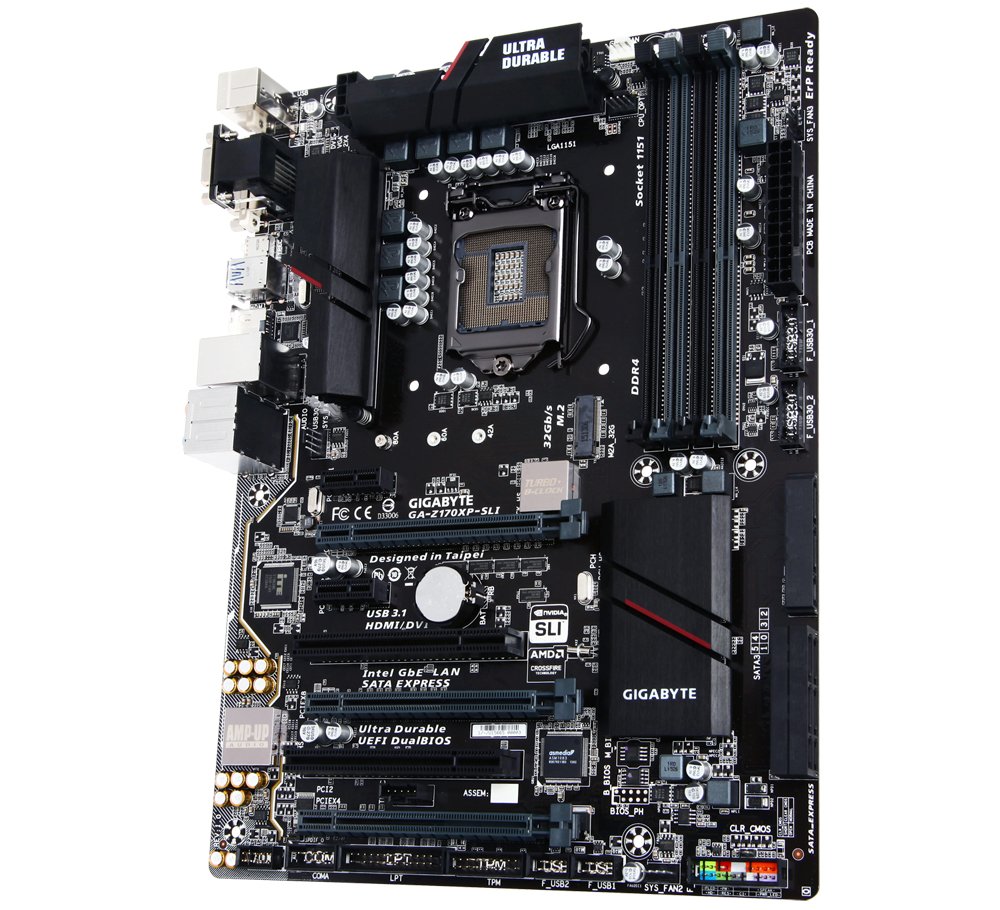
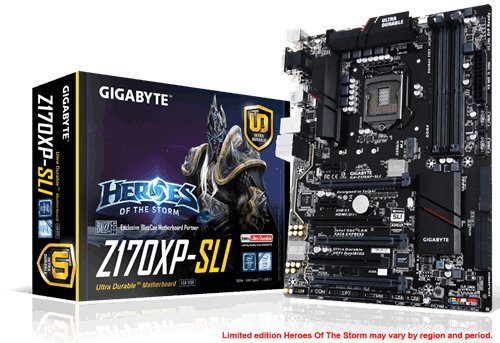
🚀 Power your productivity with next-gen speed and connectivity!
The Gigabyte GA-Z170XP-SLI is a high-performance ATX motherboard designed for 6th Gen Intel Core processors, featuring advanced DDR4 memory support, ultra-fast PCIe Gen3 x4 M.2 storage, versatile USB 3.1 Type-C connectivity, premium 115dB HD audio, and robust multi-GPU capabilities, all optimized for professional-grade computing and gaming.
| Brand | Gigabyte |
| Product Dimensions | 35 x 30 x 5.99 cm; 1.76 kg |
| Batteries | 1 Lithium Ion batteries required. |
| Item model number | GA-Z170XP-SLI |
| Manufacturer | Gigabyte |
| Series | GA-Z170XP-SLI |
| Form Factor | ATX |
| Processor Brand | Prozessorfamilie |
| Processor Type | AMD Ryzen 7 |
| Processor Socket | LGA 1151 |
| Processor Count | 1 |
| Memory Technology | DDR4 |
| Computer Memory Type | DDR3 SDRAM |
| Maximum Memory Supported | 64 GB |
| Memory Clock Speed | 2133 MHz |
| Graphics Coprocessor | HD Graphics |
| Graphics Chipset Brand | Intel |
| Graphics Card Interface | PCI, PCI Express |
| Connectivity Type | Wi-Fi |
| Number of USB 2.0 Ports | 2 |
| Number of HDMI Ports | 1 |
| Number of Ethernet Ports | 1 |
| Voltage | 1.5 Volts |
| Supported Software | Ja |
| Are Batteries Included | No |
| Lithium Battery Energy Content | 2500 Milliampere Hour (mAh) |
| Lithium Battery Packaging | Batteries contained in equipment |
| Lithium Battery Weight | 0.25 g |
| Item Weight | 1.76 kg |
| Guaranteed software updates until | unknown |
S**I
Amazing board for the price
I'd originally ordered this board to go with an i7-6700K as the processor price had dipped down a bit. However, due to stock issues, the processor was delayed, so I cancelled and went with an i7-7700K and then found I had to upgrade the BIOS on the board first. As of BIOS revision F20 the 7th generation Kaby Lake processors are supported by this board. F21 , currently the latest revision, includes improved XMP profiling. If you don't have an existing Skylake processor then it would make better sense to just go with a Z270 board if you are wanting to run a 7th generation CPU. For a Skylake processor, like the i7-6700K then this board remains a decent choice right out of the box.If you are installing into a new build that will not feature an optical drive then make sure you download the drivers, from the Gigabyte website, onto a USB stick first. Most important is to download the Bigfoot Killer network drivers as Windows 10 will not recognise the motherboard's ethernet adaptor without this driver installed.I was impressed by the quality of the board and the features Gigabyte managed to cram into it. Yes, it's one of the cheaper Z170 boards out there but for the features and impressive LED lighting then it can't be beat.
S**S
Perfect motherboard, with great functionality!
This board is perfect for a budget or mid range PC. The overclocking capabilities of the board are great, you can easily overclock your RAM, GPU and CPU through the BIOS. Which i must say is very easy to navigate. Additionally, the accent red LED's on the motherboard are stunning, they are very bright and compliment the overall aesthetic of the board. The inclusion of a front panel IO sorter was very nice and got rid of the hassle of doing it yourself, likewise all ports were located in great positions for this board.Quick note for first time PC builders, if you have a optical disk drive install the drivers off of the disk provided. As I had to install the drivers to get my Ethernet port to work. Also this board is slim ATX, so you will need to install a extra standoff in the right middle, and take out three other standoffs.
D**R
Good buy!
impressed! - has eveything i need - socket LGA1151 i put a i5-6600k in here with a Corsair H45 liquid cooler and had no issues - managed to OC to 4.3 ghz without issue, raid support in uefi and legacy is helpful and red LED around the edge finishes it nicely. would have given 5 stars but some of the plastic on the board is very weak and only has 2 pci express slots but for the money it is expected.
O**F
SKYLAKE GREATNESS FROM GIGABYTE....
Reviewed 18/10/2015I ordered this "Gigabyte GA-Z170XP-SLI Motherboard" on the 1/10.2015 and received it on thee 4/10/2015 and it came without damage. So well done to Amazon there.I didn't order the i5 6600k processor from Amazon though as of reading some of the reviews for it there seems to be confusions of with chip they will send. A lot of people received the i5 6600 chip without the "K" but as from the time i writing this review, it might have been rectified. Just something to watch out for though. I ordered mine from OCUK.Now to the motherboard.This Gigabyte GA-Z170XP-SLI Motherboard is a corker of a motherboard for the price in my eyes, It has all the features you will need for the Skylake setup. Here is a hardware review website for all the features. https://www.youtube.com/watch?v=DjvtVQRk28QPlease Note: Before installing this board, download all the latest chipset driver from Gigabytes website including the new BIOS drivers which are F5a, this will proove to be vital as if you only use the F2 CD bios, then you will run into trouble if you are using 4 DIMMS of DDR4 as the F2 BIOS will only recognize 2 sticks of memory. YOU MUST UPDATE TO THE LATEST F5a BIOS. I got caught out with this at the start as the computer just kept rebooting and then I knew it had to be the bios driver. It was an easy fix. I used 4 sticks of Kingston Fury DDR4 2666MHZ and the board read it at that 2666 MHZ straight out of the box with even going into XMP settings in the bios.The board has even an M.2 socket in there as well and USB 3.1 TYPE C connector for a bit of future proofing as well as a led strip that runs the length of the board which you can set to BEAT or PULSE or have always ON or just turn OFF in the bios. "Nice touch"There is more expensive 1151 boards with a lot more features but unless you are into modding or a serious overclocker, I wouldn't bother. If you are after a good featured board to play the odd game or application or just to fool about with, then this is the board for you.If you found this review helpful, then give it a thumbs up as I try to give good reviews about all the products I buy which in turn helps others.Ahh I forgot got add this, If your updating the Bios, Its very simple, there a "Q-FLASH" utility menu, Once pressed it will automatically look for your USB PEN DRIVE for the new F5a file, then it starts to update the the board.Kind RegardsRichard
W**Z
Great motherboard but need BIOS update
Great motherboard. It has everything that average gamer will need and it's on the budget (bellow £90).Though if you want to install Kaby Lake or Coffee Lake series processor you will need to update BIOS. You can do it yourself but there is a catch.In order to install Kaby or Coffee Lake you need to update BIOS. In order to update BIOS you must have installed a processor of Skylake or lower architecture. So you need an old processor in order to install new processor. If You don't have it than you can try buy used one on ebay or amazon but it will most likely cost you above £30, and ten you still need to update the BIOS.Other option is to go to your local computer shop and pay them to do it. It cost me £15 (Central Scotland) and the next day I got my motherboard BIOS updated.So all in total this motherboard cost me £105 (£90 for motherboard and £15 for update). Money well spend.
Trustpilot
2 days ago
1 month ago