We remain fully operational. Our teams are working around the clock to ensure your deliveries continue safely.

DOWNLOAD THE APP


Customer Services
Copyright © 2025 Desertcart Holdings Limited
DOWNLOAD THE APP


🎥 Elevate your video presence—because your image deserves the spotlight.
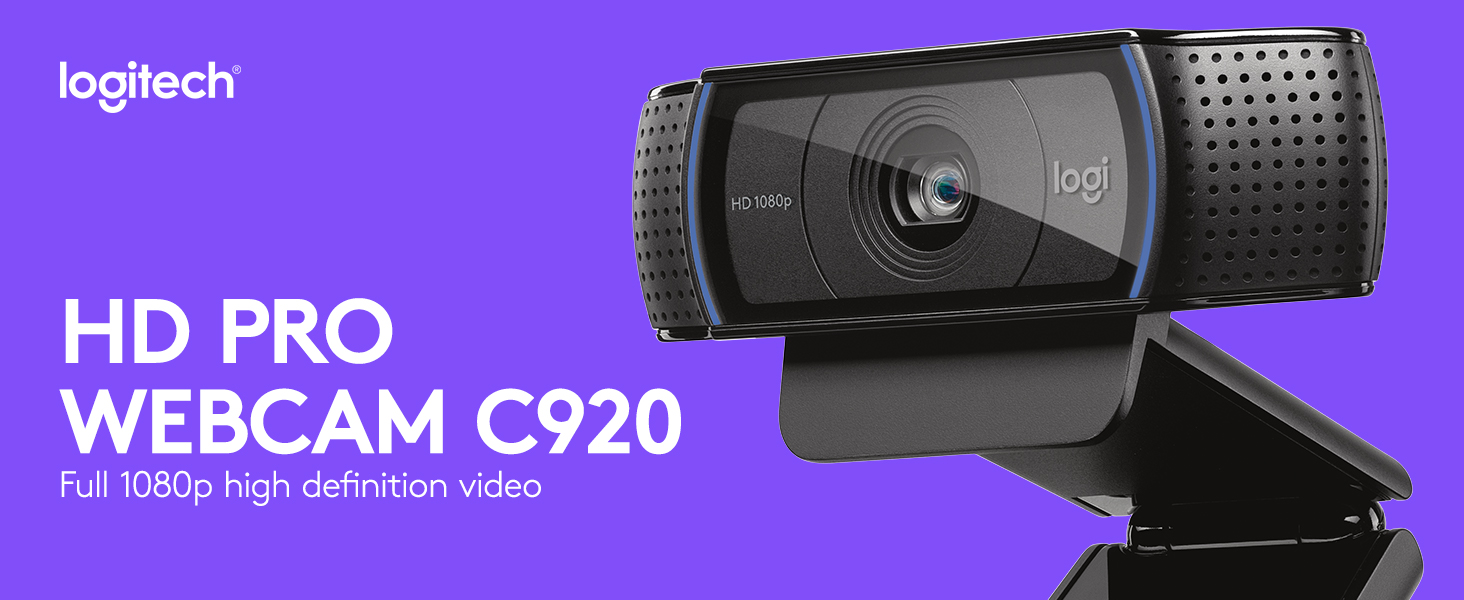
The Logitech C920 HD Pro Webcam delivers professional-grade 1080p video at 30fps with a premium five-element glass lens and 78° field of view. Its automatic HD light correction and dual stereo microphones ensure you look and sound your best across all major video platforms. Compatible with Windows, Mac, Chromebook, and more, it’s the go-to webcam for polished, effortless video calls and streaming.




| ASIN | B006A2Q81M |
| Antenna Location | Laptop |
| Are Batteries Included? | No |
| Battery Average Life | 30 minutes |
| Best Sellers Rank | 492 in Computers & Accessories ( See Top 100 in Computers & Accessories ) 5 in Webcams |
| Box Contents | Camera Body, USB Cable, User Manual |
| Brand Name | Logitech |
| Camcorder Type | Webcam |
| Colour | Black |
| Compatible Devices | Operating Systems: Windows 7, 8, 10, Mac OS 10.10 or later, Android, Chrome OS; Compatible with: Personal Computer, Laptop, Tablet, Smartphone |
| Customer Reviews | 4.6 4.6 out of 5 stars (10,661) |
| Effective Still Resolution | 2 MP |
| Effective Video Resolution | 1080 MP |
| Exposure Control Type | Automatic |
| File Format | MP4 |
| Flash Memory Bus Interface Type | UHS-I |
| Flash Memory Installed | 128 GB |
| Flash Memory Speed Class | C10 |
| Flash Memory Type | SDHC, SDXC |
| Flash Memory UHS Speed Class | 1 |
| Flash Memory Video Speed Class | V30 |
| Focus Type | Auto Focus |
| Form Factor | Compact rectangular shape |
| Global Trade Identification Number | 05099206061309 |
| Has Image Stabilization | No |
| Image Aspect Ratio | 16:9 |
| Image Capture Speed | 30 fps |
| Image Stabilization Type | false |
| Item Dimensions D x W x H | 6.1D x 23.9W x 7.4H centimetres |
| Item Type Name | Full HD Webcam |
| Item Weight | 7.05 Ounces |
| Lens Type | Zoom |
| Log Gamma Curve | Logarithmic (Log) |
| Manufacturer | Logitech |
| Maximum Aperture | 3.5 Millimetres |
| Maximum Display Resolution | 1080p, 720p pixels |
| Minimum Aperture | 22 f |
| Model Name | HD PRO Webcam C920 |
| Model Number | 960-001055 |
| Network Connectivity Technology | USB |
| Number of Batteries | 1 AA batteries required. |
| Operating System | Windows XP (SP3), Windows Vista, Windows 7 (32-bit/64-bit) |
| Optical Sensor Size | APS-C |
| Optical Zoom | 1 x |
| Product Features | Built-In Flash, Full HD, Internet connection required, Microphone Input, Mounting Type:Clip/Stand, Noise reduction, Photo feature, USB powered |
| Sensor Type | Other |
| Shooting Modes | Low Light |
| Style Name | C920 Webcam with Mic |
| Supported Audio Format | AAC |
| Supported Image Format | JPEG, PNG |
| Unit Count | 1.0 Count |
| Upper Temperature Rating | 100 Degrees Celsius |
| Video Capture Format | MP4 |
| Video Capture Resolution | 1080p |
| Viewing Angle | 78 Degrees |
| Water Resistance Level | Not Water Resistant |
| White Balance Settings | Auto |
| Wireless Compability | Bluetooth |
| Zoom | Optical, Digital |
P**E
Quality Webcam
I purchased this webcam for my elderly parents and they were able to set it up with ease. The picture quality is excellent and the mount makes it easy to sit on top of any monitor. The microphone isn't perfect and is quite sensitive which is somewhat expected of a webcam and I'd suggest purchasing a separate mic if you're planning on streaming. Its suitable for WhatsApp and Teams calls though.
M**.
Good quality product
Very happy with this item. Very good quality picture and, I am told, sound. Very east to set up (just plug into the USB) and appropriate sized packaging. Thankfully it arrived very quickly too. Good value ; quality product.
M**R
A hassle free device
For my money, this is a very good, mid priced device. Relatively easy even for dinosaurs like myself to install and use. Good results.
T**T
Great quality starter web-cam.
Middle-grade quality for low-end prices. The camera quality is a bit grainy at times, but honestly, it's perfectly good for simple video-recording. I use it occasionally to stream, but I mainly use it as a microphone whilst I do not have space for my Studio-Microphone. The holder is great and stops the camera from slipping when placed on top of my monitor, and is generally very adjustable even when not on the top of the computer. The swivel being sperate from the base-plate makes this a really good product that can work at multiple angles. The camera has a soft blue light around the edges of the camera port. This can sometimes make the camera bad in the dark, and makes the quality a bit grainier at times, but when there is substantial lighting, it works great. Connection is a bit spotty, I've found. Despite being plugged in, sometimes the camera just simply won't work, even though the microphone portion of it works. Only solutions I have found are to turn the computer on/off, plug/unplug the camera, or just wait for it to sort itself out. Overall, really good product, very good price, and a great starter web-cam.
I**N
Reliable solid webcam
Still the most solid and reliable webcam after all these years, good clarity and colour reproduction and resolution for meetings.
B**L
great in low light
Great, previously wasted my money on a webcam that said it was good in low light situations, wrong!!!! This camera is great! there are situations where you don't want floodlights to be seen, use this camera, you won't be disappointed
D**C
So easy
I'm getting to that age where things easily frustrate me, especially tech. Not this. I unboxed it, plugged it into a spare usb port, sat it on top of my monitor, turned my laptop on and it instantly worked. No confusing set up or software to install. Picture quality is good, it occasionally struggles to refocus if I move out of view and then come back but that's easy to resolve.
H**S
Despite lacklustre Apple Mac support a great webcam
Always read the fine print. I didn't so I bought this webcam without knowing that Logitech doesn't actually support this device on Mac OS X. Bummer. Anyway, not to be disheartened I connected it all up and started using the webcam. Thankfully OS X recognises it and lets you use it as the default webcam (as long as you don't mind changing the preferences in every video chat application you own - although if you have no built in iSight and or your MacBook / Pro's lid is closed it will default to the logitech). Video Anyway actual performance of the webcam is ace. It is extremely smooth and the quality is astounding. I still have not worked out if Skype is using the camera at 720p or 1080p but feedback from my friends has been only positive. After searching on the internet I found if you wish to review in 1080p for things such as youtube video's you can incredibly simply use Quicktime to record. Unbelievably simply solution to what I thought would be a complex issue. Something I also found out about was an application which is available on the Mac App store called 'Webcam Settings'. This £6 programme allows you to edit a variety of settings manually such as Brightness, Exposure, Gain, Contrast, Hue, Saturation, Sharpness and more importantly White Balance. What't more it allows you to save settings and even tamper with autofocus, zoom panning and tilting. It can also compensate for backlighting. Basically this little programme (which works with every webcam including the built in iSight - it seems to override the master settings so you can do this once and it applies to every application like Skype and FaceTime.) gives you a lot of the functionality that the Logitech software would have given you. Video performance was what I hoped and expected it to be. Brilliant. Sound. Oh my, how to describe it? Brilliant! Stereo sound is a great bonus but the microphones themselves are brilliant. Definitely what I was looking for and leaps and bounds beyond the built in microphones on Macs. Clip Well the actually clip for the device is well designed. It even has a tripod mount! I have attached it to the back of my 20" Apple Cinema Display and it works brilliantly. I was very happy with that aspect indeed. On the whole this is a well designed product which is fantastic for video bloggers and video call enthusiasts alike. It may cost a fair amount but the technology it contains most definitely justifies the price tag. It is a shame that Logitech decided to abandon the Mac software wise but to be honest. No great loss, the software I found on the App store is just as good if not better.
Trustpilot
3 weeks ago
4 days ago