We remain fully operational. Our teams are working around the clock to ensure your deliveries continue safely.

DOWNLOAD THE APP


Customer Services
Copyright © 2025 Desertcart Holdings Limited
DOWNLOAD THE APP

🚀 Upgrade your connection, own the future of wireless!
The Intel AX210 is a cutting-edge Wi-Fi 6E and Bluetooth 5.3 M.2 network adapter delivering tri-band speeds up to 5374Mbps. It offers enhanced power efficiency, ultra-stable Bluetooth connectivity, and broad compatibility with Intel-based systems, making it the ultimate upgrade for professionals seeking lightning-fast, reliable wireless performance.


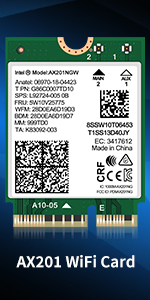
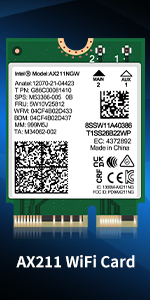
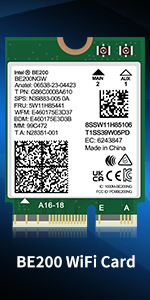
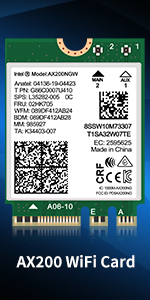

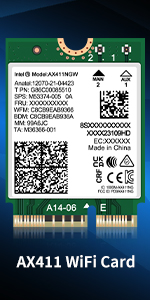
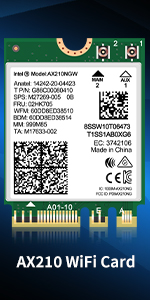
| ASIN | B09WQSNMCT |
| Best Sellers Rank | #3 in Internal Computer Networking Cards |
| Customer Reviews | 4.6 4.6 out of 5 stars (1,913) |
| Date First Available | March 29, 2022 |
| Item Weight | 1.31 ounces |
| Item model number | NIC-AX210 |
| Manufacturer | NICGIGA |
| Product Dimensions | 0.87 x 1.18 x 0.08 inches |
T**2
Replaced TP-Link TBE9300 (MediaTek) with Intel BE200 — fixed latency, Bluetooth, and more
After issues with a TP-Link TBE9300 (MediaTek WiFi 7 adapter, which I am returning), I switched to an Intel BE200, and the difference was immediate. Instead of buying another full PCIe card, I reused my existing Intel AX210 PCIe adapter and simply swapped in the BE200 M.2 module. That made the upgrade inexpensive and straightforward. Many desktop WiFi PCIe cards are just adapters for an M.2 (E-key) wireless module, so you may not need to replace the entire card. In my case, I reused the PCIe adapter from my Intel AX210 and replaced only the module with the BE200. This worked perfectly and saved me from buying another full adapter. Before upgrading, make sure your PCIe adapter uses an M.2 E-key module (not soldered), has antenna leads (U.FL / IPEX connectors), and that your system supports the card. The BE200 requires Windows 11. For laptops, make sure you also have an M.2 E-key slot and are running Windows 11. Test setup: Intel i9-12900K desktop, Windows 11, Ubiquiti WiFi 6E / WiFi 7 access point, AT&T multi-gig fiber, approximately 15–20 feet from the AP through a hallway, with an external elevated antenna. Latency and stability were a major improvement. At idle, latency averaged around 2 ms and was very stable. Under load, latency averaged around 7 ms with occasional spikes up to about 113 ms, which is expected on high-speed WiFi without traffic shaping. There was no packet loss. Latency is predictable and stable when the connection is not saturated. Bluetooth stability was one of the biggest differences. With the previous MediaTek-based adapter, I experienced frequent disconnects and unstable behavior using Windows Phone Link. With the Intel BE200, Bluetooth has been completely stable and Phone Link works reliably with no disconnect issues. This alone made the upgrade worthwhile. The TP-Link TBE9300 (MediaTek) showed idle latency spikes, occasional packet loss, unstable Bluetooth behavior, and limited driver support. The Intel BE200 resolved all of these issues. Driver support is also much better. Intel drivers installed cleanly and have been stable. On Linux, current kernels already include support for Intel wireless hardware, so there is no need for third-party drivers or manual workarounds. If you are upgrading to WiFi 7, you may not need a new PCIe card. If your adapter supports M.2 modules, you can simply swap the module. The Intel BE200 provides stable performance, reliable Bluetooth, predictable latency, and strong throughput. In the same system and network environment, the Intel BE200 behaved consistently and predictably, while the MediaTek-based card did not. 5/5 — highly recommended.
N**H
Works like a charm and was easy to install
Love this card. A replacement video was online for my Lenovo. It was easy to install - mind you need small screwdriver. More importantly, it fixed the problem I had caused by a Microsoft update mis-match that reduced its function with hic-ups frequently. I replaced a Qualcomm board. This is notification that it does work on a Lenovo Model S349-15API and boosted my speed as well. Thanks Intel.
H**W
Upgrading My 2014 Dell All-in-One to Wi-Fi 6E with AX210NGW
I purchased the Intel Wi-Fi card AX210NGW to upgrade my 2014 Dell All-in-One Desktop Inspire 23 5348. Previously, I upgraded the system by replacing the HDD with an SSD and increasing the memory to 16GB, which made it reasonably usable. While looking for one final upgrade, I noticed that the built-in Wi-Fi card was still Wi-Fi 5, an older standard. I hoped that switching to Wi-Fi 6E would improve my network speed. Before replacing the Wi-Fi card, I read that it’s best to download drivers from Intel or Dell’s website to avoid losing connectivity, so I downloaded them in advance. The AX210NGW was compatible, so I removed the original Wi-Fi card and disconnected the antenna cables. I inserted the new Wi-Fi 6E AX210NGW into the connector. Although the shape was slightly different, it fit without any issues. However, I ran into a problem with the antenna cables. I tried to reconnect the white and black cables correctly, but the white one didn’t fit properly. As a temporary solution, I taped it in place. Apparently, some Wi-Fi cards also require new antenna cables for full functionality. Even with the tape, the network is currently working and the card is recognized as Wi-Fi 6E, but the speed isn’t as high as I had expected. To fix this, I ordered a Wi-Fi 6E Antenna IPX MHF4 Tri-Band from Amazon to replace the antenna cables. I’m looking forward to seeing how much the speed improves once the new antennas are installed. One thing to note: my home network still uses Google Wifi, which is Wi-Fi 5. Therefore, even with the AX210NGW, I cannot achieve the full potential of Wi-Fi 6E. Once I successfully replace the antenna cables, I plan to upgrade my home Wi-Fi router to fully take advantage of Wi-Fi 6E. It’s not working perfectly, so I’m giving 3 stars, but this is not the fault of the product. Unfortunately, the cables were not compatible. Update: As of November 15th, 2025, I have installed a Wi-Fi 6E IPX MHF4 tri-band antenna on my PC, which is compatible with the AX210 NGW, and I now use a Nest Wifi Pro 6E at home. The PC is placed in the kitchen, about 20 feet away from the Nest Wifi Pro, so it doesn’t connect to the 6 GHz band. However, the speed is still more than sufficient. My internet speed test results are always between 300 and 600 Mbps. This PC is very old, but the internet connection is very stable, and I can watch YouTube and Netflix without any issues. This is a huge upgrade for a 2014 PC, and I’m really happy to report it! I definitely have to give it 5 stars.
D**N
Fantastic boost to my wifi capability
Fit my motherboard perfectly and was the exact wifi and bluetooth upgrade my PC needed to break through the previous threshold. Lightning fast and great download/upload speeds. Extremely stable connection and functions as described. Great value.
B**N
Thanks.
R**S
I had problems with the MediaTek wifi card in my Lenovo Legion 5 gen 10 with Linux Mint 22.3. Bluetooth had to be restored after every reboot to work. Wifi worked good. So AI recommend this wifi card in regards of Linux compability and being somewhat future proof. Switching the card whent easy and at first boot wifi and BT worked instantly.
Y**V
I purchased the Intel AX210 to replace my laptop's Mediatek 7902 Wi-fi adapter. The later was causing me issues on my Linux laptop. Don't get me wrong, the MT7902 was fine on Windows but there were no available drivers for Linux. My troubles evaporated at the moment I plugged in the Intel AX210. It just worked! No driver installation, no setup process, it just works and it does it well. It achieves the promised speeds without problems. The Bluetooth is working well and easy to connect. I highly recommend the Intel AX210. I believe this is one of the best WiFi 6e adapters for this price.
K**S
Upgraded my Asus ROG laptop from WiFi 6E to WiFi 7. I can now see it connected to all 3 frequencies simultaneously using the MLO function on Tp-link deco be65. Also able to verify download speeds directly from main unit.
C**E
Salut, je l'ai installé sur un pc HP LAPTOP 17-CP2031 NF carte rysem 3. 7000 série avec une antenne supplémentaire eMagTech Antenne Wi-FI Interne IPEX4 pour PC Compatible avec Intel Les Cartes AX210 AX200 NGFF M.2 Wi-FI 6 et elle fonctionne à merveille. Débit de 180 mo/s passé à 530 mo/s. Connexion Bluetooth très rapide. Beaucoup mieux que la carte d'origine. Télécharger les pilotes sur le site avant le changement de celle-ci. Je l'a conseille vivement.
Trustpilot
1 month ago
1 month ago