
DOWNLOAD THE APP


Customer Services
Copyright © 2025 Desertcart Holdings Limited
DOWNLOAD THE APP
![Arduino Nano 33 IoT [ABX00027]](https://m.media-amazon.com/images/I/4141WeQ85sL.jpg)


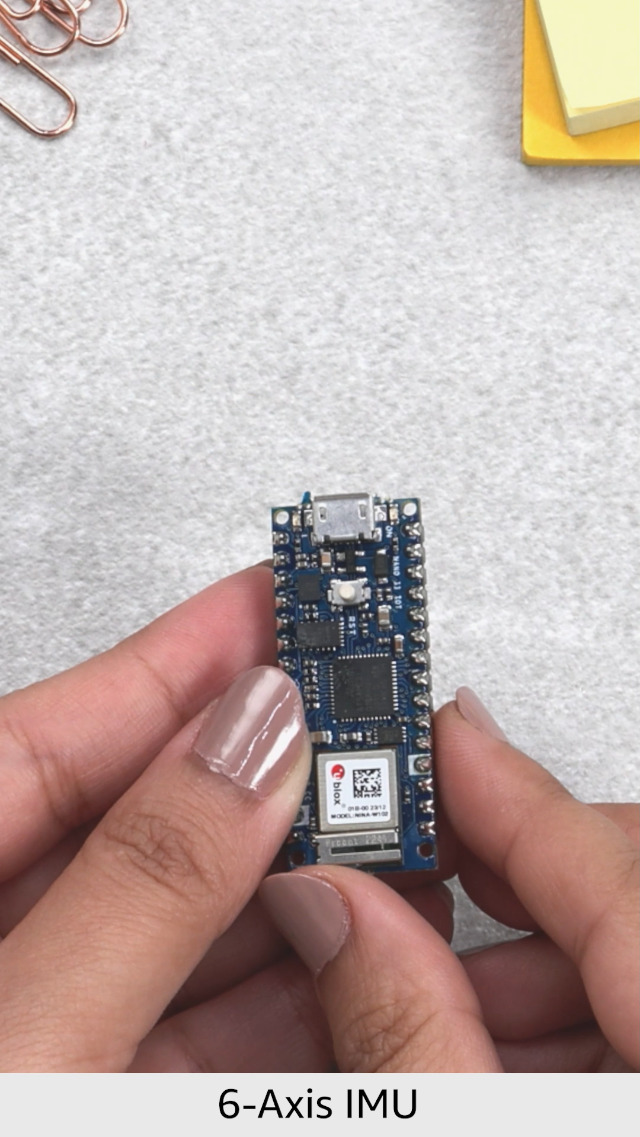
🚀 Nano Powerhouse: Small Size, Big Connectivity, Zero Compromise!
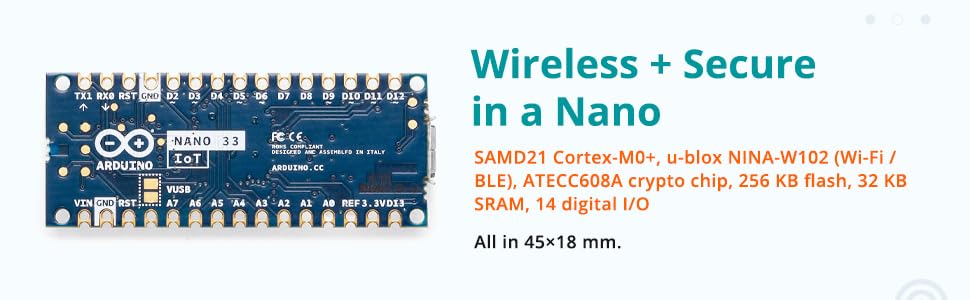
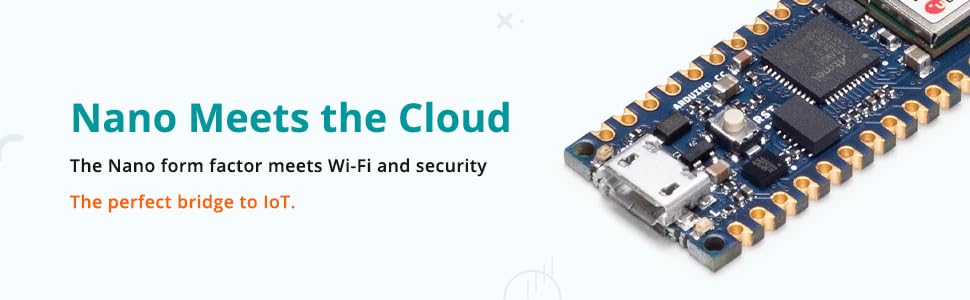
The Arduino Nano 33 IoT is a compact, high-performance microcontroller board featuring a 48MHz ARM Cortex-M0+ processor, pre-certified ESP32 WiFi and Bluetooth module, and an onboard DC-DC power supply supporting up to 21V input. Designed for secure IoT applications, it includes a 6-axis IMU and ECC608A crypto chip, all within a pin-compatible Nano form factor, making it the go-to choice for professional-grade, connected embedded projects.

| ASIN | B07VW9TSKD |
| Are batteries included? | No |
| Auto Focus Included | No |
| Best Sellers Rank | #1,824 in Industrial & Scientific ( See Top 100 in Industrial & Scientific ) #22 in Microprocessors |
| Brand | Arduino |
| Colour | Multi |
| Compatible Device | Bluetooth devices |
| Compatible Processors | ARM Cortex-M0+, ARM Cortex-M0+ |
| Connectivity Technology | Bluetooth, Wi-Fi |
| Customer Reviews | 4.4 4.4 out of 5 stars (6,236) |
| Date First Available | 14 August 2019 |
| Display Size | 1 Centimetres |
| Generic Name | Arduino Nano 33 IoT |
| Graphics Card Interface | Integrated |
| Graphics Chipset Brand | arm |
| Hardware Interface Type | Bluetooth |
| Importer | Robocraze, Ground Floor, 912/10 Survey no. 104 4th G street, Chelekare, Kalyan Nagar, Bengaluru - 560043 |
| Inbuilt Memory Capacity | 32 KB |
| Included Components | 1 x Arduino Nano 33 IoT |
| Item Dimensions LxWxH | 50 x 70 x 20 Millimeters |
| Item Height | 20 Millimeters |
| Item Weight | 9 g |
| Item Width | 7 Centimeters |
| Item model number | ABX00027 |
| Main power connector | 24-Pin |
| Manufacturer | Arduino, Arduino, St. James Avenue, Boston, Massachusetts, 02116, USA |
| Maximum memory speed | 48 MHz |
| Memory Storage Capacity | 256 KB |
| Memory Technology | SRAM |
| Memory clock speed | 48 MHz |
| Model number | ABX00027 |
| Number of Memory Sticks | 1 |
| Number of USB Ports | 1 |
| Number of lithium metal cells | 1 |
| Number of processors | 1 |
| Operating System | FreeRTOS |
| Packer | Robocraze, Ground Floor, 912/10 Survey no. 104 4th G street, Chelekare, Kalyan Nagar, Bengaluru - 560043 |
| Processor Speed | 48 MHz |
| Processor Type | Tegra |
| Processor brand | ARM |
| Product Dimensions | 5 x 7 x 2 cm; 9 g |
| Resolution | 3840 x 2160 |
| Special Feature | Wifi |
| Voltage | 3.3 Volts |
| Wireless Standard | Bluetooth |
A**N
Beyond expectations
It's the best Arduino for beginners and buying the original one instead of clone gives the quality that you expect for that money and functionality also
V**A
Good product
Good, I loved it for my project, is good for beginner also value for money good use
V**A
Arduino
Value for money.....best quality
D**.
Very good
Very nice try
P**S
Perfect quality and functionality
It's good and everything is good and assembly is very easy, the money may be a bit expensive but it still is a fair price, and the speed of it is good, and overall functionality is good.
V**.
Electronic solutions.
My son uses this product, for projects.
V**I
Quality
Very good for the cost
K**T
This is original product
Nice 👍
T**O
Je possèdait une carte Arduino Uno, et je voulait me lancer dans le monde des objet connecté. Reçu rapidement, bien emballée, et fonctionne très bien. Je recommande !
け**6
Arduino Leonardo は、ほとんどが Arduino Uno と同じ構成で使えて、さらにパソコンに接続した状態で、マウスやキーボードの代わりにもなる便利なボードです。つまり、他のスイッチやハードウェアをつけなくても単体で遊べる範囲が多いのが特徴です。 Arduino を紹介した多くのページでは、Arduino を USBに接続すると自動的にドライバの組み込みがされるように書かれてますが、2/12にダウンロードしたIDE環境「Arduino 1.0.5-R2」+ Windows 7 の場合は、そうではなかったので、少し補足しておきます。参考になる人がいれば幸いです。 1.Windows 7 でのドライバのセットアップ方法 1.1 「Arduino 1.0.5」を展開したフォルダの「drivers」フォルダにある「Old_Arduino_Drivers.zip」を展開して、中にある「Arduino Leonardo.inf」を「drivers」フォルダの中に書き出します。 1.2 Windows 7 が 32bit版なら、dpinst-x86.exe を実行し、ドライバをインストールします。 64bit版なら、dpinst-amd64.exe を実行します。 1.3 そののちに Arduino Leonardo を USBに接続すると「Arduino Leonardo」がきちんと認識されるようになります。 2.ボード単体で遊べるスケッチ (サンプルコード) 「01.Basics」>「Blink」「Fade」で、ボード上のLED点灯を試せます。 「04.Communifation」>「PhysicalPixel」は、IDEの「ツール」>「シリアルモニタ」を開いて、H, Lという文字を送信することで LEDのオフ・オンをコントロールするデモ。 「05.Keyboard」>「Keyboard」>「KeyboardMessage」も同様にシリアルモニタ上で入力した文字を書き換えるデモ。 プログラムコードはシンプルなので、プログラムに振れたことがある人なら、誰でも簡単に動きを理解することができるのではないでしょうか。
C**N
This board is an excellent choice for custom projects that need direct USB communication. The ATmega32U4 chip makes it stand out because it can act as a keyboard or mouse without extra libraries, which opens up a lot of creative possibilities. With 20 digital I/O pins, 7 PWM outputs, and multiple analog inputs, there is plenty of flexibility for sensors, LEDs, and control devices. The headers are sturdy and make prototyping easy on a breadboard or with jumper wires. Running at 16MHz, it is fast enough for most hobby and DIY applications. Setup with the Arduino IDE was seamless and sketches upload quickly over USB. The board has been reliable during testing, and the small size makes it easy to embed into projects. A great microcontroller for makers who want more functionality than a basic Uno while still keeping full compatibility with the Arduino ecosystem
ブ**ン
久方ぶりにArduinoUno以外のArduino買ってみました。 随分と便利になったんだね。こりゃなんでもできるわ!ワクワクが止まらない!
C**N
Al ser original te evitas quebraderos de cabeza debido a incompatibilidades, con otros equipos que te hacer perder mucho tiempo probando tus scripts, etc
Trustpilot
1 day ago
2 weeks ago