


🎨 Elevate Your Art Game with VEIKK!
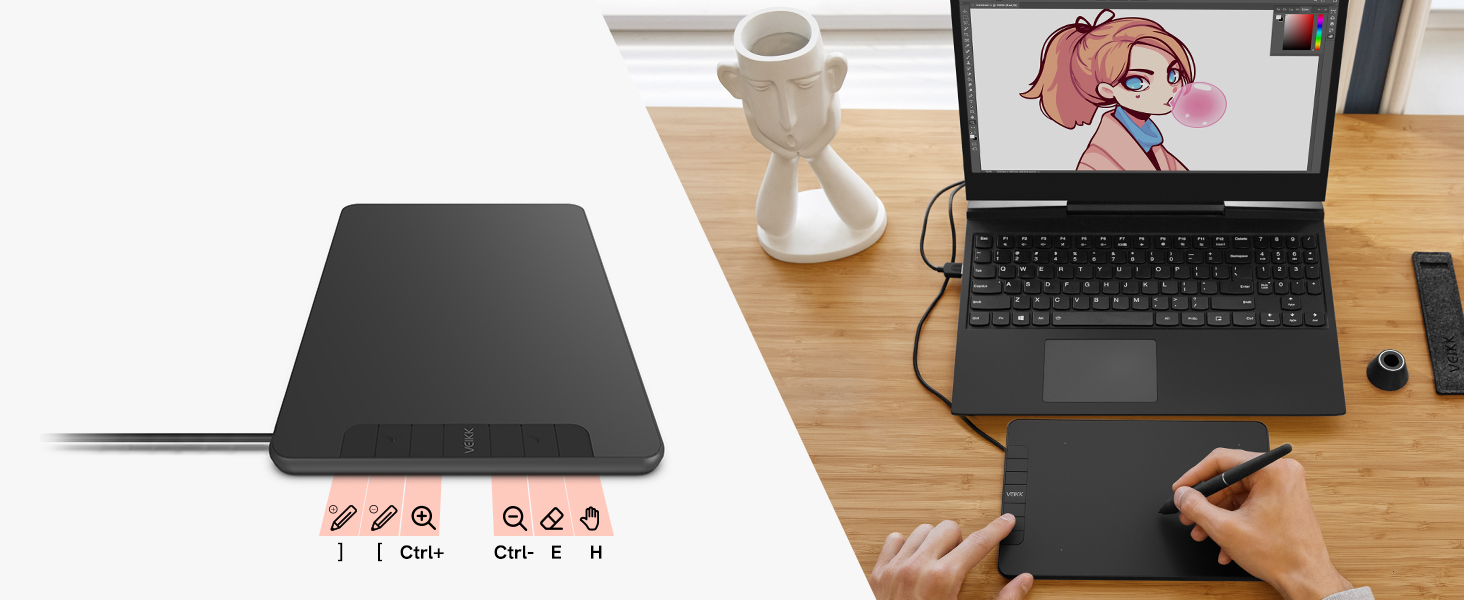
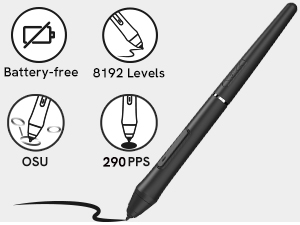
The VEIKK Drawing Tablet VK640 is a versatile 6x4 inch digital graphics tablet designed for artists and professionals alike. It features a battery-free stylus with 8192 levels of pressure sensitivity and tilt functionality, ensuring a natural drawing experience. With 6 customizable shortcut keys, it enhances workflow efficiency. Compatible with multiple operating systems and lightweight for portability, this tablet is perfect for creative applications, online teaching, and more, backed by a one-year warranty and lifetime technical support.


| Standing screen display size | 6 Inches |
| Screen Resolution | 5080 |
| Brand | VEIKK |
| Item model number | VK640 |
| Hardware Platform | Android |
| Operating System | mac_os_10_12_sierra or later, win10/8/7 |
| Item Weight | 9.8 ounces |
| Product Dimensions | 9.13 x 5.98 x 0.35 inches |
| Item Dimensions LxWxH | 9.13 x 5.98 x 0.35 inches |
| Color | Black |
| Manufacturer | VEIKK |
| ASIN | B08P2YB2M1 |
| Country of Origin | China |
| Date First Available | November 24, 2020 |
J**E
Worth the money!
Very smooth and efficient for a beginner! I highly recommend! I bought a different one for 60 last year and strangely enough, I think this is way better than it. It has just enough weight to not slide around, and the pen holder is extremely useful. Definitely worth the spend. There's even instructions to connect my phone to it, which I thought was very unique as I've never thought to try that before. The pen is very light and the material is great for grip too.
M**I
Affordable tablet for new artists!
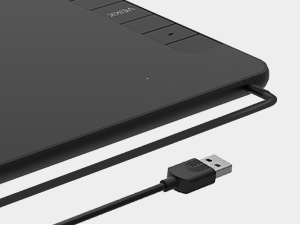
The box includes a tablet with a USB cable built in, USB-C adapter, adapter for Android devices, an artist glove (for a smoother drawing experience), penholder, battery-free pen (good addition!), and a generous amount of extra nibs. The screen isn’t textured so I don’t think I’ll be using these up as fast. The nice thing about the USB cable being on top doesn’t get in the way of your workspace for right handed and left handed artists. The box was packaged nicely, with a foam top on the box to protect the tablet, and the tablet itself was wrapped safely.Set up was easy and the directions to download the driver were clear and simple. Please make sure to uninstall any other tablet drivers that aren’t from the same brand before you install the VEIKK driver or else it won’t work. This goes for any tablet so please keep in mind before installing.The customisable hotkeys are always a plus for any tablet however I rely heavily on keyboard shortcuts so I don’t have much to comment other than they are useful for when they are used.Pressure sensitivity, when adjusted to your personal preference, is fine. I noticed that there was some lag but it was due to the size of my file.This is very light weight and portable, in case I have to travel somewhere this will be handy when I do not have my monitor display. It’s also very useful for editing my artwork rather than using a mouse which feels more natural to me.I’ve used Wacom and Huion brands for both drawing tablets and monitors and VEIKK was on par with some of their products while being affordable, easy to use, and user friendly for new artists. I would recommend the VEIKK VK640 for those who are starting digital art but don’t want to throw too much money into their craft quite yet. This little tablet was an impressive value for its price and a good choice for a starting artist’s tool!
J**E
Pretty nice tablet for the price
This is a nice entry tablet. It worked fine for what it was supposed to do. The wheels are easy to use, and it's easy to assign functions to the wheels and buttons. I did not like the amount of pressure needed for the buttons (a lot) or how loud they clicked, but that might not bother you. Also, the driver seems to run as normal software, and that means you can't use it at all when running at admin level (e.g., when installing software), and it will freeze up when other software freezes. It ends up being as laggy as whatever other software you're running. If you use it only for graphics, only in a graphics app, that might not be an issue, but personally I use it as a mouse replacement so this is a problem.Ultimately, I switched to an XP-Pen Deco Pro. The XP-Pen is twice the price, but has an even nicer wheel, a better pen feel, and does not have the lag or admin issues. If you have a little more to spend, I would give it a look instead.
R**.
Expectations: Exceeded!
Wow, what a great little tablet! I have been using this guy over the summer this year after my intuos broke and frankly I think it stands up to it. I needed a quick replacement tablet for my photography work and the viekk delivered. It works great on my mac— was easy to install drivers and get right back to work. The pressure sensitivity is great, more than sufficient for my work. Also love how light it is, easy to toss in my backpack for on the go editing.Bonus awesomeness I wasn’t expecting, you can plug this tablet into your phone: precision smartphone photo editing, nice! Or for a tiny travel drawing canvas.The pen is comfortable to hold; I used it for hours at a time and didn’t feel any abnormal hand fatigue. The pen holder will save you if you’re like me and always losing your pen — extra nibs included too. Overall, the Viekk VK640 is a great and sturdy little drawing tablet, for beginners or more experienced users looking for a portable tablet!
M**2
Simple and Good Value
The Veikk VK640 is by far one of the best tablets for this price range on the market. It is not only super responsive and easy to use but comes with multiple accessories and tools to make the purchase worthwhile. The tablet itself is not too large, but it wasn’t something I noticed too often while using it and it was plenty of room to work with. One great feature is the ability for it to be used straight out of the box instead of setting up a million drivers and programs before it is touch-sensitive. As soon as I plugged it in for the first time, it was detected by my computer and immediately began working as expected. The one setting I found especially convenient was the default setting to make the tablet not locked to the screen meaning it worked more like a trackpad and less like a direct mirror of the bounds of the monitor. This is a setting that is always super tricky to change on other similar tablets and I always hate that it is turned on by default, so this was a welcome surprise for sure. Overall, the Veikk VK640 is a great responsive drawing tablet for any artist whether beginner or more experienced which is only aided by its portability and ease of use.
Trustpilot
3 weeks ago
5 days ago



