We remain fully operational. Our teams are working around the clock to ensure your deliveries continue safely.

DOWNLOAD THE APP


Customer Services
Copyright © 2025 Desertcart Holdings Limited
DOWNLOAD THE APP

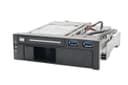
💼 Elevate your storage game with seamless speed & smart access!
The Syba SY-MRA55006 is a sleek 5.25" bay mobile rack designed for professional-grade storage flexibility. It supports both 2.5" and 3.5" SATA III drives with transfer speeds up to 6Gbps, featuring a patented tool-free hot-swap mechanism and individual power switches. Integrated dual USB 3.0 ports enhance connectivity, making it a perfect upgrade for millennial managers seeking efficient, fast, and accessible data storage solutions.


| ASIN | B00834SJ8K |
| Best Sellers Rank | #100 in Enclosures |
| Brand | Syba |
| Built-In Media | 5.25" Dual Bay Mobil Rack (without 2.5", 3.5" HDD)^2x SATA Data Cables (18")^Screws^Molex to SATA Power Cable (4")^User Manual |
| Color | Black/White |
| Compatible Devices | Laptop |
| Customer Reviews | 4.3 out of 5 stars 696 Reviews |
| Data Transfer Rate | 600 Megabits Per Second |
| Enclosure Material | Plastic |
| Global Trade Identification Number | 00810154016426, 08101540164268 |
| Hard Disk Form Factor | 3.5 Inches |
| Hardware Interface | USB |
| Hardware Platform | PC, Mac |
| Item Type Name | 5.25" Bay Tray Less Mobile Rack for 3.5 Inches and 2.5 Inches SATA HDD with Extra 2 Port USB 3.0 SY-MRA55006 |
| Item Weight | 1.3 Pounds |
| Manufacturer | Syba |
| Material | Plastic |
| Supported Devices Quantity | 1 |
| UPC | 810154016426 796594204404 |
| Warranty Description | 1 Year Warranty |
B**N
Great product, works as intended.
So one more update, with original and first update below... After several months of random problems with hard drives failing, I was able to solve the problem with a higher powered power supply. This 5 bay housing was not the issue at all. Though I had no real help from Syba, I was able to determine that my problems started when I added an additional drive to the system, thus apparently surpassing the capabilities of the power supply. I'm not really sure why the problems only manifested with the drives in this enclosure vs the drives mounted in the case, but the bottom line is that this device works flawlessly now that power is sufficient. ----------------------------------- Below is my original review. I am updating the review just over a year later because the device is failing. For a few months, I have had issues with drives failing in the unit. After replacing the drive, things would appear to work for a while. Now, replacing a drive will not work. Taking the drive out of this enclosure and directly attaching it works perfectly fine. So as nice as the hot-swap enclosure was, I feel it should last much longer than a year, thus I am reducing the rating of this product. It is virtually unusable at this point. ----------------------------- Wonderful addition to my system! I run my old desktop as a backup server, and this allows me to have hot-swappable RAID drives. Only problem I had was not reading the manual thus not realizing there were power buttons under each drive which needed pushed after inserting the drive. So much easier than powering down a system and removing screws to replace a failed drive. Nice solid aluminum construction, no worries about breaking flimsy parts.
C**N
Well built, compact RAID storage answer
This is likely the best built multi-full-height-2.5" drive mounting solution on Amazon. There are others, if you're using nothing but SSDs, but at the price of SAS SSDs versus spinning rust SAS drives, as well as the diminishing redundancy caused by larger capacity drives, this makes a perfect solution for a decent RAID enclosure for one's desktop tower computer. Much less expensive than even many of the 8-drive SAS enclosures meant for smaller SSDs, and made of mostly metal construction versus the other ones out there. Throw in eight enterprise SAS drives of modest (~1.5-2TB) size and you've got a great solution for a RAID 5+0, 6+0 or 1+0 ultra-reliable or ultra-fast large-ish storage bin. Offload all those important files to a 10 or 20TB external drive that you take to off-site locations and you're pretty much covered for data integrity. As you grow and upgrade (who wants to spend $500+ each - that's $4000!!! - on eight 8TB SSDs today?) to large SSDs at a later date when they become more affordable, this enclosure will still work. One can have quite a large, reliable, fast storage bin with eight 4-8TB SSDs - all of which this hardware will accommodate. So far, so good, it looks nice and stays cool. If it continues to work well, I will grab a SAS extender and another one of these enclosures in the near future, as my old tower case has room for exactly one more.
E**T
No ventilation! My 3.5 HDD runs hotter than I like.
Works OK so far. No ventilation up there so 3.5 HDD runs a bit hot! I want to add a small fan asap.
C**N
The front doors are pretty good, compared to alternatives
Have a pair of these in a 4U enclosure. Disassembled both, removed the backs, drilled out the holes slightly and fit through the back rubber mounts to replace the stock fan (Young Lin Tech Co., Ltd. DEC802012M 80x80x20mm) with Noctua fans (NF-A8 FLX 80x80x25mm). Had to clip the wires off the original fans, as the connector is smaller than typical. I expect the original fans to be around ~2.5mm H20 @ ~40CFM @ ~38 dBA @ 2 watts, Noctua fans are 2.0mm H20, 30 CFM, 16.1 dBA @ 0.9 watts, so lower performance (particularly airflow), but a lot quieter and lower power usage. Some notes on the fan operation: there is an internal, red, power light on the left side of the lower drive bay (it's not an error light! :) ). On applying power, the fans first go maximum speed for 10 seconds, then will stop until internal temperatures exceed 30C (in either auto or high mode). Auto mode ramps up from 30c to 40c. I had emailed tech support for clarification on these points, and received a prompt reply which neatly explained in detail the fan operations - so 5 stars for their support folks also. The ventilation holes on the back are a bit small relative to similar drive caddys, consisting of 3 slots around the middle 3 drives. The front doors are pretty good, compared to alternatives. It could be a bit less restrictive, but in practice have not had any problems, even with 5 drives full-swing. Have not had any issues hot-swapping drives with this either. The case itself is nicely weighted, metal, well made with a nice brushed finish. The drives slide in and out smoothly. Each bay has an individual illuminated power button, hold down for a few seconds to power up the drives and good to go. I have a mix of 15k SAS and 3-4Tb SATA drives fed through a combination of an intel SAS expander (RES2SV240) and an LSI HBA (9300-8i). This has been active 24/7 for ~4 months at this point without issue for me. Oh, also, there is an internal temperature alarm with multiple setpoints, I did test it, will be heard over the noise of a modest rack but might be difficult to pick out in a high-density operation. 5 stars! :)
E**R
Great Time and space saver, Quality product thats very useful
This is really a great product, it save you space by allowing 2 drives in the place of 1. Handy in the respect that you can have an 2.5 SSD drive to boot from and directly below it have a much larger hard drive. The unit has a power switch to allow for spin down and hot swapping. The unit also features rubber mounting for the actual drives so it does absorb the vibrations all HDD's have. The only downside is the unit is somewhat fragile, this is not to say that it is not made well but must be handled carefully so not to bend or break anything during the installation. Also, if your desktop uses attached plastic rails the rack may wobble around when installed. If your rack directly screws into the inside of a drive bay your golden. Kingwin features an almost identical unit, its priced $10.00 more and requires a key to remove either of the drives. I feel this unit is a better value then the Kingwin product. Finally, the rack also features 2 usb 3.0 ports on the front of the unit. The cables are long and will easily reach to the USB header on your mother board. Be aware you will need a usb 2.0 to 3.0 adapter if you only have 2.0 usb headers inside your machine. You could also add an internal USB card in your PC.
B**B
Best dock design yet
This is the single most useful computer accessory I've purchased in a long time. I've been using eSATA docks for years, both to retrieve data from drives of other computers and for my own emergency preparation. This is a great improvement on the concept of a dock. I have a three disk ZFS mirror on my system; one disk is now in this dock instead of sitting on an external dock. In the event of an emergency (such as an earthquake), I can just pop out the drive & off I go. This is nicer than an external dusty dock & drive, plus there's no external power supply or cable necessary. Both the 2.5" & 3.5" slots have their own SATA connector & they share a power cable. Each supports SATA III and they can be used simultaneously, along with the USB ports (of course). Each bay has its own ice blue LED to indicate a drive is inserted, plus the LEDs flash purple when the drive has any activity. The blue LEDs are a bit bright, but are small & nicely integrated. The USB 3.0 connector is only for a USB 3.0 motherboard header, which is obvious from the photos & web pages. I'm surprised people give it bad marks because of this, because it's clear before you make the purchase. This is something I wanted, because my Intel dq77mk motherboard has the appropriate header and I of course had to plug something into it.(!) I have found at least three versions of this product, each with a different face plate but the same guts. There are no drivers necessary for this--just plug it in. Even if I ran Windows, this device requires no drivers and no special software. The three versions of this product that I have found are below, and the prices can vary quite a bit. It depends on your aesthetic preference, and if you want one, two, or zero locking bays: Kingwin KF-253-BK Thermaltake ST0026Z Syba SY-MRA55006
H**K
Massive problems using SAS drives, only SATA worked properly.
Edit: Finally received contact back from manufacturer. Even though it does not mention it here or on their website, this product is only for SAS 6Gb/s, NOT 12Gb/s drives. DO NOT BUY THIS FOR 12Gb/s DISKS! I spent so long diagnosing this issues and waiting for responses, I'm now out the cost of this enclosure the cables I bought just for this. And now I need to buy another enclosure from a different vendor and wait a while for delivery This 8 bay SAS/SATA dock is not working with SAS drives, ONLY SATA. Conencted to LSI 9400-16i and a Lenovo 430-16i, same issues, multiple cables, tried 9 different SAS disks (5x HDDs, 4x SDDs), all throw constant errors in TrueNAS. There is one slot on it that mostly works well but 7 of them throw constant errors no matter the disk type. Some freeze the HBA in the BIOS, some error immediately upon boot, some error once you begin writing/reading. The disks read perfectly on both HBAs when connected directly. Sadly didn't discover that the enclosure was at fault until ONE DAY past return window. Reached out to manufacturer and the support I've received so far is... less than great. I gave them full details of my testing and data and they told me this couldn't cause issue and asked for my logs. Silence since, even though I sent them the logs moments after that email. Wish I could get a refund but I'm not a three days past return window and the box is gone. I mistakenly tossed the box after pre-testing it before deployment in a test system. But my flaw was I tested only with SATA drives and they worked perfectly (My SAS drives were still in shipment). Feel free to look up these errors I included but they indicate connectivity issues (again, I tried more than one cable).
C**S
Great Idea - serious design flaw with the USB ports
So this product is really a "3-in-1". A hot-swap 3.25-inch bay, a hot-swap 2.5-inch bay, and a pair of USB 3.0 ports. All in all that's an impressive collection of functionality. The first 2 products work great, and I've installed one of each of these drives in my fiancee's desktop and mine, in case I need to transfer large amounts of "stuff". Plus I've got a ready means of "recycling" my older, smaller drives and SSDs. HOWEVER, the 2 USB 3.0 ports are not mounted very securely. This is a problem, since my case does not expose ANY 3.0 ports on the top/front/side of the case - so this was my chance to access my 3.0 bus from the front of my case. If you use the USB ports with any regularity (as in, popping your USB drive in and out say every other day) don't expect these puppies to last more than a month. They wiggle loose, and then they become inoperable. And THEN all you have is a "2-in-1" product, and you're feeling more than a little annoyed :(
Trustpilot
2 weeks ago
5 days ago