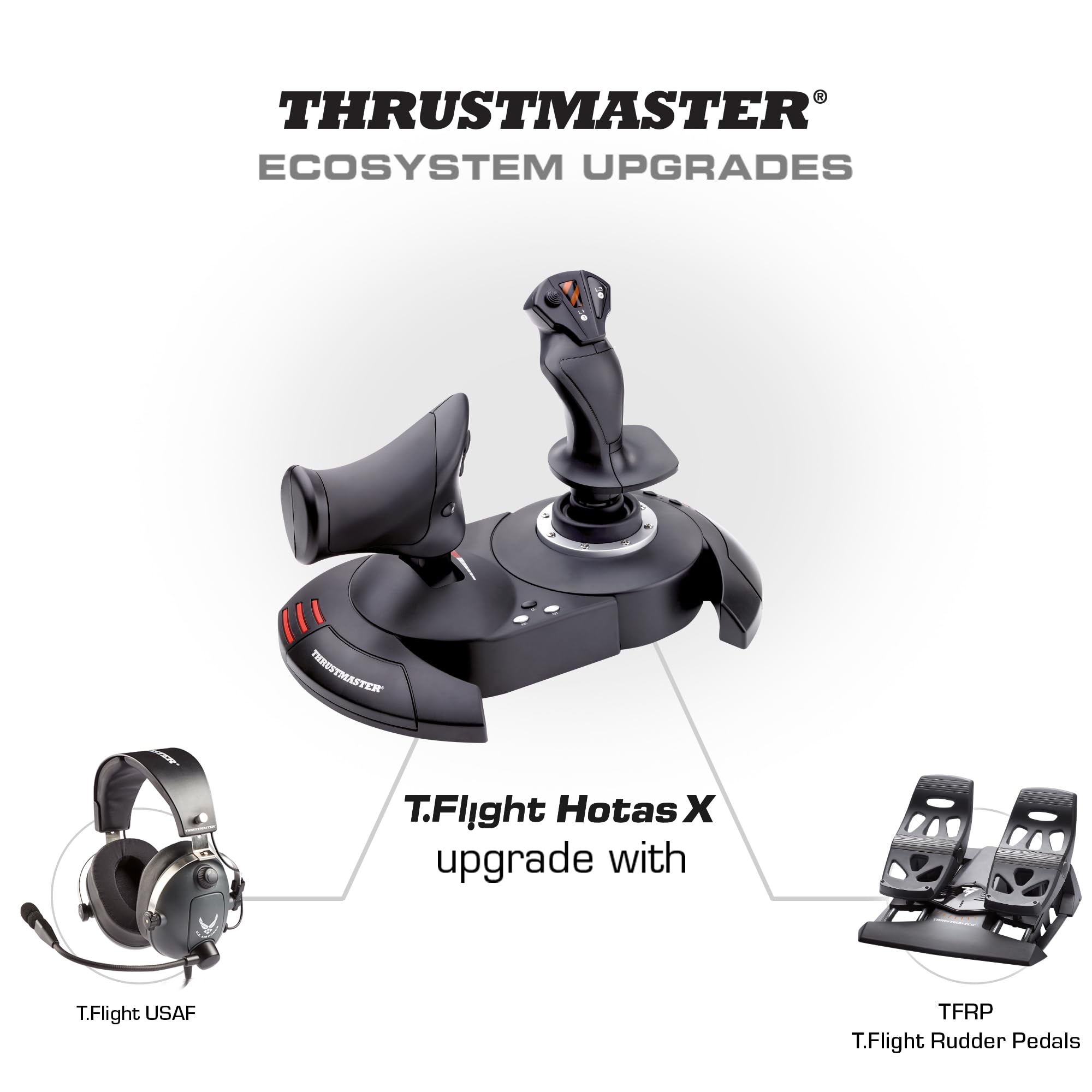
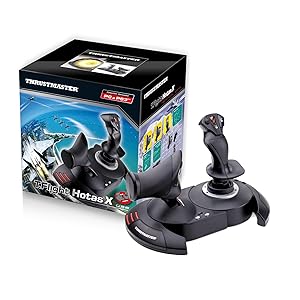
🕹️ Elevate your flight game—command the skies with precision and style!
The Thrustmaster T-Flight Hotas X is a versatile, PC-compatible flight joystick and throttle combo featuring 12 programmable buttons, 5 axes, and a detachable real-size throttle. Designed for ergonomic comfort with a wide hand-rest and adjustable joystick resistance, it offers instant profile switching and internal memory to save your custom setups. Plug & Play ready, it delivers professional-grade control at an accessible price, making it the go-to choice for serious flight sim enthusiasts and millennial gamers craving immersive, authentic gameplay.


| ASIN | B001CXYMFS |
| Best Sellers Rank | #1,012 in Video Games ( See Top 100 in Video Games ) #5 in PC Game Flight Controls |
| Customer Reviews | 4.4 4.4 out of 5 stars (8,180) |
| Date First Available | October 8, 2008 |
| Department | COMPUTER-EQUIPMENT -> COMPUTER ACCESSORIES |
| Is Discontinued By Manufacturer | No |
| Item Weight | 4.77 pounds |
| Item model number | 2960703 |
| Language | English, French |
| Manufacturer | Thrustmaster VG |
| Product Dimensions | 10.39 x 9.53 x 10.43 inches; 4.77 Pounds |
| Rated | Everyone |
| Release date | January 5, 2025 |
| Type of item | Video Game |
S**D
A great price positioned joystick/throttle combo that won't break the bank
I have looked at Thrustmaster sticks over the years with envy, to me they represented an elite level in joysticks. While I really like flight and spaceflight simulations, I could never quite warrant spending the big bucks on Thrustmaster or Saitek joysticks. Logitech and others had reasonably priced sticks for my level of gaming. For the past several years I have been on consoles so joysticks were not a big option. Recently I stepped back into PC gaming and I purchased one of the "Elite" space combat games. Even in the video for the game, the character used a stick combo that was very similar to a Thrustmaster setup...clever subliminal marketing? Maybe so because after trying somewhat unsuccessfully to fly on just a keyboard and mouse, I was looking for a stick I thought about going with one of the Logitech sticks, like what I had before, then I saw this setup. Where it would be asy to close in on or surpass 400.00 US on Thrustmaster sticks, here was both for a very very reasonable price. Was it discontinued? An inferior model or refurb? Nope, it is just a specific model that Thrustmaster produced to solicit a niche of bargain PC gamers and PS3 gamers(Yes! The stick works on PS3!!! I find out AFTER I have moved on to the PS4( I have yet to see if it works on PS4, but even if it does there are not many games that call for a stick like this)) The T-Flight is a great stick for the price-point. It is not going to be the same quality as the 200.00 individual components, but that is not to say this is not a quality device...Au Contraire... This is a great bang for the buck. The unit arrives together in the box but not connected. You have the option of screwing the throttle and the stick together via installed screws in the base. There also is an allen wrench included in the base, complete with its own snap in nook. This is good because the screw heads are of a star type. That being said, you should put them together to see if you are comfortable with them being that close together. Maybe you have space limitations...who knows. I tried it and personally felt it was a little close together for me and how I was using it, so I opted to separate the stick and throttle. The cord that connects them is about 3 feet long and will wrap up in the base of the throttle if you choose to connect them. True to good quality sticks like Thrustmaster, there are many buttons and they are programmable. Additionally there is an tensioning adjustment under the flight stick, but it didn't make a great bit of difference to me. All in all the joystick has a good feel to it and responds well. With one exception which I have seen in several reviews, I will add in mine as well. The throttle has a middle or neutral spot if you will and I guess in lieu of making a spring based solution, they mad moving out of this spot a little hard. It's almost like it sticks, you definitely will feel it and it can affect what you are trying to do, especially thrusting forward. I believe in time, with a good amount of usage, the stick should wear sufficiently to be more smooth but for now it is almost certainly a hindrance. For many it can be lived with, others it could be the straw that breaks the camels back in deciding on this stick. If you can put your hands on one before buying, I think that would help you formulate a better decision. A joystick or gamepad can be 10$ and feel perfectly right for you or a 200.00 professional model and still not quite cut it. It really comes down to how it feels to you. In the end, I think this is a fantastic stick, especially for the price. It has many features, very programmable and feels really good with the exception of the throttle mid point. For me, I can overlook it given how I use the stick and the frequency.
T**K
Will 100% fill your needs in Elite: Dangerous & other simulators -- **IF you download the community-made profiles**!
first off, let me say that I wasn't sure if a good flight stick setup could be had for anything less than a fortune; look at some of the $400 setups and you'll know what I mean. However, I really miss the 'glory days' of flight / space sims -- they were one of my favorite genres. Especially when it came to PC games, titles like Wing Commander, Tie Fighter, Falcon 3, US Navy Fighters -- those were some wonderful games. I always had a flight stick, and even at one point had a very expensive Thrustmaster F-16 Falcon flight stick that cost well over $100 at the time. Thankfully, with the re-emergence of hard-core flight / space sims like Star Citizen & Elite: Dangerous, it seems like simulators are making a comeback. And while they are playable with an Xbox 360 controller, etc -- it's just not the same...and having a keyboard along for the ride becomes a necessity. Without breaking the bank, I really was wanting to jump back into a control setup that felt more "context genuine", and that also might liberate me from keyboard reliance! Let me say that, yes -- this has completely filled all my needs! In Elite: Dangerous, I no longer need the keyboard at all while playing. I keep it close by just in case, but I haven't needed it at all. This is, however, due to a COMMUNITY MADE CONTROLLER PROFILE for the game. I hate typing in caps, but this is key to this unit receiving all 5 stars, since the default control scheme in Elite: Dangerous doesn't map the buttons in an efficient enough way to cover all the main usages. It's easy to do you -- you just drop it into the folder that is mentioned, and it will show up in the game. Otherwise I do not feel this setup would have had enough buttons to map everything to. I'd type in the site where I downloaded the profile, but I think that amazon typically takes out the links. Just google the name of this stick + Elite: Dangerous and you will likely run into a forum post really quick mentioning it with a download link and a button reference photo. Basically what it does is assign three button on the throttle to 'modifier' keys (shift, ctrl, etc) to where you hold one down, and all the others buttons perform 'flight-based' operations. Hold down another & it will fulfill all 'combat' based functions, etc. This essentially triples the buttons on the system -- though you do have to get used to using the modifiers. Again, I couldn't be happier with the setup. At the end of the day, this will likely fulfill your needs: it can be used as one or two pieces (I use it as one due to how I am situated), is highly flexible with profiles, and is solidly enough built to feel fully functional. It's not the most robust system out there, but you get an incredible amount of value for the money. If this hadn't fulfilled my hopes, I would have returned it -- but that has never crossed my mind. :)
M**A
Great budget Flight stick and Throttle
I ordered this to replace my Logitech flight stick. I wanted a throttle that could separate from the flight stick. The product is as it says and works very well. I use this for FSX-Steam Edition, X-Plane, and Prepar3d V3. Setup is easy even without the drivers as Windows 7 and up will install it automatically. The drivers help fine tune the device, but Windows does a perfectly good job installing without them. Setup in both FSX and Prepar3d are easy enough, with X-Plane requiring a bit more time and patience. Trust me X-Plane is a very good sim and a bit more control customization that comes with a bit of a learning curve, but not one that is too difficult to work with if you just take your time. The flight controls have a knob on the bottom of the flight stick that can help adjust for tension of the stick itself. Play around with it until you get the feel you prefer. I like my flight stick to be in the middle. Too loose and flight controls can be twitchy if you are not careful to control your stick movements with slow, simple and small movements. A bit of tension helps the stick snap back to center quickly. The throttle section does separate from the flight stick, and this is great for mounting to a flight stand with just enough cable length to place them in a good distance for flight controls but not enough cable length to be too far apart. It works out to be about shoulder to shoulder in distance so be aware of this when wanting to separate them. Button layout works well with great FSX and Prepar3D standard button configurations out the box. Again be ready to spend a bit of time configuring the controls in X-Plane, especially the axis controls. X-Plane reverses some and they need to be configured and changed. I highly recommend using the rocker slider found on the backside of the throttle as the rudder if you are not using rudder pedals. It works great and has far better control that the twist of the flight stick. I use a lot of mods for my flight sims and this works great with FSCabin Crew button control for Aerosoft Airbus payware, as the buttons can be mapped to non-standard stick buttons on the base for easier button control and response to first officer checklist calls and flows. All in all it is a great flight stick without breaking your bank. It is not a higher end Yoke or Fighter Stick, but it will get the job done and done well. Word of warning, the flight stick once separated from the throttle section can feel a bit light and can move around on you if your heavy on the flight stick. Remember, slow, small, and controlled movements win the day, but if you grab the stick and pull with a bit of force, expect the stick to potentially move on your desk. I found a simple set of larger rubber feet from Home Depot help keep my flight stick on the desk and not move during use.
M**W
T-Flight Hotas X
I was looking for a decent joystick at a low price to play some new titles (A-10C Warthog), and some of my older favorites (Freespace). This was the only stick I found with detachable throttle for under 50$ that looked good. I was not expecting anything great from it for 35$, but decided it was better to try this out first and if I felt it was inadequate I could upgrade at a later time and not have wasted too much money. (edit: I see now Amazon has put it back at 50$, I'm glad I got it for a low price while I could). Having tried it out I am very pleased with it overall, especially for the price. The construction is solid on this stick. While the materials used are not high end (lots of plastic), for 35$ you can't expect higher grade material. They work and they won't break on you any time soon. There are lots of buttons on the stick and throttle that you can map. I can't imagine needing more. The dead zone is pretty good on this stick. When I fired up my first game I was unimpressed with the way the stick handled and what I thought was a horrible dead zone. Moving the stick in any direction slightly resulted in no movement on the screen. I felt like I was having to push the stick half way in any direction just to get some movement. I can assure you that if you are experiencing this in any game, it's the game / game settings that are causing it. To test, install the latest windows drivers from the Hotas website for this stick. Run the device information tool and watch the graph on the screen as you move the stick in any direction. This will show you what is being detected when the stick moves. I noticed this tool was detecting more movement than the game was. In my case, I found settings for dead zone in the games settings and set it to 0 which resolved the problem I was having. Cable length on this stick is great. I had read some other reviews saying the cables between the stick and the throttle are not long enough. I'm not sure what people expect, but I can assure you they have a lot of length between them. I was able to fit a full size keyboard with number pad and media keys between the stick and the throttle. + Construction is solid + Very minor dead zone + Long cables + Lots of buttons that can be mapped - Lots of plastic +/- Unsure how this stick will hold up over time. For 35$ if I can get 1-2 years out of it I would be happy.
J**Y
Wow, a fine joystick for the PC
WARNING: I stand by the previously entered review below, but having used the T-Flight for a week now I discovered a small problem. I lost my throttle control when using the Abacus Flight Deck 6 add-on to FSX, then found myself without throttle control on jets in FSX, and some problems with the hat switch. Two evenings of fussing around for an hour or so - looking for the source of the problem (calibration worked properly on most features - I did all sorts of sequences of resets to "factory"). OOOPS, there is a switch on the back of the T-Flight for PC/PS3. It is reasonably well protected from accidental contact by the main USB wire - but I put my T-F HOTAS on a shelf under my computer blindly when I'm finished. I'd banged the switch into PS3 mode, and then been trying to remap on my PC. No wonder the joystick and my FSX were confused. All is well now, and I didn't write an angry letter to Thrustmaster about their quality control <g>. I append this to my review to remind you all that one should always ensure that the switch is set for the machine you are using before getting upset. A plus for the joystick - the onboard memory brought me back immediately once I set the switch (and reset FSX to "factory"). I only had to re-establish my personal mappings. Here starts the original review: I have been "playing" flight simulators since the original Apple II FS (which was skeletal). A frustrated pilot, Naval Air changed the basic obligation for flight training to five years from three and half in 1957, so I went "surface". (No, the training wasn't five years - that included two tours with the fleet instead of one). Five hours on my PPL logbook of years ago (J-3 Cub) as whenever I had time I didn't have money, and whenever I had money I didn't have time. I went through all the reviews of recent joysticks, price was a consideration. I settled on the TM T-Flight Hotas X and the Saitek (X65?) Pro. I noted that at least two real pilots (one active, one retired medically) loved the TM (and also that a youngster of 70 with considerable experience - I'm 75 - was an advocate). My interest in the Saitek, from its reviews, had to do with the auxiliary screen - I sometimes have difficulty jumping around for the radio or in reading the instruments. I settled on the TM T-Flight, I didn't want to spend the extra $100. My previous was a Logitech 3D Pro, and I've had an M$ Force Feedback (as well as early models from the archaic days). It arrived tonight. I have not fully tested it, so this might be premature - but all I can say is "WOW". I started with the preliminary training missions of M$ FS X, just to feel it out. I quickly moved on. The resistance spring on the joystick is a god-send - I can make a full loop by touch rather than having to watch the attitude indicator (my Logitech allowed me to drift my hand too easily, putting a bank into the straight loop). The full sized throttle allows me to adjust speed accurately (it has a sticky point, but I think that will smooth out with use). The centering point on the throttle allows a reference point for cruising speed (not an exact point, just a point to work from). The buttons on both the joystick and throttle are well placed for "blind" operation - and I particularly like the pre-mapped placement of the elevator trim, never used to use it as I'd forget where I put it. Makes cruising and approaches easier. I am using the throttle and joystick in their "attached" form, due to the "cramped nature of my cockpit". The stability is wonderful. As one who likes his beer and cigarettes I had a problem with pausing, looking down at the keyboard to find the "P" with my left hand had me going off course. I'd rather thought I'd like to map "pause" on the TM, but with the stability of the unit I'll save that button for something else. As to design, and as an old computer consultant and designer I'm a lover of design, I had some problems. First, I found that they had left out the Allen wrench promised for attaching the two units - until I turned it over an looked at the bottom and found it in its designed slot. Then I had a problem with the leading of the 18" wire connecting the two, it came out of a groove that prevented the joining of the units. But when I connected them I realized that the grooves matched up and the wire could run directly between them, and that there was a space to wind the excess under the throttle unit. That may sound trivial, but anyone who is that careful about the details of the design is likely to have been just as careful on the main features. (BTW, for the gentleman who said the units pull apart when in combat, you just didn't screw them in right. The Allen head screws are threaded only into the throttle unit, but it may feel as if they are threaded into the the joystick unit as there is residual plastic grabbing the threads. Give them a good knock with a light hammer, or screw them out while pulling on them. Once they are "free to slide" in the joystick unit they will screw in positively into the metal threading on the throttle unit. I am sure the TM Warhog is better, I'd love to have the twin throttles - but I ain't going for $400 for a joystick when I could take a couple of lessons in a real plane for that price. The CH has been well reviewed, but the ones in my price range didn't have the separate and realistic throttle. That Saitek Pro with the screen sounds great, but it is $100 more than this TM. I am extremely pleased with my choice - and I think that some of my concerns will be solved by the stability of the unit. Instead of using an auxiliary screen for radio and VOR and etc., I can easily pause with my TM and move around the cockpit to set them up. I could do that with my Logitec also, but I would come back to a flight off line as my controls weren't centered. Lastly, I've never been able to play the first mission in the Abacus Flight Deck 6 - the flight with the Blue Angels (and as a retired Naval Officer you know I wanted to do that). I couldn't taxi my flight 7 to join the four plane flight on the runway - over compensation, over and under braking. First try with the TM and I was on their tails (admittedly I lost them soon - forgot the "semi-stop" on the TM throttle at approximate cruise so didn't put the "pedal to the metal" - next try I'll remember that). Best, Jon Englishtown, NJ
R**N
Excellent Joystick, Good Price
My last good joystick, a Logitech WingMan Force Feedback, still works after about 12 years, but it's slowly wearing out. I've looked at several possible replacements and came across this Thrustmaster T.Flight Hotas X. The most helpful review to date is by gump92139 and, along with other reviews, convinced me to try the Thrustmaster. Gump's review has a good description and is well worth reading. I'm very impressed and pleased so far. I have used it in FSX, mostly with the Carenado Cessna 340, but also with DodoSim's Bell Jet Ranger using the helicopter's most difficult and realistic settings. The Thrustmaster provided very stable control, and the DodoSim helicopter is one of the most difficult to fly. The stick has a very solid, positive feel. From the photo, I was concerned about the ergonomics of the throttle – it looked like it might be uncomfortable to use. It might be a bit uncomfortable for some at first, but being able to separate it from the stick by about 18 inches in any direction allows for many different placements, at different levels from the stick, etc. I was surprised at how user friendly and comfortable it is. And regarding user friendliness, as gump92139 described, I simply plugged it into a USB port and ready to go. The manual says to access the control panel to configure and test the joystick, but I didn't need to do that – it was ready to go simply by plugging it in. (I'm using Windows 7, 32 bit.) However, during the first test “flight,” I accessed the settings in FlightSim X and made some changes in the button assignments, as well as adding a few assignments for the unused buttons: flaps, trim, views, etc. It's very easy and quick to do without exiting the simulator. One minor complaint is that buttons 3 and 4 are placed on the stick opposite each other, 4 on the back right towards the operator, and 3 on the front right. I found myself pressing both buttons at the same time with the thumb and index finger. Since the trim wheels in many airplanes are on the pilot's right, I had assigned these buttons on the right for trim up and trim down – not good to press both together, but the placement and right hand grip seems to encourage pressing both buttons at once. Might have to reassign them, or just get used to the placements. All in all, it's a fine HOTAS system at a very reasonable price.
B**N
Decent, for the money, but it's cheap and you will know it every time you use it.
We've entered a simultaneously great, yet bad time in sim hardware. There is some incredible sim hardware out there, like stuff from GoFlight and the TM Warthog, but the least expensive of those options is $500, which is a lot of money unless you're really hardcore. Unfortunately, the good middle ground used to be Saitek, but pretty much everything they make is terrible now and so you have to choose between cheap and ultra-expensive. And you will notice that this thing is cheap. It works, and it's accurate, but it feels like a toy and the throttle action is terrible. There's a big notch right in the middle (which is dumb in the first place, as it should be toward the back end of travel to simulate thrust reversers while still leaving you most of the travel for normal throttle), and when I say it's big, I mean it's huge. This is like a flaps detent, and it's made worse by the fact that the rest of the travel is very loose. There's no friction drag at all on the throttle travel, so until you get used to it you tend to fling it from idle to 50%, then stop, press harder to overcome the detent, and then slam it straight to 100%. The throttle base button placements are dumb because that's where the heel of your hand hits when you take it off the throttle so that you don't accidentally move it since it's so loose, and so you end up spamming 1 to 3 commands. The stick itself is actually very comfortable - it reminds me of the old Logitech Wingman Extreme stick. You could use this thing for hours without your hand getting tired. Unfortunately, the button placements are awkward - if you're in the habit of safing your trigger finger by resting it above the trigger, you're going to hit an overly-large button. The overall theme of this stick is that buttons tend to be where you don't want them to be, and they tend to not be where you do want them. The other main problem with the stick is that while you can separate the stick and the throttle, which is good, the cable between them is entirely too short. Unless you have a very small keyboard, you won't be able to put the two on either side of it. You certainly won't be able to put the throttle where it should naturally be, which is slightly outboard of your shoulder. They need to make the cable at least a foot longer to give decent separation between the two.
K**S
I use this for Elite Dangerous: Horizons.
OMG I love this thing! It's cheap, fairly solid and has a good amount of buttons. Ergonomics and button placement is also great. Yeah it doesn't have as many buttons as a $200+ flight stick, but I purchased one of these as a gift last year for $33 USD right here on Amazon. Even at $50 USD it's a great value. Something that more hard core flight sim folks probably hate (but I love) about this little HOTAS is the throttle. In the muddle position it has a little notch. This is great for knowing where zero throttle is in Elite Dangerous. I have friends that play elite with $200 - $300+ HOTAS setups that don't have this notch. For Elite it's super important to know where zero throttle is. So, this thing DOES look like an old 15pin PC controller from 1997 but when you put your hands on it, you can really feel the ergonomics of this It feels great, but looks chinchy. I can't dock it a star for this. It's got it where it counts. It also seems well made. I have been using mine almost every single day for the last 6 months (probably 5 days a week on average) and it's perfect. It's made of plastic and does creek a little bit but it's fine. A friend of mine got one of these a couple years ago to play an A-10 sim. It's got WAY MORE "MILES" on it than mine. It seems like maybe it's a little more "creeky" than mine, but not annoyingly so and works just as good as mine does. Buttons... It could definitely use more buttons. But for a sub $50 HOTAS I think it comes with a generous supply of buttons. If you play Elite though you know how many buttons ones needs. It has plenty though for everything you need in flight and conflict. I have to use the keyboard though for things like ship lights, landing gear, switching fire groups. More minor stuff. I originally got this as a stepping stone to a much nicer HOTAS after 6 months now I have no desire to upgrade. It works perfectly for me. Oh a final note this does come apart into two parts, but the cable connecting the two parts is a hair short. If you have a gaming keyboard, it probably won't reach. I typically play with it together, it's a but more stable that way. Hope this was helpful.
Trustpilot
3 days ago
2 months ago