
🚀 Elevate your workspace with style and precision — see more, do more, be more.
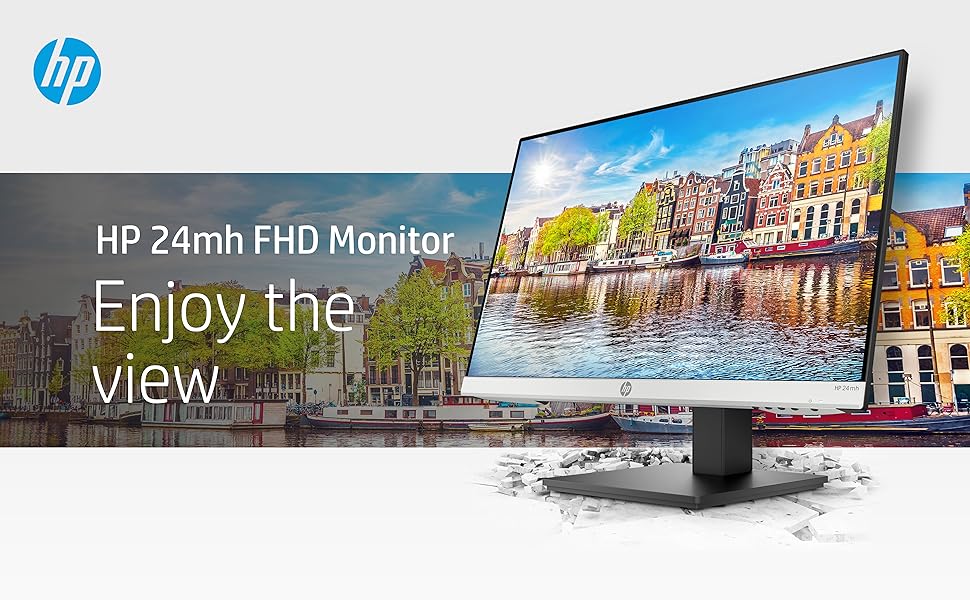
The HP 24mh FHD Monitor features a 23.8-inch IPS panel with 1920x1080 resolution and 75Hz refresh rate, delivering sharp, vibrant images with wide 178° viewing angles. Its ultra-slim micro-edge design saves desk space while height and tilt adjustments ensure ergonomic comfort. Connectivity is versatile with HDMI, DisplayPort, and VGA ports, complemented by built-in 2W speakers. VESA mounting adds flexible placement options, making it a premium yet affordable choice for professionals seeking style, performance, and convenience.



| ASIN | B08BF4CZSV |
| Best Sellers Rank | #893 in Electronics ( See Top 100 in Electronics ) #33 in Computer Monitors |
| Brand | HP |
| Color | Jet Black |
| Customer Reviews | 4.7 4.7 out of 5 stars (25,444) |
| Date First Available | September 6, 2020 |
| Hard Drive | 2 |
| Item Dimensions LxWxH | 8.33 x 23.54 x 18.28 inches |
| Item Weight | 9.94 pounds |
| Item model number | 1D0J9AA#ABA |
| Manufacturer | hp |
| Max Screen Resolution | 1920 x 1080 |
| Number of Processors | 1 |
| Product Dimensions | 8.33 x 23.54 x 18.28 inches |
| Screen Resolution | 1920x1080 |
| Series | 24mh |
| Standing screen display size | 23.8 Inches |
| Voltage | 240 Volts (AC) |
B**F
Remarkable monitor value
I bought this monitor to replace an older HP monitor that was finally getting a little flaky. Electronically, the image quality has improved compared to the 2020 vintage monitor. I was satisfied before, but this is notably brighter with better whites and contrast. What really amazed me is the more robust construction of the stand, including both height and angle adjustments. And it was a lot less money than the last similar monitor I bought in 2020. I don't use the internal speakers, but that's a plus as well. They're adequate for voice, but good external speakers are still a big plus. All in all, this represents a very nice quality product at a great price.
J**A
Best monitor I have worked with
As a longtime Apple user, I'm spoiled by top-tier displays. That said, this screen blows me away, great image and quality, all for a fraction of the premium price. If you're chasing value without compromise, this is your upgrade.
L**I
Great monitor + 75Hz + HOW TO FIX LOW VOLUME SOUND
This HP 24mh monitor has a clear, crisp display and is the perfect size for desktop use (not too big, not too small). It accepts both HDMI and DisplayPort inputs (and even VGA for old school PCs). While Windows will select 60Hz refresh rate by default, you can go into Windows' display settings and select 75Hz refresh rate for this monitor. The 75Hz refresh rate really does help smooth out motion. You should also go into the monitor's "Image" menu setting and set Response Time to Level 3 which provides the best VSYNC performance. One of the best features that places this monitor above and beyond its price range is the 90-degree rotating screen, height adjustment, and swiveling base. The stand is rock-solid without any wobble. The speakers are just fine once you discover the menu control I explain below: HOW TO FIX LOW VOLUME SOUND: The built-in speakers are better than some reviewers indicate. I believe most people don't discover that the monitor menu has its own volume control that's set to 50% volume by factory default. If you just connect this monitor to the PC you'll automatically get sound through the HP speakers via HDMI or DisplayPort (you only have to use the separate audio cable when using the VGA input). But no matter how high you turn up your PC volume control, you'll only get 50% volume from the monitor's speakers which is why people complain about low volume. To fix this, all you need to do is go to the "Management" tab of the monitor menu, select "Audio", and then turn up the volume control from 50 (default) to 100 and you'll find the monitor speakers are plenty loud. After that, you'll only have to use your PC volume control as normal. This is a great quality monitor with features beyond its price range. Fantastic value, HP! ADDITIONAL NOTE: HP sells an identical monitor to the HP 24mh under the model P24h. The only difference is that the P24h has a black plastic logo strip along the bottom instead of silver like the 24mh. Everything else is identical (specs, speakers, height adjustable stand, etc.) plus the P24h comes with both an HDMI cable and a DisplayPort cable.
H**E
Very nice with a great picture! VGA mode is okay...
Set up originally using an HDMI cable and it worked flawlessly! Of course, one of the reasons I chose this monitor is because of the built-in speakers. Unfortunately, the speakers do NOT work with the HDMI cord plugged in. Originally, I thought the speakers just simply didn’t work. I contacted tech support and they had me try a different cord but never asked me about HDMI. So, although she was very nice, she had no idea what she was doing aside from reading a script. They need to add the HDMI issue their script. A note on the site itself might be a good idea as well. Anyway, she set up a return that I later cancelled (they never told UPS that I cancelled so he showed up for a return the next - actually, that was wrong as well since I couldn’t return it till the new one arrived - oh well...) Anyway, after I sat and thought about it for a while, I suspected that the HDMI carrying the audio signal thereby blocking it. So, I used the VGA connection. It works, but I had to significantly adjust the vertical setting on the monitor. Bottom line, the monitor is now fully functional including the speakers. The speakers sound pretty much like any other PC speakers although a tad louder, certainly loud enough for my use. I was able to tweak the sound a bit with the audio manager that came with the Lenovo computer. The point I deducted was for the tech support. I realize this is a new monitor but the people answering the phone should at least understand the technology even if they don’t know the item details. UPDATE 1: The monitor does NOT work well unless I use an HDMI cable, which I am now doing. So, I am back to external speakers. Basically, if I try to use anything other than an HDMI cable, the monitor cuts out (goes dark) frequently, although it does come back on again. BOTTOM LINE: I am not able to use the internal soeakers, perhaps you’ll have better luck...
D**S
Very clear,easy to assemble
Nice,easy to set up Sturdy. Nice and clear.
L**O
Lo uso para el trabajo y muestra muy bien los elementos, videos y colores. Particularmente lo uso en modo lectura debido a que las otras opciones son demasiado para el trabajo normal (no diseño).
N**S
Excellent
T**O
Bought for input auto switching capability. Works as expected. Decent quality as well. Used for work.
O**R
BUENO
S**O
Está excelente la resolución y poca reflexión que tiene, el único problema es que al cambio de voltaje creado por un ventilador, la pantalla se apaga unos segundos. Y no se soluciona ni con regulador.
Trustpilot
2 weeks ago
3 days ago



