
DOWNLOAD THE APP


Customer Services
Copyright © 2025 Desertcart Holdings Limited
DOWNLOAD THE APP

🚀 Unlock your personal cloud: storage, streaming, and sharing—anytime, anywhere.
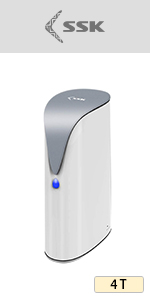
The SSK 2TB Portable NAS External Wireless Hard Drive combines massive 2TB mechanical storage with a built-in Wi-Fi hotspot delivering up to 300Mbps wireless speeds. Designed for professionals on the move, it supports multi-device remote access and smart app control across iOS, Android, Windows, and Mac. Featuring private/public data partitioning, Samba and DLNA protocols, and one-click auto backup, it centralizes your multimedia and files securely. Compact and portable, it’s your personal cloud storage hub with versatile connectivity including USB and LAN support.




| ASIN | B07T3KD58D |
| Additional Features | Portable NAS External Wireless Hard Drive with wi-fi Hotspot |
| Best Sellers Rank | #118 in External Hard Drives |
| Brand | SSK |
| Built-In Media | USB Cable |
| Cache Memory Installed Size | 2 |
| Color | Black |
| Compatible Devices | Camera, Desktop, Laptop, Tablet, Television |
| Connectivity Technology | SATA, USB, Wi-Fi |
| Customer Package Type | FFP |
| Customer Reviews | 3.4 out of 5 stars 854 Reviews |
| Data Transfer Rate | 300 Megabits Per Second |
| Digital Storage Capacity | 2 TB |
| Enclosure Material | Plastic or Metal |
| Form Factor | Portable |
| Hard Disk Description | Mechanical Hard Disk |
| Hard Disk Form Factor | 2.5 Inches |
| Hard Disk Interface | Serial ATA |
| Hard Disk Rotational Speed | 5400 RPM |
| Hard-Drive Size | 2 TB |
| Hardware Connectivity | USB |
| Installation Type | External Hard Drive |
| Item Dimensions L x W x Thickness | 5.12"L x 3.15"W x 0.79"Th |
| Manufacturer | SSK Corporation |
| Model Name | SSM-F200 |
| Model Number | SSM-F200 |
| Number of Items | 1 |
| Special Feature | Portable NAS External Wireless Hard Drive with wi-fi Hotspot |
| Specific Uses For Product | Multimedia |
| Warranty Description | one year |
P**A
Portable 2TB HDD and WiFi Hotspot
Unboxing was fine. I purchased to use in a portable environment where I would be able to connect a notebook, and two or more cellphones. I would use my cellphone as the internet gateway and have the SSK Drive be the hotspot for the notebook and other cellphones. While my cellphone was the gateway (SSK connected to it via WiFI, I was able to access the files on the drive; back up phones and videos; watch stored videos; stream music; with no problem. The drive is working as I intended it to and is servicing 2 Cellphones, a tablet and two notebook computers. the drive show up on the network in Windows and I was able to add it as a network drive (Make sure SAMBA is turned on in the phone App's settings). I also connect it to my home network using the LAN cable. It connected up and was again able to access the files as it shows up as a network device. You will need to change the simple default password "admin" to something more secure before you'll be able to access your files on a network. I ran speed tests while the drive was serving as he hotspot through home network. my download speeds ranged from 20MBS to 50 or more MBS (depending on the time of day). Upload was normally half of whatever the download speed was. I also tested this while the SSK was a hotspot connecting through my ATT cellphone, and the speeds ranged from 8MBS to 40MBS. These numbers are consistent with my networks/mobile speeds connected directly without the SSK Hotspot. No problem. I will admit that when I first got the device, I read through the directions and was able to get it up and running within 15 minutes. However, my device had a technical issue that I could not resolve. I purchased through Amazon, and when I got an email from the seller asking how it was going, I responded. I told them what I was experiencing. I sent them screen shots of what the router, computer, cellphone and SSK was seeing, and details of what I was doing, and they were very responsive. I responded to the SSK Support email I received from them and time differences apart, every morning for several days, there was a response with instructions for me. I worked with Jesse and he was fantastic! With the information I provided them, they found the problem, and sent me new firmware, which corrected the issue and got me back up and running. it has been running since and I am loving it so far. It does get hot, but that is mainly when it is charging. Once fully charged, I do not notice much heat. I tested the battery running the hotspot and drive only, and got almost 24 hours out of it. As time goes on, I suspect it will reduce. With the current firmware V83 that Jesse sent me, I am having no current issues with the drive. The original issue I had appears to have been unique to my drive, having to do with a conflict in MAC addresses, I gave this 5 stars because customer service is the best I've ever had with something like this. Usually, I get nothing or very little help from the vendors, and they end up taking the unit back and refunding my money. This company worked hard to fix my problem and for that I appreciate them. As for the hardware itself - I agree the instructions could be better, but if you read the instructions and follow the pictures, it will work fine. If my device did not have the unique hardware issue, out of the box, I the drive and hotspot would have worked great. If the hotspot is not important to you, and all you want to do is turn on the drive, connect to it and back up your phone photos and videos (computers too), then that is fine too. When done, disconnect from the device and turn it off. The power button is a bit of a pain, so I suggested they include an option in the hardware to turn off the device via software and provide a way to reset the device via software. Having experience with other drives like this, I thought I would give this one a try because it was a 2TB drive with a hotspot. WD has one like this, but it is a 1TB drive, and costs much more. I do not know what drive is used in this device, but for what I use it for, I recommend the drive.
J**O
Received it on July 20, died on July 23
Purchased on July 12, 2023, received on July 20, died on July 23, not working even on wired USB 3 mode. Because it had some personal data, I won't return it, so I open it up and tested the drive out of the enclosure with SATA to USB Cable USB 3.0, the drive was dead. The data transmission in wireless bridge and Wired Access Point were very slow, around 6 Mb/s, had to use it on wired mode to copy my media files, then reconnected wireless. My idea was to store some files and share my music through my devices (I use one device at a time). I don’t need expensive NAS with Raid or remote access. You have to turn on the device and choose the F200 wireless on the Wifi on your phone. Load the App and set the password, at the bottom it indicates that the F200 needs internet connection, so on the settings you choose internet connection, but only my 2.4 Ghz was shown not the 5 Ghz, so I entered the password of my local network, then it goes away, it did not tell if it was connected or if was an incorrect password, so you go to home of App and see if it is connected, sometimes is shows scanning Lan, so I have to close and open the App and enter the password, most of the time it does no work, horrible experience, once connected you can go to settings and find the IP, I went to my Arris router configuration and set a static IP, then another complication with the mapping, sometimes connected, others was trial and error. In the end I could manage to map all of my devices, then it died, I did not have even a chance to properly use it. The drive gets very hot, so keep it in a ventilated area. Mapping the drive was a pain, instructions were not clear. PC boots too slow and sometimes screen goes black while booting. While browsing its content through windows explorer, it gets slow and unresponsive. The App is mediocre and instructions unclear. For backing up your phone is OK, but if you want to use it with PC, get a real NAS instead.
F**D
I've tested it and it failed my test
Let me start off with this. I bought this device to replace my old Seagate Wireless Plus. The original intention was that I could load up movies for my kids to watch on their 2 separate iPads when we travel. After doing a lot of testing this is what I found: 1. It uses a 2.4 Ghz Wifi band-width. You're iPhones and other devices use 5 Ghz (much faster) and newer iPhones use WiFi 6 2. It's completely un-usable to watch videos (streaming rate is too slow) 3. Two persons don't seem to be able to connect to it via Wifi. The second person would be able to connect to the Wifi, but the software on the 2nd iPad would say "device disconnected" 4. If you plug the device into your local area network (LAN), it will work like a NAS (network addressable storage) much faster and reliable (almost the way I wanted it to work) So the problem really comes down to the slow 2.4 GHz Wifi they installed in this device and that the 2nd device seems to disconnect. 5. Using the device as a storage device + 2.4 GHz Wifi, I was only getting about 60 kb/s speeds (remember 56k modems ? if not you are probably very young). I didnt' get any where near 300 Mb/s with the iPad I connected. So...what did I do since I already bought it ? I got a small tplink travel router (5 Ghz), connected it via ethernet cable (RJ-45) to this device, created a LAN network I could travel with and turned this device into a NAS (I basically added a 5Ghz Wifi onto this device). It works...it would have been better if the manufacture made the device with 5 Ghz Wifi or even better WiFi 6...but 2.4 Ghz Wifi ? 2.4 Ghz just wasn't a good design. Since I did this, the movies are streaming very well. I tried 2 iPads simultaneously and it works well. my 2 cents, this device is over-priced and under-performing. If I had a choice, I would NOT buy it again unless they change the Wifi specs (2.4 Ghz is old technology and just doesn't work for streaming movies) I give them credit though...their website support and FAQ's seemed pretty good... I tested everything and can even use a portable battery pack since everything is powered-up by USB. This is great for road-trips for my kids to just watch 2 different movies at the same time. 2021-09-08 update : After hooking this up to my tplink travel wifi (5 Ghz), this thing is able to support atleast 3 iPads watching HD movies. I haven't tried any more iPads or iphones but the performance (after my modification) works well. I strongly suggest that the manufacture upgrade the 2.4 GHz to 5 Ghz (or even Wifi 6)
M**N
Even more versatile than they advertise !!
I am a retired Electrical Engineer who has been in the computing industry for over 50 years. I actually purchased this unit to use a travel and backup device. Since I only use an iPad Pro when I travel the intent was to augment the storage capability with an external device so that I could have all of my important and working files with me as well as have a place to offload the thousands of photos I take on every trip abroad. This SSK device with its high capacity HDD meets and in most cases exceeds my expectations and needs. It not only works as advertised but I have found that with a little knowledge you can connect it in other ways for even more flexibility. Here are a few of these: - when in Wireless Bridge Mode you can map the drive to a Windows or Mac File Manager System. In Win 10 File Explorer you just need to MAP the device as follows: \\(local ip address)\Share_sda1 for the HDD and you can also map the external drive as follows: \\(local ip address)\Share_sdb1 (remove the parenthesis when you set this up). The local ip address can be found in your router or in the SSK App Remote Management section. Once mapped you can read / write as if the SSK unit was inside your pc !! To use the following be sure to turn on Samba in the SSK App first. - you can also map the SSK unit to your pc when connected to your network in Wired AP (access point) Mode. To do this you need to first set your router to port forward the local ip address (see above) to port 445. You will also need to know your WAN IP address provided by your ISP (Internet Service Provider) that can be found in your router settings or by aiming a browser on your network to https://whatismyipaddress.com/ You then MAP Win 10 or Mac File Manager to \\(my WAN ip):445\Share_sda1 for the internal HDD or to \\(my WAN ip):445\Share_sdb1 for the external drive connected to the Host port. - A extra nice feature is to be abnle to actually use the iOS iPhone / iPad File Manager to access files on the SKK Drive. To do this when connected in Wired AP Mode you simply open the iOS File Manager; touch the 3 dots in the upper right hand corner; select Connect to Server; the type in the smb://(local IP address) -then touch Connect and in the following window type in the user ID and Password. The device will then pop up under Shared in the Browse Window of the App. You can then read and write as you would to any connected drive. To access your SSK unit when it is connected to your network at home via the internet do the same as above but in this case type in the following: smb://(WAN IP address):445 - as the remote connection above the local ip address of the device has to be pre setup to forward port 445 to your LAN ip address. - Access via a File Manager App such as FB Pro will give you significantly more options for sorting and accessing files. To use these apps you will need to use their setup instructions and use the following options: - use address \\(local ip address) to connect to the SSK locally and \\(WAN IP Address):445 to be able to connect remotely. In either approach make sure that Samba 2 if shown is selected and port 445 is selected The only issues I have with the device are ass follows: - user manual was awful, however a revised one is available on the [email protected] web site; - it would be nice if they could speed up the wi-fi connectivity. This is especially true if you are using the SSK unit in Wireless Bridge Mode where it requires 2 different wi-fi connections to work. When in Wired AP Mode the unit is faster but could still use improvement. It would also be nice if they could 5Ghz support - when connecting external devices to the Host port if you use other than a usb Thumbdrive you will likely need to connect a powered device or USB HUB. This is especially true if you connect a HDD or a USB type C device. A recommended change to the SSk unit would be to change the design to accommodate USB C type connector so that external devices can be powered without a HUB or power supply. - one other thing to note is that once you start using the SSK unit you will find that there are pre configured folders already setup on the HDD you MUST LEAVE THESE as they are for the device to work correctly. You can add additional folders here in the root area or you can add additional folders to the already existing folders but you MUST leave these folders named as they are. - the SSK unit will operate with 2 different local ip addresses. It will use one when connected in Wireless Bridge Mode and a different one when connected in Wired AP Mode. Because of this, if you want to use any of the connection methods identified above you may need to set each up 2 ways. If using ONLY the SSK App for access to the internal or external drives then the App will automatically resolve this ip address issue as it will try to connect both ways when started. Myself, I like the options provided above as I can freely move files and folders anywhere and display folder contents in different ways. The good thing is you only need to set these up once and then you will be good to go for as long as you use the SSK device. All in all I found this to be and excellent device. It works well, is quite easy to configure and use; has excellent compatibility for nearly any way someone might like to use and is manufactured very well. The price is also excellent !!! Stay tuned. Although I know that it will void the warranty I will be attempting to install a 2TB SSD in place of the HDD in the near future. I will add additional comments here when I do. I hope that this review has helped you. Well done SSK !!
A**Z
GREAT product idea, less than ideal app execution.
When I saw this thing my gadget aquistion syndrome SPIKED! I mean what a cool idea!! WiFi hotspot/NAS/hard drive that's WIRELESS And rechargable BATTERY POWERED!? I mean COME ON! I was pretty excited to get it, and upon unboxing it was pretty much what I expected from a basically no-brand Chinese product, medium build quality, it's definitely NOT chintzy but it's not exactly something I'd want to drop either. Instructions were better that average a fair amount of broken English here and there but nothing I couldn't understand. Form factor is cool. The only place it falls short is where products like this usually do; the app. On mine it can't connect to WiFi networks through the app, it times out and failed on every network I tried it on. The only way I could get it to work was through the IP address in a browser on the computer, which is totally fine, but would probably suck if you changed networks frequently. (It doesn't seem to remember/auto connect to known networks, but I could be wrong) once connected as far as ive figured you have to use it as a hotspot on the computer to access it. ie it doesn't show up as a drive on the network (haven't tried this with a wired LAN connection yet) so that makes file transfer kind of annoying as you have to use the interface in the browser via IP. It works exactly like a normal drive when connected via USB, but I kinda bought it for the wireless connectivity aspect. 🤷🏻♂️ As previously mentioned the app is a bit janky in general, when I was trying to connect the drive to the network the progress pop up would intermittently disappear and reappear. As I always do with new gadgets I went to look for a firmware update which may have addressed any of the aforementioned problems, but the company's website is down 😬. Which makes me worried that this thing may end up unsupported soon. I'm still glad I bought it and I'm sure it'll come in handy in tons of situations, I just wish it was a little more fully realized.
F**R
Works
0 stars if i could. wifi component crashed 2nd month. cant even return. waste of money . avoid. - edit. Nevermind . It just needed a charge.
J**D
Only Kinda Sorta does as advertized
Didn't give this the highest rating. Could just be the state of technology. However the user guide was poorly written in English. (No desire to offend non-anglophones, but c'mon.). If you purchase it intending just to use as a wired external drive, plug it in and it works. BUUUT, if you plan on using it as a wireless, a couple of things that is not obvious... 1. They have you initially set it up on your phone, whether you want it for your phone or not. For me, that would be as useful as setting it up on my washing machine. 2. They really skid over the stuff you need to do on your computer. They kinda say you need to, but leave the part about HOW. 3. If you set it up as a wireless drive, you cannot access your files through File Explorer. You can access the files on this external drive only through their app. However you can access your internal drive files only through File Explorer. And for the external drive folders, there is very little functionality. You cannot create new files, and moving files is VERY cumbersome. 4. Oh, and if you actually do want to use it as a wireless, you also need to set it up as a hotspot if you should happen to also want to access the INTERNET. No idea why, but be aware that if you want to access your files and the internet simultaneously, you get to go on the hotspot setup adventure, and my internet speed went from 400 mps to 7. Needless to say, ain't gonna fly. 5. In principal, you can make your files accessible remotely by setting it up connected to your router. Happily most ISPs spare us the hell of trying to set this up, since they (ATT among others) specifically disable the ability to do what SSK says we cannot do. Hmm.
E**O
Instructions are TERRIBLE.
Getting this device to connect to a network and potentially backup multiple computers is an exercise in frustration. Instructions are trash and skip major steps. I am a retired IT specialist with a lot of data center experience and this thing makes little sense for backup. Tempted to give up but I may take a shortcut and just hardwire the ethernet port. DOWNGRADING FROM 2 STARS. THIS IS TRASH. THERE IS NOTHING BACKUP ABOUT IT. Its just useful as a USB hard drive. CREDS - Years ago I got slightly famous doing a review about a book about Active Directory 2000. The publisher included my amazon review in the revised version for the 2003 Active Directory book. Its probably lost to history but then they say the Internet Never forgets. Storage was never my specialty, I worked with other people that knew what they were doing. I did a "backup" of my phone using the provided software. I did a "backup" of a Windows PC using the provided software. RESTORE - Never saw it. I could have done a better job with a Scheduled ROBOCOPY. But since I cannot find anything on this piece of junk, I am not even going to bother to try. More Creds - I did not invent this but I did edit it. I edited, made small changes to a PERL script that would then output ROBOCOPY jobs that worked across 5 continents. We eventually dropped Africa so it was only 4. This device is so pathetic, I am not sure I could get useful work out of it that is worth my time and I am now retired.
Trustpilot
1 day ago
3 weeks ago