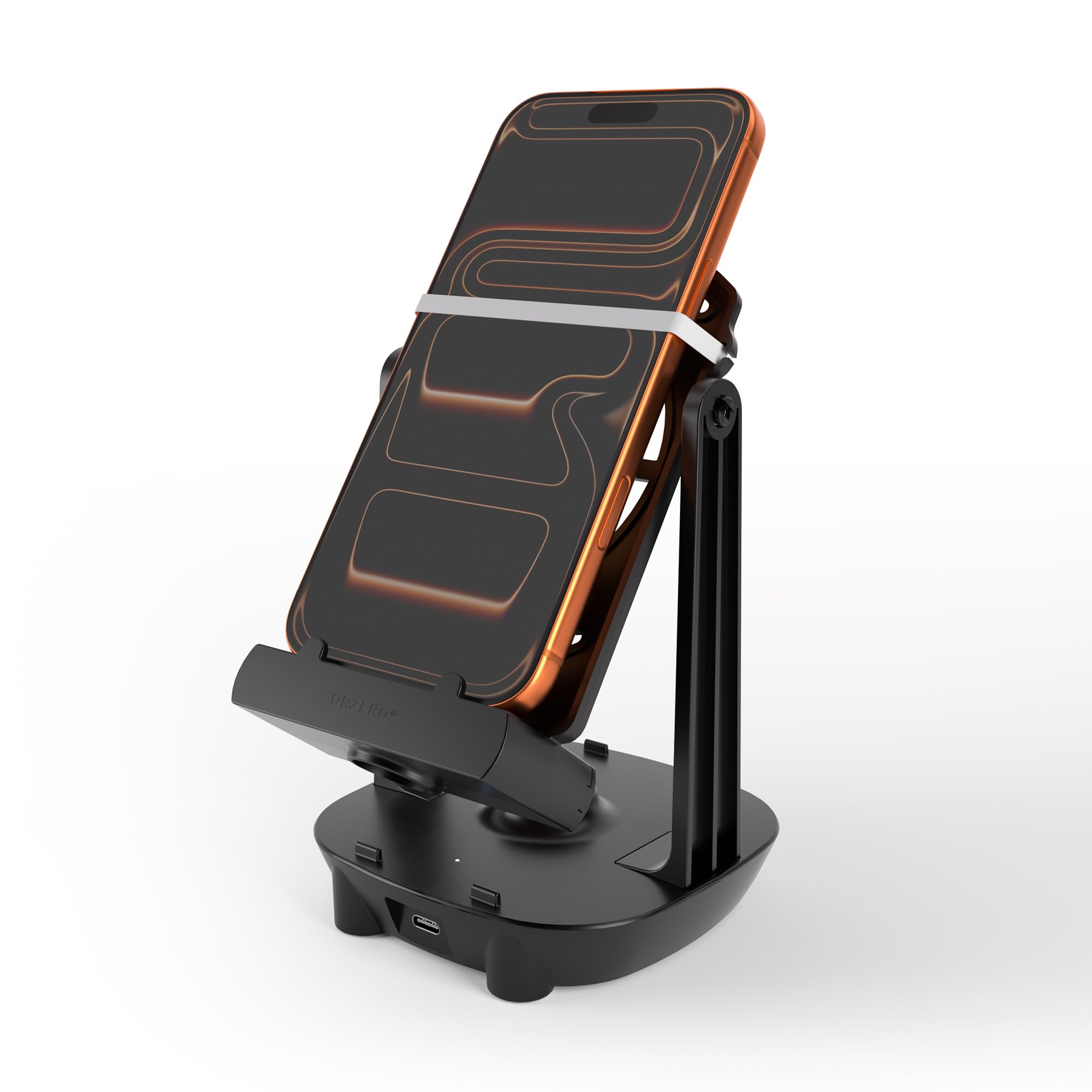
🎮 Step into the future of effortless gaming and fitness rewards!
The Orzero Steps Counter is a sleek, black pedometer designed for Pokémon GO and fitness app users. It features anti-slip silicone holders that fit phones up to 7.2 inches, a silent full-circle bearing for continuous overnight swinging, and a universal USB-C port with low power consumption. Capable of simulating up to 7,200 steps per hour, it supports dual phones simultaneously, making it perfect for maximizing step-based rewards without leaving your desk.


| ASIN | B07V445JX3 |
| Best Sellers Rank | #2,574 in Cell Phones & Accessories ( See Top 100 in Cell Phones & Accessories ) #2,811 in Cell Phone Accessories |
| Customer Reviews | 4.0 4.0 out of 5 stars (9,888) |
| Is Discontinued By Manufacturer | Yes |
| Item Weight | 8 ounces |
| Manufacturer | Orzero |
| Product Dimensions | 15.99 x 8.99 x 1 inches |
P**R
Works Great with iPhone 13 (You just gotta experiment/fiddle with it for a while)
TLDR: Worth the money, easy asf to set up, gotta do a handstand and backflip if you want it to log steps for GO/j(Exaggerated) Easy setup, don't really need instructions. Everything to do with the physical product is good but no one cares about that, we're here for GO. When I first set it up it wouldn't auto swing for very long maybe a minute at best, moved it to a different desk, and now it's working fine I don't exactly know what the deal with that was. Everyone has their tips and tricks on how to get it to work for GO and I guess you just have to find what works for YOU because I tried everything, I went through 10billion reviews looking to see what everyone was saying and nothing really was working at first so here's what I did in case you wanna try it. UPDATE: Apple health tracking is trash and doesn't work well at all with the swing, download "Steppsapp" and leave that open while your phone is in the swing and you can actually SEE its counting all the steps and it will transfer over to apple health and POGO. Continue to put your phone upside down it gets more steps. So the sets below work just start at step 3 1 Adventure sync on/Apple health tracking on as well 2 Pokemon Go open to your profile screen (The one with your avatar and buddy) 3 Phone upside down 4 Let it do what it do 5 when you want to stop, take the phone off the swing, go to the main screen and catch a pokemon or open a gift, the steps should clock in after you wait a little bit(This can take about 1-3 minutes from what I've experienced) 6 DO NOT CLOSE THE GAME TO TRY AND RELOAD IT. That hasn't worked at all for me, it will erase or just not log any of the steps for some reason. I would give it up to 10 minutes of you playing/opening gifts/staring at the screen before you give up and try to close and reopen the app just in case it was taking a bit longer to log the steps. But hey, it might work for you so who knows, give it a try sometime and see what happens. This was the only way it logged all the steps for me, if I closed the app and put it on the swing it maybe got 10% or less of the steps/If I had it right-side up it didn't work at all/adventure sync off..didn't try it tbh, I saw someone say to do it but I got it to work a different way and I'm not fixing it if it ain't broke. Ive recently strapped a portable charger on the other side and its working great (Cord was long but just like wrap it up in loops around your hand then stick the loops in the rubber band on the portable charger side without letting the cord hit the sides/bottom of the swing so it doesn't interfere) The only thing I have to say is it feels insanely cheap. The plastic feels horrid but hey, it works so who cares about that? Happy adventure week everyone
A**R
Built well and works great with the right process.
This step counter is pretty basic but works well. The materials seem to be of pretty good quality and I would expect it to last quite a long time. I initially had some issues getting Adventure Sync to record my steps. This is what works for me with an android S24... Get Google Fit setup and Adventure Sync turned on. Make sure they are both signed in to the same google account. Feed your buddy berries and incubate your eggs. Then close the app completely. Turn off the Location setting. Go into the phone app settings and Force Stop Pokemon Go. Open up Google Fit and click the + to manually record activity, which causes it to monitor a walk. Letting it do it automatically it often records a bike ride and doesn't work. Once I have it manually monitoring the walk, I put it in the cradle screen facing out, upside down and start it swinging. Watch the Google Fit screen to see if it starts to record steps. If it doesn't after 10 or so seconds, stop it and start it again. It usually works on the first try, but sometimes I have to stop and restart. Once it starts recording steps, let it go for 30 minutes to an hour, then take the phone out of the cradle and Pause and then Stop the exercise in Google Fit. Next open up Pokemon Go and wait until you get the red warning about no GPS. Then turn Location back on and wait a few seconds and it should record. Sometimes it takes a little longer to record. Using this method I get consistent results every time. I'm very happy with this purchase. It makes it very easy to hit the maximum buddy candy per day. It's a very good value for a cheap price.
A**L
Works great
This item works perfectly. Here are my thoughts: Re: Size I have a Samsung Galaxy S10e. It fits perfectly. Do keep in mind that you will need to take your phone out of your protector case in order for it to fit. That is, if your using a phone the same size as mine. Re: Two sided I haven't tried using two phones on the unit, yet. But based on what I can see, I shouldn't run into any problems. Re: Installation Very easy. Just beware not to misplace the two metal wheels. I couldn't find one of mine at first and realized it had attached to the magnet on the bottom of the swing. lol. Also, they don't screw on. All you do is push them onto both sides of the swing. Now, I'm the typical non-tool girl, so at first I didn't think my swing was working properly. Come to find out, I had the bolts on the outside of the 2 arms. There is actually a cavity right inside the arms that both wheels nestle nice and neat inside. When they are nestled in it correctly the swinging function works perfectly. Re: Plastic Material This unit is made pretty well. It isn't rocket size or anything. It does what it is supposed to do and if you take care of it, it shouldn't break. It does not scratch my phone or the desk that it sits on. Re: Application I use it daily for Pokemon Go. I love it! It's hatching my eggs like crazy. :) I read a previous review that the person had to close their application for it to start counting the steps. I don't have that problem. I can have Pokemon Go running or not running and it works fine for me. Re: Rocking The rocking works great. Please note, I found that it only rocks continuously if you keep it plugged in. It comes with a USB cable so all you need is a charger. I keep mine plugged into my computer at all times. Re: Overheating I have read in previous comments about possible overheating. I haven't had a problem with that. I use it constantly, so if it was going to overheat, I would know by now. Keep in mind that I do take the protection case off when I use it though. Maybe that is where people are having problems. idk... Re: Noise The only time I hear a rocking sound is when my metal wheels are not aligned correctly. That sound basically alerts me that I haven't put it on correctly. So all I do is push the arms apart and make sure the metal wheels are nestled in their cavity correctly. Re: Charging your phone When you are using the swing, you can't charge your phone at the same time. The cable seems to throw it off balance. That is the only downfall for this unit. Enjoy your swing!
J**.
Lo uso para pokemon go en IPhone y funciona a la perfección.! Lo recomiendo .!
M**T
Works exactly as intended, great for getting "steps" in
M**N
I was leery because of the reviews of this item were all over the place, but I've had no trouble with it. It does make a little noise, but I managed to sleep with it running in the room last night. I haven't figured out a way to plug it in while rocking. I'll have to McGyver something that allows the cord to loosely dangle above. I don't know if it matters, but I place the phone in the swing upside-down. It's walked 12km in 2 hours this morning. This device is the only possible way I'll get through the XP Celebration research. Oh! And I've discovered that I can let one phone rock while I log in to the same PoGo account on another phone and handle other tasks. (The rocking phone doesn't have a sim card in it.) I'm sure that opening two instances of the same account will be fine as long as the two phones keep the same location.
D**O
Tengo 6 semanas usando por las noches De 10pm a 5:45 am, me produce entre 30 y 35 kilómetros, muy buenos para conseguir caramelos y eclosionar huevos La forma en que lo uso es: iPhone 13 Pro, para que me funcione tengo que cerrar la app de pokemon go y sincronizar la app de pokemkns con app de fitness.
J**W
I purchased this phone swing hoping it would be a reliable solution to not being able to get out and hatch eggs on Pokemon Go. While it operated correctly for the initial two sessions, the device subsequently failed and stopped functioning. To troubleshoot the issue, I recently re-tested it using several new, compatible charging cables (purchased separately) and various wall outlets/USB ports. Despite these efforts, the product will not power on or function. This is a significant disappointment given the short operational lifespan. Would not buy this brand again.
Trustpilot
3 days ago
5 days ago



