
DOWNLOAD THE APP


Customer Services
Copyright © 2025 Desertcart Holdings Limited
DOWNLOAD THE APP


📈 Elevate your calculations, dominate your studies!
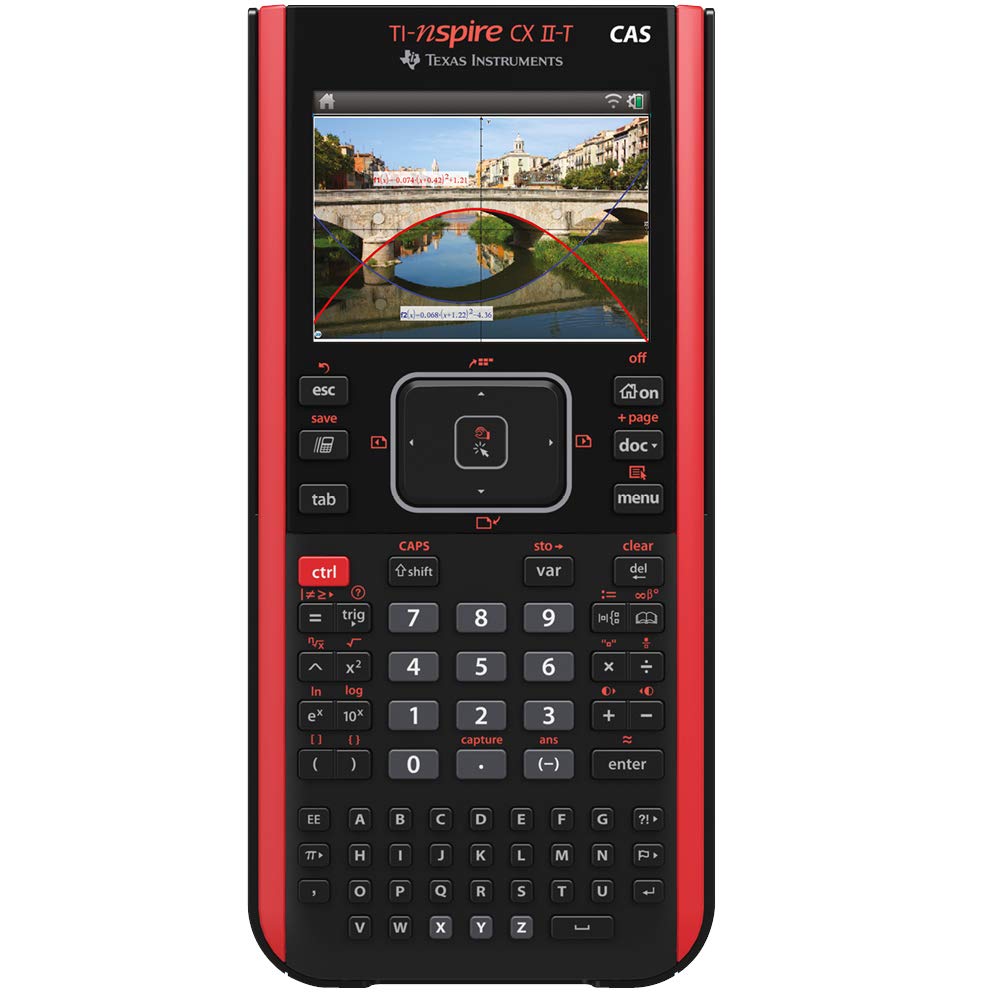
The Texas Instruments TI-Nspire CX-II T CAS is a feature-rich, multilingual graphing calculator powered by a rechargeable Lithium-Ion battery. Designed for advanced mathematical and business applications, it offers seamless integration with a companion app and a sleek, portable design favored by professionals and students seeking precision and efficiency.


| ASIN | B07QXSLKNQ |
| Batteries | 1 Lithium Ion batteries required. (included) |
| Best Sellers Rank | 274,658 in Stationery & Office Supplies ( See Top 100 in Stationery & Office Supplies ) 43 in Graphing Calculators |
| Brand | Texas Instruments |
| Colour | Black |
| Customer Reviews | 4.4 4.4 out of 5 stars (520) |
| Date First Available | 28 April 2019 |
| Delivery information | We cannot deliver certain products outside mainland UK ( Details ). We will only be able to confirm if this product can be delivered to your chosen address when you enter your delivery address at checkout. |
| Item Weight | 400 g |
| Manufacturer | Texas Instruments |
| Manufacturer Part Number | NSCXCAS2/TBL/5E3/A |
| Material Type | Plastic |
| Model Number | NSCX2/TBL/3E15 |
| Product Dimensions | 19 x 9 x 0.25 cm; 400 g |
N**Y
It is a solid device, feature-rich, and easy to use.
Use this calculator for my Business Management studies, for which it is overkill. It's easy to use and understand, with a companion application that replicates the calculator. I had the good fortune to buy this calculator during a sale. It is a solid device, feature-rich, and easy to use.
A**R
Good service
The goods arrived earlier than promised, and work very well. Good service and appreciated.
A**.
Awesome
The best calculator ever. More user friendly than the HP prime calculator despite the fact that it doesn't have touch screen. A must have tool if you're enrolled in university level calculus course.
T**Z
It works like it is intended to.
Came quite quick, worked out of the box, no issues at all. The user interface is quite decent as well. The menus are quite easy to navigate once you get used to them.
O**S
unsurpassed functionality but awful keypad
My version of the keypad is red on black, and is of very poor contrast. Equally bad is that the key clicks are like old TI wedgy 1980's-style hard-click keys which are (a) uncomfortable, and, (b) not as easy to use as fast as other quality keypads such as almost any other calculator on the market, including the TI-83, TI-84,TI-89/Voyage 200, any Casio, any Sharp calculators, even if you get past the unintuitive lay-out. It took me very little time to be able to fly through the menus on the TI-83, and find special characters on the Voyage200, but I am finding it hard to quickly find certain items on the nSpire *unless I use them frequently*. The mouse'pad' is awful. The functionality of this machine is exceptional but is let down by the keypad both mechanically, and in soft functionality. Thumbs up for the inclusion of student software which is basically an emulator for your PC, although it also includes pairing software so you can start work on your calculator, and carry on on the PC, and vice versa. Come on TI, fire the senior person who made the decision on the keypad ( not the engineers ), get your act together before you lose your reputation. I'm thinking of Casio or Sharp next time unless TI sort out the basics. The TI-83/84 and TI-89 are preferable machines to this, especially the TI-89 which has great CAS. Few people need the extra speed of the nSpire over the nice-to-useness of the 83/4 or 89. There are a few functions unique to the nSpire, but my bet is anyone who needs that extra functionality would be in a position to add a quick program or function of their own to do it anyway. For students, get yourself a T89 which has CAS. I guarantee you will learn maths quicker and easier than the nSpire. If you can find one and afford it, the Voyage200 is a qwerty version of the 89 with a few tweaks to the menu system, but they are very similar. Even though the screens are older LCD so not as clear, you would never regret having one of these machines, but might regret buying an nSpire. If you definitely are against CAS ( why would you,?), then get an 84 or 83. The older machines are easier to play with maths on imo
T**N
Does it come with a usb cable
I received the device today, not in the original ti calculator style package, and I think it may be missing the sync cable for charging and transferring data to pc. I have tried a generic cable it does charge but my windows 10 pc does not recognize the device in the Ti-Nspire computer link.
J**E
Brilliant calc
Perfect calculator. I like it very much.
Q**T
Unresponsive keys make this unusable
I bought this because I wanted the ultimate calculator with all the functionality. And yeah, it sort-of has that. The CAS system is like having Mathematica in your (very large) pocket. However there are two things that mean I don't use this calculator any more: 1. It drops keypresses if you enter numbers too quickly. I've never come across a calculator that was so slow it couldn't keep up with me. I didn't think it was possible. But if you have a lot of numbers to add up, surely the most basic thing you can expect of a calulator, this is incapable of doing it accurately because of this problem. 2. Having menus, and even a tiny track-pad for moving a pointer around is fine. But they sacrificed a lot of normal calculator keys to fit that stuff in. So functions that on a normal scientific calculator would be 1 or 2 keypresses, now require you do menu dive or enter the name of the function using the alphabetic key mode. From a usability point of view, this is an awful experience. I cannot recommend this calculator, or any of the Ti Nspire series really, because of these problems.
N**H
INTRODUZIONE Molto di più di una calcolatrice. Questa versione migliora sensibilmente la CX 1 con cpu e memorie nand più veloci, (tempo di boot di 13sec rispetto a 54sec del precedente modello). Non descriverò nel dettaglio tutto quello che è possibile fare con questo prodotto della Texas Instruments, visto che basta una ricerca su web per trovare di tutto. NOVITA' Desidero solo darvi alcune notizie interessanti che rendono questa calcolatrice handheld unica, infatti da settembre2020 è stato implementato Python, firmare 5.2. Questo aggiornamento consente di avere python con memory heap di 2MB, 201 stack, 16moduli standard e 9 proprietari, ottime performace a virgola mobile e integer (migliori anche della hp prime g2). Supporta quindi ben 3 linguaggi, TI-basic, LUA e Python. (quindi i programmi della cx1 in lua continuano a funzionare). DOTAZIONE Presente anche il codice licenza per attivare il software emulatore per PC. Cavo di ricarica mini-usb e manuale. CONNETTIVITA' Inoltre potete connettere mouse e tastiera usb contemporaneamente tramite un semplice hub mini-usb ed avere la stessa esperienza di uso che si ha al pc. JAILBREAK È stato rilasciato anche per questa CX 2 il software di ''modding'' ndless che consente di installare programmi per leggere pdf, giochi ed altro, come nel precedente modello. QUALITA' COSTRUTTIVA Costruita tutta di plastica, ben fatta, leggera e sottile. Feedback dei tasti va bene anche se migliorabile. La sua custodia in plastica invece va tolta per scrivere in quanto tende a traballare. I 4 gommini sono perfettamente a livello e sulla scrivania sta ferma. VOTO Di sicuro non è un prodotto economico, la tecnologia di consumo ci ha abituato a prodotti (smartphone) con hardware decisamente superiore per un prezzo di 150eur. Ma questo non è un dispositivo per sfogliare instagram e fare foto del gatto. Il valore che si paga vale per lo sviluppo del software e quello che consente di avere in tasca in ambiente universitario, ingegneria, esami e didattica scientifica. Per questo motivo mi sento di dare 5stelle piene. Ottimo prodotto, consigliato.
D**A
Der Rechner selbst ist etwas fummelig zu benutzen. Ich nutze eher die dazugehörige PC-Software mit identischem Rechenumfang.
M**Y
Vous voulez un "presque ordinateur" dans les mains qui fait tous les calculs imaginables et "avec des lettres" et même de la programmation avec Python. c'est cette calculatrice qu'il vous faut. Je l'utilise en classe et elle m'aide beaucoup. beaucoup aussi de tutoriel sur internet pour apprendre à s'en servir et pour les astuces . quand vous l'allumez pour la première fois, commencez par scrachpad mais passez vite aux classeurs qui fonctionnent comme des fichiers d'ordinateur: on enregistre ou pas son travail,on a des pages différentes possibles donc on peut faire des calculs, faire des graphiques, utiliser des tableurs et tout cela liés. je ne changerai pour rien au monde cette calculatrice par un modele inferieur
A**A
muy contento
K**N
Alles bestens
Trustpilot
3 days ago
1 month ago