
DOWNLOAD THE APP


Customer Support

Desert Online General Trading LLC
Warehouse # 7, 4th Street, Umm Ramool, Dubai, 30183, Dubai
DOWNLOAD THE APP
Customer Support
Desert Online General Trading LLC
Warehouse # 7, 4th Street, Umm Ramool, Dubai, 30183, Dubai


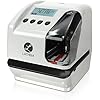


⏰ Time is Money – Make Every Second Count!
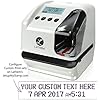
The Lathem Time Company Electronic Time Clock is a versatile and durable time management solution, featuring patented 2-line printing, customizable options, and smart technology to ensure accurate timekeeping even during power outages. With a compact design and heavy-duty construction, it's perfect for any professional setting.


| Brand | Lathem Time Company |
| Model Number | LT5000 |
| Colour | Clear, Gray |
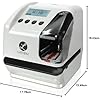
| Product Dimensions | 17.78 x 15.49 x 18.03 cm; 2.4 Kilograms |
| Material | Plastic |
| Special Features | Password Protected, Customizable Printing |
| Item Weight | 2.4 kg |
D**N
Easy setup and works great!!!
O**A
Excelente máquina.
P**.
in use for over a year now. easy to set up and use. stands up to repeated use throughout the day. compact size at a great value.
H**G
My parents have been using an analog Lathem timestamp for their business for 40 years, so I know exactly how durable Lathem’s hardware is. It was time to update to an always-right clock with a few more features (including customizability), so this made perfect sense at a great price. The first one arrived, and I proceeded to set up the custom text using their setupmystamp.com web app, but upon attempting to load the custom data on to the machine, it kept returning an error message. I researched online, in customer comments, everywhere I could find, but I could not find a solution. I could not get the customized stamp to work. Assuming it was a hardware glitch in the USB port that may have happened during shipping, I exchanged it for another one just like it. But when the second one arrived and I again went to program it, I again received an error message (albeit a different one this time). The second time around, one line of one preset I customized *did* make it onto the machine, so I knew that it was not a hardware problem. I called technical support and explained what was happening. The gentleman I spoke with offered to remote into my computer to investigate, but that was not an option for me. I did, however, share my setupmystamp.com username and password so he could see the customizations I’d set and help me identify what was going on. We were logged in simultaneously, but he was not seeing the same settings that I was, even after we both refreshed. So there was clearly a software issue. He then set a test customization on his own computer and emailed it to me, and when I imported that onto the machine, it worked. Great news—we confirmed that it was a software issue within the txt file downloaded from setupmystamp. So he then sent me a more complete file with the other two presets I wanted. I loaded them, and they also worked properly. But I wanted to make some tweaks and add a fourth preset, so I spent some time comparing file versions — my original file that returned an error message, the second file that returned an error message, his first one preset test file that worked, and now this more complete set – and I was able to decode some of the programming, which I then used to customize my presets and successfully loaded them onto the machine to get exactly what I wanted. It would be very helpful if Latham released a one page programming, shortcut for anyone who is technical to use should they encounter the same problem. In the meantime, if you are having the same issue, feel free to send me a message and I can break down what I figured out for you. If, and when I have time, I will come back and add some notes to this review.
B**G
worked as expected. I little challenging to set up. The only tutorial is very helpful. Don't try it without it.
Trustpilot
1 week ago
3 weeks ago