💻 Unleash Your Productivity Potential!
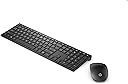
The HP Pavilion 800 Wireless QWERTY Keyboard and Mouse Combo offers a sleek, ergonomic design with a three-zone keyboard layout, ensuring comfort and efficiency. It includes a responsive mouse and operates on 4 AAA batteries, making it a perfect addition to any professional workspace.

| ASIN | B07FJHZDPK |
| Antenna Location | General Computing |
| Are Batteries Required | Yes |
| Box Contents | Battery |
| Brand | HP |
| Brand Name | HP |
| Colour | 800 Black |
| Compatible Devices | Available USB port |
| Compatible Operating System Family | Windows |
| Compatible devices | Available USB port |
| Connectivity technology | Usb |
| Customer Reviews | 4.0 out of 5 stars 814 Reviews |
| Global Trade Identification Number | 00192545458771, 00192545458870, 00192545459037 |
| Hand Orientation | Ambidextrous |
| Item Type Name | Keyboard/Mouse combo |
| Item Weight | 0.63 Kilograms |
| Keyboard Description | QWERTY |
| Keyboard Layout | QWERTY |
| Keyboard description | QWERTY |
| Manufacturer | HP |
| Manufacturer Part Number | 4CE99AA#ABE |
| Model Number | 4CE99AA#B13 |
| Movement Detection | Optical |
| Network Connectivity Technology | Usb |
| Number of Batteries | 4 AAA batteries required. (included) |
| Number of Keys | 104 |
| Operating System | Windows 7 Windows 8 Windows 10 |
| Other Special Features of the Product | Numeric Keypad |
| Power Source | Battery Powered |
| Product Warranty | 1 year manufacturer |
| Special feature | Numeric Keypad |
| UPC | 192545459051 192545459075 192545458719 192545458917 192545458818 192545458979 192545459006 192545458757 192545459044 192545458955 192545458856 192545458733 192545459068 192545458931 192545458832 192545458795 192545458696 192545458894 192545458993 192545458771 192545458870 887758651216 192545459020 192545459082 192545458849 192545458948 192545459037 192545458726 192545458825 192545458924 1925454587… |
A**M
Ncie keyboard, shame about the hash key and print key placement though
I originally bought the Microsoft designer keyboard mouse combo, but it being bluetooth was a problem as I have multiple computers I wanted to connect to, this being USB based is much better as I can connect it to a USB switcher and just press a button to switch the keyboard and mouse to my other PC as required. The keyboard is very similar to the Microsoft one, the keys feel like laptop keys, with a small amount of travel but nothing close to a standard PC desktop keyboard. The hash "pound to Americans" key is just above the return key, which can be frustrating as I find myself pressing it when I mean to press return. Also, the print button is just above the backspace key, so as the keyboard a bit slimmer than my last one, I find my finger hitting the print key when I want backspace. some people have complained the F keys aren't enabled by default, this could be annoying if you using the function keys regularly, and I'd agree with them on this point, I've yet to find a way to enable them as the default rather than the media function the F keys default to. Can't comment on battery life yet, I've had this for a few weeks and it's not needed new batteries yet. but otherwise, the keyboard feels pretty weighty, not tacky at all, but the mouse is low level, so the edges of the mouse can feel a little sharp at first and it takes some getting used to.
M**K
Wrong Spec Sent
I have one of these already as it is a great keyboard and wanted another one. Unfortunately I was sent an Italian keyboard and there is no help or support to request a UK item is sent out. Had to return item.
A**Y
Function keys on keyboard are a nightmare
I feel bad giving this such a bad review as I fear my main problem with it might be down to my lack of technical know how but I must honestly say that this keyboard is driving me mad. The top row of function keys (F1-F12) have been swapped out for other functions and it is impossible to switch them back. I work in Excel a lot and use F2 to edit cells all the time. On this keyboard hitting F2 alone decreases the volume. You have two press fn and F2 to edit cells. I basically have had to retrain myself to adopt this two step process. Which sounds like a big moan but it is really annoying. I have trawled the internet for help on how to sort this out but have been unsuccessful. Which is a pity as this set would be wonderful otherwise. Excellent quality, slim, sleek, attractive and just really lovely to look at. Please HP - save me from your function row without me having to access the BIOS thing (which I can't do on my work laptop anyway).
M**B
Similar layout with laptops. It is slim. Just like apple slim keyboard.
It is elegant, quiet but keyboard stopped working after 5 mins. Then few hours later it worked again.
A**I
Great Buy
Arrived quickly and was easy to use in a few minutes. A great buy for a home office set up.
J**S
Italian Keyboard
Keyboard lovely but it said it was an QWERTY English keyboard but this was Italian which causes some confusion 🤔
E**A
Disappointed
This keyboard and mouse combo looks really nice. Does the job! Update 14/10/21: Reduced from 5 stars to 2 stars as it’s been about 15 months since I purchased this keyboard and mouse combo and the keyboard is playing up. It takes ages for key strokes to register on my computer and most times, I end up with double or even triple characters. I’ve tried changing the batteries - which resolves the issue for a few minutes only. The keyboard was great when it worked.. but it’s pretty useless now. I’ve given 2 stars as the mouse still works.
D**S
Great for using my laptop at home
Great keyboard and mouse, perfect addition to my small laptop while at home
A**R
Rubbish Product HP ... Function Keys have no lock key
This keyboard is a complete failure by HP not having Fn key lock and the primary function of these keys is back to front wrong ....and ps the mouse is cheap
L**O
Funziona anche con Mac OS X ma attenti al trasmettitore...
Ho acquistato questa tastiera per un PC da salotto ma ho provato ad usarla anche su un Mac con OS X Yosemite e mi sono accorto che funziona benissimo. Ho letto su internet tante recensioni e testimonianze di utenti che non riescono ad utilizzarla e ho cercato di capire dove fosse il problema. Perfino HP stessa NON è in grado di sapere il motivo di questa incompatibilità. Alla fine ho scoperto la soluzione al problema. Il trasmettitore in dotazione è costruito da Primax Electronics, Ltd. (vedi foto allegate) e possiede un suo firmware 1.05 regolarmente riconosciuto dal sistema OS X 10.10.5 Yosemite (funziona anche con Mojave ovviamente). Con questa revisione del trasmettitore, la tastiera NON funziona su Mac OS e non esistono driver per ovviare al problema. Acquistando un modello recentemente, ho notato (vedi seconda foto) che il ricevitore ha una revisione 1.07 e con questa versione la tastiera funziona perfettamente anche su OS X 10.10.5. Francamente trovo assurdo che HP non abbia reso possibile un upgrade firmware per risolvere questo problema e poter vendere anche agli utenti Mac questo splendido prodotto, ma forse anche loro ignorano questa soluzione. Per il resto posso dire che siamo davanti ad un prodotto veramente ben fatto, solido e stabile. Il mouse è molto ergonomico e anche preciso (la bellezza è soggettiva) e con il solo trasmettitore permette anche di risparmiare le preziose porte USB, senza ricorrere ad hub esterni. Prodotto spedito con Prime nei tempi stabiliti e assistenza Amazon al top come sempre. Spero che questa recensione possa essere di aiuto a chi vuole un buon prodotto per PC con Windows e comunque funzionante anche con OS X (credo che i modelli costruiti dopo Agosto 2019 abbiano tutti il trasmettitore aggiornato) dato che HP stessa ha ignorato il problema classificandola come NON compatibile con OS X e basta.
D**Y
Ok
Ok
C**S
Just like a laptop keyaboard
Satisfied beyond expectations. It's just like my HP laptop pavilion keyboard (I kind of think it's actually a bit better in terms of feel). Very quiet typing, no annoying clicking sounds and won't disturb your seatmate in the office or housemate at home. The only cons that I can think of are 1) the function keys are set as media keys by default (and I could not find a workaround so far on how to set it to default to functions keys) , 2)there is no Windows key on the right hand side. 3) you cannot adjust the height/angle of the keyboard.
M**L
Gran teclado
Sin duda el mejor de los que he probado, una gran calidad
Trustpilot
2 months ago
1 day ago