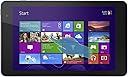
๐ Compact power, full Windows freedom โ your ultimate on-the-go productivity tablet!
The Dell Venue 8 Pro 5000 Series is a sleek 8-inch Windows 8.1 tablet powered by a 1.8 GHz quad-core Intel Atom processor, 2GB RAM, and 32GB eMMC storage expandable via MicroSD. Featuring a vibrant 1280x800 HD touchscreen, front and rear cameras, Bluetooth 4.0, and up to 8 hours of battery life, it delivers a full PC experience in a lightweight, portable form factor ideal for professionals seeking productivity and mobility.
| ASIN | B00FEE7B1I |
| Age Range Description | Adult |
| Aspect Ratio | 16:10 |
| Battery Average Life | 8 Hours |
| Battery Capacity | 12166 Milliamp Hours |
| Battery Cell Type | Lithium Ion |
| Brand | Dell |
| Built-In Media | No |
| CPU Model Number | Atom Z3740D |
| CPU Model Speed Maximum | 1.8 GHz |
| Camera Description | Front, Rear |
| Cellular Technology | 2G |
| Color | Moon Silver |
| Compatible Devices | Keyboard, Mouse, Speaker, Headphones |
| Compatible Flash Memory Type | microSD |
| Configuration | Intel Atom Z3740D, 32 GB, 2 GB RAM, 8-inch, Windows 8.1 |
| Connectivity Technology | Wireless |
| Customer Reviews | 3.9 out of 5 stars 2,171 Reviews |
| Display Refresh Rate in Hertz | 60 |
| Display Resolution Maximum | 1280 x 800 Pixels |
| Display Type | LED |
| Generation | 5th Generation |
| Graphics Coprocessor | 150 |
| Graphics Description | Integrated |
| Hard-Drive Size | 32 GB |
| Hardware Interface | Bluetooth, MicroSD, USB 2.0 |
| Headphones Jack | usb2.0 |
| Human-Interface Input | Touchscreen with Stylus Support |
| Item Dimensions L x W x Thickness | 10"L x 1"W x 6"Th |
| Lithium-Battery Energy Content | 45 Watt Hours |
| Manufacturer | Dell Computer |
| Memory Slots Available | 1 |
| Memory Storage Capacity | 32 GB |
| Mfr Part Number | BELL8-Pro81 |
| Model Name | Venue 8 Pro |
| Model Number | BELL8-Pro81 |
| Model Year | 2013 |
| Native Resolution | 1280 x 800 pixels |
| Number of Rear Facing Cameras | 1 |
| Operating System | Windows 8.1 |
| Operating System Family | Windows |
| Other Special Features of the Product | Portable |
| Photo Sensor Resolution | 5 MP |
| Processor Brand | Intel |
| Processor Description | Intel Atom |
| Processor Speed | 1.8 GHz |
| RAM Memory Installed | 2 GB |
| RAM Size | 2 GB |
| Rear Facing Camera Photo Sensor Resolution | 5 MP |
| Screen Size | 8 Inches |
| Size | 8 Inch Display |
| Speaker Description | stereo speakers |
| Specific Uses For Product | personal |
| Style Name | 32 GB SSD |
| Supported Audio Format | MP3 |
| Total Usb Ports | 1 |
| UPC | 884116139041 884116137399 |
| Unit Count | 1.0 Count |
| Video Capture Resolution | HD 720p |
| Video Processor | Intel |
| Warranty Description | 1 |
| Warranty Type | Limited |
| Wireless Compability | 802.11bgn |
| Wireless Technology | Bluetooth, Wi-Fi |
C**3
True iPad killer is here.
True iPad killer is here if you don't really enjoy Apple ecosystem. I stream movies and musics as files from my own server, without any DLNA or AirPlay in between, that so I get the full strength of everything. This is something only a Windows tablet could do. Pros: - Powerful. It is a x86 CPU with two cores, with a decent graphic engine. I play COD 6 on it and it is smooth. - Light weight. Lighter than iPad, but more powerful. Heavier than some same sized Android pads, but a similarly powerful one never existed. - Good screen. The screen is of course not as decent as Retina. But for its size and general use on it, the resolution is high enough. Also the color is very good, bright and vivid. I've seen better on professional displays, but this is only a tablet. Except resolution, the screen is pretty much up to 1st Gen iPad Mini. - Long lasting. Unless you get to run a bunch of close-relative-of-computer-virus software on it, its battery lasts longer than 6 hours. That's 6 hours of time you have it turned on. I carry it with me all day and use it occasionally, and it lasts 2 days for me. - Full strength of Windows 8.1. Although haters are going to hate Windows, but for an average user, it means everything familiar is runnable on it. Productivity stuff like PowerPoint and Excel runs smoothly. Photoshop is running OK on it, only that the limited RAM size cause it to panic time to time. - Don't forget it is fundamentally a PC. You can wipe the system and install Ubuntu. Or Android. It can virtualize an Android for sure. When did you see a tablet run another OS inside its own OS? You can connect a lot of things to it, like an printer. You'll need a USB HOST cable to connect your old non-wireless printer that comes with a proprietary driver. No other kind of tablet else can, like a twice expensive iPad. Also, although not for everyone, you can install Computrace (Computer LoJack) on it and worry less if you lost it. And more to it, it is Dell, that means your Computrace is not possibly be wiped out. Alright enough with all the sweet talking. Cons: - Battery. Though this applies to every tablet. If you play a game on it you get much less battery life, like about less than 2. But it is the bottom line. - No MHL. You need an USB Video card to connect to external display, or a Mira supported wireless display adapter. None of them is cheap and decent at the same time. - Sound. The speaker is not too good. It is quite reasonable to expect no bass, because of its size. But there is popping sound and trembling when volume is high. It is better than most Android pad, but clearly no match with an iPad. - Cannot charge at the same time using USB OTG. Weird design, I wonder if it is fixable by BIOS update or driver update. However this only applies to you guys with a Y-cable which is physically possible to do so. - Stupid placement of physical start button and power button. Power button is too close to volume rocker, I make wrong moves all the time. Very annoying. And you don't get a delay trigger kind of power button (like on an ThinkPad, you press and hold for a very short while to trigger the button action), so it is quite easy to interrupt whatever you are doing when you try to move it. It is okay if you are doing Office. It is very not okay if you are skypeing with your friends. Start button is too isolated to everything. It is on top side (as the orientation is designed to be, because that side could be any side if you turn it around). I usually cannot find it at once without looking. Windows 8.1 is easy enough to perform such actions, why not just add some functionality buttons? - Structure design minor flaw. If you press the bottom side (again, the supposed to be bottom side) seam, it squeaks a little bit. I owned three of this (2 being gifts to my parents and friend), all three of them does this. Wrap up: If you are more comfortable with Windows, this is the smallest and yet decent thing running Windows 8.1. It is affordable but comes with amazing power. It runs smoothly just like your desktop. I could not be more strongly recommending this tablet to you. If you are looking for a laptop / desktop replacement, you'd better go with Venue 11 Pro or Surface Pro (1 and 2). It's lack of expansions will make your life harder. If you are an Android / iPad lover, consider this: I play COD6 on this tablet. If you don't like to use mouse, you could play Civilization. I play it too. If you are swinging between this, Lenovo Miix 2, and Acer Iconia W3, here's my opinion (based on very limited knowledge): Miix 2 sucks in screen, Iconia W3 sucks in overall build quality. Thank you for reading this.
J**N
An excellent tablet that's extremely capable, but with some caveats
I'll preface this by saying outright that the tablet is not for everyone. If you want the best tablets for gaming, absolutely pick an iPad. If you want the cheapest tablets that are no muss no fuss for your family, definitely get a Kindle Fire. If you want the cheapest tablets and know how to deal with a slightly less secure ecosystem and a bit more complexity, go with a Nexus 7 or something similar. BUT - if you want an extremely fast, extremely capable tablet that can do everything an Android tablet can, and then some, as long as you put a little bit of work into it contorting it into something it might not have meant to be, this tablet is absolutely excellent. --Build quality and such-- This tablet feels great, has an excellent textured back. It's definitely plastic and feels a little cheap at times, but it also gives me confidence that it'll last for a long time without issues. The only problem is that it gets a bit hot when playing games, but only in one part of the back which you generally don't touch when holding it. Hopefully it doesn't prove to be a reliability problem over time, I'll update this review if it does. The tablet is also light enough to hold with one hand in portrait orientation for an extended period of time. Even in landscape you can, but maybe not for a long time. The screen is a disappointing lower resolution, especially since I know the chip in this thing can push higher resolutions with ease, but it's still better than last year's iPad Mini and the quality is gorgeous outside of resolution. The DPI is high enough to comfortably allow reading in either orientation. Battery life is hit and miss. It lasts long enough for me, and this review is just my own opinion, I'm not trying to presume opinions of others. I get around 6-8 hours of battery life with the brightness turned pretty far up. The biggest problem is standby battery life, where it lasts only around 5-7 days when not using it. I expect better out of tablets these days. --Speed-- I've extensively used the brand new Surface 2, and this tablet is noticeably faster than it at most tasks. Navigating email using the Mail app is a breeze, web pages load very quickly, side-by-side multitasking doesn't slow it down at all. Games perform "fast enough", but the graphics capabilities are definitely slower than the Surface 2 here. The device is a sheer pleasure to use on the bus or the couch to just catch up on my news feeds, go through my email, and other basic tasks. --The Windows Store-- I've actually been pleasantly surprised with how the Store has progressed. I feel like most reviewers were just left with an impression from its paltry state last year and didn't bother to check to see what's new. There's a huge host of news reader apps, and that was recently improved substantially with the inclusion of Flipboard. Feedly apps, Twitter apps, and more - I've never really found it lacking. There are plenty of great games too. For games, I've recently discovered Zombie HQ, Asphalt 8, SoulCraft, and a bunch of others that are much higher-quality than I would have expected. Those are of course alongside the Microsoft games like Solitaire, Minesweeper, Taptiles, and others which have been there for about a year now. I've used iPhones and iPod Touches for years and years and know what a mature app ecosystem looks. If you want the latest and greatest games, iOS devices are absolutely unquestionably the way to go. It's not even a question. But if you just want a tablet that has plenty of games to choose from, even if they might not be the latest and best, the Windows Store has plenty to choose from with more arriving every day. --"Contortion"-- While the Windows Store is improving, you're of course not limited to it on this device. You can do what I call "contort" the device to do pretty much anything with a little bit of patience and work. Want to plug in a 360 controller? Go right ahead! Use every Bluetooth peripheral ever made? It's a regular PC, millions of devices work without issue, and you can install literally any drivers you want. Go for it. I've installed Steam and have been digging around for good touch-supported games. There aren't that many yet unfortunately, but a few like Papers Please, Little Inferno, and Puzzle Agent are great fits. There's even a utility called GestureWorks which uses crowd-sourced button input layouts to turn non-touch games into touch-friendly games. It's still a work in progress, and will only be good for slower/turn-based games, but it shows a lot of promise. So if you want a tablet purely for gaming, while iOS devices are the obvious choice, you can do pretty much anything with this device if you add some peripherals and utilities to get it done. There are YouTube videos online showing gaming performance if you want to get an idea of how games run - it's surprisingly good. One other thing - the storage is limited at only 14GB left out of box on the 32GB version, but you can use an SD card for everything you want, and also move the recovery partition to a USB stick to free up an extra 5-6GB of space. So I give this tablet a 5/5, because for me, it does what I want it to do, better than I expected, and can do so much more with a little bit of work. But that's a 5/5 with caveats since others' interests and patience might differ substantially.
D**N
Good Primary PC, Great Complimentary PC - with some caveats
To start, I bought this Dell Venue 8 Pro Windows tablet from Amazon's Warehouse Deals (classified as refurbished). I expected this tablet to be more of a travel machine more than anything because I like to walk on foot (or otherwise drive) to places, and be able to carry light with my tablet to work on my work-related duties and my writing stuff (there are no good Android alternatives for Scrivener). I've only had this for two weeks, and initially wanted to hold back until a month or so longer for me to get a better feel for the tablet. However, I have to say that I'm impressed with this Dell Windows tablet. It could even be strong enough specs-wise to replace your laptop...provided that you get some gadgets for it. Most of the reviews rated high have done a good job highlighting the main pros, cons, and extra notes for this tablet. But I'll add in my experiences in this review. *PROS* 1) This is no ordinary Atom processor (at least from past years). This is a vastly improved processor that can compete with entry level laptop processors via benchmarks. It's fast enough to handle daily tasks - it won't be silky smooth, instant-second speedy of a processor, however. The Core processors of Ivy Bridge and even Sandy Bridge in the ULV level are still superior - but don't let it deter you. 2) To sum up on specs, the Atom z3740D processor is paired with 2 GB ram. Because of this, the OS is 32 bit - and this is good news mostly because the 2 GB ram limitations will be less pronounced. 2 GB ram is more than enough to handle most tasks and multitasking processes. That being said, it'd be a stretch to say that you can run media encoding and have 20+ tabs on Chrome open at the same time. But for those that are not considered "power users", this tablet will handle everything for you. 3) The 32 GB eMMC storage isn't as bad as it sounds if you do the following: 1] Get a 64+ GB class 10 MicroSD card. You can install some programs or put movable storage into it. 2] Get 2 or 3 extra 8 GB flash drives and consider moving the recovery partition to each of those drives so you can clear the recovery partition stored in this tablet. It will free nearly 5 GB of space - which is significant. You can do one flash drive - the extra one or 2 are only backups however, and trust me you'll be thankful if you do backups of the backup. There are more moves you can do to make the 32 GB a bit more roomy, but you can find that easily on Google search (and I didn't do any of the others besides the recovery partition part). The eMMC speeds in read/write feels speedy enough to handle my programs, but it's still no SSD. 4) Windows 8.1 may be a pain for some (and it was for me), but it's not that bad of an OS. It is a learning curve from previous Windows. The biggest takeaway compared to many tablets is the OS - you can install Legacy (aka usual programs installed in your laptop/desktop with Windows OS) programs in this; you cannot do that for Android tablets (at least, from what I know). 5) Performance is terrific considering the circumstances. As said earlier, daily tasks (Office, Web, multimedia and even QuickBooks) work great for me. It performs well enough to be a main, primary PC for some! Now...gaming. This is in the iffy category because of the specs and the temperatures of the tablet. I can say that you can run some games in this pretty darn well - older games from Oblivion to even Mass Effect run well enough, but reduced resolutions and reduced detail are recommended. Diablo 3 can run fine, but the FPS will be in the high teens - it seems smooth, but not perfect. Battlefield 4 or games of that level are out of the question (due to the RAM limitations and the fact that the Bay Trail processors and integrated graphics are weak for advanced gaming. Temperature is another matter. If you want to do semi-heavy gaming (or probably even any), you might want to benchmark a bit on how warm (hot) your Dell Venue gets while doing gaming for even 10 minutes. For me, it gets warm enough in room temperature that it has me worried on its durability - during Mass Effect 2 for 30 minutes, the temperatures reached to the high 70s C. This is NOT good, considering that the tablet's processor tJunction is only rated at 90C. What you CAN do are two things, but I personally CANNOT vouch. 1] Consider the cooling mod that involves Arctic silver, thermal paste and a copper sheet (about 26 or so gauge) to put inside the tablet (there is a Youtube video that demonstrates the process, and has favorable results cooling all the way down ~12C from temps without the mod). 2] You can update the drivers and BIOS specifically from Dell, but quite honestly there are drawbacks - from eMMC/microSD speeds decreasing to performance decreases overall. Personally I didn't do it, but the BIOS updates state that the changes done were made to help reduce heating issues - which makes sense considering that decreasing loads = less energy = less heat formed from the loads. Again, up to you. But if you do want to game on this tablet, you have to take to account of the temperatures and decide what to do or you might end up with a dead over-toasted tablet. 6) Battery life is pretty good. It's not as great as other tablets (for this type of tablet, the Asus T100 can reach to 10+ hours), but for this, it can get up to 8 hours. Generally I'd reach 6-7 hours before being tempted to get a battery pack or charger to recharge. (If you're watching videos, primarily flash, it's about 5-6. Gaming will be probably at 3-4) 7) To wrap up, there's WIFI, Bluetooth 4.0, a mono-speaker on the right of the tablet (when held landscape mode), a Windows button on the left with phone jack next to it, and volume controls that are next to the power button and the micro-USB port. There are 2 cameras - one in the front and one in the back. The quality for the back camera isn't the best quality, nor is the front, but both seemed good enough to use (I do not intend to use the cameras at all outside of Skype). 8) Also, Microsoft Office came with this tablet. No Outlook, but having Word/Excel/Powerpoint/OneNote is enough. *CONS* 1) Updating this tablet to the fullest, at least for Windows, is a PAIN. I spent the first 3 days trying to get it into shape, but failing because of the failure to update warnings during the latter end of the updating process. I even had to refresh to factory settings once. However, for some reason afterwards, the updates worked and I have my tablet running with full updates. Okay. 2) I probably mentioned some obvious problems - lack of space, RAM limitations. These two belong here despite compromises (microSD for space at least) because there will be a time when you'll be worried about disk space being used up near max, or more painfully the RAM limitations. Now, most of the time it's not a problem but I did have Mass Effect crash due to low memory and also had to hard-reset the tablet once because the RAM was at max. So you do have to watch out your mileage - but otherwise, it's likely not a problem. 3) Screen brightness is more of a bothersome problem than a crippling problem. For me, I turned off Auto settings because I did not like Dell's Auto brightness - sometimes it turned up too brightly for my tastes, or too low. Even with this turned off, I found the brightness at times to turn all the way up when I turned on the tablet or return to the tablet from Sleep mode. 4) microUSB. There are NO other ports besides the earphone jack. Thus, for plenty of you, you will need a microUSB male to USB female adapter OTG. You can get decent ones easily on Amazon or elsewhere, but the problem as you might know already is the fact that the microUSB port is also the charging port. Thus, you may be enticed to buy an aftermarket OTG cable that allows charging and using a USB port at the same time (which are hit or miss) or just buy a $20 one from Dell directly. 5) On-screen keyboard. I'd recommend that, unless you're typing from portrait mode using your thumbs, to get a bluetooth keyboard (and mouse if desired) to utilize the tablet better. *Notes* 1) As mentioned, get the following: - MicroUSB OTG cable - Case + bluetooth keyboard (Dell sells them, but too pricy. There are good alternatives for much cheaper) - microSD card (64 GB, class 10 at least) - An external battery pack if desired (this tablet can have up to 7-8 hours if you use it with low brightness, and occasional web surfing.) 2) If using external hard drives, make sure to have a power source for that drive as the micro-USB port doesn't have the power to use the external HDD's. 3) If you do have the microSD to use for expanded storage, I'd recommend to set it as a primary drive and not removable storage. I personally cannot say on how to do this because I've not done this just yet (nor did I have any need to do so). But it's an option and doable. 4) If able, try to install Office into the microSD. Office takes up about 1.5-2 GB of space, so it's a space eater. 5) I noticed quite a few complaints in the reviews about the wi-fi. I wish I can add some recommendations and help for this to those that do encounter problems - but as I personally did not experience any problems, I cannot say for sure what you can do. The best things you can do in general are to update drivers that Dell themselves recommend, and to research for forum discussions via Google search if updating fails. <Other notes may be added if desired> *OVERALL* Overall, this is a good primary machine for some. This is perfect as a complimentary PC - meaning that it can be a mobile machine while your heavy laptop/desktop can stay at home. You won't be doing massive multtasking tasks with it due to the spec limits, but it excels at the primary and daily tasks. Outside of the updating issues, I did not encounter any drastic problems. Unless stated otherwise, I rank this as a good buy for those that need a mobile Windows machine. RATING 4.25/5 stars
M**L
DON'T GET THIS, TOTALLY UNRELIABLE.
Bought this tablet and exactly a week later after doing a restart it wouldn't turn back on. Called Dell and the customer service representative was on the phone for an hour having me push the power button on and off and nothing happened. Sent it back to Dell to be fixed and so far haven't sent it back on time with the repair as promised. Dell is as reliable as they have always been with their equipment, crap. Should have spent the extra hundred and gone with the Lenovo, that's quality computer, and love my laptop from them. It's a total waste of your money and there's probably better tablets that you can spend your money on. Dell sucks. I called Dell back on 2/24/14 due to seeing they put another hold on my tablet because they were waiting for parts, not following through and fixing it on time. I called them back told them this is getting to long to wait for a brand new tablet and to send me a new one in place of this one. Two representatives promised me on that day that they would send me a new one and contact me in 48 hours. So far no contact and see at Dell depot they're continuing the repairs and not sending me new replacement. They are very successful at being very good to lying to their customers and cannot tell you the truth. I tried to post a review of this whole situation on their own website, it states they'd get back to you in 48 hours, they didn't allow it to be posted. Tells you the pick and chose what reviews are allowed to be posted and only the ones they like. Which I think the FCC or FTC should look into this which is considered false advertisement. I'm going to look into filing a complaint to the state attorney general. Part of this is that a phone call and promise to send a new product is a legal obligation on anything that's recorded, meaning a legal contract that Dell is not following through. I strongly recommend anyone looking in purchasing this product should strongly consider that Dell will not follow through with their legal obligations. If for any reason your product fails Dell will not due anything to help satisfy their customers. At this point now its2/26/14 and no call back and not contact have filed a complaint about this situation with the attorney general in Florida, hopefully a consumer complaint can prove to be fruitful so that no other consumers of Dell has to deal with this type of bad customer service. Finally again am being promised a new replacement, but will have to wait another 7-10 business days to get the replacement. They should have replaced it up front when it was brand new and no fault to the consumer when it was a defective product. As a consumer you shouldn't beg and plea if a company wants to stand behind their products and for the customers. I do hope that no other person should or have to deal with this type of situation and will learn from my situation. I did hear a comment from someone who read my review and they do have a point that I didn't state how well the tablet worked. I thought it ran excellent and was quite impressed in how well it functioned. I really no problems with the tablet and was really enjoying it with using it for books, don't like to read on a computer or laptop. The main reason I don't think they're should be to much bragging about a product that failed so quickly and to still not have a replacement for using it for one week. I did receive an e-mail from the attorney general in Florida and will be submitting my signed paperwork and was promised that they would be in contact with Dell about this situation. They will receive all my e-mails and a letter stating the continuous conversations that I had with Dell to get this resolved. I really feel sorry about purchasing this product and should have spent the extra hundred and bought the Lenovo version, own their laptop and have been blown away by the way quality and workmanship of their product. Well people to continue this never ending saga, I received another new tablet from Dell and two weeks later now it won't recharge AGAIN!!! I have to send it back to depot to and wait over 17 days to have it fixed and if this doesn't work then they'll send me a new one again. Dell is, and hate to be impolite, crap. I'm trying to warn people please don't be suckered and buying this product and waste your time. BUY LENOVO'S tablet instead. Better to by with a company that makes quality equipment and worth the extra 100 dollars for it. I can guarantee from experience with this product you'll be without it working then being able to use it and you'll be wasting your money. How can a rate how well it works when it doesn't work 95% of the time I've owned it. Received the tablet back and now two weeks later it won't maintain an internet connection, keep switching to proxy server. No mater how many times I keep setting it back it keeps looking for a proxy server and won't allow me to have an internet connection. Sorry people but I do not know to tell you how unreliable this is. Since I bought this back in February I have had it only working properly for a total of three weeks of ownership. Thankfully I'll be receiving the Thinkpad 8 in two weeks from Lenovo and definitely know they can build a computer properly. I feel sorry for anyone out there who buys Dells products when all they sell is defective equipment.
A**R
Decent, but cumbersome.
I bought this because I thought it would make college a little easier to manage. I already have a good notebook, but I don't need to bring it daily. I wanted something bigger than a phone to browse the web and check assignments, so a tablet seemed like a good idea. For the most part, this fits what I was looking for (but the appeal wore off). I've had it for almost a month (as of this writing), and have used it daily for 1-2+ hours. These are my own experiences. There are many reviews about this product on Amazon and all over the internet, so I'll just stick to my impressions instead of rehashing all the details again. The build isn't the best. After two days, I started getting horizontal lines across the screen of ultra-bright pixels (not quite "dead" and not quite "stuck). I tried some of the pixel fixing programs but they didn't help. It appears to be the hardware itself. This was a bummer, as it went from brand-new to slightly distressed almost immediately after buying it. This may be my own fault, but considering it was in a hard case in a laptop sleeve in a laptop bag, it's not a good indication. It almost makes me feel like I need a hard case for the hard case (yo dawg). Also, the screen often registers 2-6 taps when it wants to, making typing on this thing very frustrating at times. The power button is a pain. One slight brush and the tablet powers on or off. If something in my bag shifts and the button pretends it's been touched, then the tablet powers on without my knowledge. I've had a few experiences where I went to check something and it had already been on and the battery drained to empty, leaving me unable to use it without plugging it in and waiting the 5+ minutes for it to get to acceptable "start" levels. Dell needs to fix this for the future, with something like a "hold 2-3 seconds to power on" feature instead of "blow air towards the tablet and watch it power on and off." It comes with a full version of Office 2013, which is nice. The problem with this is Office 2013 is on the desktop, made for desktop, and the desktop is a joke. I have to constantly tap the screen many times to get the folders and files to do something properly. Desktop is not meant for touch, of course, so many people will probably not have a good time trying to use it with touch. It's easier to get around using a bluetooth mouse and keyboard. The problem with this is... It's not as cheap as the initial price lets you think. You'll need a bluetooth keyboard (and probably mouse if you want to use the desktop properly). Then you'll need a screen protector to protect the main point of the tablet. Then you'll probably want a case to protect the whole tablet. Then you'll probably want a USB On-The-Go adapter because you can't plug regular sized USB cables into the baby slot. Then, if you have trouble with your finger size or touch ability, then you'll probably want a stylus, which are hit or miss. Finally, don't forget the micro SD card to add space for saving and transferring files from other sources. When you add it all up, considering sometimes paying for cheap versions of hardware can also mean cheap quality or DOA, then you'll be spending between $50-100+ to get this tablet in set up enough to protect it and get full use of the features. After all that, I feel like I would have been better off just getting a notebook and external mouse. None of the limitations of the tablet and less headaches. Touch screen is cool and I can see a lot of the perks, but an all-in-one is much nicer than having to carry around accessories and parts to make using it easier. For now it helps me check the stuff I wanted to check and do a few of the things I wanted to do. I just can't take it seriously as a replacement for a notebook (or netbook, which is silly considering that it's about twice as powerful as my old netbook I used for four years). I definitely plan on selling this in the future.
R**O
Dell is back!
I was considering a Kindle Fire HDX as a mini tablet to use for consumption. I'm glad I waited a bit and got the Dell Venue 8 Pro instead. This little guy is a full Windows 8.1 machine, allowing me to run just about everything I'd ever need. The new Atom proc does not disappoint and is indeed significantly speedier than the prior generation. Everything is quick and snappy, with fast app start times and a smooth UI experience. I've installed Firefox just for grins (because I can!), but found that the Touch version of IE truly shines on this device. The full Windows desktop is still there, if you need it, although haven't had much need for it thus far. Initial setup was pretty painless; I was pleasantly surprised that once I provided my Microsoft Account, setup asked if I wanted to sync my settings from another Windows 8.1 computer. Selecting the other PC and continuing through setup did just that. The machine was almost completely configured with my email accounts, documents, and settings when I logged in for the first time!!! Apps that I had installed elsewhere also appeared in the Start Screen, although most displayed with a small down arrow icon on the bottom left of the tile, indicating the app would be downloaded and installed the first time I tried to use -- nice. A question that often comes up is related to free disk space. Once everything that I needed was installed, I was left with about 8GB free. I can gain about 5GB if I remove the recovery partition, which I may do for added headroom. I've also read that disabling hibernation support will save another 2GB. Don't think storage will be an issue since: (a) there's a microSD slot I can use to expand storage; and (b) I'm not loading tons of content on this device, as I mostly consume from the cloud. That said, if Amazon runs the 64GB version for the same price as the 32GB, going with it is a no-brainer. Microsoft Office Home & Student is included, although as an add'l download. I haven't installed it yet, but will probably do a minimal install of just Word and PowerPoint. Not sure how these apps will behave on a screen this small, but the 2013 versions of Office do have a touch friendly mode that makes them very usable on tablets. Frankly, there aren't many cons on this device. I would have liked to see a micro-HDMI out so I could plug it into my monitor or TV. There's an option to connect to a wireless display, although haven't explored it. I suppose it's not something I'd realistically do, since I've got other machines more suitable for that. The only real configuration change I made was to increase the screen DPI setting to 125% so I could see small text more clearly without having to resort to my reading glasses. This mini tablet is the real deal... Perfect size, performance, full Windows app ecosystem, great build quality, and great value. Dell is back!
J**.
DELL VENUE 8 PRO, A GREAT PORTABLE TABLET COMPUTER WITH THE FUNCTIONALITY OF WINDOWS 8, IMPORTANT TIPS INCLUDED
I am gonna start off and say that the Dell Venue 8 Pro is probably the most portable and most functional tablet computer I have ever owned and at the price I got it, it is practically unbeatable spec wise. With the full windows 8.1 OS, my use for this is practically limitless and its portable enough I can hold it in its keyboard case in one hand with ease. Without a case or with a slim case the tablet is light and easy to grip the back is non slip and you don't have the feeling that its just going to slide out of your hands. I bought this to replace my over sized ASUS laptop which was just awkward to carry and required a large computer bag to transport and boy this puts it to shame in terms of portability and ease of use. First thing I do when I take the tablet out of the box is apply a screen protector (boy was that a pain...but that's another review), I was not about to trust the scratch resistance and strength of glass which for the price of the tablet is probably not as strong as its $500+ dollar counterparts. Then because its a windows computer, after setting up my user profile I started the first round of major updates, the second, and finally a few less important ones. Then I went into the my dell application and ran system check to verify everything was checking OK with windows, after all the tests passed I went to the dell update page to update device drivers. This is the part that most people don't seem to understand fully, this is not your average tablet, its not an android. You have to update it and maintenance windows constantly, that's the cost of having the convenience and functionality of windows (some people will disagree with me on that part). I installed the latest WiFi drivers, updated the dell software, and updated the bios to A08 (originally A04). The my dell application is very useful with its own checkup (cpu, ram, emmc, battery, etc), link to drivers, backup manger, and links to windows settings to help the user better set the look and feel that works best for them. Now for use, I recommend using IE11 (i know) as your primary web browser because it has the the windows 8 touch interface, it is the easiest to use on the touch screen unless you are going to be using a mouse or stylus more. The quad core atom processor inside provides more power than you would expect from a 200 dollar tablet, at 1.8 ghz. It is also a true quad core, not a dual core with multi threading. The 2 gb of ddr3 memory is enough for multitasking and windows 8 being much less demanding than win7 is plenty for office work and web browsing. Opening applications on this is quick and and there is enough free ram that can be used to open multiple applications simultaneously, even running the split screen I didn't experience any lag. I can have 10 tabs open in IE and quickly swap applications and it remains fluid. Now when it runs clocked at 1.8 ghz for an extended period of time you will notice one corner of the device start to get pretty warm (being fanless) but it is able to keep its temperature within a reasonable level. Gaming on this tablet will probably be limited to light flash games and low demand games off the app store or steam but I didn't get it for gaming. Now for a con, I'm sure everyone knows this and probably knows when ordering but when you receive the tablet, with the OS, updates, and office you are left with only 10-11 gigs of free space. Most (non app store) applications you install will need to be manually pointed to the micro SD for installation and storage. I bought a sandisk extreme plus micro SDHC with an 80 mb/sec read/write so that the tablet will be able to more quickly load applications. Link below. Another con is the overly erratic auto brightness adjustments, I had to disable that (I'll get a desktop widget or icon to quickly adjust the brightness manually). They could have picked a better location for the windows button too rather than at the top of the device but I'll get used to it. The touch screen at times can be touchy and a few times it has registered one touch as two. The battery has a decent amount of stamina, probably average for a tablet this size, while just browsing the web and general use of the tablet. Charging it on the other hand is very very slow, probably takes a few hours to go from 20% to 90%. I have noticed some battery drain because sometimes the audio driver prevents the tablet from going into standby, muting it fixes this, hopefully they have a patch soon. The dual a/b micro usb port too feels very fragile, I am terrified because the latches on the micro usb connectors are all WAY too tight. I am afraid I will accidentally break the port, pins or the little plastic piece holding the pins, even though its inconvenient, verify that you are connecting it properly and do not yank the cable out of the device. Also, there's only one port so you cant charge and use a usb peripheral unless you buy a special expensive adapter, link below. Also the port only supports usb OTG (on the go) cables. I highly recommend buying a case for this tablet, it does not boast being drop or shock proof, it may survive a few on its own but not many, also its less than 200 dollars. The tablet itself feels sturdy in your hand and its light weight design makes it comfortable to hold. For a case I bought the Finite Keyboard Case with the magnetic Bluetooth keyboard, opened up this tablet looks like a miniature laptop that's more difficult to use in the lap but doable and its up to 60% smaller than a full sized laptop. All in all, the Dell Venue 8 Pro is an all around fully functional Windows 8 tablet PC and at its low price their are few that can compete with its specs. This is directed at Amazon, I am slightly frustrated that I bought this when it went on sale for $230 only to discover that the day I receive it (2 days later) the price dropped to $199. UPDATE (8/2/2014): I have been using the tablet for about a week now, still getting used to the size of the UI and the tiny keyboard that came with the case. Currently trying to figure out a battery leak that occurs during standby, its not a hardware issue with the tablet I just hope dell releases a patch for it so I do end up doing all the work. I have not broken the USB port yet, thankfully, I figure as long as I'm careful and don't try to force it in the wrong way I shouldn't have anything to worry about. If you feel like you may have issues plugging it in properly, mark the side that faces the screen with whiteout so you see it when plugging it in. The micro USB port is rated for 10,000 disconnects and reconnects and I realized that my kindle fire has the same port (and I used to plug and unplug that like 3 times a day). The port is kind of tight still, I hope it loosens up with use. Pros: *8" Capacitive 10 point touch screen *Functionality of windows 8 *quad core intel atom processor w/ 1.8 ghz boost *Bluetooth 4.0 for multiple peripheral connectivity *lightweight *long lasting battery *front and back facing cameras *Microsoft Office Home and Student 2013 included Cons: (most of these can be ignored for the price) *Inconvenient windows button location *Still some bugs to work out *Fragile and tight micro usb port *charging speed *only 1280 x 800 res display *after the OS, office and updates only 10 gigs of storage space remain Device Specs: *Dell Venue 8 Pro *Dim - 8.5 x 5.1 x 0.35 inches (216 x 130 x 9 mm) *Windows 8.1 32 bit *Intel Atom quad core CPU w/ 1.8 ghz boost *2 GB of DDR3 RAM *32/64 GB of integrated eMMC storage *8 inch IPS HD 1280 x 800 res, 189 ppi LCD (LED lit) display; 10 point capacitive touch screen *Long lasting battery, 8-10 hours *0.87 lbs *wifi b/g/n dual band WiFi w/ Bluetooth 4.0 capability *micro usb a+b port (doubles as charging port) *volume up/down buttons *Micro SD expansion slot *built in speaker and microphone *5 mp rear camera/ 1.2 mp front facing camera *Accelerometer for orientation, Compass, and AGPS (WiFi assisted GPS) Useful Accessories: Fintie Blade X1 Dell Venue 8 Pro (Windows 8.1) Keyboard Case - Ultra Slim Shell Stand Cover with Magnetically Detachable Wireless Bluetooth Keyboard (Only Fit DELL Venue 8 Pro Windows 8.1 tablet) - Black SanDisk Extreme Plus 32GB MicroSDHC UHS-I Memory Card Speed Up To 80MB/s With Adapter, Frustration-Free Packaging- SDSDQX-032G-AFFP-A SanDisk Extreme Plus 64GB MicroSDXC UHS-I Memory Card Speed Up To 80MB/s With Adapter, Frustration-Free Packaging- SDSDQX-064G-AFFP-A EEEKit Office 3-in-1 Kit for Dell Venue 8 Inch Pro ASUS Transformer Book T100TA-C1-GR Windows 8.1 Tablet, Micro USB B 5Pin Male to USB A Female with Angle Adapter Host Mode OTG Cable + 3 Port USB Hub + 2.4G Wireless Mouse Black +Port: USB + Power at the same time for mobile devices (solution for the inability to charge and use the USB port at the same time)(I have not purchased this yet)
L**R
Wanted to like it, but returned it -- Not Dell's fault though (Office 2013 usability)
I am a computer professional on the road 3-4 times a month. My iPhone5 (connected to the company's Exchange server) is my primary communication device. I can read email and view Office docs, PDFs, etc. on my iPhone. As a reading device its great. However, to create and edit Office docs I must switch to my Dell laptop. I was hoping the Venue 8, with its full version of Office 2013, would allow me to quickly and conveniently edit docs on-the-fly (in meetings, at the airport, on the plane, etc.) In the end, I found the screen is just too small, the Office experience too "twitchy" and the entire experience more frustrating than helpful. After 2 weeks, I am returning my Venue 8 to Amazon. I will probably go with a MS Surface Pro 2 or an iPad Air (now that Office is on the iPad). General note: Be sure to download and install all of the Microsoft and Dell updates asap. They will likely address instability (app crashes) and UI issues (double-typing on the soft keyboard) you experience out-of-the-box. For me, there were plenty: 30+ updates from MS and a dozen or so from Dell. In particular, spend the time to reflash the BIOS (A05 3/5/14). Also, since this is an x86 Windows system, you need antivirus and the firewall enabled. Note on Office 2013: While you do get a full Office 2013 license (which you activate separately), the Office apps -- unlike IE which has both a "Metro" and "Classic" version -- run only in "Classic" mode. In the end, this is the crux of my issues and why I am returning my Venue 8. See below. Pros: - Build quality, display, touchscreen and overall HW experience. Kudos to Dell for making a solid product. I found the HW, battery-life and overall usability to be just fine. - While Windows 8 is a hodge-podge experience and I am not a fan (is one integrated desktop/tablet experience really what the world wants?), MS did a decent job with 8.1. The whole "some apps run native to Metro, while others run in Classic mode" chaos is a bit disorienting, but, as a whole, the experience is getting better with each rev of Windows 8. - Able to run most Windows apps. All of the standard mobile/desktop apps that you use on a daily basis install and work on the Venue 8. I didn't try any high-horsepower apps, but all of the usual stuff works. I found the Windows Store useless (too few choices), but that's no surprise. Cons: - While, in general, I think the Dell HW is good, I was disappointed in a couple areas: (1) the speaker is mono. I guess I am spoiled by my Kindle Fire's stereo speakers with spatial enhancement. Still, mono? (2) No video-out connector. I knew this going in. In theory, Miracast wireless video mirroring is supposed to work, but I never tried it. - Little niggly operational things here and there tarnish the overall experience, especially for Classic mode apps. Example: Auto spell-correct when using the on-screen keyboard. Even when enabled in the general Keyboard Settings, this functionality does not work in many (all?) Classic mode apps -- for example, Evernote. The built-in MS apps get auto-spell correct during keyboard input, but others do not. This is QUITE frustrating. As a long-time iOS user it never dawned on me that on-screen keyboard spell correction could be "optional". - There are other Windows 8 quirks that are widely documented, but are exacerbated on a small screen. Example: Classic mode apps with scrollbars are bipolar. This is well known. To read more content you can either press on the document and slide UP to "pull" the page upward or grab the scrollbar slider and slide it DOWN! On a laptop, with plenty of real estate and a high-res touchpad or pointer, this conflicting behavior might be tolerable. However, on an 8" display where large areas of the screen can be taken over by an embedded applet (i.e. a video player) finding the tiny sliver on the edge to pull in the proper direction can become an exercise in frustration. Sure, a bluetooth mouse or a stylus helps, but is that really how we're supposed to interact with this device? - The on-screen keyboard is too large and frequently covers the input box. There are 3 different on-screen keyboard layouts (one being handwriting recognition), but all of them occupy a major (30%?) of the bottom portion of the screen. Sure, you can drag the keyboard to move it out of the way, but since it can't be resized this does no good. Slide it down to see the input box but then you can't type "z", "x, "c", etc. and the spacebar! Again, the Metro apps accommodate this better, but if you're planning to use a lot of Classic apps (like Office), you'll be frustrated with constantly needing to reserve enough screen real estate for the (large) on-screen keyboard. Again, a bluetooth keyboard addresses this issue. Overall, this experience explains why MS pushes the integrated keyboard covers on their Surface products. If your goal is to improve productivity working on Office documents, then right now I would say Windows 8.1+Office on an 8-inch tablet (no matter how well made) without a keyboard and/or stylus is not a good choice.
Trustpilot
2 weeks ago
1 month ago