Buy anything from 5,000+ international stores. One checkout price. No surprise fees. Join 2M+ shoppers on Desertcart.
Desertcart purchases this item on your behalf and handles shipping, customs, and support to Kyrgyzstan.
🌈 Elevate your desk game with RGB brilliance and pro-grade precision!
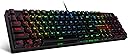
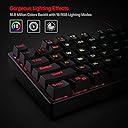
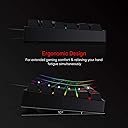
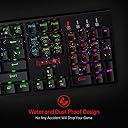
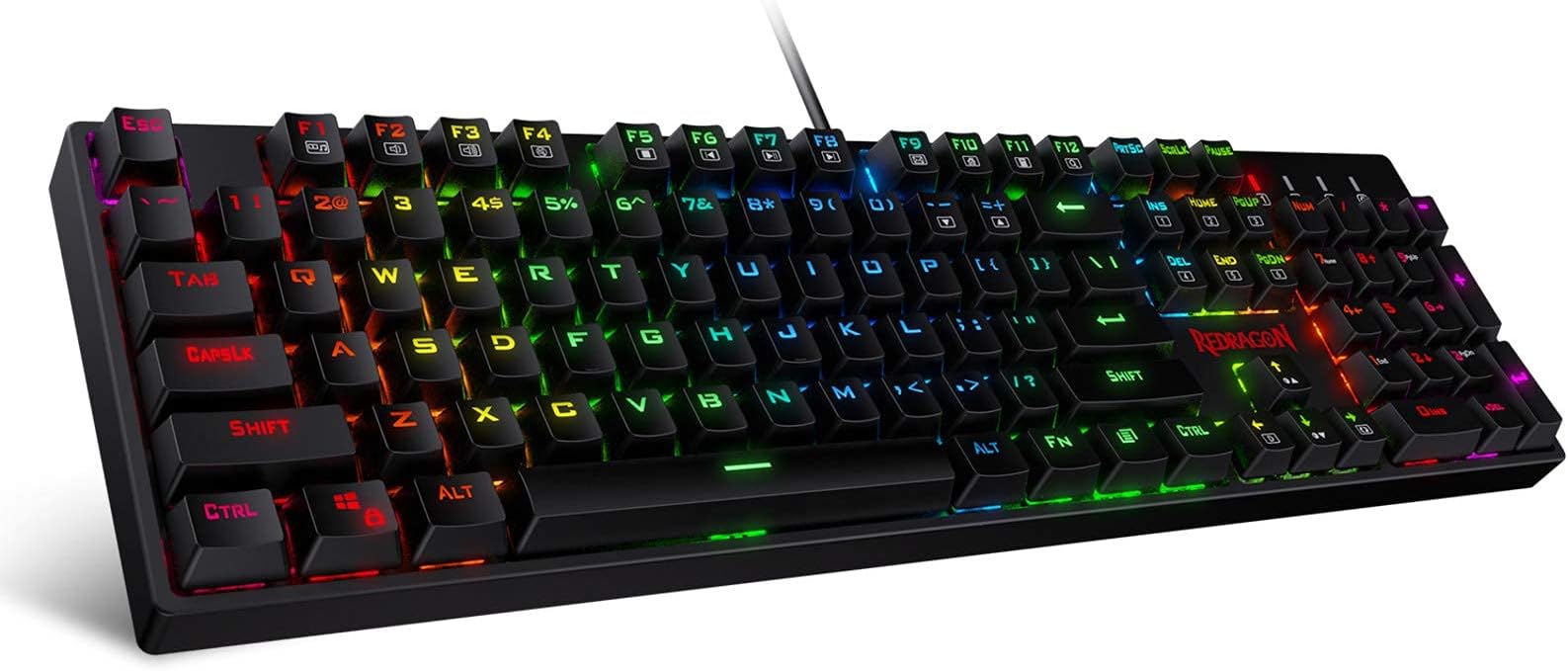
The Redragon K582 RGB Mechanical Gaming Keyboard features a full 104-key layout with ultra-durable double-shot ABS keycaps and smooth linear Red switches optimized for both gaming and professional use. Its dynamic 16.8 million color RGB backlighting offers 6 themes and 18 modes, customizable via software, while N-key rollover guarantees flawless key registration. Built to last with a 50 million keystroke lifespan and broad OS compatibility, this keyboard blends style, performance, and reliability for the modern multitasker.


| ASIN | B07KCRTN9Q |
| Additional Features | Backlit, Ergonomic |
| Antenna Location | Gaming |
| Best Sellers Rank | #1,562 in Video Games ( See Top 100 in Video Games ) #137 in PC Gaming Keyboards |
| Brand | Redragon |
| Built-In Media | USB Cable |
| Button Quantity | 104 |
| Color | Black |
| Compatible Devices | Gaming Console, Laptop, PC |
| Compatible Operating System Family | Linux, MacOS, Windows |
| Connectivity Technology | USB |
| Customer Reviews | 4.5 out of 5 stars 5,170 Reviews |
| Enclosure Material | Acrylonitrile Butadiene Styrene |
| Global Trade Identification Number | 04897093821799 |
| Hand Orientation | Ambidextrous |
| Is Electric | Yes |
| Item Dimensions L x W x H | 17.32"L x 15.75"W x 5.91"H |
| Item Weight | 2.6 Pounds |
| Keyboard Backlighting Color Support | RGB |
| Keyboard Description | 104 Keys Wired Gaming Keyboard |
| Keyboard Layout | QWERTY |
| Language | English |
| Manufacturer | Redragon |
| Mfr Part Number | 038028809 |
| Model Name | Surara |
| Model Number | K582 |
| Number of Keys | 104 |
| Number of Sections | 1 |
| Power Source | Corded Electric |
| Recommended Uses For Product | Gaming |
| Series Number | 582 |
| Special Feature | Backlit, Ergonomic |
| Style Name | Contemporary |
| Switch Type | Linear |
| Theme | 6 |
| Warranty Description | 1 year |
A**S
My first mechanical keyboard - perfect!
Edit Edit - July of 2023. I have not changed out a switch in a very long time and this thing is SOLID. I still use it for daily work and then switch it to my home PC for personal use and gaming - and even my WASD keys are not needing swapping out. I love love love this keyboard, and never thought it would last this long! This is totally worth the investment and I will be purchasing this brand (and probably model?) again if I need another keyboard. Edit: Purchased this in Feb 2020 - it is now Sep of 2022, and this keyboard is flawless. I had a hiccup with my first one, where I had to swap out switches that went out unreasonably fast. They had me try a few things, and then sent me a brand new one. This new one has been working flawlessly since then. I have ZERO complaints. My keycaps are not even losing any definition, all keys work perfectly, and I use it on the daily for both work and after-work gaming. It gets beaten on slightly from gaming, and I type a lot for my job, and this has held up perfectly. I may have swapped out a switch or two over the last 2 years, but I still have plenty of spares from the original kit. This was a FANTASTIC buy that I do not regret in the slightest. The only modification I made was to get the tiny silicon o-rings to dampen the sound. Great buy, WOULD recommend, 10/10 I never really cared to upgrade to a mechanical keyboard. I didn't really see the point, and for sure didn't care for the extra noise. I am converted now, but this isn't really about the perks and benefits of mechanical vs standard. This was a budget keyboard, I think I got it for just under 50$. It is very well made, has extra switches and a key puller, and they keys are not too high to get irritating. I was looking for an RGB keyboard with per-key individual programming, and this one has it. You can set up customized colors for each key, which is amazing. But even without the software, the included schemes and patterns are INCREDIBLE. They seamlessly fade from color to color, and you can speed up or slow them down as you wish. There are some that are reactive, that speed up as you type quickly. There are some that have the keyboard dark until you type, and either the individual key lights up, or a single row wave shoots away from your keypresses, or a wave cascades out across the keyboard. There are some that just stay on, some that slowly fade across the board, some that are random on each key and they fade and change colors subtly. It's ridiculously gorgeous, and responsive. As a keyboard on its own it is VERY sturdy, and easy to type on - I am ruined for regular keyboards from here on out. This is a great buy for anyone looking for an actual RGB keyboard with individual lighting. 10/10 would buy again Edit: Bought this at the end of Feb, it is now May 11th, and my 'W' key started acting wonky. I'd have to hold it down longer when gaming, and it hesitated from time to time. It is probably my most commonly used gaming key, and commonly used in typing as well, so I guess it makes sense. They did provide swappable switches to replace it with, and having done so, I played a few rounds and it does seem to be resolved. Additionally, this is *not* a loud keyboard in and of itself, but the keys hitting the bottom is where the noise comes into play. This can get noisy - but I bought some O-rings after reading that someone else had tried it, and am pleasantly surprised with the results. It feels the same, and has a muted sound. I am still really really happy with this keyboard, and am just hoping that the failed switch was a one off. Edit - June 12th I still love this keyboard. But BUT! I have used my spare switches, and may need to be ordering more. I keep having keys that are 'going out'. They don't stop working entirely, but sometimes need to be held down, or hesitate before activating. It has happened with the 'W' key, the 'S' key (which both make it quite difficult for gaming) and now my 'n' key is giving me a hard time. I love this keyboard, and am not sure if it is just a normal thing, but my old membrane keyboard never did this. I am contacting Redragon to see if anything can be done. I hesitate to knock more stars off, but this is a solid keyboard besides this, and I have only had it 3.5 months at this point. Fingers crossed! Edit: June 20th, 2020 Customer support was fast, efficient, and really seemed to care. They were prompt and took care of my issues. I love my keyboard, and am super happy with this purchase. Returning this review to its 5 star status, as it is a superior product, and the customer service more than made up for the flaws in my first one. Thank you, Redragon!!!
M**D
Great gaming keyboard
Great gaming keyboard for the price. The keys feel responsive and comfortable, especially for long gaming sessions. RGB lighting looks awesome and is easy to customize. Build quality feels solid and it works perfectly right out of the box. Definitely a good choice for both gaming and everyday use.
M**.
Very Good Value. Font Choice Could Be Better.
Disclaimer: I’m not a gamer. I just like mechanical keyboards and most of them are labeled for gaming. If you want this for gaming, read another review. Having used many mechanical keyboards over the years, this is my first non-tactile switch experience. I had been using a keyboard from a well known brand that used brown switches and wanted to try something that should be even quieter for a while. I’m pretty pleased with the overall quality of this keyboard. It’s plastic chassis is still heavy enough to stay out on my desk and these switches (while very different) are a good feel. I use this for CAD work as well as typing manuals and instruction guides, so this gets used a lot during my day. If you’re new to mechanical keyboards, this is a really good board to start off with since the investment is much lower than a lot out there and the build is still good. You will likely want a palm rest as the height of this is “standard mechanical tall” in my opinion. It’s no taller or shorter than most I’ve used in the past. The good: It’s really bright compared even to my much more expensive brand I had before. The color customization is full featured if that’s your thing, but the software is a little clunky to use. I setup a custom color pattern for what I’m used to and left it, but the included options are easy to cycle through. It’s well built and is almost silent to type. There is a noticeable spring sound across many of the keys, plastic chassis make very “tin” sounding, but I am going to put some dampeners on it at some point that I think should fix that. It’s an amazing value for the price. Most of the boards at this price point are either very light weight or don’t have as good of a color setting. If you really like tweeting all the colors settings, this software may get on your nerves. The bad: I only have 2 complaints on this really. First (the biggest) the resistance on the “return” and “backspace” keys are much lower than any of the other keys. I find myself bottoming these keys out on a regular basis. I have spare switches that came with the board, but have not swapped them yet. It’s possible that may fix the problem and if so I will make a revision to this statement. Second the “F10” key looks almost exactly like the “F11” key with the leds on due to the font these keys are printed with. I use function keys a lot, so I don’t look at them as much, but if you type by sight or have reduced eyesight this could be annoying. It’s seems pretty silly to me that they would pick a font with the “0” split down the middle and not notice it looks like an “11” with the lights on, but I guess they were going for the cool factor that gamers love. I would recommend. If it dies, I might buy another if it’s the same price. My “famous brand” only lasted 2 years or so before it toasted on me, so build quality doesn’t come from a name it comes from construction and there’s nothing wrong with just a good solid value.
H**G
You get what you pay for.
This is a cheap feeling keyboard at cheap price. For the price you get what you paid, which is why I gave it 4 stars. This do not compare to Cherry Mx. At this price individual RGB is pretty cool. I haven't figure out how to program the individual keys. I am using the "Flower blooming" scheme. There is a software that lets you change from a dropdown list of 19 pre-determined schemes. That is an odd number, but not a deterrent. It is annoying to hit confirm and have the program go away though. There is also a program in the site to update the firmware, I think. But of course it is Chinese. Calling it red switches mischaracterize the keyboard. People may think they are comparable to Cherry Mx or clones. They are spongy. They are linear alright, but I find myself tapping on the keys too hard because of how it feels. The keyboard says the keys are hot swappable, which to their credit it is. However, they are only swappable with their switches. I tried to install a Cherry Red and it wouldn't fit, then I tried a Holy Panda and no luck either. The LED prevents other switches to be mounted in this keyboard. I will try to get a spare switch and grind down the part that goes over the LED. But may have to happen another time. I did not open the keyboard, but it seems like the PCB sockets may be jumped. I say this because when I took the spacebar switch out, all the lights wen off. When I do that in my "luxury" hot swap board, all the lights stay lit. I freaked out at first, but hen I turn them on once the I replaced the Red Dragon switch. Which brings me to the question, why would you do a hot swap keyboard that only works with your switches if said switches are nowhere to be found? At least a fast search does not get results. One of the points of having a hot swappable keyboard is to experiment with different configurations, check out different switches, etc. Anyway, cheap is cheap. My kid seems to like it. She complained about the spacebar noise, so I changed the spacebar cap to a quality one and put o rings on it. It sounds less distracting now. I recently ran out of band aids, so no band aid fix for now. I don't think I'll be buy any Red Dragon for myself, I am spoiled by Holy Pandas in my personal rig and the Mx Reds in my work rig. They do deserve the 4 stars for packing this cheap keyboard with nice features. Oh, did I mention you can do macros too? I haven't and probably wont, but that software you download from their site seems to have a macro function.
A**T
Great keyboard for sub-$40
Disclaimer: I have very limited knowledge when it comes to mechanical keyboards – I’ve only dedicated about 4 hours of my time researching on Reddit (you guys at /r/MechanicalKeyboards), where there are enthusiasts who would spend hundreds on highly customizable keyboards, whether it had high quality LEDs, unique key-cap designs, swappable switches, bread cable… all of the cool things that we, internal-geeks find awesome, even erotic. If you’re like me though, I name a price (typically a budget price…) and stick with it… It was $50… Now, some of you will claim that a sub-$50 mechanical keyboard aren't worth it at all – While I may have never had a mechanical keyboard before, I’ll admit that I would not the best person to be judging the product but I do hope my below review and pictures will help you decide whether you want to try a Redragon brand keyboard which is getting some attention as the cheap entry keyboard to mechanical keyboards on Amazon… I will be reviewing the Redragon K582 Surara (red switches) ($39 after coupon) based on the board’s quality / presentation, performance, noise, and features. All Pictures/gifs are found here. Just a heads up before we jump into each of the topics, I wanted mention that I was looking for a keyboard that had a number keypad. If I didn't want the number keypad, I would have gotten a smaller keyboard without the number keypad. I also decided to buy from Amazon based on the fact that I can return the keyboard for free, and therefore, this review is purely based on my opinion. Board quality / presentation (4/5): I am pleasantly surprised how sturdy the board feels. The plastic around the board feels thick and doesn't have the “bendy” vibe to the board as you press keys against the board. It certainly weights a bit which actually works very well with the “standing legs” on the back of the board as the weight presses the legs against the table. I had conceived an theory when I purchased this keyboard that the keyboard would slip back as I play CS:GO given that there is not a lot of rubber feet on the back of the board, but after 24 hours of gaming on this keyboard, it never once slipped. The key-caps are “alright” - they don’t impress me but they do the job just fine, especially with transparency on the letters allowing the LED lights shine through. When I take the key-caps off, I can see them being a little flimsy but while sitting on the red switches, I don’t find them flimsy. However, when I have my finger on the top of the key-caps, I can wiggle the key-cap ever so slightly in all directions, just barely touching other keys – it is not as sturdy as I hoped and therefore taking a point off. Switch Performance (5/5 gaming, 4/5 typing): After learning about switch types and quality of different brands (cherry, Outemu, etc) I was on the fence between the Browns and Reds switches since I knew I’d be gaming more often than typing (boring emails)… Ultimately went with reds after reading that they are great for gaming and that the browns may not be comfortable for gaming. After gaming and typing on this keyboard, I can see what others are saying about the difference between brown and reds… I would have found it annoying to have soft tactical feedback as I press the key during gaming but I think I would have appreciate the feedback for typing as it would be nice to know that the key registered without a second thought. For gaming, it has been amazing, I think I’ve noticed a up-tick of gaming performance but that could be due to… just playing a lot :) Never once I felt/thought like the keys didn't register but that's probably because I play with claw hand shapes pressing down harshly all the time. It is certainly a major upgrade from using membrane keyboards over the last decade. If you are looking for a keyboard that is more geared towards writing, definitely check out a keyboard with brown or blue switches… depending on your noise tolerance. Which brings me to my next part on noise. Noise (3.5/5): Blues have a reputation for being great for typing but can be noisy with its clacking sounds on each key-press so people tend to recommend browns. I was sure about buying the browns until I learned that the reds are quiet just like the browns without the tactical feedback. The reds still produce a clacky noise. I am not sure if its because I am not use to keyboards making noise but I can definitely hear every key-stroke on this keyboard – sounds like due to my fingers pressing the keys all the way to the floor of the keyboard. It’s not noticeable when I am listening to music or playing CS:GO. Features – LEDs (4/5): There aren’t many features that separates this keyboard from superior keyboards such as Ducky – it has all of the typical features that should come with keyboards by default. It has the typical plastic cable, nice see-through key-caps with… wait what? LEDs?! I’ll admit, I never really cared for LEDs on keyboards, let alone having the “gamers” theme that comes with the LEDs. After using this keyboard with LEDs, specifically on “solid color” lighting mode, I have grown to love it… it brings out the young me. That being said, I only have it on a “solid color” mode because all of the other lighting modes are very distracting. The colors are: green, Blue, deep purple, purple, “white” (comes off as very light purple), rainbow, red, orange and yellow. There light modes include the Wave, press-key, press-key wave, press-key “grid line”, “rainbow” wave… and many more than I could care to find out. At the end of the day, the solid color is my default mode as it is the least distracting to me. TL:DR; (4/5) For a mechanical keyboard in the sub-$40 category, it is a great product which I deem as a great entry keyboard for those who are testing the waters and “just need a keyboard that's better than membrane keyboards”. The quality of the keyboard is firm, the red switches feel great during gaming and ‘alright’ for typing, the noise is there but not annoying when headphones are on, and the LEDs is a cool feature to have. I would recommend this to a friend, unless they had a larger budget.
H**S
Smooth, Colorful, and Hard to Fault
I'm surprised by how much I've come to appreciate this keyboard. This keyboard shines if you have reasonable expectations, and don't mind the easy to press red keys. The keys are Outemu red switches and not Cherry red switches, but so far the function and feel are too similar for me to tell apart. In my experience the quality of the Outemu red switches are great in this keyboard and you should not worry a bit that they aren't Cherry Switches. Like any red switch, they are very easy to press and have the smooth downstroke with no bump. For people looking for a quiet keyboard, this is still a mechanical keyboard that has moderate clickity clack. When typing there is a considerable amount of noise compared to some quieter membrane keyboards. I see a lot of people complain about the noise of the keyboard, and I would guess most of them are used to a non mechanical keyboard. The red switches are very much on the quieter side in comparison to mx blue and mx green switches. There are too many rgb light settings to explain concisely, which always makes for a fresh and pleasing light show. There's always a new setting to find, when your current light setting has become stale to your eyes. The ergonomics of the keyboard are a good medium that isn't overdone, the keyboard has a nice curve without being too sloped or flat. It's definitely a comfortable keyboard to use. I've used this keyboard every day for 7 months, and it has not had a single problem or even a noticeable hiccup. Every key shifts properly, every rgb light still works perfectly, and there has never been a lag or issue in the connection. The keyboard itself has a solid build quality along with a nice weight, which together makes for a solid and sturdy feel while in use. After 7 months of consistent use, the software has always worked properly and the physical condition of the keyboard has no signs of wear. I am very pleased with the quality purchase. The Redragon K582 keyboard makes for a reliable product that I would definitely recommend, and even buy again. I bought this keyboard for $44.99 or $48.31 in total after any added fees or taxes, currently this keyboard is on sale for $35.99 and puts the total price right under $40 which is an absolutely amazing deal. The Redragon K582 is a 104 key keyboard with outemu red switches, and at a budget of $50 or less it is an easy top pick for me.
A**R
New to mechanical keyboards
For my first foray into mechanical keyboards, I purchased this keyboard along with two others from Redragon - the K551 and the K556. I wasn't sure which switches I was going to end up liking better, and to be honest I liked all of them and still don't know if I have a preference. Because I haven't been able to choose between the two, I settled on brown switches (K556) for home because of it's balance between smoothness, tactile response and quietness while keeping some of the satisfying clicky sound. I went with this one for work because of the lower volume, however these reds are still satisfying to type on without the tactile bump. Also, typing endurance is very much a thing, and given the amount of work on my plate that involves sitting behind this keyboard, I chose not to add acclimating to heavier keyboard switches to that list. That is pretty much the only reason for ruling out the blues - the noise at home wasn't that much a factor for me. As for the keyboard itself - the construction feels sturdy and the switches seem firmly attached. It also worked right away on several of my machines running different flavors of Linux and Windows. While I am not a gamer, and I do not have experience with higher end keyboards or authentic Cherry switches on which to draw for comparison, I do a fair amount of typing and this is a very enjoyable keyboard to use for writing and programming. It is reasonably priced enough for someone just getting into in them to justify. Whatever the reasons for wanting a mechanical keyboard -- serviceability when the switches wear out, quality of construction or the actual feeling of typing on the keys -- this is definitely a keyboard to check out.
R**N
Great quality for the price
I've never owned a mechanical keyboard before, so I decided to branch out and bought both this keyboard and a different Redragon keyboard with blue switches. I like both keyboards for different reasons, and would definitely recommend this keyboard brand to someone looking to get a great first keyboard. The Good: • It feels REALLY sturdy without being too heavy. • The keys are of decent quality, are nice and smooth, and don't have rough corners. • Typing and gaming on it feels great. Red switches are pillowy soft feeling. • The clack of the keys is audible but not obnoxiously so. My mic picks up the key presses but nobody has complained about it. • The RGB is awesome. It's controlled directly through the keyboard, you can set the brightness, and there's a TON of different effects to choose from (many of which include both rainbow and single-color options). My favorites are the soft rainbow fade one (FN+END one time), and the one that lights up every key you press for a short while for more subtle backlighting (FN+HOME two times). • The hotswappable keys are an incredibly neat feature and mean that one switch breaking isn't the end of your keyboard and that you could potentially mod this keyboard in the future if you wanted. The Not-So-Good: • I'm pretty sure that the metal backplate, while very durable feeling, causes the keys to make a slight ringing sound when pressed. It's definitely not noticeable if you've got headphones on and are listening to a game or music, but it is something to note. • On both keyboards I bought, the keys that have non-backlit symbols added to them have a rough texture. It makes me worried that the symbols might rub off with use. • It's hard to see the transparent letters on the keyboard if you turn the backlight off during the day. Personal Preferences: • I really wish Redragon had a Tenkeyless keyboard with red switches because I'm finding that a full keyboard is a bit long for my personal preferences and that the blue switches are so loud that they're annoying the people I live with. If they had the K552W-RGB with red switches instead of blue, I would buy it in a hearbeat. • When it comes to the switches I personally am really enjoying them overall and like them better than the other switch I tried, but I don't think red switches are for everyone. They're very soft to press and feel great when gaming but when it comes to typing they fall a bit short. Simply put, I find myself making a lot more typos than I do typing on the keyboard with blue switches because of how soft and light they are. If you only care about typing you should get a Redragon keyboard with blue or brown switches, as you will probably like the tactile feedback of those switches much more than the red switches.
I**S
Sturdy and reliable
The usual quality and value
R**N
Very nice keyboard
Cool keyboard , perfect. As expected
J**T
Never Use the Box Keycap Puller, otherwise a Great Full Size Red Switch MK Keyboard for the Price!
IDK if the damage is clearly Visible in the Picture but The provided Keycap Puller easily Damages the Key so never use it, get a different kind of Keycap Puller, this provided Keycap Puller is really not recommended as it damages the Keys This is my First MK so idk much, but from what I saw on YT is that, Red switches are supposed to be quite & Linear and this boi is Loud when typing fast but is smoothly Linear but No Tactical Feedback is really helps me to Mistype and not realise my mistake till I look at it. If you're getting your first MK then get Brown switches if possible as there's an actual Tactile Feedback which reduces the chances of Mistypeing happening and you not realising it. It's Great for Gaming, No complains There. The Build and Sturdyness of the Keyboard is Great! Feels like I can easily kill someone with it if I want to. The Bottom Rubber Grips & the Grips on Risers are actually great, and don't let the Keyboard slide unless some decent amount of force is put at pushing it. With the Risers it's actually even more difficult to Slide it which is great. The Risers are High quality and I doubt they'll fail within 2.5-3 years if taken care of it and not sit on top of the Keyboard. The RGB Brightness is OK not very bright but OK in dark, it's decently Bright but it's not the Best RGB MK in this price but OK. In the Pic you can see How bright the Keyboard is In comparison to Nitro 2022 LP keyboard. A Palm Rest would have been really nice but this is fine without it because of its design. I would suggest flipping the Space-Bar as it makes using it little easily and more comfortable. If it's your first MK Keyboard & want the Num Pad then maybe consider getting a TKM or 65% MK with a seperate Num Pad as most of the time it's not used. Also the "Home, PG UP & Down" group of keys are basically useless except for PrtSC key. In conclusion it's probably the Best Full Sized MK under ₹3.5k as it's competitor RedGear Invader mk881 has failing LED Light Issue and K551 doens't have that Software support & only 2 Bottom Grips which makes it vulnerable to sliding around without the Stands in. I think it's a little overpriced but still good for the price.
N**T
Klavye turkce ve rainbow
Arkadaslar urunde us rgb klavye dese de bana gelen ürün rainbow turkce klavye bunu düşünerek alin büyük ihtimal o modeli gondermiyorlar. Ilk izlenimlerin baya iyi fiyatina gore alinabilecek bir klavye bence red switch olmasi zaten cok iyi yaninda tus sokme aparati ve bir kaç tane red switch geliyor ince dusunulmus
M**D
Great quality
I love to do gaming with this keybord. Keys are soft and amazing
Trustpilot
2 weeks ago
2 months ago