🔀 Effortless USB sharing for the multitasking pro
The USB2-SWITCH2 by Plugable is a compact, plug-and-play USB 2.0 sharing switch that lets professionals toggle a single USB device between two computers with one button. Featuring LED indicators for active device control and compatibility with a wide range of USB peripherals, it streamlines multi-computer workflows without the need for drivers or complex setups.


| ASIN | B006Z0Q2SI |
| Actuator Type | Push Button |
| Best Sellers Rank | #233 in KVM Switches |
| Brand | Plugable |
| Circuit Type | 1-way |
| Compatible Devices | USB-enabled computers, USB 2.0/1.1 devices (excluding USB docking stations and USB graphics adapters) |
| Connectivity Protocol | Usb |
| Connector Type | Usb 2.0 |
| Contact Material | Plastic |
| Contact Type | |
| Control Method | Touch |
| Control Type | Toggle |
| Current Rating | 500 Milliamps |
| Customer Reviews | 4.3 4.3 out of 5 stars (1,763) |
| Date First Available | January 18, 2012 |
| Global Trade Identification Number | 00649241924500 |
| International Protection Rating | IP44 |
| Is Discontinued By Manufacturer | No |
| Item Dimensions LxWxH | 3.6 x 2.25 x 1 inches |
| Item Weight | 2 ounces |
| Item dimensions L x W x H | 3.6 x 2.25 x 1 inches |
| Item model number | USB2-SWITCH2 |
| Manufacturer | Plugable |
| Number of Items | 1 |
| Number of Positions | 2 |
| Number of USB 2.0 Ports | 2 |
| Operating System | Windows 10, 8.x, 7, and XP, macOS 11.x, 10.15, and 10.14, Chrome OS, Linux |
| Operating Voltage | 5 Volts |
| Operation Mode | Toggle |
| Product Dimensions | 3.6 x 2.25 x 1 inches |
| Terminal | Button |
| UPC | 649241924500 |
| Unit Count | 1.0 Count |
| Wattage | 2.5 watts |
E**.
Great Product!
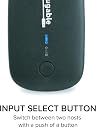
I work at home 4 days /wk, and have on my home office desk, my personal home computer, wireless mouse and keyboard, printer and monitor and right next to it is my company owned computer, wireless mouse and keyboard (which I purchased), printer and 2 monitors. The desk has 1 roll out typing drawer under the top of the desk, it can hold 1 keyboard and mouse at a time. I also have both printers on the shelf above the wall. I wanted to use just 1 keyboard and mouse to use with both computers, went to 2 "box" electronic stores, and all the "experts" told me you can't use the 1 keyboard and mouse between 2 computers, so before work I put the work computers board and mouse there, then after work switch them out with my own. Then for printers, I have purchased 2 printers for my home computer, I use it so infrequently for home software, the ink usually dries out and when I go try to find ink the printer has been obsoleted and ink is only available on line at premium prices. I thought there must be a solution, then came across this little beauty. For less than $15 and free shipping, I was able to run 1 line to the companies printer , and two lines to each of my computers. Now I can do all my printing off 1 current printer with good ink. After I saw how well that worked, I bought a second one to try with keyboard and mouse....Worked perfect! Put the transmitter in the one end, and a line to each computer. This switch is fantastic, much less costly than many other models I saw. It requires no software or confusing hookups. One end has 1 USB connector you plug in the line coming from whatever you want to share, the other end has 2 connectors labelled "A" and "B". You plug one end of the supplied cables (all cables needed are INCLUDED) into the box and the other end is a USB, plug that right into the computer where you removed the old plug from. Then do the same with the other cord to the other computer, you are finished, both computers now share whatever you want. If you have multiple boxes, just keep all connections for 1 computer in the "A" plugs, and use the "B" plugs for the other computer. The easy to push switch has a light that glows green for "A" switch and blue when B switch is active, so if all switches are green, that means all the "A" plugs are active, blue would mean the "B" switches are active. No power to connect either, hate those little red lights that glow using power all day or all year? These lights only glow when computer is on, when off, they do not light. Just a fantastic product for the price....
G**N
Simple, Cheap, and Works Well
Nowadays, many of us like to have everything "wireless", especially peripherals, like printers, so they can be shared. I have two laptops that I use in my home and everything is wireless and shared except for my Epson scanner. I could have purchased a wireless scanner but couldn't justify the extra cost for my needs at that time. Now, I want to share this scanner with my second laptop located across the room. At first, I looked into wireless devices, like print servers. Over the last 20 years I've had several and none of them worked well. The connection was either unreliable or communication was only one way or something else that ultimately resulted in getting rid of them. I usually had too much trouble setting them up and there wasn't a good manual or support. So, here we go again, I thought! Before purchasing this switch, I was looking at a $70 I/O Gear wireless unit that had less than stellar reviews. But, it was cheap. Searching for just a "USB switch", I came across this unit and purchased and it works just fine. I did take it apart to look at the quality. The solder joints and everything else looks fine. In the past, I've found that some cheap devices, like cheap USB hubs, simply don't work reliably and have poor workmanship. Here, this IS just a switch, but there are some R's and C's in addition which says there was some engineering design. The unit comes with two identical USB cables, one to connect the peripheral to the switch, and one to connect the switch to the PC where you had connected the peripheral initially. You have supply the third cable which runs from the switch to the second device. As it turned out, I had to use extra long USB cables, which I already had, to connect the switch to the two PC's. Using long USB cables can be "iffy" if they are not of good electrical quality. During initial hookup, I had some problems with the computers recognizing that the USB peripheral had been connected (the driver did not load). Restarting the computers fixed this. I don't know how all this works, but I have observed that sometimes a USB connection (driver loading) will not occur after it has been unloaded without a PC restart. I was initially concerned that simply switching form one computer to the other would require a restart which you switched back to the first PC. But, this was not the case. So, for once, a 5 minute job was a 5 minute job!
D**S
Die Lieferung erfolgte sehr schnell, trotz des Weihnachtsrummels. Das Ding ist einfach anzuschließen, USB Kabel sind mit dabei). Einfaches umschalten per Druckschalter auf die beiden Ports. Jeder Port hat eine eigene Leuchtdiodenfarbe, so weiss man immer mit einem Blick welcher Port eingeschaltet ist. Geräte funktionieren einwandfrei. Kann ich nur empfehlen.
S**E
I was surprised at the quality of this device due to it's low price. It came packaged quite securely and is a good, solid little unit. I have it connected to 2 PCs and a cheap 4-port USB hub and it all works like a charm. I can press the button to switch between computers, or if I shut one computer down it automatically switches to the other. Extremely impressed with Plugable's quality and would purchase their devices again.
H**D
Un produit simple qui fait le travail. Je partage actuellement mon clavier et ma souris (avec un hub usb en plus) avec mon pc fixe et mon macbook pro.
L**N
I've been using the USB2.0 switch for a few days now and it works as described. I think I must have a newer model as it comes in a nice box, not a clam shell package as was described by another user, and the lights are a small led, green and blue, not red and large as a previous picture showed. I have it hooked up to the AmazonBasics 4-Port USB 2.0 Ultra-Mini Hub, with a keyboard, mouse and 2 printers and everything works great. One Computer is using Win 10, the other is a multiboot system with Win7/Ubuntu 16.04/Linux Mint/Mate/KDE/XFCE/Cinnamon and again, everything just works which is really nice. I would have liked a bigger A/B switch as it's really tiny and it would have been nice if the single Port was also on the back with the other 2Ports, then I could have hidden the unit better on my desktop without the single cable sticking out the front. I think the unit is a great value though and would recommend it, worth a 5 star rating in my opinion !
P**R
After browsing other similar items on amazon (which were either pricey or a bit cheap looking) I eventually googled my problem and found a youtube video demonstrating this box in exactly the set up I was hoping to use it; it. One brand new Mac Mini and one ancient Dell PC sharing the same (wired) keyboard & mouse. Though the Dell box took a moment to figure out the new configuration (partly, I suspect, because both the keyboard and mouse have to be plugged into a USB small hub which then plugs into the switch) it worked effortlessly from then on. My only gripe - if it is a gripe - is the blister pack this unit comes in which you need a set of industrial bolt cutters (or really sharp kitchen scissors) to get into. What's wrong with a simple cardboard box? Anyway, let's not mention it again and pretend that never happened. Five stars. Thanks guys - terrific work.
Trustpilot
1 month ago
3 days ago