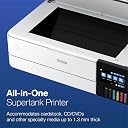
🖨️ Elevate your print game with Epson’s EcoTank Photo ET-8550 — where pro-quality meets smart convenience!
The Epson EcoTank Photo ET-8550 is a wireless, cartridge-free all-in-one printer designed for professionals and creatives who demand vibrant, lab-quality photos and sharp text. Featuring a 4.3-inch color touchscreen, automatic duplex printing, and support for large-format borderless prints up to 13" x 19", it delivers fast 15-second 4x6" photo prints and up to 6,200 pages per ink set. With versatile media handling, mobile app control, voice-activated printing, and an eco-conscious design that eliminates cartridge waste, this ENERGY STAR certified printer combines high performance with cost efficiency and sustainability.


| ASIN | B08R5M2HDH |
| Additional Printer Functions | Copy, Scan |
| B&W Pages per Minute | 16 ppm |
| Box Contents | EcoTank Photo ET-8550 All-in-One, Quick Installation Guide, Power Cord, CD-ROM (User Manual, software), 1 bottle of 552 Photo Black (70mL), 1 bottle of 552 Black (70mL) and 1 bottle 552 Cyan, Magenta, Yellow, Grey (70mL) (4) |
| Brand | Epson |
| Brand Name | Epson |
| Color Pages per Minute | 12 ppm |
| Colour | white |
| Compatible Cartridge | Epson EcoTank Photo ET-8550 Ink Bottles (552 Photo Black, 552 Black, 552 Cyan, 552 Magenta, 552 Yellow, 552 Grey) |
| Compatible Devices | PC, Smartphones |
| Connectivity Technology | Wireless |
| Control Method | App |
| Controller Type | iOS, Android |
| Customer Reviews | 4.2 out of 5 stars 2,233 Reviews |
| Display Type | LCD |
| Dual-sided printing | Yes |
| Duplex | Automatic |
| Hardware Interface | USB |
| Ink Color | black, cyan, magenta, yellow, gray |
| Is Electric | Yes |
| Item Dimensions D x W x H | 75.7D x 52.3W x 42.9H Centimeters |
| Item Type Name | Inkjet Printer |
| Item Weight | 24.5 Pounds |
| Manufacturer | Epson |
| Max PrintResolution Color | 5760 x 1440 |
| Max PrintSpeed BlackWhite | 600 x 1200 dpi |
| Maximum Copy Resolution Black and White | 5760 x 1440 dpi |
| Maximum Copy Resolution Color | 5760 x 1440 dpi |
| Maximum Copy Speed Black and White | 16 ppm |
| Maximum Sheet Capacity | 100 |
| Model Name | EcoTank Photo ET-8550 |
| Model Number | ET-8550 |
| Model Series | ET |
| Network Connectivity Technology | Wireless |
| Other Special Features of the Product | Automatic Document Feeder Wireless, Double-Sided Scan Automatic Duplex Borderless Printing Touch Screen Display Automatic Duplex |
| Output sheet capacity | 50.0 |
| Paper Size | 13" x 19" (A3+), 11" x 17", A3, Legal, Letter, A4, Executive, 8" x 10", 5" x 7", 4" x 6", 3.5" x 5", A6, Half Letter, #10 Envelope, User Defined (2.2" x 3.4" to 13" x 78.7") |
| Power Consumption | 150 Watts |
| Printer Output Type | Color,Solid Color |
| Printer Type | Inkjet |
| Printing Media Type | Glossy photo paper |
| Printing Technology | Inkjet |
| Resolution | 5760 x 1440 |
| Scanner Type | Photo |
| Special Feature | Automatic Document Feeder Wireless, Double-Sided Scan Automatic Duplex Borderless Printing Touch Screen Display Automatic Duplex Special Feature Automatic Document Feeder Wireless, Double-Sided Scan Automatic Duplex Borderless Printing Touch Screen Display Automatic Duplex See more |
| Specific Uses For Product | |
| UPC | 010343952492 |
| Unit Count | 1.0 Count |
A**R
Não compraria novamente
A impressora parou de funcionar com 3x de uso. Simplesmente não liga. A impressão da foto é excelente mas não volto a comprar a marca.
I**S
110 only
110 volts, not compatible with Saudi Arabia’s electric outlets
F**A
La mejor impresora fotográfica de inyección de tinta
Cumplió más allá de lo que esperaba, la calidad de la impresión es muy buena, fácil de instalar y usar, la app para celular es muy intuitiva así como su manejo desde la pc La calidad de las impresiones es muy nítida y viva, ideal para fotografía sobre todo si vas a imprimir un volumen mediano de fotos, ya que en cuanto a su costo beneficio sin duda alguna es de lo mejor que encontrarán
G**N
The most satisfying ink jet printer I've ever used {w/Update}
The TLDR for this is the review title. {UPDATE}. It's still satisfying! It cost about $200 US more than I wanted to pay, and I tried mightily to find something else that was cheaper! But in the end, this was the only printer that I could actually say met my needs to support my serious "artsy" amateur photographer large print habit. I am pleased to say that it is worth every cent. I've had it about a week, and I've printed a LOT of photos (Maybe 30, or so), just to test it out. And the ink tanks aren't even down to the 25% used level. All printer Ink is expensive, but the way the Epson Ink is packaged and sold, it is projected to save the typical user about 80% in ink costs over the life of the printer. I believe this is a reasonable estimate based on my current usage, and I haven't even started my real printing yet. The print quality is excellent. Is it as good as one of those giant commercial grade printers? Probably not. But when I used good Epson and Canon printer paper, I thought it was as close as I could reasonably get for something that costs less than $1000 US. To be honest, I also printed on cheap Kodak paper, and while it wasn't quite as sharp and the color wasn't quite as accurate as the premium paper, it was still more than adequate, GOOD, even. Certainly good enough that Granny, Gramps, and Mom are not likely to notice. So cheap paper is not off the table for some print jobs. It's reasonably quiet and well built. My office area is right below my bedroom and I have no fear of it being heard up there. It's big and heavy and doesn't make the table it sits on wobble; it's rock solid. I like the large color LCD screen. I haven't had to clear any paper jams yet but access for clearing them is from the back and very easy to get to. The only negative I've encountered is that the auto select for which paper tray to use is unreliable. I've found that manually selecting the paper tray reduces the amount os swear words I use during the day! Go with the manual tray selection, or your kids will learn words you don't want them to know. I tried the scanner once, it works well, but is no better than any other all-in-one printer. I suspect all the printers of this type use the same type of scanner, possibly from the same manufacturer. You won't hate the scanner, but it's not going to stand out in your mind either. This is the perfect All-In-One printer for serious photographers on a budget who need to use paper that is 13 inches wide. If you can get by with standard letter size printer paper there is an almost identical printer that is a bit cheaper, but delivers all the other features of this one. (ET-8500) I am VERY happy with this printer, and I would buy it again, and I would recommend it to a friend. {Update}. 1 year after purchase. I'm still on my first set of ink bottles. After my initial rush of printing, I calmed down some, and I now print a photo, say, once every week or so. My wife will print a few color spreadsheets and documents with it roughly every two weeks or so. I will probably use OEM ink when I do need to buy more ink. I'm not sure how to tell if the maintenance/overflow tank is full though. I hope the printer will tell me when it needs to be replaced. My problem with auto tray selection has been resolved, not sure why, or how, but I've gotten used to manual tray selection, and don't feel like changing my workflow. {END Update}
D**A
White screen after selecting the language and manual set up..
Followed the instructions to the T for setting up.. LCD asked if I wanted to set up via mobile App which I ignored. LCD just turned white… switch On Switched Off Many times.. plugged unplugged many times … nothing moves on LCD…. Filled the Ink Tanks … still nothing appeared on LCD.. after few minutes everything switched off… Inks haven’t been charged… Dont know what to do? Any help here?
Trustpilot
2 months ago
1 week ago