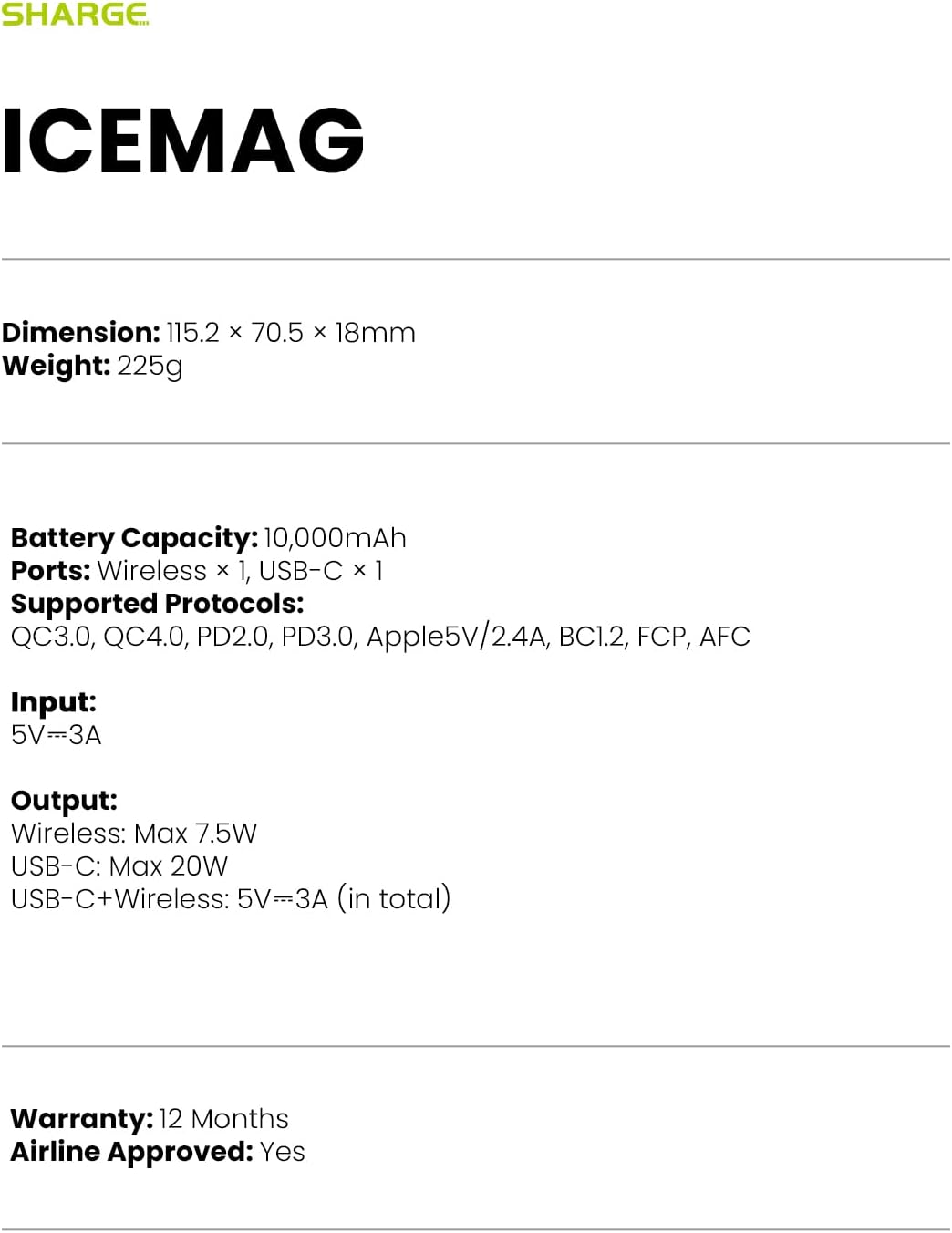
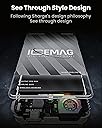
Hi, my apologies to Khermit for taking so long to write a review, but I had to put the product through extensive testing to reach my confident opinion. Sharge IceMag is a very well made device, feels very high quality in the hand and well designed. There are no rough edges or seams it feels seamless and well put together. The magnetic backside has a grippy material and it sticks very securely to my Magsafe certified Cygnett case on my iPhone 12 Mini. The IceMag on the back of the 12 Mini magsafe case sticks out about 1mm on each side, hardly noticeable but it does feel like you are holding the power bank more than the phone which is fine because both feel secure due to the strong magnetism. Wireless charging generates heat from both the wireless connection coils and both batteries, I avoided Magsafe powerbanks until I found the IceMag with a built in fan. Regarding the effectiveness of the fan on charging temperature, the reference I used was another reviewer who used an accurate temperature measuring device and presented their results of 10000mAh IceMag vs 10000mAh Powerbank without a fan and the results were: The actual IceMag powerbank's measured temperature was not that different to the wireless powerbank without a fan, but the phone temperature was 3 degrees cooler after charging the same amount with the IceMag. This was conclusive enough for me, and 3 degrees might not seem like much but in a temperature sensitive and conductive situation this is quite impressive. Now to the charging data I collected, which will not include temperature data since I do not have accurate measuring equipment. Here is my stopwatch measured charging results for the iPhone 12 Mini with 91% battery health. All tests done with phone face down on desk with powerbank on top, with no active use of the phone while charging. all percentages below are referring to the iPhone battery level %. Please be aware the 12 Mini has the smallest battery capacity of modern iPhones, if you have a larger model the % charge will most likely be slightly less. if you would like to estimate you can divide 12 Mini capacity by your iPhone model capacity (2227/your phone mAh) then multiply that to the % charge below. e.g. if you have iPhone 13, 2227/3227 = 0.69. 30% iPhone 12 Mini charge would be roughly 20% charge of iPhone 13 for 30 minutes. IceMag charging speed - Wireless with Magsafe Certified Case. 10mins : 49% -> 60% = 11% charge. 15mins : 61% -> 76% = 15% charge. 20mins: 55% -> 76% = 21% charge. 25mins: 53% -> 79% = 26% charge. 30mins: 60% -> 83% = 23% charge. 30mins: 50% -> 80% = 30% charge. Wired Apple 5W (1A) charger 10mins : 67% -> 74% = 7% Wired Apple 12W (2.4A) charger 10mins : 49% -> 64% = 15% charge. 20mins : 49% -> 75% = 26% charge. 30mins : 50% -> 80% = 30% charge. (weirdly this result was the same as the IceMag, maybe the Apple 12w charging generated too much heat and the iPhone slowed down charging from 70%) I hope this is enough data points, it took me over a month to collect all these scenarios and measure them accurately by timing the charge. as you can probably see, the phone slows the charging speed above 80% regardless of charger used. my notes are: up until 25% amount of charge. both the powerbank and phone were only mildly warm. I feel confident just throwing it on for a quick top up of 25% if it means the battery wont run out before bed. 30% amount of charge resulted in the phone becoming warmer than I would like, I want to preserve my battery health (total capacity) and so want to avoid situations with excess heat. I will only do 30% wireless charge occasionally. It's important to remember wireless powerbanks are not meant to be used like wired chargers. They are there for short bursts of charge, the more heat produced the less efficiency. Therefore I am satisfied with the IceMag in it's ability to not only charge my phone up at reasonable speed while doing so with reduced temperatures compared to ordinary fanless wireless powerbanks. Also as another review states, you can plug in then start charging your phone via a short USB-C to lightning cable then stick the IceMag on the back and have wired charging for a cooler charge (IceMag stays cooler, even though the fan doesn't run in wired mode). Maybe in travelling situations you want to get the most efficiency out of the IceMag, however at most I estimate wired charging from the IceMag will result in around 10% total extra charging to your phone. I have found the IceMag's total capacity to be accurate, as always with powerbanks quoted 10000mAh is at 3.7v. convert that to 5v and you get 7400mAh. then multiply by >70% efficiency and you get roughly 5800mAh which is all written in the documentation and the box. meaning I get roughly 2 full charges of my iPhone 12 Mini if draining the IceMag to empty. (this calculation includes efficiency losses therefore a direct 5800/2227 calculation can be done) Charging indication, as is always the case with every powerbank I have used indicates differently for discharge and charge. when discharging, with 3/4 LED's remaining (you would assume 75% remaining) on if you plug into charge it is actually charging from 40%~70% with 2/4 LED's on (actually below 75% remaining). I recommend you charge it this way after the first light goes out at least for the first few uses in order to preserve IceMag's battery health. Also I read one review complaining of the clear top of the IceMag being good looking but possibly easy to scratch. It's actually only "glossy" clear above the fan area, and 80% of the clear plastic is actually matte so not that easy to scratch. Even so I actually think this was a intentional design choice by Sharge. It encourages you to place the phone face down with the powerbank on top when charging, which is actually the most optimal thermal situation for your phone. Heat travels up and through direct contact (conduction), and you want the phone battery heat to dissipate into the Icemag, then the Icemag to dissipate it's heat into the air (with help from the fan). Which is the more expensive device? Your phone of course, so this method is the optimal solution to transfer heat away from your $1000 phone with the $90 IceMag powerbank. Update: I experimented by charging with the phone placed facing down on the coolest surface (glass table). With this method, I did a 30mins total charge and moved the phone to a different spot on the glass every 10mins (moved 2 times). This resulted in a 30mins = 30% charge, and after taking the IceMag off after 30mins the phone that was cool to the touch. I can say there is increased temperature reduction through conduction by having both the powerbank on the back of the phone (on top) and another conduction area with the phone face down (below) on a cool surface. This is the optimal method to keep heat to a minimum, and if I do this I can confidently charge 30% and maybe even more (40% to 50%) without the phone getting overly warm. of course this will work on any indoor surface, but will likely be most effective with a glass surface. After paying more attention to where it is heating up on the iPhone 12 Mini during normal use (not when charging) I noticed touching the middle of the display can occasionally feel warm, so I think the front glass is also designed and used as a source of heat dissipation. Other notes. Yes the phone will warm up even more if you use it while charging, while it should be fine keep in mind the phone's CPU will cause it to heat up much quicker. but if you are not like me and upgrade your phone every year, then the heat and battery health probably won't matter to you at all (use as you wish). When holding the IceMag attached to the phone, the fan vents are at the bottom and right bottom side of the phone. It is ideal for holding with your left hand because you use your thumb to balance and not block any of the fan holes. The fan makes a quiet noise, but barely audible to me and not annoying at all. While you may not feel the air suction with your finger, at certain angles I can definitely hear the sound of air flowing so there is plenty of air being sucked in and out. There is RGB lighting on the fan itself, slightly unnecessary and does not have any function (just randomly cycles through multiple colors while on) but it's the only complaint I have about the IceMag. Maybe it was intended to be easy to see from a distance that the IceMag is active. Charging IceMag itself is faster with fast charger (9v/2A etc), slower with slow charger (5v/2.4A etc). Additional information. IceMag charges Magsafe iPhone at 7.5W. You might think this is slower than Magsafe standard of 15w, but no Apple's own Wireless Battery Pack (power bank) only charges at 7.5W max (and has much less capacity - only 3006mAh capacity at 3.7v). Only the Magsafe puck charger with cable charges at 15W. You are not missing out on charging speed on iPhone with the IceMag.