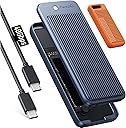
⚡ Unlock Lightning-Fast Storage, No Tools Needed!
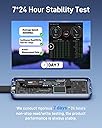
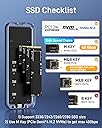
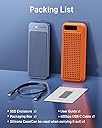
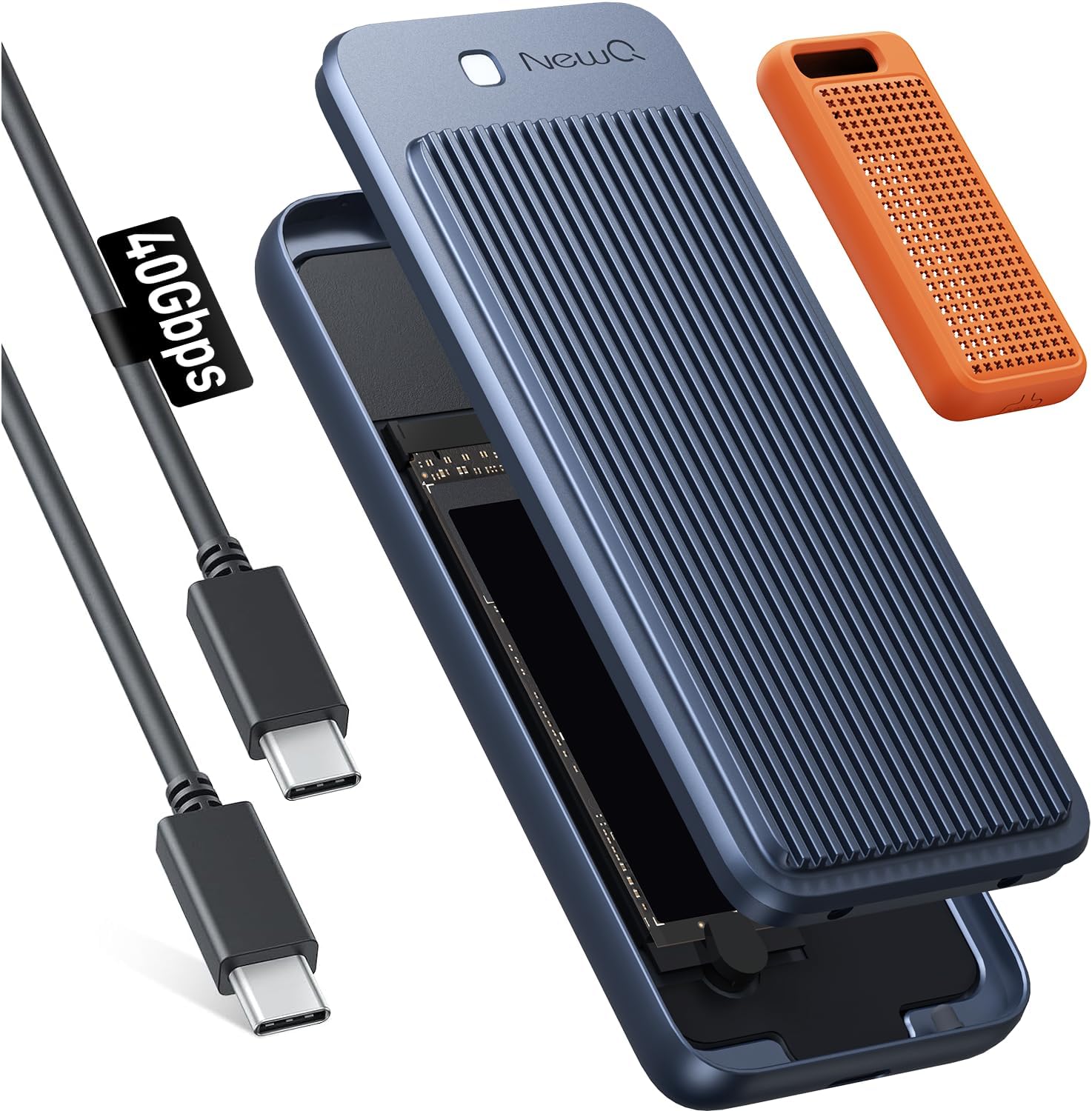
The NEWQ 40Gbps M.2 NVMe SSD Enclosure delivers cutting-edge USB4 and Thunderbolt 4/3 compatibility with blazing transfer speeds up to 40Gbps. Designed for professional users, it supports multiple SSD sizes (2230-2280) and features a dual-sided raised aluminum heatsink for superior cooling. Its innovative tool-free quick-open design makes SSD installation effortless, while included USB4 cables support 100W power delivery. Ideal for Mac Mini M4/Pro, M1/M2 Pro/Max, and other high-performance setups, this enclosure maximizes your SSD’s potential with premium build quality and universal connectivity.


| ASIN | B0CKFQ3GLC |
| Batteries Included | No |
| Batteries Required | No |
| Compatible Devices | Macbook, Macbook Pro, USB 4.0, USB4 |
| Customer Reviews | 4.2 4.2 out of 5 stars (178) |
| Data Transfer Rate | 40000 Megabits Per Second |
| Date First Available | October 8, 2023 |
| Manufacturer | NEWQ |
| Manufacturer reference | HS01 |
| Max Number of Supported Devices | 4 |
| Package Dimensions | 25.1 x 12.2 x 4.7 cm; 507 g |
F**M
Von der Verarbeitung des Gehäuses bis hin zur Verpackung wirkt alles absolut hochwertig. Habe dieses Gehäuse mit einer WD_BLACK SN850X in Betrieb genommen. Falls ihr euch (wie ich) fragt, ob ihr von der SSD den Aufkleber entfernen solltet, die Antwort lautet: "nein". Die Aufkleber erfüllen in in einigen Fällen wohl eine Wärmeleitfunktion und auch wenn das nicht der Fall ist, haben sie keinen negativen Einfluss. Sie zu entfernen riskiert nur, dass man dabei die Chips beschädigt. Die Installation war dank Anleitung wirklich denkbar einfach: - Gehäuse öffnen - Gummistöpsel ab - Gummistöpsel an SSD klemmen - SSD einsetzen und Gummistöpsel wieder befestigen - Wärmeleitpad ankleben - Gehäuse wieder schließen Fertig. Kein Werkzeug nötig und sogar ein Grobmotoriker wie ich bekommt das hin. Danach habe ich die SSD an mein M1 MacBook Air 2020 geklemmt und mit APFS und Verschlüsselung eingerichtet. Die Geschwindigkeit enttäuschte mich zunächst etwas. Auf dem zweiten Screenshot ist zu sehen, was der Blackmagic Disk Speed Test auf diesem Gerät gemessen hat. Da die schnellsten externen SSDs am Markt laut Tests aktuell bis zu 3.700 MB/s liefern, wirkten die gemessenen 2.400 doch eher schwach. Zur Sicherheit habe ich die Platte noch mal an mein MacBook Pro mit M1 Max von der Arbeit gehängt. Dort sah das schon etwas anders aus (siehe ersten Screenshot). Hier wurden rund 3.000 MB/s erreicht, schreiben war sogar noch etwas schneller. Wie dieser Unterschied zustande kommt, kann ich nur spekulieren. Möglicherweise belastet die von mir eingeschaltete Verschlüsselung der SSD die CPU und die stärkere CPU im MacBook Pro sorgt für die deutlich höhere Geschwindigkeit? Das würde gleichzeitig auch die Vermutung nahelegen, dass die Platte ohne Verschlüsselung möglicherweise noch etwas schneller laufen würde. Es könnte aber auch sein, dass es daran liegt, dass das MacBook Pro Thunderbolt 4 unterstützt und das MacBook Air nur Thunderbolt 3. Da aber beide Anschlüsse USB4 mit 40Gpbs unterstützen, dürfte das nach meinem Verständnis keinen Unterschied machen. Die Geschwindigkeit ist selbst auf dem MacBook Air für meine Bedürfnisse absolut ausreichend. Da mir die Verschlüsselung wichtig ist, spielt die unverschlüsselte Geschwindigkeit für mich auch keine Rolle. Auch wenn die Kombination aus SSD und Gehäuse nicht günstig war, habe ich gegenüber einer fertigen externen SSD mit vergleichbarer Geschwindigkeit etwas Geld gespart. Das Gehäuse hinterlässt einen soliden und hochwertigen Eindruck und funktioniert bisher tadellos.
V**3
Carcasa externa USB 4.0, última versión del estandard USB, compatible thunderbolt, para discos M2, con una velocidad de transferencia de datos de 40Gbps (5000 MB/s). La presentación es lujosa y llamativa, en una caja de cartón duro con un sistema de apertura superior de dos tapas abatibles, con la carcasa protegida en un molde de espuma, manual, cable USB C de datos, y un termal pack para discos M2 de 2280 con un buen grosor. Es una carcasa fabricada completamente en aluminio, con un efectivo sistema de refrigeración pasiva macizo, con acanaladuras por el exterior para mejorar la disipación, con una funda de silicona extraible con protección para el puerto USB C. La apertura es muy cómoda, con una hendidura para el dedo, y un peculiar mecanismo de unión mediante 4 pequeñas bolas retractiles, que permite levantar la tapa superior con facilidad, con un gran led de estado blanco. La placa de la caja está protegida por una lámina de plástico quedando sólo a la vista el conector M2 Mkey. La compatibilidad de la carcasa es muy buena, no sólo es compatible con cualquier sistema operativo (Windows, Linux, MacOS y Android), admite discos M2 de hasta 4 teras, en todas las medidas (2280, 2260, 2242 y 2230), con un tornillo o anclaje de goma sin necesidad de destornillador. Es además compatible tanto con thunderbolt 3 y 4, como con cualquier puerto USB, independientemente del estandard, aunque lógicamente para aprovechar una carcasa de estas características vamos a necesitar un disco M2 a la altura y conectarla a un puerto USB 4.0 o thunderbolt. Nada mas conectar la caja al pc, W10 me la detecta como un dispostivo de almacenamiento thunderbolt con el nombre "NQ-HS-01". Le ha probado con un disco M2 PCIe 4.0, pero no dispongo de hardware con la conectividad adecuada, únicamente de puertos USB 3.2 Gen2 a 10Gbps, consiguiendo velocidades cercanas a los 1000 MB/s, muy inferiores a la capacidad máxima de transferencia que puede entregar, con temperaturas excelentes. La disipación pasiva es tan eficaz, que en un test de rendimiento de 20 minutos con velocidades de transferencia continuada de 900MB/s, la caja apenas sube de temperatura, pasando de 28ºC a 32ºC. Una carcasa de ultima generación, adecuada para quien quiera lo mejor, y por supuesto disponga de la conectividad adecuada para sacarle provecho.
R**Y
The speed is super high! It says it right on the box! Nice design, easy to install SSD. I don't have a Gen 4x4 NVME SSD, the following speed results are with a 2TB Samsung 970 EVO Plus. On my PC (13thG i7) plugged in to the TB4 port W:580MB/s R:2600MB/s (odd there is a warning on connection: USB device functionality might be limited) the device does not appear in the Thunderbolt control centre. On my PC Gen3.2 2x2 port W&R: 1719MB/s On my MBP M1 Pro W:1300MB/s R:3000MB/s With a Lexar NM790 2TB MBP M1 Pro W: 2953 R: 3084 (APFS) Ok, but well shy of what this SSD is capable of, so I've knocked off 2 stars. Comes with one thermal pad and a short USB4 rated cable. It's also fairly solid and hefty in the had, it weights 260g.
T**E
Most of these cases are pretty low quality. I bought a bunch with the thought of keeping the best and returning the others. And this one won by a a lot. It's much more substantial that the others, without being bulky, plenty of heat sinking capability. The materials and workmanship is on point. And even the led light is high quality and placed well. Not like some of the others with their little point lights or little holes to see the led through. The USB cable is also thicker than the others, and this played a role in what speeds each one supported. While some of the others also had high speeds, this one was more consistent across all my testing, and compatibility. I used a MacBook Air M1 and a Dell Precision 5520. The MacBook had no issues with any of them, just small speed differences. The Dell though, man what are they doing, some of them didn't even mount! Compatibility was a nightmare. And sometimes they'd connect and then disconnect a short while later. This one was the most reliable with that pesky Dell. (I put most of the blame with Dell, and some on Microsoft) The speeds will depend on 1) Your SSD and 2) the negotiated connection speed. I was testing with a Crucial P1 Plus, so SSD speed was NOT the limiting factor. lol. If you can connect with thunderbolt speeds, you're getting 2-3gigs/second, less with USB3, and much much less with USB2. BUT, you may want to connect with USB3 if you'll leave this plugged in long term (or any thunderbolt device for that matter). As when you're running thunderbolt, not only will the device get hot to the touch (but not burning, these things can operate at pretty elevated temperatures), but so will the controller on the laptop! And that's with no transfers even. This was worse for the Dell than the Macbook, but both heated up. Not great for long term use plugged in. Since it takes like 30 min to heat up, it's not even noticeable if you're just transferring files real quick. And this thing is REAL quick at 3 gigs/second. lol The heating was only warm to touch with USB 3 negotiated connections. This is not a flaw with this device, as all the devices I tested had the same pattern. So for long term plugged in, use USB 3. Still pretty fast, but much cooler temps. Also, even the packaging was high quality. Probably overkill, but nice touch.
E**I
Partiamo subito dal fatto che è un ottimo prodotto, qualità elevatissima, velocità top. Provato con un MacBook Pro Max, ssd sabrent, tutto come nelle aspettative. Segnalo anche la compatibilità con iPhone 15 pro, quindi utilizzabile come SSD esterno per registrazioni video onerose di spazio. Abbastanza facile da aprire. Sistema per bloccare l'ssd che personalmente non amo molto (il gommino che blocca l'ssd si potrebbe perdere, ma del resto non starete tutto il giorno a montare e smontare unità ssd). Colore che si avvicina al nero blu del Mac, molto più scuro dello space gray.Bella la calza di silicone per renderlo un po' "rugged" anche se la è già abbastanza massiccio. E veniamo appunto alla questione che mi ha meno soddisfatto: è enorme! Va bene che serve per disperdere il calore, non ha ventole o altro ma caspita, è un mattone! Può essere una valutazione personale ma è da tenere in considerazione, di certo non è portabile da tenere in tasca, scordatevi di metterlo nella tasca della giacca o men che meno della camicia, il peso poi è davvero notevole. Per dare un'idea pratica delle dimensioni l'ho messo in confronto con alcuni case in mio possesso, una schedina CF express e una custodia AirPods Pro. Valutate questo aspetto, per il resto, se non vi crea problemi, è un ottimo prodotto.
Trustpilot
1 month ago
2 weeks ago