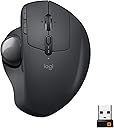
🖱️ Elevate your workflow with precision and comfort — the MX Ergo means business.
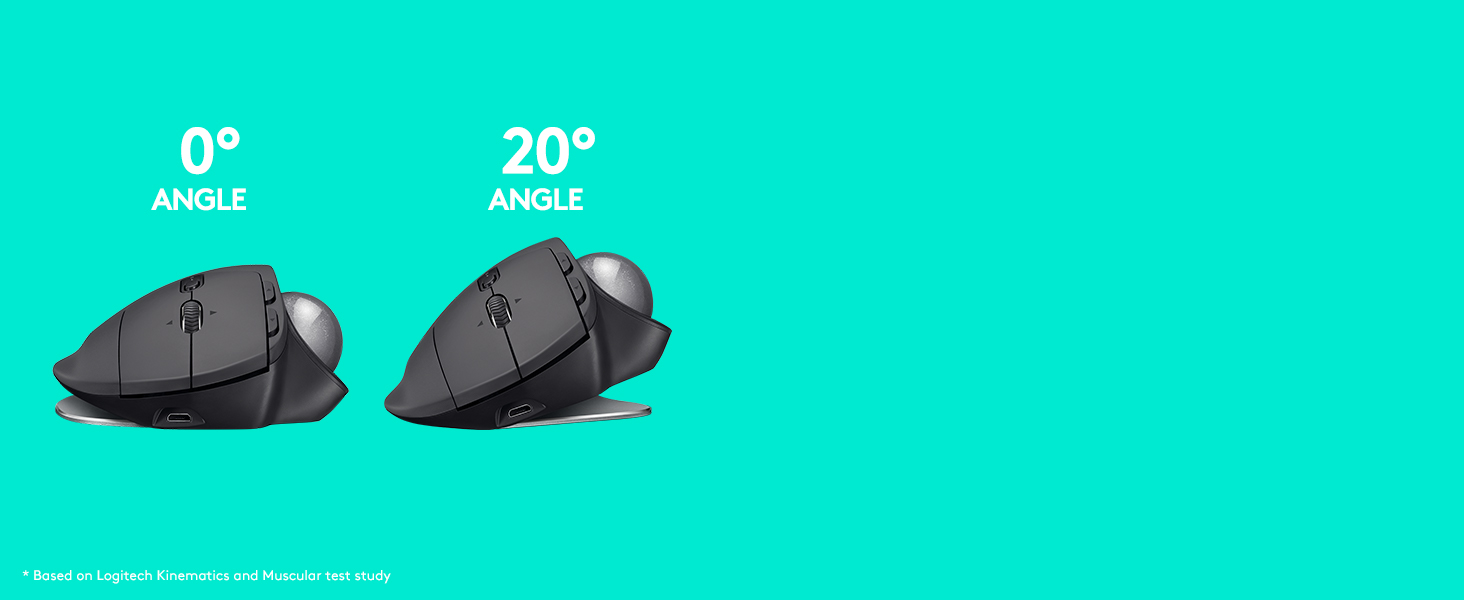
The Logitech MX Ergo Wireless Trackball Mouse combines ergonomic innovation with advanced precision controls, featuring an adjustable tilt (0-20°) to reduce muscle fatigue by 20%. It supports dual connectivity via Bluetooth or USB, includes a precision mode button for cursor speed adjustment, and boasts a rechargeable battery lasting up to 4 months. Designed for professionals seeking comfort and efficiency, it enables seamless multi-computer workflows with Logitech FLOW™ technology, all wrapped in a premium graphite finish.


| ASIN | B0753P1GTS |
| Additional Features | Ergonomic Design |
| Antenna Location | Office |
| Are Batteries Included | Yes |
| Are Batteries Required | Yes |
| Battery Average Life | 4 months |
| Best Sellers Rank | #729 in Computer Mice |
| Brand | Logitech |
| Built-In Media | MX ERGO Advanced Wireless Trackball, Micro-USB cable for recharging, Quick Start Guide, Unifying USB Receiver |
| Button Quantity | 8 |
| Color | Graphite |
| Compatible Devices | Desktop |
| Connectivity Technology | Bluetooth |
| Customer Reviews | 4.5 out of 5 stars 12,369 Reviews |
| Enclosure Material | Graphite |
| Global Trade Identification Number | 00097855132666 |
| Hand Orientation | Right |
| Hardware Platform | Laptop, PC |
| Item Dimensions L x W | 5.7"L x 3.7"W |
| Item Type Name | Logitech 910-005177 MX ERGO Advanced Wireless Trackball for Windows PC and Mac |
| Item Weight | 5.76 ounces |
| Manufacturer | Logitech |
| Mfr Part Number | 910-005177 |
| Minimum Required Operating System Version | Windows 10 |
| Model Name | Logitech MX ERGO |
| Model Number | 910-005177 |
| Movement Detection | Trackball |
| Movement Detection Technology | Trackball |
| Number of Batteries | 1 Lithium Metal batteries required. (included) |
| Number of Buttons | 8 |
| Operating System | Windows 10,11 or later,Mac OS X 10.8 or later,iPadOS 13.4 or later |
| Pattern | Geometric |
| Power Source | Battery Powered |
| Range | 10.0 meters |
| Special Feature | Ergonomic Design |
| Style Name | Mouse |
| UPC | 097855132666 |
| Unit Count | 35.2 Ounce |
| Warranty Description | 1 year limited |
S**E
I miss thumb buttons :(
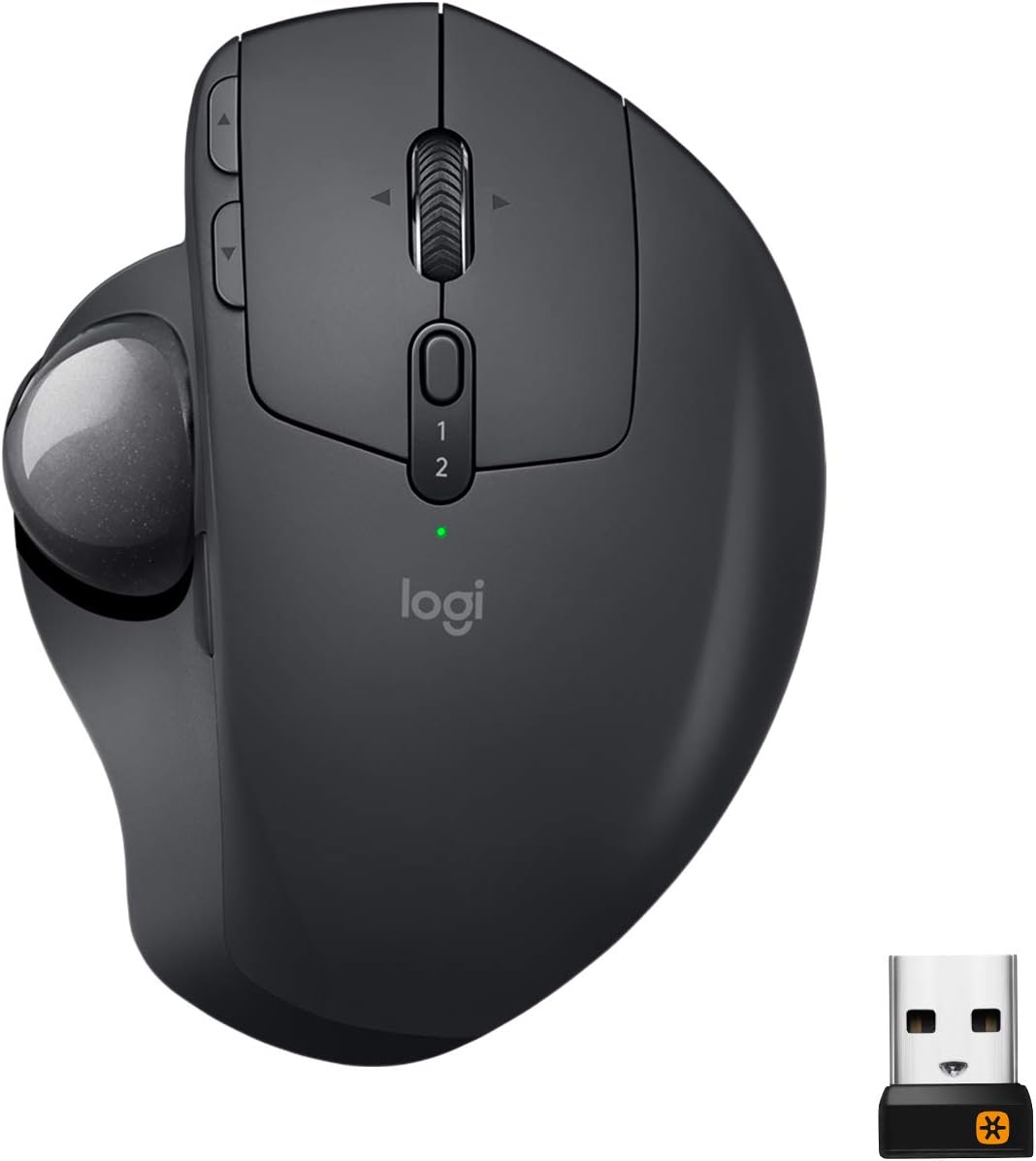
After quite a few years since having the Logi T-RA18 cordless trackball, I wanted once again to go back to just lazy thumbing around on the pc. I'd been staying with the Logi brand since that old trackball, but in traditional corded or cordless mice. Figured it'd been about 10yrs since then, maybe they made improvements on the trackball scene? Yep, they did. Enter this guy. First off, its nice. Very ergonomic. Then add in that tilt feature and it gets better. If you don't like the tilt, just firmly rotate it to the left and it'll plop down flat. By the way, that tilt plate is removable if you want just a flat trackball. I left it on, because I can simply add a bit of pressure and it just flops over flat. Battery life is really good. My old one took batteries, this one has power built in. Probably lithium, can't say for sure. What I can say, is that it lasts quite a long time. Plus, if it DOES start to die, you can simply just plug it in and keep on thumbing around. It charges while you use it. The ball portion is just like it used to be. Nice smooth ball to thumb with. Mine however has a ever so slight divot in it. I can feel it, but can't find it. I also can't be bothered to really look for it as well lol. And just like previous trackballs, there's a hole under it so you can pop it out to clean under the ball. The difference between then and now, is that this ball is in there quite snugly. Took a fair amount of force to pop it out so I could inspect the innards. Keep this in mind and don't use anything that might mar the surface. A new feature I haven't seen yet, is by the ball, there's a button. This button by default evidently will reduce the mouse speed super slow. Great if you want to move the mouse .5mm at a swipe of the thumb I suppose. Me personally, i've no use for it. And, its not in a convenient place to use. You have to stop, and find it in order to push the button. But it might be useful to someone out there. After all, its there right? Aside from that, it's got the typical mouse buttons and wheel along with mouse speed buttons next to the left mouse button. Gaming? Well, that's going to be user preference. And there's a learning curve to it if you've been using traditional mice for awhile, like me. So, I've got both this mouse and the G604 sitting next to it so I can have all my bases covered. By the way, this mouse does not use the g hub software that is found on alot of mice. It uses logi bolt and logi options. So far there's been no conflict between those and ghub. In the end, its a nice addition to my arsenal of gadgetry. I'd say give it a whirl. Keep in mind, there's a learning curve to it! Buy with confidence!
M**T
BUY THIS NOW… UPDATED Sep 2023
Don’t even bother shopping for cheaper trackballs or knock-offs, just get this one and save your time and money. If your reading this review and debating on this or a cheaper off-brand trackball, stop right here. I tried others that seemed like they'd be as good or better for less money, but ended up paying top dollar for this name brand one in the end anyway. I spent more money trying to save money, which is the definition of counterproductive. You get what you pay for once again bites me. This trackball is smoother, better quality, and more reliable than anything else out there. The tilt is amazing and has really saved my wrist. This is my everyday mouse. I also use this for music production, and graphic design and it’s been amazing. I don’t use a trackball for gaming, but if you game with a trackball, I’m sure this will be great for that too. A couple features I LOVE about this mouse: 1. The precision button is great! I use it so much that I’m afraid I will wear it out. I bought another mouse that was basically a rip off of this one, it did not have this feature and was not smooth at all. It made it a nightmare to use for selecting text, let alone trying to draw or click on a smaller button. It also works like a “sniper” button on a gaming mouse. 2. The weight of the base. Cheaper ones and rip offs are too light and either move and/or tilt too easy or they feel like they are going to fly of the desk if you scroll fast or flick the trackball. 3. Lastly, the fact that it has no RGB is a plus in my book. Especially random, Uncustomizable RGB. Can’t we have peripherals without RGB anymore anyway? Don’t get me wrong, I like some RGB LEDs when appropriate, but at least make it customizable. You don’t have to have it cycle through every color in the spectrum in 5 different ways. Let us at least color it to match our rig. I know that this is usually a bad sign and that they are adding RGB to try and make it more appealing, but I bought it anyway. Like I said in the beginning, JUST BUY THIS ALREADY! Your research end here. I made the mistakes, so you don’t have to. *Update Sep 2023* I wanted to share my thought after over a year of use. I use this every day and it still works like it's brand new. I use it to switch between a Mac and Windows machine without any issues. I do maintain it pretty well. I clean the rollers inside and clean the ball with a microfiber cloth. I also do something that makes this mouse even smother, but it's kind of gross. I wipe my fingers on an oily part of my face and lubricate the ball. I can't even tell if i've got oil on my hands or the ball, but it makes a BIG difference. I know, it's gross, but it's my mouse and no one else uses it. There is a trade off though. The roller will collect dust faster, but I just pop out the ball with a cotton swab/Q-tip and clean the roller with it.
T**G
M570 Upgrade
I've used the Logitech M570 for many years. Mice always cramped my hand and I have never had the trackball give me ergo issues. I wore out the first 570 after many years and moved to the second. I used that for a number of years and then recently started to have an issue on my work computer where the left button seemed to be working like a right button on occasion, along with some other glitchy performance. This got me doing trackball research. Meanwhile, it turns out my company's computer help desk just had to upgrade my mouse driver and it was back to working perfectly. But now I had the bug in my head that after many years it was time for an upgrade. For me, the MX Ergo has been a step up in 5 ways: 1) I like the heavier unit that keeps it nice and planted on my XL mousepad 2) I really like the cursor slow-mo button for more precise work when needed 3) the overall grip seems wider and more ergonomic for my hands and I particularly note the ball or meaty part at the base of my thumb now has a resting area, so even more relaxing for my hand. 4) Between the rubbery hand rest and rubber bottomed metal base plate the whole unit just feels more high quality and solid than the plasticky M570 and 5) Because this unit has both the Logitech Unifying USB and Bluetooth and can easily toggle between the two when set up properly from the button at the base of the wheel, I no longer am transferring the Unifying USB from my company computer to work computer, a move I've done thousands of times previously... now I keep the Unifying USB in my work computer and easily toggle to Bluetooth for my home computer work on this MX Ergo as well as my recently acquired K780 keyboard that has similar functionality. Awesome! I find keeping the unit at the 20 degree tilt via the magnetic plate on the bottom is more comfortable for me than the flat position... but the metal plate approach is pretty nifty and one can easily hop between one position and the other on the fly, no formal "adjustment" necessary. The jury is still out on the rechargeable battery that is supposed to go 4 months between charges. With my M570 it always felt I went well over a year before the battery started to give up the ghost. This rechargeable device theoretically ensures one is not caught without AA or AAA batteries. I just hope it is not a planned obsolescence device where energy retention degrades after a few years to the point recharging the trackball becomes annoying, like the crappy degrading battery life on phones we've all experienced. Finally, It is kind of cool that the new silver ball and old blue trackball are the same size... I could swap out the balls and now my new MX ergo has a Blue Ball to show I'm a legacy M570 user.
M**N
The best trackball ever made
I like this so much, I have one for my work PC, one for my laptop, and one for my home PC. Too bad they don't make this in a silent version (Most mice make the click noise when you click a button, but there is like one or two on the market that advertise being silent - I tried one that is quiet but had connection issues.). However, the ability to connect to my laptop with Bluetooth and not need to have the dongle sticking out the side is nice. The ergonomics are very nice especially with the adjustable base. Cleaning it is much better than the Logi counterparts that use the Dongle. I've used those style for decades now and they are harder to clean and have smooth rolling action with the ball, thus choppy curser action and it affects your fine manipulation. The main thing that attracted me to try my first version of this one is the Bluetooth connectivity but I got more than I bargained for as the whole trackball is better than the other style. These are expensive so my first one I bought refurbished to save money. The other two were then new units. I haven't had issues with any of them. Over the years I've encountered that this style of trackball isn't everyone's favorite, but I really like them. I like the position of my hand, and using my thumb to roll the ball to control the curser rather than moving the whole mouse. I believe this style is easier for fine manipulation, like working with graphics, CAD, etc. Even using it with my laptop sitting on the couch, no worries because I don't need a hard surface, I can just have this trackball sitting on my lap as well or right beside me and it works just fine. With a mouse, I'd need a surface under it for it to work. Again, this really is a matter of personal preference, but my opinion is this is the best curser controlling device available to my knowledge. If you're not sure if you'd like this style, then you might consider trying a less expensive version. However, if you already know this is the style you like, it's definitely worth the extra money for this for more than just the Bluetooth connectivity.
A**S
Pretty darn good, all around. Few issues, mostly software side. I'd stick with the M570.
The pros: 1. The ergonomics are good, especially with the tilt feature. 2. The button to decrease cursor speed or increase precision is excellent. 3. The button to switch between two computers is pretty awesome also. 4. Rechargeability is pretty sweet, and the battery lasts quite a while. The cons: 1. The scroll wheel on the M570 I previously had would not scroll one interval/click with each click of the wheel. Sometimes, the spot the wheel would stop would be right on a threshold of scrolling up or down, so the page I was one, or the CAD zoom level I was on, would move. This annoyed me, and I hoped it would be different with this MX Ergo. Unfortunately, it is not. It's annoying, but it's not a deal-breaker. 2. Flow (Logitech's software to supposedly allow you to scroll right from one computer onto the other, and even drag and drop files from one to the other) is pretty solid garbage. It fails to perform a simple function that is one of its only two claims. I could not drag and drop (copy) a file from one to the other, and both of these machines had the same Windows 10 Pro installation, fresh. I use the button to switch from one to the other, while the Ergo is connected to my desktop with the USB dongle (unifying receiver/transceiver), and my laptop using Bluetooth. This button works great. Flow does not. 3. It's a little trickier to pop the ball out to clean it and the little support contacts than on the M570. You need a pencil eraser, or some other *non-sharp* object to poke through a small hole. Not a big deal, just not as easy as the m570 which I could pop out with my finger. 4. The forward/back browsing buttons were great on the M570, and they're just okay on this Ergo. They were slanted/sloped on the M570, which gave a slightly better feel. They're also positioned such that forward is in a perfectly ergonomic position for my index finger, but the back button is almost behind the crease at my last digit, so I typically have to actually bend my finger pretty significantly to reach it without accidentally pressing the forward button. On the whole, it's a good trackball, which I like, but I probably wouldn't buy it again over the M570, for the bang:buck ratio.
G**N
Great Logitech quality, materials, design and features! Fair price for top end equipment!
I have been using Logitech MX series mice and keyboards for almost 10 years. My work had replaced my wired mouse with an MX Master wireless. Two weeks of 50-60 hours use each week and I bought one for my home system! I had the Logi M570 wireless trackball for my laptop, and when my office system went to 3 monitors, I thought trackball versus "mouse". While the M570 did make it better,, I have large hands/fingers, and discovered 40-50 hours a week had me wanting a bigger trackball "body". And very quickly, I found that Logi made an MX trackball, and I was sold. Every MX product I have (2 MX Master mice, 2 MX keyboards, 1 MX ERGO trackball, 1 MX ERGO PLUS trackball) have the following features: *High quality build, design, materials *Great software for tweaking settings *Rechargeable batteries that really do seem to last forever, and if you need charging while you also need to use it, no problem, just plug in a USB cable to device, it will charge while you continue to us! *They last! After a week of using this, I went to OfficeDepot and bought the MX ERGO PLUS, which comes with a "platform" that the MX ERGO sits on to give you an additional 10 degrees of angle for the tilt. I like using the PLUS for my work, and the MX ERGO for my personal PC. I have noticed over the last several weeks of use that my mouse hand doesn't get as cramped feeling over long periods of use compared to even the MX Master mouse (which I still love, but use trackballs now)! Logitech has been making really great products for years. I even have their "Z" series PC speakers with subwoofer. If you have used a trackball, or want to try one, the Logitech MX ERGO and MX ERGO PLUS trackballs are the ones you want! I would highly recommend Logitech and all products mentioned in this review! I was not paid or compensated for this review.
J**D
Good purchase
The mouse works very well. The trackball moves smoothly, and there are many buttons you can customize. I like that I can switch between my desktop and laptop with just one click. It was easy to set up, and the buttons respond quickly and smoothly. I have medium-sized hands, and it feels comfortable to use. In my opinion, trackball mice are easier to use than regular mice.
D**B
Very satisfied after 4 years, just bought this second MX for my alternate workstation
1) I have been so pleased with my first MX (used daily since Sept. 2019) that I bought this one for my other workstation. For me, the MX is superior to a conventional mouse for image processing. It's also advantageous when using a laptop on my lap without a desk or table top. 2) The MX eliminated the wrist pain I developed when using a mouse. 3) Battery run time is exceptionally long and has not diminished over 4 years of use. I only recharge a few times/year. In a pinch, one can use the MX while it's charging, but I've never need to do this. 4) My only complaint: the USB Receiver failed after 2 years, so I had to run my first MX using Bluetooth until I got a replacement receiver. 5) NOTE: I only recently discovered that it's possible to use the MX with the universal receiver that came with my old Logitech M325 mouse. This coupling is only possible using Logitech's online tool for coupling receivers to Logitech devices (see Logitech's website). My old MX coupled to its USB receiver right out of the box. The new MX would not couple without using the online tool (which is how I discovered the tool). Now, with the online tool it's possible to couple both MX trackballs and the M325 simultaneously to the universal receiver that comes with the MX or the M325. Not sure why that's useful, except that, after coupling all 3, it means I can use any of the 3 devices immediately as soon as I turn on my computer.
の**ス
楽な体制で作業できます
マウスを傾けることができるのですごく楽な体制で作業できます。 玉の中のゴミ掃除がM570よりもしにくいのが難点ですがこちらの方が使いやすいです。
C**N
Ótimo mouse para uso cotidiano
Atualização após 1 ano e poucos meses de uso: Não há nenhuma dor ou incômodo no polegar, mesmo com mais de 8 horas por dia em uso todos os dias da semana, não sinto mais nenhuma dor que antes tinha no mouse. Um ótimo mouse track-ball com uma ergonomia inigualável, para quem trabalha bastante no computador, uma necessidade ter essa característica. Funciona perfeitamente no Linux, porém não uso o software, o mouse já consegue atender minhas necessidades; o botão de precisão, e os botões avançar e voltar funcionam normalmente. A bateria dura bastante e ele entra em modo suspenso para poupar energia caso não esteja usando o mouse, rapidamente ele deixa o modo suspenso quando começa a utilizar novamente. Fácil de limpar, basta remover a placa magnética e usa um lápis não apontado ou a ponta achatada de uma caneta para tirar a bola. O conforto é muito bom, consigo descansar minha mão no mouse, que tem uma superfície levemente aderente. Recomendo sempre os produtos da Logitech pela qualidade e durabilidade dos produtos.
C**T
Great mouse with a catch
Probably one of the best mice I've ever owned and it was really easy to begin using it, feels high quality and haven't had any problems using it, it's great for people who have difficulty using their wrist and its usable from almost any position and doesn't take up much space on my crowded desk although it is larger than a typical mouse. It's also great for people who are (or work in environments) sensitive to noise with no sounds from dragging or placing it on the desk from use. If you aren't moving your cursor across the screen a lot and you're constantly making small movements (especially detailed movements) this mouse works excellent but large sweeps across the screen and you'll have to use two swipes with your thumb, another drawback is that for people who have difficulty using their thumb the task of rolling the ball may become strenuous to use for long periods. For various work situations it performs exceptionally but for gaming it may be worthwhile to stay with something familiar.
J**.
Amazing Mouse - especially for Developers
As a software engineer/gamer I've used more computer mice than I can imagine so here's my review: Computers/OS I tested this with: - Apple (Mac OS and IOS devices) - Microsoft (Windows 10 and 11 and Android devices) Ergonomic: - Very ergonomic and with the magnetic plate at the bottom that allows me to change the stance of the mouse it definitely feels great in my hand and more natural - I have large hands (can easily hold a NBA size basketball in one hand) and this mouse fits perfectly in my grip - My wrists and hands definitely feel better after using this mouse for about 2 weeks to get used to not having to move the mouse around - I have put a decent amount of weight on this mouse especially when using a standing desk sometimes i put the desk down and while standing am able to put my hand on this mouse and lean into it without the plate shifting or moving and it doesn't feel like it would break Gaming: - I do play a lot of FPS games and this mouse is alright but it's hard to be accurate when only using your thumb to react and move the mouse (so definitely wouldn't recommend for FPS games if you actually want to play well) - Works well with other types of games that aren't as fast paced or require extreme accuracy - It does have a button on the side that does make the mouse move slower when you rotate the ball Battery Life: - I can tell you it will last long enough for you to forget when the last time you charged it was and it barely takes anytime for it to charge enough for you to finish the day. Quality: - Feels amazing in my large hands and definitely high quality material and can withstand body weight even with a plate that can be moved at the bottom - Cleaning the ball is a bit annoying but you can just wipe it down or use an air can to get the in-betweens - The ball rotates very smoothly and is at a level of satisfaction where I move the ball around for pure sensory satisfaction Everyday use as a Software Engineer: - Takes about a week or two for you to get used to having your hand not moving and only using your thumb - Works great and works in small spaces where you don't have room to move your hand - Bluetooth connectivity never disconnected on me not even once - Loved the fact that i could connect 2 different devices to this Mouse made it easy for me to either switch between computers or my android tv box to my computer with ease - Highlighting is a bit annoying at full speed so you would definitely have to press the button on the side of the mouse to slow the speed down and improve highlighting accuracy - Love the fact that i don't have to lift the mouse when working on Figma and can just keep rotating the ball to get to further parts of the diagram rather than moving my arm multiple times Overall Review: - Definitely amazing for people who want to relax their hand and wrist - Works perfectly for everyday use - Different adjustment levels are great and hold firmly - Fits large hands - Bluetooth connectivity is strong and connect to up to 2 devices - Battery lasts forever - Amazing mouse I use it literally everyday for 10+ hours and my wrists don't get tired
T**E
Best Mouse I have ever used
Heavy and high quality. Perfect angle when you use the tilt mechanism....it sits in a position that is natural to your hand. Other nice features.....a button for fine tune movement of your pointer, programable keys to move forward and back on web pages etc. Has another button on top to switch between two different machines. I use it to change control of my work computer (windows) and my mac on the fly. Also works with an IPAD as well. Great mouse and if you have never used a trackball mouse, try this one.
Trustpilot
1 month ago
2 days ago