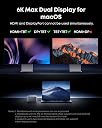
⚡ Elevate your workspace with the ultimate 14-in-1 Thunderbolt 5 powerhouse!
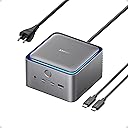
The Anker Prime TB5 Docking Station is a premium 14-port Thunderbolt 5 hub delivering up to 140W charging, ultra-fast 120Gbps data transfer, and dual 8K@60Hz display support. Designed for professionals and power users, it combines extensive connectivity options with an advanced cooling system to keep your setup sleek, efficient, and future-ready.
| ASIN | B0DSVVJXK5 |
| Brand | Anker |
| Brand Name | Anker |
| Colour | Gray |
| Compatible Devices | MacBook with M4 Standard/Pro/Max; MacBook with M1/M2/M3 Pro/Max; Thunderbolt 5/4 Windows Laptops |
| Compatible devices | MacBook with M4 Standard/Pro/Max; MacBook with M1/M2/M3 Pro/Max; Thunderbolt 5/4 Windows Laptops |
| Customer Reviews | 4.2 out of 5 stars 460 Reviews |
| Hardware Interface | Thunderbolt |
| Hardware interface | Thunderbolt |
| Item Dimensions L x W x H | 6.2L x 4.7W x 23.2H centimetres |
| Item Weight | 1.08 kg |
| Manufacturer | Anker |
| Manufacturer Part Number | A83B51A1 |
| Model Number | A83B5 |
| Number of Items | 1 |
| Number of Packs | 1 |
| Number of Ports | 14 |
| Product dimensions | 6.2L x 4.7W x 23.2H centimetres |
| Total HDMI Port | 1 |
| Total USB Ports | 8 |
| Total USB ports | 8 |
| UPC | 194644289171 |
| Unit Count | 1.0 count |
| Wattage | 140 |
B**D
Best Dock I’ve Used for My MacBook Pro
This Anker Prime TB5 Docking Station is easily the best dock I have used with my MacBook Pro. It feels like a true desktop replacement setup instead of just another USB-C hub. The biggest advantage is how much it handles through one connection. Monitors, accessories, storage, networking, charging, and other peripherals can all stay connected to the dock, so when I sit down at my desk I only have to plug one cable into my MacBook. Performance has been excellent. Transfers are extremely fast, everything connects reliably, and I have not had issues with devices randomly disconnecting or needing to constantly unplug and reconnect the dock. The Thunderbolt 5 bandwidth also gives this a lot more headroom than most docks I have used before. Build quality is fantastic as well. It feels substantial, premium, and made to stay on a desk rather than slide around every time you plug something in. It is definitely expensive, but if you use a MacBook Pro as your primary computer and have a full desk setup, I think this is one of those accessories that actually justifies the premium. Tons of ports, excellent performance, and an incredibly clean one-cable setup. Best dock I’ve owned so far.
B**Y
Greatest Purchase of All Time!
This dock is a MUST HAVE for MacBook desktop/clamshell users! I LOVE this thing! My desktop went from a mess of wires to a clean, stylish solution (check image), and all my external SSDs and monitors are running full-speed. No issues at all; took 5 minutes to set up, and now I plug in one Thunderbolt cable instead of three. Personally, I would've prefered all the TB/USB-C connectors to be on the back, as my SSD cables are still a little awkward coming out the front. But that's just my taste. It still looks a million times better! Yes, it costs a lot more than your typical, small USB-C hub, but it's worth it. The ease and peace of mind is allowing me to get back to being creative, and it was worth it. Especially at 30%-off during the Amazon sale! Get this NOW.
W**I
Excellent Product
Excellent product. It is a powerhouse and handles all my devices. Looks great on my desk too. Built like a tank. Has Thunderbolt 5 before any other competitor. Blue accent lighting also a plus.
C**X
Must have for the work professional
This is a must have, I use it for a few different laptops I have (personal, work), the docking station works amazing, tooka bit of tinkering as there is only really one display port and i had to use one of the USB c ports on the back to connect a secon monitor up, but in the end once i did a bit of research and got the correct cable, it works amazing.
D**E
Works well with TB4/TB5 Windows 11 laptops
I was initially worried about dropping this much money on a dock that needs to work with two different Windows laptops (a Dell and an Alienware). I needed something that could power the Dell and drive video to two monitors, but also support peripherals. (For the Alienware, I didn’t care about power delivery.) I have to say, it was easy to set up and worked without a fuss. The only “fuss” was needing to find a USB-C to Displayport adapter since there is only one HDMI/DP output (and you have to choose), but I didn’t need to do any fiddling to get the USB webcam, mouse, two monitors, keyboard, and SSD connected to either laptop. Anker has pretty much cornered the market for me on peripherals, chargers, and power banks. I think if I were needing to connect more monitors, I would be very annoyed with the limited options, but as I knew what I was getting ahead of time and only need the two displays (plus the laptop screens), I don’t feel like it warrants knocking a star off for that. The build quality feels solid and looks stylish, which is par for the course for Anker, and i love the way it looks. A bit steep of a price, but it sure beats the pants off of the old Dell TB dock I was using and feels more premium, too. I haven’t had any issues with heat or noise, and while it’s a fairly chunky unit, it sits rather securely in the desk and doesn’t take up much real estate.
Trustpilot
2 weeks ago
2 weeks ago