Desertcart purchases this item on your behalf and handles shipping, customs, and support to Kyrgyzstan.
⚡ Upgrade your home network to pro-level speed and stability—no rewiring needed!
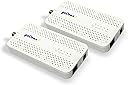
The goCoax MoCA 2.5 Adapter (2-pack) leverages existing coaxial cables to deliver a genuine 2.5Gbps Ethernet connection with ultra-low 3ms latency, perfect for streaming 4K/8K content and lag-free gaming. Easy to install and scalable up to 16 devices, it transforms your home network into a high-speed, interference-resistant powerhouse without costly rewiring.


| ASIN | B09RB1QYR9 |
| Amazon 売れ筋ランキング | 産業・研究開発用品 - 18,095位 ( 産業・研究開発用品の売れ筋ランキングを見る ) 同軸コネクタ - 52位 |
| おすすめ度 | 5つ星のうち4.5 1,499 レビュー |
| カラー | ホワイト |
| データリンクプロトコル | イーサネット |
| データ転送速度 | 2.5 ギガビット毎秒 |
| ハードウェアインタフェース | イーサネット |
| ハードウェアインターフェイス | イーサネット |
| パック数 | 2 |
| ブランド | goCoax |
| ブランド名 | goCoax |
| メーカー名 | goCoax |
| メーカー型番 | WF-91HG-ZM71 |
| ユニット数 | 2.0 個 |
| 互換デバイス | デスクトップパソコン |
| 付属品総数 | 2 |
| 品目寸法(L x W x H) | 13.9長さ x 13.9幅 x 1.8高さ cm |
| 商品の寸法 | 13.9長さ x 13.9幅 x 1.8高さ cm |
| 商品の重量 | 0.72 キログラム |
| 型番 | WF-91HG-ZM71 |
| 対応デバイス | デスクトップパソコン |
| 色 | ホワイト |
A**ー
Great
This is a great item for people who dont have a waiting wall conduit or a lan outlet. Seller was also helpful with the shipments. Worth the price
A**U
同軸ケーブル使ってルーターからルーターへ接続
前から使いたくて買おうか迷ってたが値下がりしてた機会に購入 きちんと動作してくれて良かったです
物**員
接続が簡単、動作も確認
設定も簡単ですぐに動作して、2.5 Gbps を確認できました。配送時のフォローも丁寧でとてもよかったです。
H**E
便利な同軸LAN中継機。
とても便利だけど、一部BS周波数が被ることは知っておいた方がいいです。地上波のみ同軸との同居が前提と考えた方が安全です。
A**ー
ケーブル差し込みだけで高速ネットワークが出来上がる
建売住宅を購入しましたが、LANケーブルは引っ張っていませんでした。モデムから最適な無線ルーター設置場所までのルートが複雑で、自分で通線できそうにありませんでした。ただし、各部屋に同軸は行っていますので、同軸でネットワーク組めないかと考え始めました。試しで100Mbps対応のアダプターを買ってみまして、デスクトップパソコンの接続はうまくいきましたが、ISPからのサービスは1Gbpsですので、もったいないと思いまして、本商品を買ってみました。 電源、同軸ケーブル、LANケーブルを差し込みだけで完成でした。アダプターの変更だけでスピードは役9倍(89Mbps→600Mbps)上がりました。大満足です。 3個を購入しまして、モデム→メインルーター(LAN)→4ポートスイッチ(LAN)→①、② ①テレビ(LAN) ②同軸スプリッター(同軸1)→③、④ ③デスクトップPC(同軸2) ④サブWi-Fiルーター(2F)(同軸3) 上記機器及び無線デバイスは全て同じネットワークに繋がっていますので、希望通りです。 まだ安定性につきなんとも言えませんが、出だしは良いです。
3**9
値段以外は(僕の家では)無敵
すごい!早い!(←僕の家の中では) メッシュとか使って無線LANで頑張っていましたが(←あくまで僕の家の中では)どうしても速度が出ず、藁にすがる思いで購入しましたがアッサリと倍くらいの速度で繋がってしまいました。 操作等はなにもなく、とりあえず繋いだだけで即開通です。 (本体のボタン操作で早い設定をコピペし合う能力があるようですが使っていません) もうちょっと安ければなと思います。ここだけ残念。 買ったばっかりですが耐久性が高ければ(鉄筋コンクリートみたいな住居の)最終手段になる可能性を感じますがちょっと高いかもしれませんね。
F**6
付属品について
アダプタとして機能性は問題ありません。 付属品としてLANケーブルがカテゴリ5eでアダプタの性能を活かせないものが入っていた点と5c同軸ケーブルという屋外で使用するものが入っていたのが不満点です。
A**G
Just works
Plug and play, and it even works with the trendnet moca adapters.
G**K
Works great, compatible with other brands like TP-Link.
These are an excellent alternative to Powerline Ethernet, which works reliably only 20% of the time. MoCA works a 100% of the time. Make sure that your coax splitters are capable of more than 1GHz. 3-way splitters often have one -3dB port and two -7dB ports. -7dB works better - it's higher attenuation, but wider band. Make sure you terminate unused ports with a 75Ohm terminators. Also keep in mind that they have a slightly higher latency - I'm seeing a 4ms ping round trip time on these.
I**N
Reliable, fast, easy to setup product
The best device for those who needs wired connection but don't want to run separate cable. Why I like it ? -Very easy to set-up, just plug in and go. -Connection quality is amazing. My home office is connected through one of these adapters and gets 980+ Mbps on a 1Gbps connection. Practically no loss for reliable work, streaming, and gaming. I have bought 4 such devices and ordered one more because I have 4 bedrooms. 4 years of working without a glitch! .
A**.
Blitzschnelles Netzwerk über Coax – echtes Highspeed ohne Kabelziehen!
Ich nutze den goCoax MoCA 2.5 Adapter zur Netzwerk-Erweiterung über bestehende Koaxialkabel im Haus – und ich bin positiv überrascht. Wer keine neuen Netzwerkkabel verlegen kann oder will, aber trotzdem hohe Netzwerkgeschwindigkeiten sucht, findet hier die perfekte Lösung. Was mich überzeugt hat: Volle Geschwindigkeit über Coax – Ich erreiche mit zwei Adaptern problemlos 2 Gbit/s brutto (real etwa 1,8 Gbit/s netto) – deutlich mehr als bei Powerline oder WLAN. Mein Coax-Kabel sind über 30 Jahre alt. Für Streaming, Gaming oder große Dateiübertragungen absolut zuverlässig und stabil. 2,5 GbE Ethernet-Port – Endlich ein MoCA-Adapter, der auch die volle Bandbreite weitergibt. In Kombination mit einem 2,5G-Switch oder NAS kann das Heimnetzwerk damit wirklich auf ein neues Level gehoben werden. Plug & Play – Adapter anschließen, einschalten, fertig. Die Geräte finden sich automatisch, keine komplizierte Konfiguration notwendig. Ideal auch für technisch weniger versierte. Nutzung vorhandener TV-Verkabelung – Ich verwende die vorhandene Koax-Verkabelung im Haus, ursprünglich nur für Kabelfernsehen, jetzt als Highspeed-Datenleitung. Perfekt für Häuser mit mehreren Etagen oder dicken Wänden. Stabiler Dauerbetrieb – Läuft bei mir seit Wochen im 24/7-Betrieb völlig unauffällig und ohne Hitzeprobleme oder Aussetzer. So muss das sein. Tipp: Wer Kabelfernsehen oder DVB-C parallel nutzen will, sollte auf ordentliche Splitter und ggf. einen MoCA-Filter am Hausanschluss achten – dann gibt’s auch keine Störungen. Fazit: Der goCoax MoCA 2.5 Adapter ist die ideale Lösung für alle, die echtes Gigabit-Netzwerk über vorhandene Coaxkabel wollen – schnell, stabil und ohne Kabelverlegeaufwand. Der 2,5G-Ethernet-Port macht ihn zukunftssicher und hebt ihn deutlich von anderen Adaptern ab. Klare Empfehlung von mir!
A**U
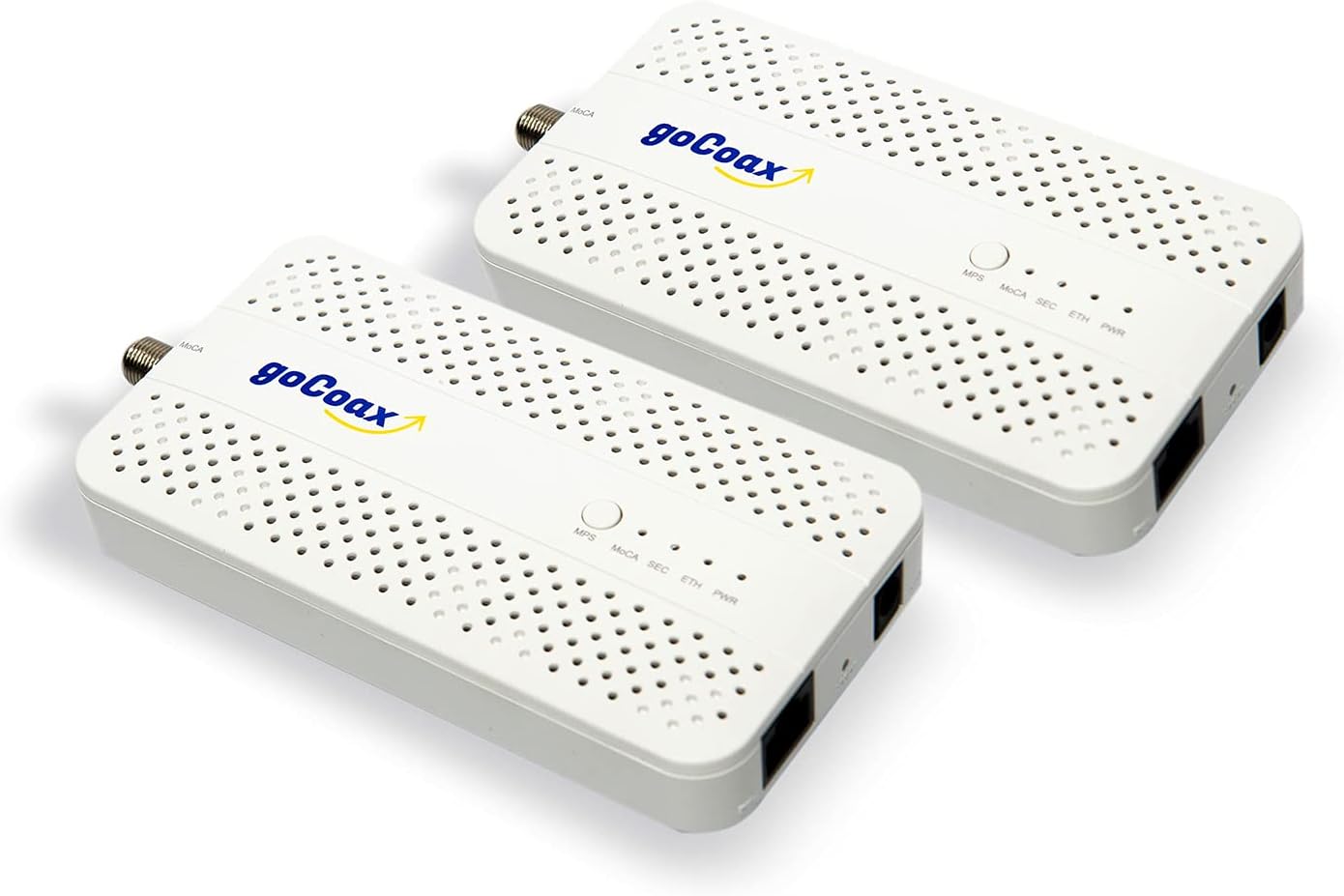
1 to 1 upgrade from the 1Gbps version (WF-803M)
Easy to upgrade and works like a charm.
S**E
Meglio di quanto mi aspettassi
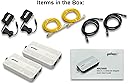
Premetto che utilizzo i powerline da anni e non ero nemmeno a conoscenza della tecnologia MoCA fino a pochi giorni fa. Mi sono documentato brevemente online e ho deciso di provare con questi goCoax poiché, tramite i powerline, riuscivo a portare soltanto 100 Mbps in down/up al mio pc fisso (che non posso connettere direttamente al modem) pur avendo la fibra da 2,5 Gbps a casa. Nel mio caso è andata anche meglio di quanto pensassi, lo speed test mi restituisce circa 950 Mbps in down e up (a causa della mobo sul fisso che supporta LAN fino a 1 Gbps) con 7 di ping. Se rimane stabile così anche nei prossimi giorni, sostituisco definitivamente i powerline. La configurazione è molto semplice, vi servono ALMENO due goCoax, uno lo connettete tramite LAN al modem e tramite cavo coassiale a una porta coassiale, così da fornire la connessione internet al cavo nel muro; l’altro goCoax lo connettete tramite LAN al dispositivo che volete (nel mio caso pc) e tramite cavo coassiale a un’altra uscita coassiale. In teoria andrebbe anche messo un filtro per le interferenze, che ho acquistato ma non ancora installato, se ne avrò la necessità lo farò. Nella confezione del goCoax trovate sia un cavo lan sia uno coassiale, ma quest’ultimo è abbastanza corto e vi consiglio di comprarne uno a parte. In definitiva, se avete la possibilità e il giusto impianto di cavi coassiali a casa vostra, vi consiglio sicuramente di sostituire i powerline con i MoCA
Trustpilot
1 month ago
1 month ago