Buy anything from 5,000+ international stores. One checkout price. No surprise fees. Join 2M+ shoppers on Desertcart.
Desertcart purchases this item on your behalf and handles shipping, customs, and support to Kyrgyzstan.
🎮 Compact power meets vibrant control — own your desk, own your game.
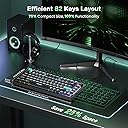
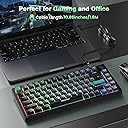
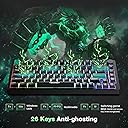
The TECKNET Gaming Keyboard is a sleek 75% wired keyboard featuring 82 keys optimized for both gaming and productivity. It boasts customizable RGB backlighting with 6 effects, a dedicated volume knob for quick audio adjustments, and 26-key anti-ghosting technology to ensure flawless input. Designed with whisper-quiet membrane switches and an ergonomic layout, it balances performance and comfort in a compact, travel-friendly form factor compatible with Windows, Mac, and PC.


| ASIN | B0DN1LPFP2 |
| Additional Features | Backlit, Ergonomic |
| Antenna Location | Gaming,office |
| Best Sellers Rank | #7,121 in Video Games ( See Top 100 in Video Games ) #514 in PC Gaming Keyboards |
| Brand | TECKNET |
| Built-In Media | Keyboard |
| Color | Grey |
| Compatible Devices | PC |
| Compatible Operating System Family | Windows |
| Connectivity Technology | Wired |
| Customer Reviews | 4.3 out of 5 stars 2,983 Reviews |
| Enclosure Material | Plastic |
| Hand Orientation | Ambidextrous |
| Is Electric | Yes |
| Item Dimensions L x W x H | 13"L x 5.55"W x 1.6"H |
| Keyboard Backlighting Color Support | RGB |
| Keyboard Description | Gaming |
| Keyboard Layout | QWERTY |
| Language | English, English |
| Manufacturer | TECKNET |
| Minimum Required Operating System Version | Windows 10 |
| Number of Keys | 82 |
| Power Source | Corded Electric |
| Recommended Uses For Product | Gaming,office |
| Special Feature | Backlit, Ergonomic |
| Style Name | Gaming,office |
| Switch Type | Linear |
| Theme | Gaming,office |
| Unit Count | 1.0 Count |
| Warranty Description | 1 year |
| Water Resistance Level | Water Resistant |
W**O
Not mushy more a snappy respones
Out of the box impressions of the keyboard is... nice. The plastic case is stiff and the build is weighty to give that solid feel. Certainly, not a lightweight construction where hard typing styles could move the keyboard around a table. The feel of the membrane action is more snappy than a usual membrane keyboards... I was expecting a "mushy" feel. I get more feedback than I thought I would compared to a common Dell full keyboard. If you have a harder typing style, this might be fine for you. If you are expecting to have the smooth gentle click-ca-dy feel, then this is not for you as it does seem to rebound more than my most hard cherry type switches... forget the version, but I do have soft, medium with click and a high springy version for my custom keyboard. Getting the key feel out of the way and simply why I didn't go to way of TMKB T68 or RK Royal that are both very similar key layouts is cost. Weak reason, I've considered a mechanical and cheaper one, but the keyboard proved defective or maybe the method for some keys to be utilized was too far from reach due to the function key methods activate the cramped layout. My great disappointment with that purchase pivoted me to layout and use first. If I couldn't get to all needed keys specifically the /, ?, `, arrow keys, and home or end easily, then it is not for me. This will fit the role cheap and small for traveling around and no big loss if stolen or spilled, but feels fine for long typing. To note: keys themselves feel good with a texture that is not too smooth or hard edged, but do not these look like painted on type and I can say for how long that will last. The volume knob... works and I didn't think I needed it, but was nice to reach for it for a quick adjust. RGB lights are fine and easy to adjust. Right shift being small is not too bad for me, but anyone else should look at that if you are full size keyboard person. It is not fully deserving of the five stars as the painted keys, but it is solid feeling and as I'm typing this review, I don't have any big issues as it responds to my sloppy 80 WPM style. If you can go a few bucks more then the above mentioned might be better... I don't know? If this keyboard craps out suddenly, then that's where I'll go?
G**N
Great mouse, great value.
Great so far. I got this because I am tired of my Logitech devices (2 of the M570 and 1 of the G500) all having issues with the mouse buttons. After a while they would start double clicking on me when I only pressed the button once, or not clicking at all. Super annoying. I decided I was done spending money on their things and bought this instead. This is easily just as smooth and accurate as the G500. This one does not have as much heft to it, even with a fully loaded weight cartridge. I do like my G500 better in that respect but it is not a big deal at all. After a couple weeks I am completely adjusted to using the lighter mouse. I love the 5 side buttons and their arrangement. Using the included driver/software all buttons are easily mappable to single buttons (R for reload in a FPS game), button combos (Alt + Print Screen to take a screenshot or Ctrl + Enter to send an email), or actions (Copy, Paste, Open Windows Explorer, or Show Desktop). You can also do macros, though I have not tried that out, yet. The DPI customization is great, too. You can specify 5 different settings between 1000 and 16400 DPI and toggle through them with ease. You can also set the color of the lights on the mouse to whatever you want or turn it off altogether. 5 different profiles can be saved, so while you can't automatically invoke specific mouse settings based on what game you're playing or program you're working in (I did this with the Logitech G500), it is easy to set up each profile and switch between them. The only thing I don't like about this -- and it really is a minor complaint -- is that it is not as comfortable as the G500 for my hand. This is personal preference of course, but I don't like how the right side of the mouse flares out; I prefer it to "cave in" instead. All in all, I am very happy with my purchase and would definitely recommend trying this out if you are looking for a cheaper alternative for a gaming mouse. I got this one on sale for less than $30 while most of the competition with similar customization options and features go for $50 at minimum. I just hope that the switches on it don't wear out like all the Logitech ones did on me.
J**A
Nice Gaming Mouse
This mouse is a recent purchase so I only have a little experience using it but so far, I am enjoying it. Overall there are a few shortcomings but a majority of what I will say about this product is going to be positive so I'll just start a pro and con list with a middle ground section of stuff I'd like to point out but can't really say if its good or bad. Pros: -Software makes assigning commands to buttons easy -Premade commands for the M-Buttons and multiple profiles made creating a gaming setup and a working setup easy -Buttons are backlit and easy to see in the dark -With an all plastic mouse, I was worried about the texture and how it would feel but it has a very nice finish -The mouse has a ledge for your thumb and a small place for your pinky -The braided cable is a nice touch since I have a tendency to break them in my backpack In the Middle: -Even with all the weights in, the mouse is still fairly light (my first mouse was light, second was heavy. I have a slight preference for the heavier side) -weight tray unlocks and pops out to the side making adding or removing weights easy -The side of the mouse has easy to see DPI lights to tell you which of the 4 speeds you are using -I could go for an even heavier mouse -A much larger thumb rest and pinky rest would be very nice but that's just a personal preference -There are quite a few settings that I don't use but someone that knows what they're doing might enjoy Angle Snap, USP Report Rate, and the X/Y Sensitivity settings -my hand is probably medium-large and I use a palm grip comfortably Cons: -Software modifications to lighting are very confusing so I just locked it on whatever color it was on at the time (Dear tech support, Help. Sincerely, Me) -Depending on hand placement, 3 of the 5 side buttons are easy to use with the other two being slightly awkward to press (in my case its M1 and M4) Of the mice on the market, I can honestly put a high recommendation on this Tecknet mouse. However, I am coming from using the MMO7 with loads more buttons in a more ergonomic position (more buttons also comes with a higher price but I'm more than willing). In the event that this company makes something similar, I would be first in line to buy it but until then, I definitely won't be replacing this one. TL;DR - Mouse highly recommended
A**H
Great value for the price
Really happy with this keyboard so far. The 75% size is perfect — compact but still has the arrow keys and everything I need. Frees up a lot of desk space. Worked out of the box on Windows 11 easy connectivity. The RGB looks great and is easy to adjust, and the volume knob is actually super convenient. Keys feel responsive and solid for both typing and gaming. Takes a little getting used to if you’re switching from a full-size keyboard, but overall it’s a great value for the price. Would definitely recommend.
B**R
PALM GRIP... Good solid mouse!
Solid Gaming Mouse!! Pros: Palm Grip Design Button Placement Software Adjustable Weight RGB Lighting (partial anyway) Cons: None, but why even send a CD with drivers on it? Not many modern computers even have a CD drive... I want to start this review off with this: palm grip. Let me say it again for effect: PALM GRIP. This is a palm grip mouse, despite what the product description says. If you use a claw style grip, stay away. I'm a big guy (6'6"), and I have large hands. This is a large mouse, that is perfect for large hands. It's adjustable weight, which is nice, but what's nicer for my style of play is how heavy it is when all of the weight is installed. I need a mouse that I know isn't going to move unless I want it to move. Weight and Fit? A+ Button placement is good, although I foresee myself using the furthest buttons (M1,M2) only very, very rarely. It's great that they're there, and available, but they're not close enough for twitch reflexes. Honestly though, this is a benefit. It means you also won't accidentally press them, so you can bind them to things you need to do quickly, but not often (hopefully), that often have complex keybindings, like Eject. Speaking of buttons, the only downside to my particular unit (I don't know if it's only mine or not) is that the RMB (Right Mouse Button) seems to have a stiffer resistance than any mouse I've used before. It seems like it's about half again as hard to press as the LMB. I enjoy a bit stiffer response, since I am a palm grip gamer. I often rest my fingers directly on the buttons. I've had mice in the past (that were immediately given away) that will set of at the slightest breeze. Not good when you're formation with your gun out. Tends to lead to some inadvertent team kills. This mouse is stiff enough to handle resting weight but light enough that clicks happen when expected. Again the RMB is a bit stiff, but after a few minutes of playing you adapt to it. The software (which again, why...) came on a CD. I couldn't use that CD, because both my laptop and desktop don't have a CD drive. It was easy to find using the search feature on the company website, and fairly small. Virus scans are clean on it (I always check when it's drivers), and install was quick. The software is intuitive, and easy to use. My one niggle is that although you can set colors to different DPI profiles, it doesn't seem to apply on the fly (using the buttons on the mouse). The DPI changes, but the color doesn't. Macros. This is important enough it deserves to be on it's own. Macros are easy, but limited. There's no way to manually enter a macro, it only records one. One of the things I've always liked to do is setup various macro profiles, one for gaming, and one for systems admin stuff. For instance a macro that opens up the command line... (R_Win+R)+(C M D)+(Enter). Because of how the software detects keystrokes, and Windows self-absorbed nature, there is not an easy quick way to command this macro. If Tecknet is looking at this review, this is something that would be a great update to the software, manual macro creation. Other Thoughts: This is a solid entry-level/mid-level gaming mouse. It's solid, and adjustable to your style of play. The overall quality of the mouse is great, and includes a non-slip finish on the top. One feature I forgot to mention is the convenient little shelf for your thumb to rest on, makes all day use a little more comfortable. This is a very solid mouse, and I'd love to see either an update on the software, or the next revision come with a bit more comprehensive software. If I could deduct a half star I would, but I feel that the quality, and everything else this mouse provides, does too good to only give it a 4. Great work Tecknet, keep it up!
V**A
Great Value / Extremely Versatile
Bought this mouse for some PC gaming action. This mouse is more designed for the MMORPG player rather than the casual gamer, at least in my eyes. I bought this to help me play Fortnite (I know I know) better, to have better buttons on my mouse to build faster. I actually only find myself using one of the side buttons, the others just go unused, again leaning towards more value to MMO type games rather than shoot-em-up games. Still a very high quality mouse, love the RGB and customization you can do with this mouse with the software provided. DPI can go up to 16,000 I believe, which is insane for a gaming mouse. For the price, I say this beats any Razer mouse hand over fist. The quality is there, functionality is there for basically any type of game, or program for that matter. I can see editors using the side buttons for fast macro use rather than using keyboard shortcuts or anything. Also the removable weights in it really do make a difference. That is something I've only seen in high end mice like the Logitech G502 or any Razer mouse. Would highly recommend this mouse for the avid gamer, or a software user looking for a mouse with good macro programming.
M**M
Best keyboard I've ever used but wish it had a wireless mode
For me, I love the compact keyboard and the quality of the build. It's become an easy favorite for me. I love the layout and the volume knob, but really wish it had a wireless option as we have cats, lol. There's a larger version that is wireless but I don't like the sound of the keys on that one and it has a number pad. This was just the size and layout I was looking for. Please make a wireless version!
I**I
First gaming mouse, very satisfied
This is my first review ever and I decided to write it because the manufacturer's customer service sent me a letter after purchase, not an e-mail but a letter! Who does that these days? I felt like that was incredibly professional of them and that is why I decided to write this review. I bought the TeckNet M009 Gaming mouse with the intent of replacing my wireless mouse because I have always hated replacing batteries on my devices, and in my case, it matched the color scheme of my computer case. This is my first gaming mouse that I have ever bought and didn't know what to expect, and since it wasn't as expensive as others, I decided to give it a try. The cable on the mouse is braided, which makes it look a lot better, and the quality feels like that of a more expensive mouse. The mouse also has little weights that you can add or remove to adjust to how you feel it better. The shape of the mouse is incredible as it spreads and adjusts your hand so that there is no fatigue while using it for extended periods of time. The mouse came with a CD which has the software needed for programming the mouse. The software is not needed to use the mouse, but if you want to program the buttons on the mouse you have to install it. I didn't want to install it at first because I thought it was going to run sluggish after installation, but to my surprise, ended up being a very light application that you only have to open if you want to make any changes to the programmed buttons. With the software, you can create several profiles which I really liked because in my case, I use different profiles with different games.The mouse has five buttons on the side where your thumb is and are very easily accessible. It also has the two traditional left and right buttons, another smaller button next to the left button (I think they call it a trigger button?), the wheel click, and two buttons beneath the wheel which are used to set the DPI level. This mouse has a DPI of 16,400, which is very useful to me because I have an ultrawide screen and it makes a huge difference when using it with bigger screens. In conclusion, this is a great mouse for the price with tons of extra features and feels like it should cost double what I paid.
N**O
Répond parfaitement à mes attentes !
Ceci n'est pas un commentaire sponsorisé ! mais bien objectif ! j'écumais les adaptateurs dans la voiture pour gérer la charge de 2 téléphones et 2 dashcam, et pas moyen d'avoir une stabilité de fonctionnement correcte, puis j'y suis allé franchement et j'ai pris ce modèle, et depuis, c'est la perfection ! ça charge parfaitement les téléphones et les caméras fonctionnent de manière optimales sans les déconnexions et baisse de qualité liées à des adaptateurs pas assez puissants. En gros, si vous prenez la voiture pour les vacances et que vous devez gérer waze sur votre téléphone, madame sur Instagram et les bambins sur les tablettes, sans subir de crise de nerf parce que les batteries lâchent, hésitez pas, ça devrait le faire !
P**I
Ottimo
Consigliato
R**Y
Great gaming mouse, comfortable, precise and easily configurable with may options to customise.
This is a great gaming mouse and definitely worth the money. It’s comfortable to use and precise. The added 5 extra buttons which feel like they are positioned comfortably for me to use at the side of the mouse are configurable to any keys you want to assign it to. This is perfect for all games as for example I have assigned a button to a key for attack moves in rts games so I don’t have to press tab then click on age of empires to attack move. In left 4 dead I have configured one button to crouch so I can quickly and easily crouch to gain more accuracy with the gun I am shooting. I have had this mouse for 3 months and I have encountered no problems with it so far and it seems durable as the materials used for it doesn’t feel cheap like you would get for some of those gaming mouses around £10. Once plugging in the mouse it installs a tool where you can configure what hotkeys you want on the 5 buttons which is easy to do, it allows any key and I believe can use multiple keys for one of the buttons on the mouse. This is very handy for games which have many hotkeys such as RTS games. You can configure what LED colour you want to emit from the mouse which is aesthetically pleasing and not too bright. You can configure 3 presets of sensitivity which you can change mid game with a press of a button on the mouse. This is useful for when you are in certain situations in a game like for example you may want to drop your sensitivity when your aiming through a scope with a sniper rifle for a more steady and precise aim and you may want to raise your sensitivity when your wanting to run and gun in close combat. To sum it up this gaming mouse is a great quality gaming mouse and it can function as normal office mouse if it wants too and is definitely worth its money. If your unsure on getting this mouse like I was, get it straight away you won’t regret it.
K**A
Cargador Excelente
Sin duda unos de los mejores cargadores , llevo utilizando desde los años 2018 , hasta ahora y no ha fallado nunca , muy robusto y de máxima calidad
J**A
Gran ratón multibotón con iluminación personalizable
Es un gran ratón de muy buena calidad. Tiene 12 botones (la rueda puede pulsarse a derecha, izquierda y centro) y lo tiene todo: luces personalizables, con efecto fijo, respiración o cambiante de color, color a elegir, o dejarlo apagado, y dpi personalizable a la cantidad que quieras. El ratón es de agarre para garra o palma, y por lo tanto muy cómodo, especialmente si tienes mano grande, pero para todo el mundo en general es cómodo también. Lo reconoce Windows 7 y 10 sin problemas, siempre que tengas los Windows Update conectados mientras lo instalas, y le pongas el driver. Yo uso su software junto a HydraMouse, un software que te dará aún más utilidad al mouse, pero ya incluye su software personalizable. Lo utilizo para modelado 3D, y ayuda a trabajar más rápido y cómodamente. Para este fin recomiendo ajustar la sensibilidad a 800.
Trustpilot
2 months ago
1 day ago