Buy anything from 5,000+ international stores. One checkout price. No surprise fees. Join 2M+ shoppers on Desertcart.
Desertcart purchases this item on your behalf and handles shipping, customs, and support to Kyrgyzstan.
🖌️ Elevate your digital art game — don’t just create, dominate the canvas!
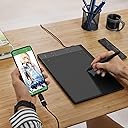
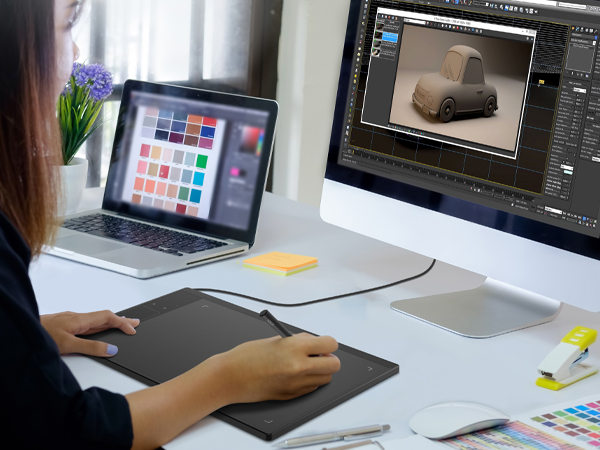
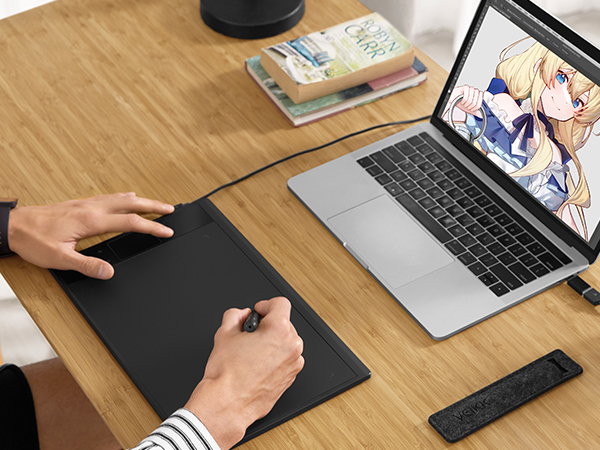
The VEIKK A30 V2 is a 10x6 inch graphics tablet featuring a battery-free pen with 8192 pressure sensitivity levels, a unique touch gesture pad with 4 customizable hotkeys, and a reversible Type-C port. Compatible across Windows, Mac, Linux, and Android devices, it offers a smooth, lag-free drawing experience ideal for beginners and pros alike. The package includes essential accessories like replacement nibs, an artist glove, and OTG adapter, backed by a 1-year warranty, making it a versatile and reliable tool for digital artists, students, and designers.


| ASIN | B07DQK7H15 |
| Active Surface Area | 10 inches x 6 inches |
| Additional Features | 60° Tilt Support, Gesture Pad, Touch Keys, Ultra large Drawing Area |
| Best Sellers Rank | #72 in Computer Graphics Tablets |
| Brand | VEIKK |
| Built-In Media | Artist Glove, OTG-C, Pen Nibs x 8, Quick Start Guide, USB Cable |
| Color | Black |
| Compatible Devices | Desktop, Laptop |
| Connectivity Technology | USB |
| Customer Reviews | 4.3 out of 5 stars 4,601 Reviews |
| Item Dimensions L x W | 13"L x 8.4"W |
| Item Weight | 546 Grams |
| Manufacturer | VEIKK |
| Mfr Part Number | A30 V2 |
| Model Name | A30 |
| Model Number | VEIKK A30 V2 |
| Native Resolution | 1920x1080 |
| Operating System | Windows 7 or later , Mac OS 10.12 or later, Android 6.0 or later and Linux |
| Pressure Sensitivity | 8192 Levels |
| Screen Size | 10 Inches |
| Special Feature | 60° Tilt Support, Gesture Pad, Touch Keys, Ultra large Drawing Area |
| Specific Uses For Product | Designing, Drawing, Online Education |
| Target Audience | Artist, Student, Teacher, designer |
| UPC | 601707036332 601707033829 |
| Warranty Description | 1 year warrenty |
S**N
Great entry point for beginners!
I've been a digital artist that's been using tablets of different types for about 18 years now and it's actually become my fulltime job for the last 11 of those years. That being said, I have quite a bit of experience with tablets however, I will mentioned that my experience with this tablet is entirely related to digital illustration so my review with this device will solely be related to that area of use as opposed to use for games/ect. I feel like finding more affordable equipment is important since art should never have an unreasonable entry point, a view I wish other brands such as Wacom would take to heart. Viek has yet to disappoint me and have consistently offered great quality for the price. I always take my time when giving my thoughts on these types of products because I find it very important to really put the time in with them before I can really give my full and honest input. Now, I am not a very tech-savy person so my perspective is that of your average Jane/artist that goes for comfort and "feel" and something I really like about this tablet is it's sleek and smooth surface. A lot of newer brands and tablets seem to be going for a simulated paper texture and if that's something you enjoy, by all means! As someone who started back in 2003 with a Wacom Graphire 3 (which was $200 in 2003, btw!), that sleek surface is something I started with and have a strong preference for. In my opinion, it gives me a sense of flow and control when my pen can just gently glide across the surface of the tablet. Another thing I appreciated a lot was how easy to use this tablet was; The installation process was easy and programming functions for the buttons was also a breeze! I did have a few driver issues at first, but they were solved by uninstalling my Wacom tablet drivers; I assume there were some conflicts going on, but once I did that it was very smooth sailing! If you purchase this tablet, PLEASE be sure to uninstall any other tablet drivers and that should solve issues. I do consider this a con though as I am very picky about my driver settings and I don't especially like having to uninstall and reinstall drivers if I want to use a different tablet on the same device. I actually did notice something interesting about the software as well; If you've ever owned a Wacom, you'll definitely relate to the "Tablet Driver has stopped functioning" dilemma and it's the worst when you're in the middle of working on a piece! In the few months I have been using the Veikk, it has not once given me this error and that alone is a big thumbs up from me! As I mentioned above, I am not tech-savy so I'm not entirely sure what 8000 levels of pressure means on paper, however when I was using the tablet to draw it was always very responsive and felt very smooth to work with. I was able to get some really nice work from brushes in various programs using different degrees of pressure; It especially paired nice with ClipStudio however it didn't feel quite as responsive in Paint Tool Sai. I would say take that with a grain of salt though, as Paint Tool Sai itself is a pretty old program these days. The only downside to this tablet I discovered was that it's not quite great when it comes to detecting the tilt of the pen, which is a minor complaint as I only need this function for a few brushes I use in different programs! Overall, I really enjoyed working with this tablet and my complaints are very far and few between; I would absolutely recommend this tablet for anyone fresh or just starting their journey into the world of digital art. For the price, the quality is unbeatable and even if you're a veteran, this compact tablet is great to take with if you're going out for a bit. Definitely worth trying out for the features and how responsive the pen feels; it's a great bargain and I wish Veikk was around when I started all those years ago!
M**S
Great tablet for a Great price!
It’s been quite some time since using an art tablet with my computer, so I was pleasantly surprised with how well the VEIKK A30 works. It’s a great value, considering the cost and what comes in the package. I especially appreciated the drawing glove they include with the table as I’d lost my previous one some time ago. As usual with most art tablets it came with additional nibs for the tip of the pen and a device for removal. The tool looked different from what I was used to, so for fun I tried it out to see how easy it was to remove the nib with it, and had no trouble with it at all. On top of those, the package also comes with two adapters: Micro USB and a USB-C. I assume this is to not only accommodate the connections a PC or MAC might use to make it more flexible in use, but also to make it easy to use with advertised connections like with compatible smartphones. I haven't tested this out yet myself but if it works that adds to the ease of being able to take it for art on the go! Set up was super easy! A little card in the box gives clear instructions to download the driver from their site, which I feel is a good move as it always ensures you’re installing the most updated version of their tablet drivers. It recommends making sure there are no other tablet drivers already installed on the computer. At the time it was not an issue for me, but I always recommend following the directions given. Installation of the driver took very little time, and from there when I plugged in the tablet to the computer I was able to customize the ‘buttons’ on the side of the tablet and mapping of the pen. I found it very convenient and was able to set things up in a way where I could optimize the commands I use most often when working on art. (Of course, I might play around with it more later and maybe find something I like better.) One thing I absolutely appreciate was the touchpad used to zoom in and out. It makes it so much easier than reaching over to my keyboard or tapping at the button on the program with the stylus. It responds quickly and much like using the mouse wheel, it zooms in or out based on where the cursor is placed on the image. Now, in terms of actually drawing with the art tablet… let’s face it, that’s the most important part of buying an art tablet, right? Well I’m happy to say that the tablet works wonderfully! The working area of the tablet to actually draw on was much bigger than I thought it was going to be than when I initially purchased it. There was plenty of room to work, which was very pleasant considering the cost. The reaction time is very quick and I personally haven't experienced any lag with it at all. The pressure sensitivity works wonders and I find myself having to adjust to press harder because I’m so used to being cautious with my iPad when I draw. The pen is a good size and easy to grip (unlike my apple pencil, which I had to buy a grip for), and thank goodness there’s no need to charge the pen. I’ve only tried it with one art program (I use CSP), so I can't say for programs like Photoshop since I don't use that one for drawing, but there was no need to troubleshoot pressure sensitivity or anything so I could focus solely on my art, which was refreshing. I spent more time worrying about brushes I needed to use than I did worrying about something not working on the A30. TLDR: The VEIKK A30 is a great value for those who don't want to spend a lot on a great art tablet.
I**M
Great at first, but doesn't handle traveling well :(
EDIT: after a few weeks the glitches stopped and the tablet now works normally, so I'm increasing my rating from 3 stars to 4. I also haven't taken it on any trips since then, which might have helped. If you ever think about taking this tablet outside of your home, just be sure to be extra careful with it! I bought this tablet last year and only got around to using it recently, and it work great at first! It's essentially plug-and-play: I didn't have to download any extra programs to get it to work, and I barely had to fiddle with stylus/pressure settings. However, I just tried using it after setting it aside for a little while, and the stylus keeps on randomly clicking and drawing dots, even though my pen is hovering and not even touching the tablet. It's slightly less frequent and noticeable now that I've fiddled with my stylus/pressure settings, but it's really frustrating trying to choose different tools or select items in dropdown menus, because it'll just click on random options while I'm scrolling. It's also made undoing my work a lot harder, because now it'll just draw tiny dots that I can't see, meaning that I have to press CTRL+Z multiple times before I can actually reverse the action I was looking to undo. It's just been sitting flat on my desk this past week or so -- the only thing I can think of that could have caused this was the fact that I took it on a road trip while seeing my family for Thanksgiving. Even though it's super light and portable, I've only taken this tablet out of my apartment on three occasions so far, and each time I've sandwiched it between soft clothes to minimize the risk of damage. This time, I put it in my laptop bag, along with my laptop, some chargers, and a pair of fuzzy socks to provide a little cushioning. I never dropped it, and as far as I'm aware neither the tablet nor the pen were ever placed under a heavy object or experienced significant pressure. I would still recommend it as a great beginner's tablet, since it's easy to set up, portable, and before now worked very well. However, I'm super disappointed that it's acting up all of a sudden, and would advise anyone thinking about getting this to add a protection plan just in case, and to be extra careful when taking it anywhere but your desk.
K**E
Wonderful, low-cost Wacom alternative!
I’ve been doing digital art for years, and as such, I’ve gone through various drawing tablets including: Wacom Bamboo CTH - 460 Wacom Intuos Pro Medium Wacom Cintiq 13HD IPad Pro I am pretty picky when it comes to tablets from their connectivity, texture, drivers and even the sound they make when drawing. I can honestly say in comparison to the much more expensive tablets I’ve used, this tablet really holds its own! Upon receiving the tablet, I was immediately impressed by the lightweight and sleek appearance. Compared to the other tablets I’ve owned, the Veikk A30 sports a minimalistic look and was very well packaged. The drawing space is about the same as a Wacom Intuos Pro Medium. The pen the tablet comes with is much lighter in comparison to the Wacom pens and even the Apple pencil. At first I was nervous about this huge difference but upon using the tablet to draw, I was surprised to realize that I actually enjoyed the light feeling. It reminded me of holding a traditional graphite pencil which I loved, I honestly am not sure why I wanted the pen to be heavier. I love the cord that the tablet comes with (USB C to USB), I love that it is angled and detachable as I am always paranoid of my cords bending/breaking. Wacom’s abundant nondetachable cords always made me nervous. The one thing I did miss was the wirelessness of the Wacom Intuos Pro Medium but that tablet cost $400+ and for $60, I would gladly make the sacrifice since wired tablets are probably more reliable anyway. This is also the only tablet I own that offers 8192 Levels of Pen Pressure and while I can tell the difference, honestly it does not matter too much for the art I do. I am impressed and appreciate that it is offered. The driver was extremely fast and easy to install in comparison to installing Wacom drivers (I use a mac and there were a couple of extra steps but they list the steps on their website where you download the driver) and while the interface may not be as pretty as Wacom’s interfaces, it gets the same job done. I was nervous about the sound when drawing because I honestly cannot stand when tablets squeak on contact (many budget tablets seem to have this flaw), it is an automatic no from me, but thankfully this tablet does NOT make any squeaking noises when drawing. If there is one thing I do not love about this tablet, it is the touch responsive shortcut buttons. I am not really fond of the touch buttons, the lack of tactile response makes me unsure whether or not the tablet is receiving my press or not. I much prefer the rocker ring + physical buttons that Wacom offers on their Pro models but I’ve also heard that touch buttons have longer lifespans so that is the tradeoff. But this is a personal preference. Veikk also offers a model with tactile buttons (Veikk A50) so I would definitely look into that model if you prefer tactile buttons like me. Overall, the Veikk A30 is a steal for what it is and I would recommend it to anyone looking for a tablet but not trying to pay the hefty $300+ for a Wacom tablet. This tablet literally does the same thing for so much less. I still use my Cintiq as my daily driver since I prefer screen tablets but on days where I need something more lightweight or want to draw with a traditional tablet, this will be my new go to! Will definitely be keeping an eye on Veikk’s screen tablets when I replace my Cintiq now that I’ve used this one and know that they offer the same quality as Wacom for literally a fraction of the price.
A**R
Quality, inexpensive tablet that's perfect for beginners
I'm an artist that has been using drawing tablets for 10 years now. Because of the price point, I admit I was a bit skeptical about this tablet at first, but am I highly impressed after trying it for myself. Firstly, I know that for many beginning artists, price is a huge concern, understandably so. So seeing a functional tablet at such a low price is all ready enticing. But of course, a low price means nothing if the product is garbage. However, I can definitely say this tablet is a great value for the price. I was pleased with how easy this tablet was to set up and start using, another highlight for beginners. It's compatible with any drawing program (my personal go to is Krita), so you don't have to worry about having to learn a new program if you're all ready used to another. The pen is amazing. It's extremely sensitive and sensitivity can be adjusted however you see fit. The shortcut buttons are a super helpful addition that I've always preferred but many cheaper drawing tablet options don't include. It's comfortable to hold in your hand and the fact that you don't need to charge it is a big plus. I do wish it came with some kind of holder for the pen, but at the price point I can't really complain. The drawing area is quite large, which is another thing I was impressed with. Many other tablet brands cost hundreds more for a tablet of this size. The size and width of the tablet make for a very natural feel when drawing, as if you're drawing on paper, which again is a huge plus for beginning digital artists. All in all, one of the best value tablets on the market right now, and an all around solid option for anyone of any skill level. If you are beginning as a digital artist, though, this is definitely the tablet for you. I am very impressed with my tablet and would like to explore the company's more expensive options in the future.
N**Y
The Best Entry-Level Tablet
As my title says, I firmly believe this is the best beginner's drawing tablet on the market. I will be comparing it to the XP Pen Deco 01, another entry-level tablet that is usually about $10-15 more expensive than the Veikk A30. TL;DR at the bottom. Both are very portable, with the Deco 01 being just a tiny bit slimmer than the A30; however, an important thing that I noticed was that the A30 has a larger drawing space than the Deco 01, by about a quarter of an inch. While maintaining a larger drawing space, the A30 is also not as wide as the Deco 01, making it the ideal if you don't have a lot of desk room. Both come with battery-free pens and spare tips. While I personally prefer the triangular build of Deco's pen, A30's circular pen has more weight to it and feels just as balanced, making it feel more like an actual pen. Both pens also have two buttons, which can be set to custom inputs. Their tips will wear with use, but so far, I've had no issues. As long as you maintain them in close proximity to the tablet, they'll function as intended. Now, what really distinguishes the A30 from the Deco 01 is the interactive touchpad to the left of the tablet. While the Deco 01 has a total of 8 traditional buttons, which can all be customized, the A30 has only 4 buttons and a touchpad. All 4 buttons are customizable. The touchpad can read 4 different swipes; up, down, left, and right. Each swipe can be set to its own input as well, meaning that in total, you have 8 customizable inputs just like with the Deco 01. The touchpad itself is sensitive, but not too sensitive, allowing you to accidentally brush your palm over it without messing with your piece. Last but not least, the software. Both use Type C to male USB 2.0, meaning that they're compatible with just about every Windows/Mac OS that has a USB port. It's as simple as plugging it in, going to their respective websites, downloading and installing their required programs. A30's Veikk tablet program is very simple, allowing you to easily set your own inputs to the 4 physical buttons and the 4 swipes, along with the two on the pen itself. It also allows you to customize what portion of your screen you want the tablet to work in if you don't want to use the entirety of it. All 8 inputs of the A30 will work with most, if not all, programs that support drawing tablets as soon as you install its program. This includes Photoshop, Clip Paint Studio, SAI, and others. TL;DR: The Veikk A30 tablet is an absolute steal, providing just as much function as the XP Deco 01 with more drawing space on the tablet itself despite a smaller width, and all for a substantially lower price. I absolutely recommend it as an entry-level drawing tablet.
J**A
Great, with some major issues.
I use art tablets quite a lot, near daily for drawing and other various uses. My old one broke and I decided to replace it with this one. I've had this one for about a year now, and I'm happy to report it's held up pretty well! Even with me not taking the best care of it, there's been no issues with it breaking or getting damaged. The pressure sensitivity is good, the pen is nice to use and lightweight, and it's very portable. But we do need to talk about the buttons. I don't generally use buttons on art tablets because the specific program I use eliminates the need for them, but I was thinking I could probably start trying to map some shortcuts here like Shift and Ctrl. Bad idea. The buttons have no click or pressure to them. If you simply rest your hand or accidentally touch where the buttons are then they turn on. This is even more inconvenient because they're very hard to see, ESPECIALLY if it's dark. You need to squint at the pad to see them. This also might not be an issue that everyone will have but the pen it came with, although lightweight feels pretty cheap. Mine has a crack on it near the top where the nib goes. Also, as a note, keep track of the nibs. They give them to you in this tiny plastic baggy that's easy to loose and I can't find replacement nibs ANYWHERE. Overall I think this is fine, but if you can find something around the same price range without the button problem I'd have to say to go for that one. I was really rooting for this one to come out good, but it's just got some major issues.
S**A
A great tablet for the price
Recently I have been wanting a larger surface area to draw on, normally I just draw on my phone, but sometimes it’s really nice to have a larger surface area to work with. It was a bit of a spur of the moment purchase but I decided to give the VEIKK A30 V2 a try. I originally could not get the tablet to work with GIMP, and had decided to try the tablet with a newer program called Krita but due to some help from the awesome customer support I am now able to use the tablet with GIMP. To get the tablet to work with GIMP: 1.Open Gimp, go to the edit pull down menu and click Input device. 2. Choose “VEIKK Tablet pressure stylus” - Mode(Screen) then close the dialogue 3. Select the paintbrush tool, use your stylus pen to select the Dynamics drop down menu and select Pressure Size from the options. I am really glad that I can now use my tablet to edit my gimp files. That being said, if I am just drawing I think I like using the Krita program a bit more. The tablet is very easy to use both with programs that I am familiar with, like Gimp and programs that I am still learning, like Krita. I have not used anything with pressure sensitivity before and it is taking a little time to really get used to, but it is a very fun learning experience. I like that I don’t have to manually go in and change my brush size, instead I can just put more or less pressure on the tablet. I am still not used to all the buttons on the side of the tablet but I have found that the ctrl + z shortcut is incredibly useful. The pen not needing to be charged is also a huge plus for me, I have trouble remembering to charge the one that I use with my phone, but now it doesn’t matter, I can just grab the tablet and pen and draw without having to worry about it. The pen is also a really nice size, it’s not too thin and it’s also very light weight. I honestly just always assumed that to get a decent tablet you would have to spend over $100, but this tablet has already proven to be both affordable and really easy to use, even installation was a breeze. So if you are looking for a great tablet that won’t break the bank, you should totally grab one of these.
A**E
Gute Qualität nichts zu beanstanden.
Hab das für Junior erworben, Haptik super, Preis/Leistung passend, macht was es soll.
C**N
Buena tableta gráfica
Le enseñé las características a un amigo que es dibujante profesional y le dio el visto bueno. Tiene muchos sensores (creo que lo llamó así) y dice que para ser una básica y a tan buen precio vale muchísimo la pena. Por eso me animé. Ya la he probado y se conecto rápidamente y en seguida empecé a dibujar. Me tengo que acostumbrar a que me queda el panel táctil a la izquierda y soy zurda así que en lagunas ocasiones le he dado par atrás y borré el dibujo, tener cuidado, y creo que se le puede cambiar la configuración (ya lo mirare y os diré). El guante que trae es super suave y me da confianza para tocar la superficie sin miedo de estropearla.
A**K
Fiyat performans ürünü
Ürün çok güzel. Fiyat performans ürünüdür. Herkese de tavsiye ediyorum.
L**T
great product
its very good for drawing or writing in your laptop. Less paper i like it
Y**A
منتج جودة عالية
جوده عاليه ودقيقه منتج ممتاز جدا جدا
Trustpilot
3 weeks ago
2 weeks ago