Desertcart purchases this item on your behalf and handles shipping, customs, and support to Kyrgyzstan.
⚡ Elevate your desk game with the ultimate 18-port Thunderbolt 4 powerhouse!
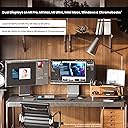
The CalDigit TS4 Thunderbolt 4 Dock is a premium 18-port docking station featuring three 40Gbps Thunderbolt 4 ports, 98W charging power, and a 2.5GbE Ethernet port. It supports ultra-high-resolution displays up to 8K@60Hz or dual 6K@60Hz, making it ideal for demanding professional workflows. Compatible with a wide range of devices including Mac, Windows, and Chrome OS, the TS4 consolidates connectivity and power delivery into a sleek, robust design that transforms any workspace.


| ASIN | B09GK8LBWS |
| Amazon 売れ筋ランキング | パソコン・周辺機器 - 343,110位 ( パソコン・周辺機器の売れ筋ランキングを見る ) ノートパソコン用ドッキングステーション - 1,205位 |
| USBポートの総数 | 3 |
| USBポート数 | 3 |
| おすすめ度 | 5つ星のうち4.2 1,673 レビュー |
| カラー | グレー |
| ハードウェアインタフェース | Thunderbolt, Thunderbolt 4, USB 3.0タイプC, USB 3.1 タイプC, USB 3.1タイプA, USB 3.2 Gen 2×2, USB-C |
| ハードウェアインターフェイス | Thunderbolt, Thunderbolt 4, USB 3.0タイプC, USB 3.1 タイプC, USB 3.1タイプA, USB 3.2 Gen 2×2, USB-C |
| パック数 | 1 |
| ブランド | CalDigit |
| ポート数 | 18 |
| メーカー名 | CalDigit |
| メーカー型番 | TS4-US 500971 |
| ユニット数 | 1.0 個 |
| ワット数 | 230 |
| 互換デバイス | MacBook Air, MacBook Pro |
| 入力電圧 | 120 ボルト |
| 品目寸法(L x W x H) | 11.3長さ x 4.2幅 x 14.1高さ cm |
| 商品の寸法 | 11.3長さ x 4.2幅 x 14.1高さ cm |
| 商品の重量 | 1.41 ポンド |
| 型番 | TS4-US 500971 |
| 対応デバイス | MacBook Air, MacBook Pro |
| 色 | グレー |
C**N
Robust and Reasonable
The TS4 arrived earlier than exepected and as was said in other reviews this is.solid piece of electrical equipment. Took all of 5 minutes to setup and get working, downloaded the software from the internet and has worked flawlessly since. I have the Macpro Desktop that should be able to handle a 4k monitor, 2 30 inch Cinema on Dual dvi and one HDMI with 1920x1080.. The Macpro can’t handle the load so I thought I would try hooking the 2 30inch Apple cinemas with dual DVI conveters/USBs and voila it’s cooking with gas. The MacPro had the 4k monitor and HDMI outputs and functions perfectly with the TS4 running the Apple cinemas. Couldn’t for the life of me get the HDMI out[it to function on the Mac-ro after the recent upgrade and change of the display function, OWC used ti be my go to for Mac products, CalDigit is now. Cheers Cliff
E**H
Works well
Works well and have had no issues. Very good unit. Works especially well if you have a mac.
D**N
El mejor Dock para MacBook M1
La verdad compré este producto bastante a la expectativa, con mucha reserva y miedo la verdad por que es un producto bastante caro, y que si uno lee todas las reviews aquí en Amazon honestamente dan ganas de no comprarlo… Pero es que en el mercado no hay otra opción cómo está, con tantos puertos a tu disposición, con un sistema de carga rápido y confiable, con tantos puertos Thunderbolt disponibles y con una marca reconocida que lo respalda… entonces después de agotar las opciones en el mercado comparados con CallDigit, pues las opciones similares cuestan lo mismo o más caro y tienen las mismas reseñas de terror, así que me aventuré a comprarlo.. llevo ya unas semanas con el, me parece que más de un mes y se ha comportado increíblemente bien, el funcionamiento es óptimo, no he teñido problemas de sobre calentamiento, ni dificultades para que mi Mac con M1 reconozca los discos duros externos que le conecto. En mi flujo de trabajo actual ocupo hasta 3 discos externos conectados al mismo tiempo, con mi dungle anterior simplemente conectarlos al mismo tiempo era imposible, era mucha pérdida de tiempo pasar los archivos de un disco duro a la lap y de ahí otra vez a otro disco duro… era simplemente ineficiente… además no he actualizado al más reciente OS de apple Ventura , por que he leído también de muchísimos fallos con el Wifi, con el Bluetooth y con programas vitales para mi como photoshop, o la suite de Adobe, entonces también tenía miedo pues leí que ciertos problemas del CallDigit TS4 se resolvían actualizando al nuevo sistema operativo, pero oh sorpresa funciona mas que bien con el sistema entéricos Monterrey, así que no he presentado fallas, fluye de maravilla con 3 discos duros externos, 1 Hdd Toshiba de 4 Tb y 2 NVME M.2 de 1Tb de Adata , además de un teclado y mouse Logitech y un Monitor 4K LG… todo funciona excelente así que les recomiendo mucho compren este dispositivo sin miedo y sin preocupación por las malas reseñas, creo que Call Digit ha prestado atención y solucionado todos sus problemas con este dispositivo.
T**R
One of the Best docks you can buy!
I’m what is known as a Power User. First let me tell you what I’ve hooked this up to. I recently bought an HP Windows 11 - 17” Laptop. It has 64 Gig of Ram and a 4 TB SSD drive. It comes with 2 USB C Thunderbolt 4 ports (40 Gig). One of them is used for charging the Laptop. It also comes with 3 USB A Ports (10 Gig). Unfortunately it doesn’t come with an Ethernet Port. I bought this incredible Dock for its Ethernet Port and all the other Ports that come with it. It has 3 Thunderbolt 4 (40 Gig) Ports. I use one for charging the Laptop and the other 2 I can use for a lot of other things like copying large SSD Chips etc. it also comes with another 3 USB C Ports (10 Gig each) and 5 USB A Ports (10 Gig each). I can hook up everything I always wanted to this baby! Some people complain that when copying large amounts of data it doesn’t work well. Thats because the people are trying to copy too much at a time and the Chip they are copying to gets overheated. If you copy the correct way you’ll have no problems. I only copy 200 to 300 Gig at a time and then wait awhile for the Chip to cool down before I copy more. Some people complain that their Dock burns out in so many months or a year or so. Thats because they load the Dock with way too many things being used at the same time. Just because it has up to 18 plug-ins doesn’t mean you can use a lot of them always at the same time and not expect the Dock to overheat and eventually burn out. Look at the Specs. It says it can charge up to 98 Watts for your Laptop. The Dock is rated at 240 Watts. In real life it’s only going to be about 200 or so Watts Maximum. So while charging your Laptop you have about 100 Watts left to use for other things that you can plug into the Dock. If the Total of what you are plugging into the Dock goes above 200 or so Watts, then the Dock will start overheating and eventually it will burn out. Common sense right? I’ve bought a few docks in the past that I wasn’t satisfied with. Although this Dock is very pricey it’s worth every cent if you want your Computer to be able to have all the Ports you’ll ever need. It’s almost future proof and is the best one I’ll found so far that is powerful enough to allow you to do anything with your set up! Read the Specs and see if you can find any other Dock that comes close to it! I highly recommend this unit. And btw, if for some reason you get a bad one, just remember that no matter what you buy you could get something once in a blue moon that doesn’t work. Nothing is perfect. When thousands of a product is made there is always going to be a few duds. Simply ask for a working unit from the company. Don’t cry and say “mine was dead on arrival and I will never buy from them again!”. That sounds like a very stupid person saying things like that. Make sure if you use USB C Cables for the Thunderbolt Ports that they are Thunderbolt 4 or 3 Cables rated for 100 to 240 Watts. Anything less and you might as well forget using them as they really won’t work the way they should (up to 40 Gig read and write) If you use USB A Cables, make sure they are at least 3.2 Gen. 2 to get the max out of this Dock (up to 10 Gig read and write). If you use USB C Cables then use Thunderbolt 4 or 3 to get the most out of the Dock (Thunderbolt cables are backwards compatible with all versions of USB C). However you can use any cables you want if you don’t care about using this Dock at its best. But if that’s the case then why bother buying it in the first place! Also remember that those fast speeds also depend on how fast your Computer or Laptop is (and whatever you are plugging into the USB A or USB C or Thunderbolt Ports). If you have an old or slow piece of garbage computer or Laptop, don’t expect this Dock to be able to do miracles. If you want a really great Dock that can do just about everything (see its Specs) then this is the Dock for you!
M**A
احذر قد لايناسبك
يحتر جدا حرارة عالية تقطيع في تشغيل الفيديو بجودة4K
Trustpilot
3 days ago
1 month ago