Desertcart purchases this item on your behalf and handles shipping, customs, and support to Kyrgyzstan.
🚀 Elevate your desk game with the ultimate 12-in-1 productivity powerhouse!
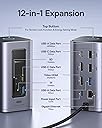
The Baseus Spacemate Nomos Air Docking Station is a premium 12-in-1 USB-C hub designed for dual 4K monitor setups, featuring 10Gbps data transfer speeds, 100W power delivery, and smart power-saving mode. Compatible with major laptop brands, it consolidates multiple ports into one sleek device, enhancing productivity and reducing cable clutter for professionals seeking seamless connectivity and workspace efficiency.


| ASIN | B0F62Y2Z7N |
| Best Sellers Rank | #2,082 in Computers & Accessories ( See Top 100 in Computers & Accessories ) #162 in Laptop Docking Stations |
| Brand | Baseus |
| Color | Space Gray |
| Compatible Devices | Acer, Dell, HP, Lenovo |
| Customer Reviews | 4.0 out of 5 stars 204 Reviews |
| EU Spare Part Availability Duration | 2 years |
| Hardware Interface | Ethernet, HDMI , MicroSD, Secure Digital Card, USB 3.2 Gen 1, USB 3.2 Gen 2 |
| Input Voltage | 240 volts |
| Item Dimensions L x W x H | 6.46"L x 4.72"W x 2.91"H |
| Item Weight | 0.62 kg |
| Manufacturer | Baseus |
| Mfr Part Number | NU1 |
| Model Number | 12 in 1 |
| Number of Items | 1 |
| Number of Packs | 1 |
| Number of Ports | 12 |
| Product Dimensions | 6.46"L x 4.72"W x 2.91"H |
| Total Number of HDMI Ports | 2 |
| Total USB Ports | 4 |
| Total Usb Ports | 4 |
| UPC | 810196181373 |
| Warranty Description | 2 Year |
| Wattage | 100 watts |
Z**.
Solid Dock Station, great with 2 monitors
I use two external monitors every day and switch between my work laptop and personal laptop pretty often. I went through two other docks before this—one unpowered USB-C hub that became unreliable, and another powered dock that stopped working after a few days. This Baseus dock has been much more stable. It runs both HDMI monitors without any issues, connects all my USB devices, and charges my laptop through the same cable, which keeps my desk a lot cleaner. Just keep in mind that it doesn’t come with a power adapter, so you’ll need your own USB-C PD charger (I use a 100W GaN charger). Setup was plug-and-play, no drivers needed, and everything has worked reliably so far. Very happy with this purchase.
S**D
WFH Gamers rejoice
I’ve been using the Baseus 12 in 1 for about a week and it’s been a really solid experience so far. First thing I noticed was the packaging, it feels premium, kind of like opening an Apple product. For everyday use, it’s been great for productivity. The biggest win for me is how easy it is to switch between my work laptop and my gaming laptop. I just unplug one cable and move everything over, including my mouse, keyboard, and both monitors, which saves a lot of time and keeps my setup simple. The hub itself is compact and feels well built, nothing about it feels cheap. The braided cable is a nice touch too and seems like it will hold up over time. There’s also a lock button on top that locks your computer when you walk away, which I didn’t expect to use much but actually do all the time now. Setup was simple, just plug in one cable and it works with no extra software needed. Overall it’s been reliable, easy to use, and makes switching between devices way more convenient.
P**B
It has some conectivity issues
The docking station is mostly fine. However, I've been having some annoying issues with the video output. While using my second monitor, the screen will occasionally go completely blank for a couple of seconds before coming back. Since I bought it, this has started happening more and more often. Now it's terrible to use. Other times, the display suddenly becomes distorted with strange lines or glitches for a few seconds, then fixes itself without any intervention. Another downside is that the USB-C cable for connecting to the computer is quite short, which limits where you can place the dock on your desk. Overall, it works, but these display issues and the short cable keep me from recommending it.
C**F
Convenient USB-C Docking Station
This 12-in-1 USB-C docking station is a practical option for keeping a desk setup organized while connecting multiple devices through one hub. I like having dual 4K display support, several USB ports, Ethernet, and charging connections all in one place instead of using separate adapters. The 10Gbps data transfer speed is useful when moving larger files or working with external storage, and the Gigabit Ethernet port provides a more stable wired connection when needed. The 100W Power Delivery support is also convenient for charging compatible laptops and other devices, although it is worth noting that a power adapter is not included. Setup is straightforward, and the dock helps reduce cable clutter around the workspace. Overall, it is a useful choice for anyone using a USB-C laptop who needs extra ports, dual-monitor support, faster file transfers, and a cleaner desktop setup for work or everyday use.
T**I
Works great
Really good. Keyboard, mouse, camera and laptop power supply are all plugged in, as are two monitors. This is my work setup going into a work laptop with a single usb-c. When I'm off work the usb-c cable goes into a usb-c extender cable running to my gaming pc. My peripherals all work for gaming and the DP cables from the gaming PC take over for monitors. Only one cable swap and unplug laptop power supply. Aside from the light on top, perfect product.
B**Y
Solid Upgrade with a Few Trade-Offs
I've been using the new docking station for a few weeks in my WFH setup, and overall, I’m very satisfied. It has a compact footprint, which saves space on my desk, and it offers plenty of ports to support all my peripherals—everything just works. One of my favorite features is the button on top that acts as a lock button—simple but convenient. This is the new version designed for PC, and while it performs well, I do miss a couple of features from the previous model. The small LCD screen on the front was a great way to see at a glance what was connected. I also liked the removable base, which gave the dock a bit more stability—wish they’d kept both. One thing to note: if you plan to charge your laptop through the dock, you’ll need to buy an A/C adapter separately. This version doesn’t include one, but 100W adapters are easy to find on Amazon.
J**Y
Keeps your desk clean
There were some issues with the docking station initially but amazon quickly ordered a replacement for me. The new docking station works like wonders. It keeps my cables organized. no noise. make sure your devices and cables are compatible with the docking station. I like the SD and TF card readers on the front.
N**E
2nd time the charm
Took two tries to get it right but the replacement came fairly quickly so still giving it five stars. Pros: - Love the convenient on/off switch at the top - Has all the connectivity I need - The bottom is nicely weighted so it doesn't move around Cons: - The first one that I got was busted. The bottom fell off immediately and the screws inside were broken. Got a replacement - The USB-C cable to the laptop is built in so if it gets busted later it will be impossible to replace. I wish it was slightly longer
J**P
Qualidade excelente mas não funciona como esperado no MacBook
A dock tem uma construção essencialmente muito boa, comprei no Brasil vinda dos EUA e chegou bem antes do prazo estipulado, bem embalada e funcionando. Mas para a funcionalidade que eu precisava, de conectar dois monitores no MacBook Air M4, não funcionou. Apenas o espelhamento dos monitores funciona, e não o modo de estender. Pelo que pesquisei, se da pelo fato de a dock não ter um DisplayLink integrado. Fica a dica: consegui fazer funcionar os monitores estendidos conectando um dos monitores no HDMI da Dock e outro por um adaptador Usb-C/HDMI diretamente no laptop.
Trustpilot
3 weeks ago
1 week ago