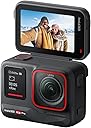


Insta360 Ace Pro 通常版 - 8K 24fps/4K 120fps アクションカメラ
Product ID: 725346845
Details
- ビデオキャプチャフォーマットMP4
- ビデオキャプチャ解像度4K
- フォトセンサー技術CMOS
- フラッシュメモリタイプ内蔵フラッシュメモリ
- ブランドInsta360
- 対応オーディオ形式AAC MP3 PCM
💧10m防水&-20°C耐寒性能
📸1/1.3インチ大型センサー
🤖5nm AIノイズリダクションチップ
Desertcart purchases this item on your behalf and handles shipping, customs, and support to Kyrgyzstan.
🎥 見逃せない瞬間を、AIが極めるアクションカメラ革命!
Insta360 Ace Proは1/1.3インチ大型センサーと5nm AIチップを搭載し、4K120fpsの超高画質映像を実現。10m防水・-20°C耐寒性能であらゆる環境に対応し、2.4インチフリップタッチスクリーンとFlowState手ブレ補正で快適かつ安定した撮影を可能に。マグネット式マウントやジェスチャー操作など先進機能も満載の次世代アクションカメラです。
| ASIN | B0CKML3W6R |
| Amazon 売れ筋ランキング | 家電&カメラ - 52,124位 ( 家電&カメラの売れ筋ランキングを見る ) ウェアラブルカメラ・アクションカム - 119位 |
| おすすめ度 | 5つ星のうち4.3 2,022 レビュー |
| アスペクト比 | 16:9 |
| カラー | ブラック |
| サポートするオーディオ形式 | AAC, MP3, PCM |
| サポートする画像形式 | DNG, JPG, RAW |
| スタイル名 | 通常版 |
| スピーカー数 | 1 |
| ディスプレイ最大解像度 | UHD |
| バッテリー付属の有無 | はい |
| ビデオカメラの種類 | アクションカメラ |
| ビデオキャプチャ形式 | MP4 |
| ビデオキャプチャ解像度 | 4K |
| ファイル形式 | MP4 |
| フォトセンサー技術 | CMOS |
| フォーカス機能 | オートフォーカス |
| フォームファクター | ハンドヘルド |
| フラッシュメモリのスピードクラス | C10 |
| フラッシュメモリのビデオスピードクラス | V90 |
| フラッシュメモリタイプ | 内蔵フラッシュメモリ |
| ブランド | Insta360 |
| ブランド名 | Insta360 |
| ホワイトバランス設定 | オート |
| メーカー名 | Insta360 |
| モータータイプ | 光学 |
| レンズの最短焦点距離 | 16 |
| レンズの最長焦点距離 | 1000000 ミリメートル |
| レンズ種類(レンズキットの場合) | ズーム |
| ワイヤレス通信規格 | ブルートゥース |
| 保証内容 | 1年間のメーカー保証 |
| 内蔵メモリータイプ | 内蔵フラッシュメモリ |
| 写真センサーテクノロジー | CMOS |
| 動画画素数 | 4K |
| 同梱商品 | Insta360 Ace Pro本体×1、1650mAhバッテリー×1、標準マウント×1、フレキシブル粘着マウント×1、USB-C to USB-Cケーブ |
| 品目の寸法 (D x W x H) | 3.9奥行き x 7.2幅 x 5.2高さ cm |
| 商品の追加説明1 | アクティブHDR, タッチスクリーン, 暗視, 防水 |
| 商品の重量 | 1.16 ポンド |
| 型番 | CINSAAJA |
| 手ブレ補正 | はい |
| 手振れ補正 | ダイナミック |
| 撮影機能 | スポーツ |
| 最大焦点距離 | 1000000 ミリメートル |
| 最大絞り値 | 2.6 f |
| 最大絞り値(F) | 2.6 f |
| 最小絞り値(F) | 0.22 ミリメートル |
| 有効動画解像度 | 2160 ピクセル |
| 画像キャプチャ速度 | 120 fps |
| 画面サイズの単位 | 2.4 インチ |
| 通信・接続インターフェース | USB |
| 防水タイプか否か | 防水 |
| 電池の数 | 1 単4形 電池(付属) |
A**ー
まいにも他の製品をかつたのですがつかいなかつたので 今度は年寄りでも すごく扱いやすく 喜んで使わせて頂きます
大変良い品ものです 自信を持ってお勧めしたい製品です
C**9
型落ちですが完成度は抜群。特に夜間撮影の綺麗さは感動モノです
最新モデルが出て型落ちになりましたが、性能面では今でも十分すぎるほど現役で活躍してくれます。 最大の魅力は、5nm AIチップを活かした「PureVideoモード」による夜間撮影の圧倒的な綺麗さです。アクションカメラが苦手とする暗所や夜の街並みでも、ノイズが劇的に抑えられ、非常に明るくクリアな映像が残せます。 2.4インチのフリップ式スクリーンは自分の表情を確認しやすく、自撮りやVlog撮影にこれ以上ないほど便利です。4K120fpsのなめらかなスローモーションや、優れた手ブレ補正など基本性能も高いレベルでまとまっています。 あえて最新型を選ばなくても、このモデルで十分に満足できるクオリティの映像が撮れるため、今から購入する選択肢としても非常におすすめです。
Z**A
大活躍中
家族との日常やイベント、旅行などで記録用として今現在も大活躍中です。 カメラ関係ではこの商品が一番使用頻度が高く、満足度も高いです。 とくかく絵が美しく、夜間のイルミネーションの撮影では感動ものでした。 エースプロ2も気になますが、まだまだ初代を使います。
こ**こ
画質が綺麗!
バイクの動画を撮りたくて買いましたが正解でした!画質も音質も良く、スマホアプリとの連携も使いやすいです! セールの時に買えたのでラッキーでした!
M**8
カメラは機能ともに良かった
128GBのSDが入っていなかった 後で分かったので、何も出来なかった カメラ自体は良かったが こういう時は店頭で買わないと面倒だと思った
P**R
BEAST MODE
It’s been a long time since I’ve actually been this excited about a camera, let alone an action camera I keep action cameras in my pocket to be used in a variety of situations both outdoors and indoors. But the indoors doesn’t usually play out so well… After using the Ace Pro for a solid two weeks straight, I’m genuinely excited about not only how well it shoots indoors, But even its night shots! I attached it to a car while driving around at night, and was blown away Being as is an action camera The audio still isn’t as perfect as I’d like it to be… But even then, I’d still probably give the audio an 8 out of 10. There are 1 billion review videos online about this camera, So if you’re wondering exactly what I can do I recommend checking those out But, if you’re looking for the opinion of somebody who bought and is actually using it, and whether they like it or not… I love it
A**ー
動画ファイルの約11%が、編集ソフトEDIUS XProに呼び込めずエラーが出る。
今までGoProの最新型を使用してきたが、2023年11月23日に本品をAmazonで購入し、撮影機能、画質 などに満足しているが、GoProで皆無だった動画ファイルの呼び込みエラーが都度発生している。 ・動画編集はEDIUS Xpoを使用しているが、動画ファイルを呼び込む際に、都度約11%が対応なしとの エラーが出て呼び込めない。残りの約89%は正常。 ・なお対象のエラーファイルは、現在Wondershare Recoveritを使って変換し使用している。 ・メーカーの根本原因と対策を教えていただきたい。ファームウエアは最新版です。 2024年1月末Insta360AceProのサービス部門から下記回答受領。 ・動画編集ソフト(EDIUS)側の固有の問題で、Insta360AceProには問題ない。 上記回答(Insta見解)は、本体には問題なく動画編集ソフトの問題であるとのことで、予測は していたものの、他の機器(Gopro,Canonデジカメ、Panasonicデジカメ)で同種の問題は皆無 で、またInsta360AceProで撮影のファイルに正常と読み込み不良か約11%でるため、全く Insta側に問題なしとは思えない。 今後の改善として、ファームウエアでの改善など、他の機器と同様な読み込み不良がないように していただきたい。 2024.4.23 メーカー見解は、本体には問題なく動画編集ソフトの問題であるとのことで、ファームウエアなどの 改善が期待できるかと期待していたが、その後全く改善の兆しが無く、相変わらず使用している動画 編集ソフトにファイルを呼び込むと約10%のファイルは、不可となり、Insta360ソフトを利用して 変換を余儀なくされる。このソフトが、スムーズに動作すれば変換可能だが、すんなりとはいかず、 時間がかかりすぎる。 GoPro12より優れた性能(暗視性能)があり、特に暗がりでの再現が良いのだが、私自身の動画編集ソフト EDIUSを使用するため、変換作業がデメリットになり残念で、やむを得ずGoPro12を購入した。
ア**ィ
Excellent Product
Excellent Product To Buy!!
P**.
What I think of the first use of my Ace Pro
I recently had the pleasure of using the Insta360 Ace Pro camera, and I must say I think this will change the way I shoot, and how I do things. It may even be a game-changer for both amateur enthusiasts and professional content creators alike. So, when the Insta360 Ace Pro was announced I thought great, this could be the solution, small, waterproof, 8K video, excellent low light shooting and this new-fangled AI feature and Leica Lens, so I decided to get one. The first thing you need to know is that if you shoot 8K this will allow you to zoom in on a video and still get 4K, the problem well not really a problem, is I use the Insta360 mobile App to edit and I soon found out that if shooting 8K you can only playback on the App, you can’t edit the video. So you will need to edit on your desktop Insta360 Studio which is free to download. The Same with AI if you shoot 8K, AI warp is not available for 8K so you will need to shoot 4K for this functionality. Shooting stills now allows for 48MP so that is a vast improvement in quality due to the larger sensor and the Leica Lens. As it shoots in Ultra-Wide you can get some curvature when shooting Buildings so the ‘Dewarp’ feature is a nice touch to straighten the lines and I found the quality of the images pretty good for a small action camera. Turning to portrait/vertical mode for shooting images and video for platforms like TikTok and Instagram Reels is also a nice touch. Note you should turn the camera to portrait before starting to record. You can also switch to ‘FreFrame’ and crop for landscape and portrait in edit if you wish. So Vlogging, yep, no problems. It is fixed focus, and its minimum focus distance is 11.5' / 350.0 cm, so you do need to make sure that you are aware of focus distance and the fact that with a DSLR you can make the background out of focus. That being said, this for me is about not having to carry 5K’s worth of DSLR around with me and getting high-quality video from something as small as the Insta360 Ace Pro and it certainly does that for me. The large screen also flips over so I can use this as a monitor to see myself when vlogging and it’s a decent 2.4” screen. Its touch screen and the software for camera settings is easy to navigate and similar to the Insta360 X3 so I found it easy to follow and get around. Speech and gesture control is also useful when you are filming yourself and have the camera at a distance. Battery Life, I will say that it seems to use a bit more battery, if I go out shooting for the day with the Insta360 X3 then I can normally get away with the battery for the day. I did find that on the Ace Pro, as the day was going on I was more conscious of the fact the battery life was dropping and was making sure to switch off more often to conserve battery life. So I would recommend a second battery or plugging into a powerpack to recharge in between shooting if the battery is getting low. 4K/8K – I can’t view 8K but shooting 8K will allow you to crop your video or use the built-in touch 2x zoom function and still get 4K so that is worthwhile. As I mentioned earlier you can only view 8K video on the App and not edit. I discovered this after I shot my test videos, the App is awesome, so I mostly use this and rarely use Insta360 Studio or Premiere Pro for these cameras. Pure Video – So one of the key new features is ‘Pure Video’ which is the new low light video function. As the camera has a larger sensor 1/1.3” sensor it can capture more information, particularly in low-light situations and it works great. I tried this out in London with the Christmas lights and found it to be pretty good, I did not manually adjust any settings so you can see how it captures just by selecting ‘Pure Shot’. Works a treat, I have not had a chance to try it in a concert situation as, yet which is what I really want this for. ‘AI Warp’, OK this is cool, a fad maybe, but as I have been playing with AI imagery for a while, I find this feature quite cool and it’s the start of things to come, the results are also cool and with all AI can be a bit hit and miss with results but to be honest better than most. I have tried them and I have tried both manual prompts and pre-determined effects and both are pretty good. Don’t do what I did and shoot in 8K as sadly you need to shoot in 4K to use the AI feature on the App. You can only do a set number per day. Also, there is a lot of processing involved so it can take about 10 minutes to create a video and these are only 4 seconds in length so unless you have a lot of patience you're not going to be making a movie. Also, I find that sometimes it fails and can take a few attempts to create a video as there are probably too many people accessing the server. It’s all early days and something that Insta360 need to get data on and see the usage to improve. It was only available on the Ace Pro but I see this has now been rolled out to the X3 and other cameras, you will need to update the App, the UK one is not updated yet, so downloading from Insta360 and updating the software on your phone that way can be done if you can’t wait. So to sum up. Navigating through the camera's settings and features is a breeze, thanks to its intuitive user interface. The touchscreen display is responsive and easy to use, allowing for quick adjustments on the go. Vlogging in vertical and horizontal format is great, and does the trick, just remember the minimum focus distance. In conclusion, the Insta360 Ace Pro camera has exceeded my expectations in every way. Its stunning 8K resolution, advanced stabilization, and user-friendly interface and low-light shooting make it a standout choice in the world of action cameras. Whether you're a vlogger, travel enthusiast, or someone who simply wants to capture life's moments in unparalleled detail, the Insta360 Ace Pro is a worthy investment that will undoubtedly elevate your content creation experience. Check out some of the images and video samples
D**E
Weiteter Nachtrag: der Service von Insta ist großartig. Selten sowas erlebt, ehrlich
Ich habe mir die Insta360 ace pro nach langer und gründlicher Marktrecherche kürzlich gekauft und sie inzwischen hinreichend getestet. Mit empfohlener 128 SanDisk Extreme (V30) SD-Karte und als Zubehör die JJC Lenkerhalterung. Ich verwende die Kamera ausschließlich als Dashcam für Fahren mit meinem 125er-Motorroller, primär im Stadtverkehr, aber auch auf Landstraßen, dort selten schneller als 90 km/h. Um es vorweg zu sagen: all meine Erwartungen und Ansprüche sind bestens erfüllt. Die Kamera ist klein, handlich, und kommt hochwertig verpackt. Der Akku war bereits verbaut, der Slot für die USB-Buchse und die SD-Karte öffnet und schließt perfekt. Der Aufladevorgang dauerte bis zum Erlöschen der roten Systemleuchte etwa 30 Minuten und war dann bei etwa 80 %. Dann erlischt die Leuchte, die Kamera lädt aber weiter auf bis 100 %, also bis zur Voll-Ladung kann man 45 Minuten rechnen. Bitte beachtet: Ihr benötigt ein hochwertiges USB-C-Kabel, das mindestens 3 A unterstützt, also verwendet möglichst das mitgelieferte Teil. Bei aller Begeisterung muss ich sagen, dass die „Bedienungsanleitung“ einen solchen Namen nicht verdient. Insbesondere was die Einstellungen zum Praxiseinsatz betrifft habe ich mir eigentlich alles Nötige zusammengegoogelt oder mit KI anzeigen lassen. Ich fasse das mal wie folgt zusammen, was Euch Recherche ersparen dürfte (wiegesagt: aus Sicht eines Rollerfahrers): Einige Einstellunge bzw. Bezeichnungen sind zunächst verwirrend, z.B. der Begriff „Loop“. Folgt man look&feel, dann wird man als Looplänge vielleicht 3 Minuten einstellen, weil man denkt, dass die Aufnahme dann z.B. in drei-Minuten-Takte zerlegt wird. Aber das funktioniert so nicht, man muss als Loopdauer „unendlich“ einstellen, weil sonst jede Aufnahme nach 3 Minuten abbricht und nicht neu startet. Bei Einstellung „unendlich“ erfolgt die Fragmentierung automatisch in ein-Minuten-Sequenzen, was man gut sehen kann, wenn man die DCIM ausliest (die Kamera wird ajm PC direkt als externes Laufwerk erkannt, echt easy). Insofern ist der datenschutzrechtliche Anspruch gesichert, dass man nicht unendlich drauflosfilmen und alles auf alle Ewigkeit aufbewahren darf. Hier wird bei voller SD-Karte die älteste ein-Minuten-Sequenz überschrieben, also bleibt alles Aktuelle erhalten . Das ist der „echte Loopeffekt“, der wichtig ist, wenn es um die Beweistauglichkeit vor Gericht geht. Als Einstellung hatte ich zunächst 4K / 30 (3840 × 2160 Pixel = Ultra HD bei 30 Aufnahmen pro Sekunde. Die Videos waren allesamt brilliant. Mit dieser Einstellung hielt der Akku bei Daueraufnahme etwas über 70 Minuten (Displaybeleuchtung allerdings in den Systemeinstellungen deaktivieren, die frisst Akku). Dann habe ich dasselbe mit 2K / 30 gemacht, und man sieht fast keine Unterschiede, die Aufnahmen sind immer noch hervorragend. Ehrlich gesagt sehe ich kaum einen Unterschied. Probiert es selber aus. Ihr müsst immer einen individuellen Kompromiss finden zwischen Akkulaufzeit und Videoqualität. Was ganz hervorragend funktioniert und unbedingt in den Systemeinstellungen aktiviert sein sollte ist normale Bildstabilisierung und die Horizontstabilisierung! Egal, über welche Schotterstraße Ihr rattert: der Horizont erscheint total ausgeglichen, als gleitet Ihr auf Schienen; das Ganze ohne unnatürlichen Effekt, aber tatsächliche Ruckler im Straßenverkehr sind damit total eliminiert. Mein Tipp: Horizontalstabilisierung auf 45 Grad einstellen. Das A und O für mich ist nicht nur die Aufzeichnung, sondern die GPS-Daten, falls es doch mal krachen sollte und Ihr die Videos als Beweismaterial benötigt. Die Insta360 hat kein integriertes GPS-Modul. Aber das ist entbehrlich, denn Ihr ladet ohnehin (zwingend) die Insta-App herunter (wird benötigt zum Initialisieren der Kamera). GPS-Daten erhält die Kamera aus dem Handy. Durch Kombination von App und Kamera ist es ein Kinderspiel. Wenn man es einmal verstanden hat, und ich hätte mir dazu eine ausführliche Anleitung des Herstellers durchaus gewünscht. Deshalb kriegt Ihr es hier, am Beispiel des Iphones. In den Systemeinstellungen Handy und Kamera koppeln, das ist so ziemlich das einzige Selbsterklärende und funktioniert schnell und problemlos. Wenn Ihr es leicht haben wollt, googelt nicht los, denn da wird viel Falsches gesagt, was Frust erzeugt, weil es nicht funktioniert. Sondern geht wie folgt vor: In der App Menü (unten rechts) „Mein“ > darin „GPS-Aktivitätsstatistiken“ aktivieren, dann mittleres Menü (unten) die „Aufnahme“ starten (Achtung, das heißt nur GPS-Bereitschaft herstellen!), Damit stellt GPS aber nur statistische Daten zur Verfügung, die nach einer Fahrt vielleicht interessant sind wie zB Gesamtstrecke oder Höhenunterschiede, aber wen interessiert das vor Gericht? Die eigentliche Aufnahme startet Ihr über die Kamera selbst, roter Knopf oben. Dann und nur dann werden die aufgezeichneten GPS-Daten exakt mit Euren Bewegungsdaten verknüpft, sodass Ihr diese Infos später editieren, speichern und verwenden könnt. Faustregel: GPS-Start in der App starten, Videoaufzeichnung mit der Kamera starten und beenden. Ich empfehle die Videobearbeitung zunächst in der Kamera vorzunehmen. Album > Datei auswählen, (Wisch von links nach rechts), dann unten im Menü auf „editieren /stats“ gehen, dann erscheinen vorgeschlagene overlays. Bei denen kann man auswählen, welche Info man mit dem Video verbinden möchte, bei mir reichen Geschwindigkeit, Datum und Uhrzeit. Ganz wichtig: wenn man das Ganze speichern will, unbedingt direkt aus dem Bearbeitungsmenü heraus exportieren, z.B. in „Bilder“ auf Iphone. Speichert man die Videos anderweitig, sind die GPS-Einträge nicht dabei. Klingt alles etwas kompliziert, ist aber ganz einfach. Und die Ergebnisse können sich echt sehen lassen! Ein paar Worte noch zur Anbringung: das Klebeset für den Helm hält bombenfest. Ich habe die Kamera seitlich angebracht, und die Kamera mit einem lether gesichert, was eh allgemein empfohlen wird. Ist der Klebesetz (§M!) erstmal drauf, kriegt man ihn nur noch mit roher Gewalt ab, also überlegt genau, wo Ihr ihn anbringen wollt! Die Helmbefestigung macht ebenso stabile Aufnahmen wie Aufnahmen mit Lenkerbefestigung. Aber man kann den Kopf schwenken und das Aufnahmefeld erweitern, was teilweise auch für die Gesichtserkennung hilfreich sein dürfte. Ich bevorzuge allerdings die Anbringung am Lenker. Die Kamera rastet sehr gut ein und hält auch hier dank Magnetbindung und Einrastverschluss – auch bei langen höheren Geschwindigkeiten. Leider lässt sich die Kamera nicht mittels theser zusätzlich sichern, es findet sich bei ihr an keiner Stelle eine Befestigungsmöglichkeit. Deshalb bestelle ich mir noch den bestens bewerteten „SMALLRIG Urility Frame Cahe“, der derzeit um die 30 Euro kostet. Dann ist bei mir alles safe! So, ansonsten wünsche ich Euch allen viel Spaß mit Eurer Insta360. Ihr habt ein hervorragendes Produkt erworben, das ich echt zu 100 Prozent empfehlen kann. Sonst hätte ich nie eine so lange Bewertung geschrieben! Good luck everybody! Nachtrag vom 17.7.26: Die Bildqualität der Ace Pro ist hervorragend und ich bin mit der Kamera grundsätzlich sehr zufrieden. Wer sie jedoch als Motorrad-Dashcam nutzen möchte, sollte wissen, dass der Loop-Modus nicht wie bei einer klassischen Dashcam arbeitet. Nach Auskunft des Insta360-Supports wird jede neu gestartete Aufnahme als eigener Loop behandelt. Für längere oder häufige Fahrten sollte man das vor dem Kauf wissen.
O**S
Action Cam
Very good gadget
A**N
Recommend, money well spent
Awesome. Stunning visuals on motorcycle. Very lightweight when mounted to chin. Excellent features. Best action cam there is imo if you are not going 360 view
F**D
Leggi la recensione - TOP di gamma
Ho avuto il privilegio di provare l'Insta360 Ace Pro Kit Inverno, e devo dire che questa action cam ha superato le mie aspettative in molti modi. Iniziamo con la qualità dell'immagine. Dotata di un sensore da 1/1.3" e la collaborazione con Leica, questa action cam offre una qualità d'immagine eccezionale. La riduzione del rumore integrata contribuisce a catturare dettagli chiari e vividi anche in condizioni di scarsa luminosità. La capacità di registrare video in 4K a 120fps è impressionante, offrendo una straordinaria nitidezza e fluidità nei movimenti. È perfetta per catturare momenti dinamici e avventure emozionanti. Il design impermeabile aggiunge un altro livello di versatilità a questa action cam. Puoi portarla con te sotto la pioggia, durante attività acquatiche o in ambienti umidi senza preoccuparti di danneggiarla. Lo schermo orientabile da 2,4 pollici è un grande vantaggio, consentendo una facile visualizzazione delle inquadrature e la riproduzione dei video catturati direttamente dalla action cam. L'interfaccia utente è intuitiva, facilitando la navigazione tra le varie modalità di registrazione e impostazioni. La connettività wireless è robusta, consentendo un facile trasferimento dei file e il controllo remoto tramite smartphone. Va notato che il prezzo potrebbe essere più elevato rispetto ad alcune action cam sul mercato, ma la qualità dell'immagine e le funzionalità avanzate giustificano l'investimento per chi cerca il massimo nelle prestazioni. In conclusione, l'Insta360 Ace Pro Kit Inverno è una action cam di alta qualità che offre una straordinaria esperienza di registrazione. Con la sua co-progettazione con Leica, sensore avanzato e funzionalità impermeabili, è una scelta eccellente per gli appassionati di videografia d'azione. Se questa recensione ti è stata utile, ti invito a condividerla con altri appassionati di fotografia e video. 📷🏞️
Trustpilot
4 days ago
1 week ago