


🚀 Stay connected, stay unstoppable — your ultimate LTE backup hero!
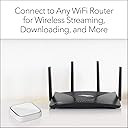
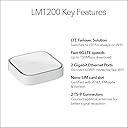
The NETGEAR LM1200 4G LTE Broadband Modem delivers up to 150Mbps download speeds with certified support for AT&T, T-Mobile, and Verizon networks. Designed as a primary or failover internet solution, it ensures uninterrupted WiFi by automatically switching to LTE when your main connection drops. Featuring dual Gigabit Ethernet ports and USB-C power, this compact modem integrates seamlessly with any router setup, making it an essential tool for professionals demanding reliable, always-on connectivity.





| ASIN | B0F3Y532X9 |
| Antenna Location | Home |
| Best Sellers Rank | #4,433 in Computers & Accessories ( See Top 100 in Computers & Accessories ) #108 in Computer Networking Modems |
| Brand | NETGEAR |
| Built-In Media | Ethernet cable, LM1200 4G LTE Modem, Quick start guide, USB Type-C cable, USB power adapter |
| Compatible Devices | Personal Computer, Laptop, Gaming Console, Smart TV |
| Connectivity Protocol | 4G LTE |
| Connectivity Technology | Ethernet |
| Coverage | AT&T, T-Mobile, and Verizon coverage areas |
| Customer Reviews | 4.0 out of 5 stars 139 Reviews |
| Data Transfer Rate | 150 megabits_per_second |
| Frequency Band Class | Dual-Band |
| Item Weight | 15.84 ounces |
| LAN Port Bandwidth | 1000 Mbps |
| Manufacturer | NETGEAR |
| Maximum Upstream Data Transfer Rate | 50 megabits_per_second |
| Mfr Part Number | LM1200-111NAS |
| Model Name | LM1200-111NAS |
| Model Number | LM1200-111NAS |
| Number of Items | 1 |
| Number of Ports | 2 |
| Operating System | NETGEAR Genie |
| Other Special Features of the Product | Automatic Failover, Direct Ethernet Connection, Multi-Carrier Compatibility |
| Recommended Uses For Product | Home |
| Router Network Type | wired |
| Security Protocol | WPA2-PSK |
| Special Feature | Automatic Failover, Direct Ethernet Connection, Multi-Carrier Compatibility |
| UPC | 606449155389 |
| Unit Count | 1 Count |
| Warranty Description | 1 Year Limited |
T**T
Excellent Emergency Internet Backup
Excellent source of emergency internet...with some "Netgear things". My caveats are as follows: 1) I have fiber as my primary internet, this review is NOT for the LM1200 as a "daily driver". 2) I do not YET have an external antenna so this review is NOT to discuss performance. 3) I use GoogleFi, so my experience is limited to Tmobile network via googleFi. The Good: 1) It is small, my 5 port switch, and GoogleWifi route nest nicely on top of this unit. 2) Powered via USBC! and although the manual specifically says to use their adapter...it works fine as long as your power brick outputs enough watts per port for all your connected devices. I have one power brick powering my 5port switch, GoogleWifi router, and the LM1200 - each device draws <20watts and each port can output >20watts continuously. This saves plugs on my battery backup. 3) It supports failover* its just not very graceful in my application (see the bad). 4) you can turn the LEDs off! (a horribly underrated feature and something I wish would catch on). 5) Supports external antenna connections. The bad: 1) My unit did not support failover outright; needed a firmware update. My quick install pamphlet did at least say that failover would be implemented in a software update. 2) In typical Netgear fashion, the auto firmware update failed to find an update and I had to download it onto my PC then upload it to the device. 3) I did my tests with the LM1200 in bridge mode. When failover occurs, the LM1200 reboots when switching to LTE and then reboots again when returning to broadband; so you will have 30-60s disconnects when switching. This may not be an issue when the LM1200 is acting as the router...but GoogleWifi wont work at all if it is double-nat'ed so I did not attempt to troubleshoot this. The indifferent: 1) No built-in antenna and therefore unassisted speeds are poor. A warning should be more obvious that an antenna is required not optional.
A**E
Works and a great value.
Great price for a portable 4G router. Can be used in bridge mode or router mode. I have it in bridge mode connected to my Ubiquiti DR7. Not sure what other people are complaining about the firmware not updating. I downloaded the correct firmware for it, make sure you pay attention to the model number, and it added the fail over feature. I didn't activate it because my DR7 can handle that. I was also able to run it from a battery bank without issues. The only negative I can think of is that I wish it could clone IMEI numbers so that it looks like I'm using the ISP provided hot spot. For the price though it's an excellent value, though I wish the external Netgear antenna were cheaper (it cost more than the router!!).
F**S
If you’re technical, read this review.
It is what it is. LTE is getting ready to be slowly phased out, but for $25 it was the most economical option for a cellular failover to my primary home internet at the moment. I paired it with a US Mobile SIM card and plugged in the correct APN settings, and was off to the races. Well, more like the slow walks. But hey, it works! I have LTE failover for my home now, and although it’s not that fast (I can only get band 71 where I am), it works reliably for essentials at about 12-15 Mbits when my main goes out. It’s advertised to support up to 150 Mbits, but that’s probably on a different band with a stronger signal. Now for the nerdy parts. The LM1200 I received was NOT the retail LM1200-100NAS. It was the carrier-variant model LM1200-111NAS, and had a custom engineering firmware on it that had band 71 disabled. After some troubleshooting, I managed to flash an updated firmware on it and solved that problem, however the carrier-variant firmware still has some limitations compared to the retail version. In short, some of the granular settings are just gone, and you can’t do things like band-locking or changing which port serves the public IP passthrough. You CAN put the box in router mode, but if you’re using it as failover on a separate WAN port of your router, you’ll have to deal with double-NAT, so probably better leaving it in bridge mode. But in bridge mode, you can’t change the management IP, and so that can cause some headaches. With some effort, you can change the management IP in router mode and then go back to bridge mode, but that brings its own host of problems as well since the public IP and management are both served through the same LAN port on the modem. I finally just had to create a static route on my WAN2 port on my router, so I can access the management UI of the modem at any time. That works, but it was annoying to have to resort to that. If you want to get VERY nerdy, like engineering level, enabling diagnostic mode allows you to telnet into the LM1200 on port 5510, and you have access to some more commands in there, potentially allowing further modifications to be made that you can’t do in the GUI. But that is going to be outside most people’s comfort zones. All in all, for the price and for my particular use case, it’s fine. I’ll probably upgrade to a 5G modem in the future, once the prices come down a bit on those. Until then, this LTE modem will do the job.
A**A
Most important and advertised feature does not work
If your looking to purchase this device for the major feature of failover look elsewhere. The price is great for the type of device. But everything comes at a price and the price is the failover does not work out of the box. On the box it states the feature will be available as an update. Great news the update has came out and the feature is available. Bad news you can't update and use said feature. Tried using the online automatic update give me an error. When to the website and manually downloaded the update states the update is not compatible. Called Netgear and have been with support for weeks to no avail. I've noticed that people have gotten their devices to update but they all seem to have a previous revision of the device that ends in 100NAS and the ones recently shipping out are 111NAS. It's shame had high hopes to have a useful feature when our Internet goes out during power outage and/or during severe weather. Netgear pls fix.
C**1
Works with Project Fi !
This works with Project Fi data sim. No setup necessary - put the sim in and boot the modem ! Be clear about what the LM1200 is - it is intended for "home" use. It does not have a battery - it needs a live USB C connection all the time. It also does not have built in Wifi - you need to plug in a wireless router or access point to get wifi. If you update the firmware ( download from Netgear site ) it can be configured to do be a failover router - so plug your broadband connection into the WAN port and connect to the LAN port. It will use the WAN port until it goes out and then use LTE.
E**.
Works perfect, not sure what the fuss is about
Bought on a whim when my primary cable connection went out due to nearby construction, keeping long term as a secondary WAN connection but this works awesome. Testing in Santa Barbara, CA I got a little shy of 100MBs down and just under 40MBs upload. I bought a MintMobile SIM card also from Amazon, highly reccomend that so far, very easy and their network seems to work well with this in my area at least. I think ~100MBPs is about as much as you can hope for with 4G, and certianly enough to run most internet needs and stream on 1 device. 0 configuration required, activated the SIM first and the Netgear picked it up right away. Connected to the WAN port on my WiFi router, and I'm posting this review now right after running the speed test.
M**8
Easy to setup
Works perfect, inserted sim and powered on, everything auto configured. Please note to buyers, this is a cellular modem only with wired Ethernet connections. There is no wifi whatsoever with this device.
E**Z
The best product for the price
This is by far the best product I've ever bought. It works perfectly with my Google Fi carrier.
Z**H
Not working with other operators dans verizon
This item does not work with operators out USA
E**Ú
Módem
S**E
Not all LM1200s are the same. Check which model you are being sent.
Great idea in principal. Be careful: The one I was sent from Amazon was North American specification and will not work in UK. Ensure you purchase LM1200-100EUS if you want to use it in UK.
L**G
🚀 Incredible Connectivity!
For those seeking a reliable internet connection that doesn't tie them down to traditional broadband, this 4G LTE Broadband Modem offers a versatile solution. Whether you're in need of a primary internet source or a failover option, this modem ensures that your WiFi remains uninterrupted. It's certified with major USA carriers & I’ve tested it works with Canadian SIM cards making it a flexible choice for a wide range of users. ☑️ Provides a steady and reliable 4G LTE connection, perfect for areas lacking traditional internet service. ☑️ Easy to set up and compatible with a broad range of mobile networks, ensuring quick internet access. ☑️ Acts as an effective failover solution, keeping your internet running smoothly in case your main connection goes down. ☑️ Certified by leading carriers, offering peace of mind and reliable performance. ☑️ Sleek and compact design, making it an unobtrusive addition to your home or office setup. ⭐⭐⭐⭐⭐ This 4G LTE Broadband Modem stands out as an exemplary choice for anyone needing a dependable and flexible internet solution. Its ease of setup combined with its compatibility with major mobile networks makes it a hassle-free choice for getting online. The added benefit of it acting as a failover solution ensures that you’re always connected, making it invaluable in today’s always-on digital world. Whether for home or small office use, it delivers on its promises, justifying its top ratings among users.
L**Y
Works with Canadian providers
Worked well with Rogers SIM. I've used it as a failover connection for my Unifi router
Trustpilot
1 week ago
4 days ago