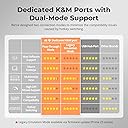
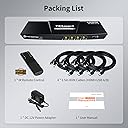
Update after 3 months of use: The issue with the keyboard skipping characters never improved and was becoming more and more of a problem since I use this thing for work, and am on a computer a large part of the day. Transposed characters (e..g "dgo" when I meant to type "dog") happened too often to be operator error. I'd been debating moving it back to my pre-TESMart configuration (mechanical keyboard connected to a powered USB hub, and that USB hub connected to the KVM) for quite some time, but I didn't want to give up the keyboard switching feature. I put up with it for far too long. Well, keyboard switching gave up the ghost yesterday. No clue why - I had not reconfigured anything. Just ctrl-ctrl-1 (etc.) no longer did anything. Turning it off and on did not fix things. at this point, there was absolutely no reason to try to put up with the other problems any more. I moved the keyboard to the external hub, plugged that into the KVM, and suddenly typing has become massively more accurate. I've lost the ability to switch via the keyboard, but the remote works (for now.....). I'll have to Velcro it to the keyboard so it's always handy. All in all, this has been a huge waste of money. I should have gotten a less expensive KVM that did NOT claim to be compatible with mechanical keyboards, and just included a remote. Update after a week of use: The keyboard switching works just fine - ctrl-ctrl-1 / 2 / 3 / 4 switches computers quite nicely. The remote does as well. But I'm downgrading to 2 stars, because I'm having MAJOR problems with keystrokes not registering. For example "Mary Had A Little Lamb" will show up as "MaryHa A Little Lam". It also seems like more swapped letters are happening, e.g. I type "Lamb" and see "Labm". I don't know if that's an artifact of the keyboard's connection, or if it's operator error - I certainly can make such mistakes, so I don't insist that the switch is the problem. I did make sure things were plugged in correctly and securely, which has not solved the problem. My next step will be to try plugging the keyboard into a powered external USB hub, then feed that to the KVM - precisely what I did before buying the TesMart. That would also render the hotkey switching useless - and that was the main reason I bought this model! Oh well, at least the remote should still work. ******************************************************************** (Since there are several models shown: I have the 4 port, 1 monitor, USB 3.0 model) I was using another brand of KVM, but when I switched to a Corsair K70 mechanical keyboard, I found that I'd lost the ability to switch computers using keyboard hotkeys. In fact, to get it to work at all, I had to plug both cables into a powered USB hub, and feed THAT to the device - otherwise, it either didn't work at all or the computer showed garbage when I tried typing. The other device didn't have a remote, either, so when I wanted to switch, I had to lean up to where the KVM was mounted (not within easy reach) to make the switch. TESmart claimed that theirs works with mechanical keyboards, so I gave it a try. Observations after having JUST set it up: - Keyboard switching DOES work. That was the sole reason I went for this new KVM switch. - Mouse gesture switching does not (may be operator error, but I never used that before, so I'm not too worried). I'll likely play with it some more - may have disabled when I meant to enable, or something. - The included cables really are needed: the computer-to-device plug is a different one than my older device. Both are USB-B, but apparently the 3.0 version of USB-B is actually configured differently. So if, like us, you've got a pile of USB-B cables lying around, they won't help you here. - The included cables are QUITE stiff. My setup involves wire shelving, with a shallow shelf for the KVM; the cable stiffness meant that attaching them all, and shoving the whole mess back onto the shelf, was more of a challenge than it needed to be. At some point I may purchase separate USB-B 3.0 cables to see if that's easier to manage, though I don't anticipate needing to move things around all that often. I also worry a bit about the stiff cables putting stress on the computer ports they are attached to. - The product description claims there is no delay when switching. That is simply not true - I counted, and it's roughly 3 seconds before the new computer's screen shows. Not a big deal for my purposes, but if you need a truly instantaneous switch, this may not be the right device for you. - Pass-through functionality is not perfect. My keyboard has a USB port on it - which I frequently use to plug in my USB headset. This simply did not work: the computer did not detect the headset. Weirdly, it worked just fine when I tried plugging a spare mouse into the keyboard. I don't know if this has anything at all to do with the switch's audio functionality (which I have not explored, as I don't need it). The headset works fine when plugged into the port on the front of the switch, so I'll likely just do that. Still, it's annoying. I have both keyboard cables plugged into the kb/mouse USB plugs, and the mouse plugged into the other plug on the back of the device. I may try alternate configurations (e.g. moving one of the keyboard plugs to the alternate) to see if that solves the passthrough issue. If so, I'll update this review.