Desertcart purchases this item on your behalf and handles shipping, customs, and support to Kyrgyzstan.
🚀 Upgrade your network, upgrade your game!
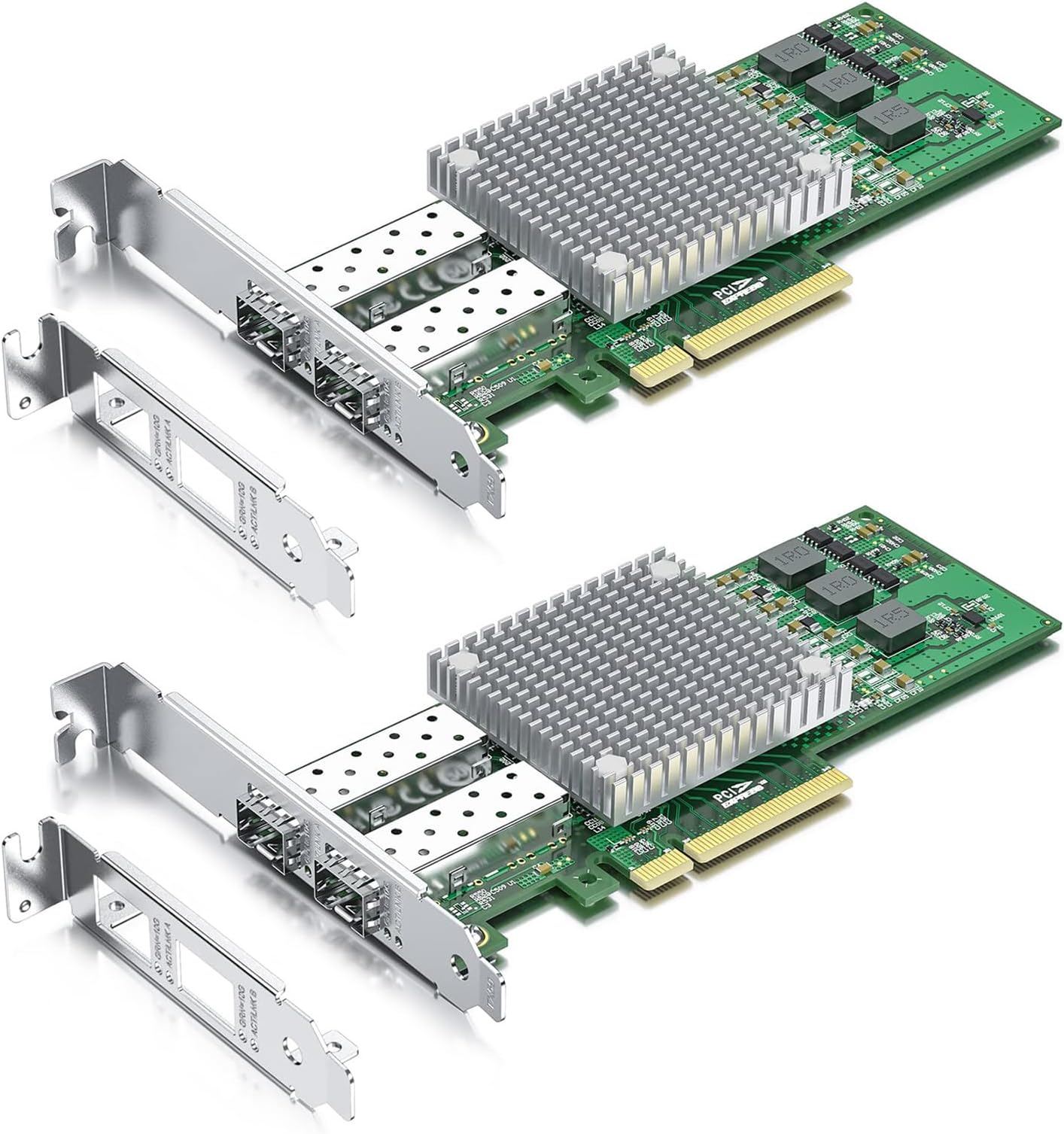
The 10Gtek 10Gb PCI-E NIC Network Card features the original Broadcom BCM57810S chipset delivering stable, high-speed 10Gbps connectivity via dual SFP+ ports. Compatible with major OS platforms including Windows Server, Linux, and VMware, it fits PCIe 2.0 x8 and x16 slots and includes both standard and low-profile brackets for versatile installation. Ideal for data centers and professional environments, it comes with a 1-year warranty and lifetime tech support.
| Asin | B0DSPFLB3M |
| Best Sellers Rank | #11 in Internal Computer Networking Cards #4,884 in Home Cinema Cables |
| Brand | 10Gtek |
| Color | BCM57810-10G-2S(2xSFP+) |
| Compatible Devices | Desktop, Server |
| Customer Reviews | 4.8 4.8 out of 5 stars (6) 4.8 out of 5 stars |
| Data Transfer Rate | 10 gigabits_per_second |
| Manufacturer | 10Gtek |
| Mfr Part Number | BCM57810-2S(Broadcom-2pcs) |
| Model Number | BCM57810-10G-2S(2xSFP+) |
| Number Of Items | 2 |
| Number Of Packs | 2 |
| Unit Count | 2 Count |
User
works as it should - bit of a learning curve
I am in the process of getting 8gigabit fiber internet service. In anticipation of this, I have begun upgrading all my devices to support 10g. I had a bit of difficulty installing this card, but in the end got it to work.First, I had to find the correct drivers as Windows 11 did NOT install the drivers automatically. You will want to make sure to download the "Intel Ethernet Adapter COMPLETE Driver Pack" from Intel's website. Once downloaded, extract and install via the setup executable.Second, I was getting intermittent packet loss utilizing fiber optic sfp+ to a Mikrotik CRS305 switch in SwOS mode. I ended up fixing this issue by 1) upgrading BIOS on motherboard of host PC and 2) upgrading firmware of Mikrotik switch.I still continued having intermittent packet loss after this with the fiber optic coming from my first Mikrotik switch. My LAN architecture was cable modem (still waiting for fiber install) -> GE800 Linksys 10g router , then 10g from router's LAN port _> Mikrotik switch via rj45 Cat 6 cable. Then from mikrotik straight to PC via fiber.Once i installed a second Mikrotik, then routed PC through that second mikrotik router which was connected to the first mikrotik via fiber, all packet loss issues stopped. The PC is connected to the second switch via fiber SFP as well. Due to this, im guessing it was likely a setting either on the ethernet card driver or the first switch that was causing packet loss. regardless, it is working flawless nowTo summarize, it takes a bit of work and there is NOT a whole lot of detailed information out there. it will likely take you some trial and error but it is well worth the effort. It might shy away some people however.EDIT - forgot to mention, i had tried setting jumbo packet size through the windows driver settings, as well as turning on and off flow control with no effect, so it was definitely a setting with either the driver or the first switch.
User
Works on Win11 with correct drivers.
They work on windows 11 with the correct drivers. I had to do some digging to find them but once installed I have a great and fast connection to my NAS. On Linux it was pretty much plug and play.
User
10GB FINALLY!
Gets hot -1 starspeeds are crazy fast.Worked in Truenas Scale! No driver needed!buying a 40mmx40mm fan to cool this down. Ill update with results.
Trustpilot
1 month ago
3 weeks ago