Buy anything from 5,000+ international stores. One checkout price. No surprise fees. Join 2M+ shoppers on Desertcart.
Desertcart purchases this item on your behalf and handles shipping, customs, and support to Kyrgyzstan.
🚀 Elevate your home WiFi game—never settle for slow or spotty again!
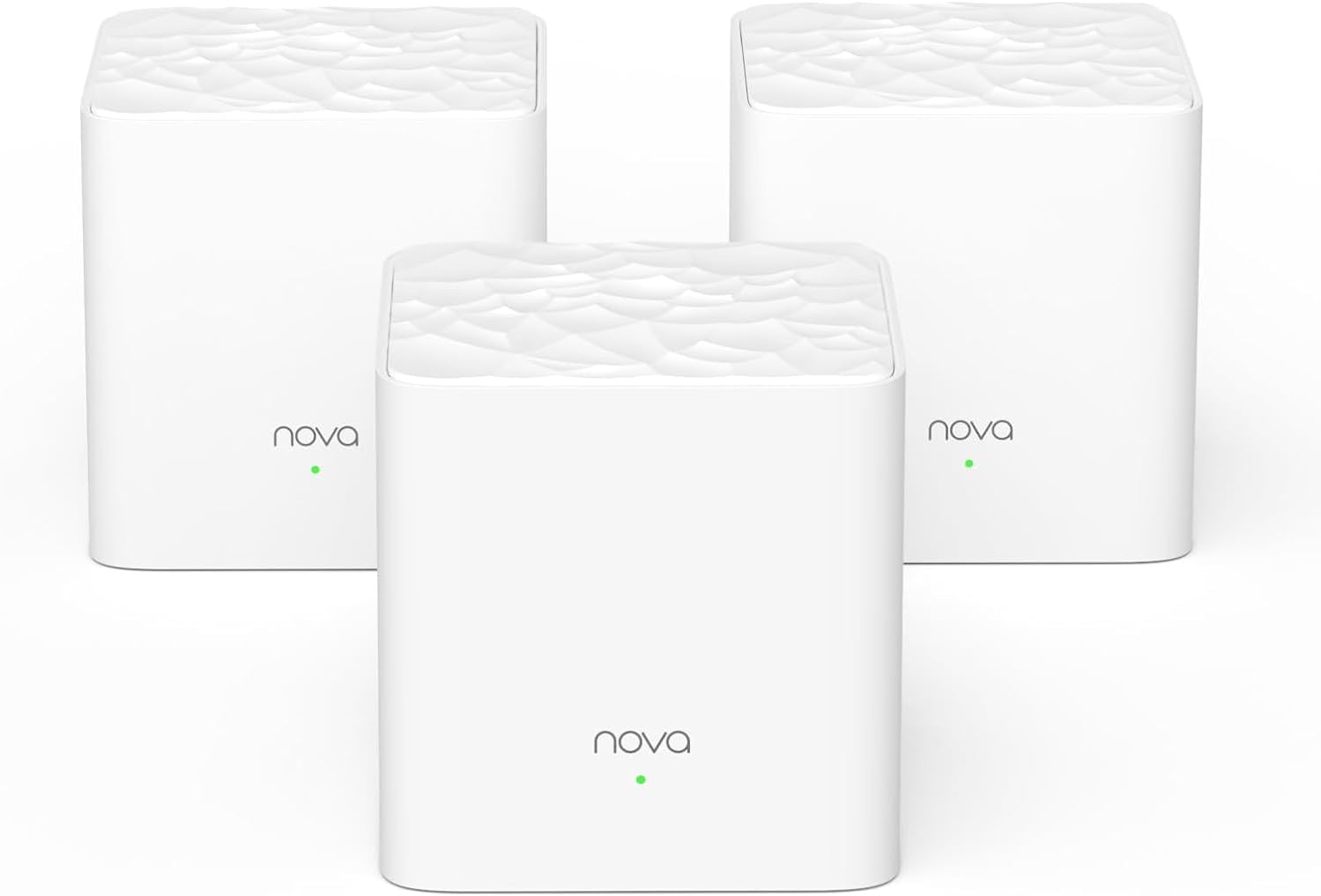
The Tenda Nova MW3 3-Pack Mesh WiFi System delivers robust AC1200 dual-band speeds and seamless coverage up to 3000 sq.ft, perfect for busy homes with up to 40 devices. Featuring MU-MIMO, Beamforming, WPA2 security, and an easy-to-use app, it ensures stable, secure, and lag-free internet throughout your space with effortless setup and smart roaming.


| ASIN | B07DFQGP1K |
| Antenna Location | Business, Gaming, Home |
| Antenna Type | Internal |
| Best Sellers Rank | #15,061 in Electronics ( See Top 100 in Electronics ) #68 in Whole Home & Mesh Wi-Fi Systems |
| Brand | Tenda |
| Built-In Media | 1 Gigabit Ethernet Cable, 3 Power Adapters, NOVA MW3 3 Identical Mesh Points, Quick Install Guide |
| Color | White |
| Compatible Devices | Smartphone |
| Connectivity Protocol | wi-fi |
| Connectivity Range | 3000 Square Feet |
| Connectivity Technology | Ethernet, Wi-Fi |
| Control Method | Voice |
| Controller Type | google_assistant |
| Coverage | Up to 3000 sq.ft. |
| Customer Reviews | 4.2 4.2 out of 5 stars (4,385) |
| Data Transfer Rate | 1200 Megabits Per Second |
| Frequency | 5 GHz |
| Frequency Band Class | Dual-Band |
| Global Trade Identification Number | 00885397271505 |
| Has Internet Connectivity | Yes |
| Is Modem Compatible | No |
| Item Dimensions L x W x H | 3.54"L x 3.54"W x 3.66"H |
| Item Type Name | Mesh Wifi System |
| Item Weight | 528 Grams |
| LAN Port Bandwidth | 10/100 Mbps |
| Manufacturer | Tenda |
| Maximum Upstream Data Transfer Rate | 600 Megabits Per Second |
| Mfr Part Number | MW3 3-pack |
| Model Name | Nova MW3 3-pack |
| Model Number | MW3 3PK |
| Number of Antennas | 2 |
| Number of Ports | 6 |
| Operating System | ZyNOS |
| Other Special Features of the Product | Beamforming, Guest Mode, Parental Control |
| Router Firewall Security Level | Basic |
| Router Network Type | Mesh |
| Security Protocol | WPA2-PSK |
| Smart Home Compatibility | Smart Home Compatible |
| UPC | 885397271505 |
| Unit Count | 3.0 Count |
| Voltage | 12 Volts (AC) |
| Warranty Description | 3-year warranty |
| Wi-Fi Generation | Wi-Fi 5 |
| Wireless Compability | 802.11ac |
M**I
Really good product!
Easy to install, just need to follow the instructions! App is cleand and intuitive! And of course, it the solverd the internet problem I had at my place. Ps: ChatGPT or other similar tools can give some precious tips on how to improve the wifi efficiency on each scenario! Nice product, I recommend it!
P**H
Whole-home mesh WiFi for Under $100? Absolutely.
I was skeptical of these when I bought them; all the reviews I read said to go with either Google WiFI or Eero, but I really didn't want to spend $200+ on a mesh setup, especially without knowing how coverage would be in our new house. My personal set up is running in "APmode" with a Ubiquiti EdgeRouter (which I also HIGHLY recommend) acting as router, DHCP, and secondary DNS for my network, with a Synology NAS running primary DNS. -- SETUP -- Setup was very very easy. Its pretty much plug in, turn on, and pair with the Tenda app. -- INTERFACE -- I took 1 star off for the UI because there's no web UI as of this review. Tenda is supposed to be rolling a web management UI out as a firmware update sometime soon-ish, but its not out yet. As of this review, all management is done via the Tenda smartphone app. It works well, but isn't as full-featured as I would like, but I'm a developer by day and my depth of interest in customization or metrics is probably way deeper than most. In the app you can see your online nodes, what devices are connected, and all the usual info -- perfectly usable. -- ISSUES -- The only issue that I had was related to DHCP leases for the nodes. When running in AP mode, the nodes aren't responsible for their own DHCP leases which has the potential to cause problems should leases expire and different IP's get assigned. This causes the nodes to not be able to communicate with each other, breaking the mesh. This can be worked around by one of two ways: 1) dont use AP mode, or 2) assign static DHCP reservations to the nodes on first boot BEFORE pairing. I didn't do this and had to re-create my mesh after a power outage, but have since assigned static DHCP leases and have had no issues since. Unless you're running a slightly more complicated setup as I am this should never be an issue, though. -- FEATURES -- The addition of an Ethernet port on the nodes is brilliant. I have one node stationed behind my smart TV with the TV tethered via CAT6e to the node. This eliminates a wireless hop that would otherwise have to exist if I weren't able to hard-wire my TV into the network. -- BANDWIDTH -- The stated bandwidth for the mesh is 1200 Mbps, however real-world bandwidth is closer to 90Mpbs with multiple devices and streaming IoT on the network (I have a few WiFI CCTV cameras, smart tvs, and other bandwidth-heavy things). I have yet to hit bottlenecks in bandwidth even when streaming 4K video over the mesh along with all the other crap on my network. -- CONCLUSION -- If you want a hyper-feature-rich experience and Gigabit WiFi speeds, go look at Google WiFi or Eero, but if you want dead-simple, bulletproof, no-frills, no-BS mesh WiFi, this is the setup for you. 5/5 would buy again
Z**Y
Great so far - Would like a little more control
Reading the reviews, I was a little iffy on purchasing this. It seemed a lot of the reviews mentioned that these worked fine at first but stopped doing so after a short amount of time. I have experienced no such issues. I have had two nodes installed for almost a month and added a third about a week ago. Installation was fast and easy. I had a pretty highly-rated router and extender combo before switching to these. I have a 150Mbps download/25Mbps upload plan and I never got close to that from only ~35 feet away from my router. My house isn't huge but it has a lot of concrete/brick walls between the router and most of the house. The router itself worked fine in most rooms, getting be about a third to half of my maximums. There were a couple of "dead zone," where I could only get around 5mbps/1mbps, so I tried an extender. It worked okay but 20/5 speeds weren't acceptable. With the price finally being reasonable, it felt like it was worth giving mesh wifi a try. I have not been disappointed with the results thus. I can now pull at least 50/10 everywhere in my house and I have not experienced any connection issues. Not to mention the nodes are small and pretty well-designed. They do not stick out no matter the decor and they are well-built. My only problem with this system would be with the amount of control you have over it. The app really does not give many customization options, though it offers what most people would need. You can change the SSID and password, view and block devices, change between PPPoE/DHCP/Static IP/Bridge modes, and change a few other basic settings. Even adding such things as being able to choose whether to connect to 5ghz or 2.4ghz bands and a web portal, which would likely add more customization options, would have been a great addition to these.
P**B
I was using bell pods and switched providers so decided to stop renting and just buy my own. Comparing to the bell pods, pods were easier and better. All were wireless so you don’t need to “waste” one connected to the main router. I used to have 2 pods and it was enough to cover my 3 story house + backyard. With this one I will need a third for sure. I will say it is very worth the price so I’m happy with the purchase. Once I have 3 I think it will be perfect. Parent control are a great feature!
W**D
The Tenda mesh instalation was easy for a new user of the technology and much better than using a wifi extender and repeater
S**P
This product is easy to install and works like a charm upon configuration. I have my WiFi router at a common place at home, there were constraints in signals to rooms due to walls in-between. I have used other products like WiFi extender which didn't help in anyway!. These two devices from Tenda is covering the WiFi signal across my home. The switchover from one device to other during the movement is seamless, overall WiFi performance is consistent across all the corners. The only reason I am giving 4 star is because there is a requirement for one among the device to be connected directly to WiFi router's LAN port as a Gateway. Other one will connect to Gateway over WiFi itself. So, I have turned off my WiFi router's SSID and using it as router to connect this Tenda gateway device.
L**N
Muy fácil para configurar, la red bastante estable y trabaja sin problemas tienes opción para seguir conectando más dispositivos y ampliar tu red
F**I
Easy to install. Light weight. Perfect size. Only app access no desktop access. app is not that good. Over all it does what it says.
Trustpilot
2 months ago
2 days ago