Buy anything from 5,000+ international stores. One checkout price. No surprise fees. Join 2M+ shoppers on Desertcart.
Desertcart purchases this item on your behalf and handles shipping, customs, and support to Kyrgyzstan.
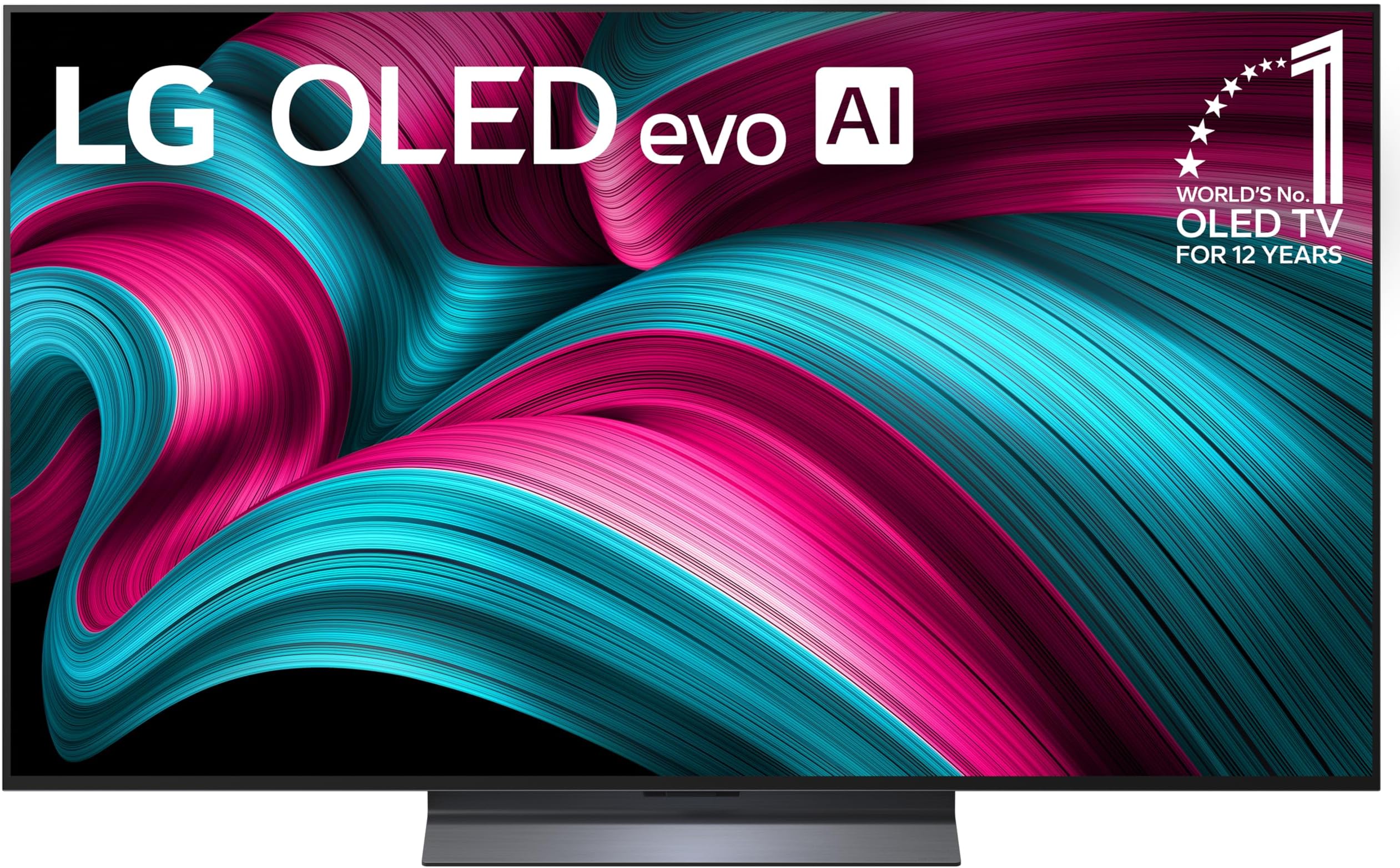
🔥 Elevate your viewing game with LG OLED evo — where brilliance meets speed!
The LG 55-Inch OLED evo AI 4K C5 Series Smart TV (2025) combines award-winning OLED technology with the powerful Alpha 9 Gen8 AI Processor to deliver stunning 4K visuals and immersive Dolby Atmos sound. Featuring a 0.1ms response time, 144Hz refresh rate, and advanced gaming support like NVIDIA G-Sync and AMD FreeSync Premium, it’s designed for both cinephiles and gamers. Its UL-verified glare-free screen and AI Super Upscaling ensure perfect picture quality in any lighting, while Alexa and webOS 25 provide seamless smart control. A sleek, nearly bezel-less design makes it a statement piece for any modern home.


| ASIN | B0DYQF1Q3Z |
| Additional Features | Amd freesync, Built-In Speaker, Chromecast, Multiple Voice Assistance, Nvidia G Sync |
| Annual Energy Consumption | 246 Kilowatt Hours Per Year |
| Antenna Location | Home Viewing |
| Aspect Ratio | 16:9 |
| Audio Input | HDMI |
| Base Depth | 9.1 Inches |
| Base Width | 18.5 Inches |
| Best Sellers Rank | #837 in Electronics ( See Top 100 in Electronics ) #1 in OLED TVs |
| Bluetooth Version | 5.3 |
| Brand | LG |
| Built-In Media | Power Cable, Remote Control, Stand, User Manual |
| Color | Black |
| Compatible Devices | Smartphone |
| Connectivity Technology | Bluetooth, Ethernet, HDMI, USB, Wi-Fi |
| Connector Type | Ethernet, HDMI, Optical, RF, USB |
| Content Sharing Direction | Mobile to TV |
| Contrast Ratio | High |
| Control Method | Remote |
| Controller Type | App Control, Remote Control, Voice Control |
| Customer Reviews | 4.5 4.5 out of 5 stars (1,107) |
| Display Backlight Setting | Pixel Dimming |
| Display Backlight Technology | Self-Luminous |
| Display Language Options | English |
| Display Refresh Rate in Hertz | 120 |
| Display Size Class | 55 Inches |
| Display Technology | OLED |
| HDR Format Supported | Dolby Vision, HDR10, HLG |
| Hardware Interface | Bluetooth, Ethernet, HDMI, S/PDIF, USB |
| Integrated Surround Sound Format | Dolby Atmos |
| Internet Applications | Apple TV, Disney Plus, HBO Max, Netflix, Prime Video |
| Item Dimensions D x W x H | 9.1"D x 48.1"W x 29.8"H |
| Item Weight | 35.3 Pounds |
| Item Weight Without Stand | 31.1 Pounds |
| Manufacturer | LG |
| Mfr Part Number | OLED55C5PUA.AUSZ |
| Model Name | OLED55C5PUA.AUSZ |
| Model Number | OLED55C5PUA.AUSZ |
| Model Series | OLEDC5 |
| Model Year | 2025 |
| Motion Enhancement Technology | OLED Motion |
| Mounting Type | Wall Mount |
| Number of Audio Channels | 2.2 |
| Number of Batteries | 2 AAA batteries required. (included) |
| Operating System | WebOS |
| Picture Quality Enhancement Technology | AI Picture, OLED Dynamic Tone Mapping Pro, a9 AI Processor 4K Gen8, a9 AI Super Upscaling 4K |
| Power Consumption | 133.1 Watts |
| Refresh Rate | 120 Hz |
| Remote Required Battery Quantity | 2 |
| Remote Required Battery Size | AAA |
| Resolution | 4K |
| Response Time | 0.1 Milliseconds |
| Screen Finish | Glossy |
| Screen Mirroring Technology | AirPlay 2, Google Cast |
| Screen Size | 55 Inches |
| Signal Format | ATSC1.0 (Terrestrial), QAM (Cable) |
| Size | 55 Inches |
| Speaker Description | 2.2 Channel Sound with Dolby Atmos, AI Sound Pro, and WOW Orchestra |
| Specific Uses For Product | Entertainment |
| Total Number of HDMI Ports | 4 |
| Total USB 2.0 Ports | 3 |
| Total USB 3.0 Ports | 3 |
| Total Usb Ports | 3 |
| Tuner Type | ATSC1.0 (Terrestrial), QAM (Cable) |
| UPC | 195174119624 |
| Unit Count | 1.0 Count |
| VESA Mount Standard | 300 x 200 mm |
| Video Encoding | HEVC, VP9 |
| Voltage | 120 Volts |
| Warranty Description | 1 Year Parts & Labor |
| Warranty Type | Limited |
| Wireless Technology | Bluetooth, Wi-Fi |
T**S
Solid Upgrade with a Unique Remote
I really like this TV so far. Even though I use a sound bar the built-in speakers on this thing are actually pretty impressive. The remote is a bit different but I honestly love it. It has a scroll wheel and you can use it almost like a Wii remote which feels so intuitive that going back to a standard remote is going to be tough. My only gripe is that they replaced some of the standard button icons with their own symbols which makes things a little confusing. For example you have to hold down a specific button for a few seconds just to find the input menu. If they kept the Wii functionality and the scroll wheel but used more traditional buttons this remote would be perfect. The build quality seems solid. To be honest I am coming from a QLED and the picture hasn't completely blown me away yet. However the 144Hz refresh rate is awesome and the price was definitely right.
N**O
Best gaming tv
I’ve been using the LG 65” OLED evo C5 mainly for PS5 gaming, and it’s honestly a huge upgrade. The picture quality is incredible deep blacks, super vibrant colors, and amazing contrast that really makes games feel immersive. The motion is extremely smooth, and everything feels very responsive, especially with fast-paced games.
B**Y
Great tv, won’t dissapoint.
Ordered the tv yesterday, came this am, earlier than I thought! Had to assemble the stand to the tv, directions could be a little better, but figured it out. After mounting the stand, the tv really does need 2 people to put on a stand/dresser. Probably weights about 48 pounds and is awkward to move for one person. There is no manual. Plugged it in, set up the wifi and off and running. I followed a few youtube videos how to calibrate the tv. Glad I did, the live pictures are amazing, the colors are so vivid. I am looking forward to streaming a 4k video, but otherwise the detail is fantastic. In all fairness I do own an earlier version of this tv which is also excellent. The speakers are so good, I may return the soundbar I ordered. I keep this tv in the family room and usually I am the only one watching it for sports. I had a few questions on setup, thank goodness for AI to help out.
C**.
Take EVERYTHING out of the box!!
A word to the wise...take EVERYTHING out of the box. ALL the styrofoam. I spent a week thinking I had not received a remote control or all of the stand. It was taped to the bottom area of the bottom piece of styrofoam. I realized this when I went to break down the box for recycling. I LOVE the TV. The remote control is a little challenging at first it takes a little getting used to, but I love it now. My first OLED TV and now I understand all the hype. It's a beautiful, clear, vibrant screen. The price was decent. I definitely recommend. Finding all the "missing" pieces I had been so angry about was in the end...hilarious.
R**R
Very good, but some irritations
I think the TV is great. The picture is superb and the sound is very good. I had been using a sound bar before which broke, but I tried using the TV before buying a new one and I like the sound almost as well. I don’t think I will be replacing it. However is it not perfect so I only award it 4 stars. The reasons are irritations which I feel LG could easily address. 1. Although the description said that a manual was included, I did not get one. I found one online which is 29 pages. The first 17 pages are mostly how to set up the TV, safety information, and an explanation of the buttons on the remote. The remainder is a EXTERNAL CONTROL DEVICE SETUP manual, which I’ve yet been able to figure out. What you need to do is to go through the on-screen menus and figure out how to do things. 2. The “Magic Remote” is quite good, although minimal. I was very happy to find that I could use it to control (to an extent) my other devices (Xfinity cable box) and a Blu-ray drive. I found this by using the Settings button (gear icon), then selecting the gear icon on the top, then General/External Devices/Universal Control Settings. This works quite well although the remote and control screens for the devices do not have all the features available on the native remotes. (e.g. no Skip forward/backward on the cable box or Eject on the Blu-ray device.) 3. I was also pleased to see all the possible Apps you can put on your TV. There is a high level division of Apps into categories (Entertainment, Game, News, etc.) but no help on the next level. I checked out the Entertainment set and found hundreds in no particular order and minimal descriptions. 4. The remote has a “Guide” button which gives you a list of channels and the programs on the channels for the next 2 hours. The problem is that there is no way to designate certain channels as favorites, so you must go through the hundreds of channels available on your provider to get the channels you might want to watch. I also had the problem in the program information going away, being only “No Information” available. I tried to find out how to restore the data, but could not. Even if I could, I would probably not use it unless I could select my favorites. 5. There were other issues that nagged me, such as when I tried to view a USB stick with pictures from my Mac, I got an equal number of un-viewable files, probably meta data from my Mac. Also, the Gallery function which allows me to display my pictures or pictures available on my TV when the TV is off. Cute idea, but they are only displayed for a time (1 hr?) to avoid burring the picture in. This is not a problem for me, but it did not seem to be well thought out. 6. Still a puzzle is if there is a “Record” function to allow the TV to record shows to an external drive or USB stick. Some indications are that the Record function is available on most TV’s for recording from an antenna. I can’t find a list of models nor any descriptions that include this as a feature.
Trustpilot
3 weeks ago
2 weeks ago