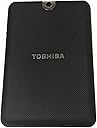
๐ฅ Thrive beyond limits with Toshibaโs powerhouse 10.1" tablet!
The Toshiba Thrive 10.1-Inch Android Tablet combines a vibrant HD multi-touch display with a robust NVIDIA Tegra 2 dual-core processor and Android 3.1 Honeycomb OS. Designed for professionals who demand flexibility, it offers 16GB internal storage expandable via SD card, full USB and HDMI ports for seamless connectivity, and a user-replaceable lithium battery for extended use. Its rugged, easy-grip rubber backplate and dual cameras make it a versatile, durable companion for work and play.
| ASIN | B0052P6DQI |
| Age Range Description | Adult |
| Aspect Ratio | 16:10 |
| Battery Average Life | 11 Hours |
| Battery Cell Type | Lithium Ion |
| Best Sellers Rank | #862,537 in Electronics ( See Top 100 in Electronics ) #7,366 in Computer Tablets |
| Brand | TOSHIBA |
| Built-In Media | 1 x Tablet |
| CPU Model Number | Tegra 2 |
| CPU Model Speed Maximum | 1 GHz |
| Camera Description | Front |
| Cellular Technology | wifi |
| Color | Black |
| Compatible Devices | Keyboard, Mouse, External Display |
| Compatible Flash Memory Type | SD |
| Connectivity Technology | Bluetooth, HDMI, USB, Wi-Fi |
| Customer Reviews | 4.1 out of 5 stars 1,015 Reviews |
| Display Resolution Maximum | 1280 x 800 Pixels |
| Display Type | LCD |
| Flash Memory Supported Size Maximum | 16 GB |
| Front Photo Sensor Resolution | 2 MP |
| Generation | 1st Generation |
| Graphics Coprocessor | GeForce |
| Graphics Description | GeForce Graphics |
| Hard-Drive Size | 16 GB |
| Hardware Interface | USB |
| Human-Interface Input | Keyboard, Microphone |
| Item Weight | 1.6 Pounds |
| Lithium-Battery Energy Content | 15 Watt Hours |
| Manufacturer | Toshiba |
| Memory Slots Available | 1 |
| Memory Storage Capacity | 16 GB |
| Mfr Part Number | PDA01U-00101F |
| Model Name | Thrive |
| Model Number | PDA01U-00101F |
| Model Year | 2011 |
| Native Resolution | 1280 x 800 pixels |
| Operating System | Android 3.0 Honeycomb |
| Operating System Family | Android |
| Other Special Features of the Product | Stereo Speakers |
| Photo Sensor Resolution | 5 MP |
| Processor Description | NVIDIA Tegra |
| RAM Memory Installed | 16 GB |
| RAM Size | 16 GB |
| Rear Facing Camera Photo Sensor Resolution | 5 MP |
| Screen Size | 10.1 Inches |
| Size | 16 GB |
| Speaker Description | stereo |
| Specific Uses For Product | personal |
| Style Name | Basic |
| Supported Audio Format | MP3 |
| Total Usb Ports | 1 |
| UPC | 883974814251 |
| Unit Count | 1.0 Count |
| Video Capture Resolution | HD 720p |
| Video Processor | Nvidia |
| Warranty Type | Manufacturer's Warranty |
| Wireless Compability | 802.11bgn |
| Wireless Technology | Wi-Fi |
O**N
Why I fell in love with Thrive
Thrive is my first tablet. I won't pretend to know a lot, but I will give a review on this tablet, based on my experience, as a normal everyday user. If you're super technologically savvy, chances are you won't need to read this anyways! I love everything (ok, maybe 99%) about it, especially the USB. I get dumbfounded sometimes by just how easy they make it for users like me. Plug in your external drive, go to file manager, voila! Or go to media player, and all your movies and music are there! Unless you have a hdd with lots of stuff in it (like mine, I have 1 TB external hdd that is almost full, and it took a while to load at first, but after that you wouldn't have to wait anymore), but usually it loads quite fast. It loads a flash drive quicker than my nifty 2 year-old self-built PC. I honestly believe that if your tablet doesn't have USB, you really don't know what you're missing. I don't have time to go home and load files onto my tablet ahead of time. I want my files to be readily available to me. Inside: Touch screen is very smooth, not too dull or sensitive. I can flip through menu options or type perfectly fine. Android honeycomb lets my apps run pretty fast and smooth, I haven't run into any problems. Five screens available for you to put your apps anywhere your heart desires. Touch the screen (or a specific icon) for 1 full second and you can easily organize them. There are some apps pre-loaded which are quite useful. On top of the normal variety (Gmail, Gtalk, map, browser, youtube, camera, calender, Android Market, App Place (Toshiba I assume), Book Place, LogMeIn, etc.) I added some fun apps. I would suggest using Market over App Place for now because there are more reviews and apps available to choose from. You can also personalize your background with pre-loaded wallpapers or photos you have. If you use your own photo, they will let you select the area to crop so the photo can fit nicely on the screen. Since most devices on market now that run android os are pretty similar, and the fact that I am simply not an android genie, I won't go into anymore details about how android honeycomb runs. Outside: Power, volume, screen rotation lock (useful if you like to lay down sideways and read like me), and SD Card slot on the top. I hate it when people complain about not being able to save apps on sd card. It is like saving windows media or winamp on a flash drive while you use your PC. Why would anyone want to do that...? Back on topic! Mini USB, HDMI, and Micro USB ports are the only ones protected by a cover. If you ever break it, simply by a new back plate. I bought one for 19.99 on amazon for fun as well. There is a lock that can release the back cover. Guys, please don't give Thrive a minus star rating just because the cover is tight. It is NOT supposed to come out easily. If it does, you'll see more 1-star rating about how Thrive "is not so durable after all DO NOT BUY!!!!!" and I hate to see that reviwer get bashed afterwards. Below that are headphone and power port. Speakers can be found below, flanking the docking station connector in the middle. Thrive has both front and back camera also, if you like to take photos of yourself. Everything is pretty self explanatory. It's funny how whatever people seem to complain about Thrive, is what I love. I love that it has certain thickness, or "substance" to it. It feels durable. The back cover is rubbery, so it doesn't get scratched as easily as regular plastic cover. It is also replaceable, so I don't feel bad roughing it up. It is heavier than most tablets on the market, but your arms weigh more than this really, and I think essentially it would be the weight of your arms wearing you down, not a tablet that weighs several ounces more than others. If you don't like lifting objects at all then...why get a tablet... I can play with it all day (10+ hrs?) and it still has battery left. When I first got it, I had to play a movie overnight just to drain the battery. It recharges back to 100% after one hour or so, quite fast if you ask me. When you're low on battery, it buzzes and let you know you're down to, say, 14%. The right bottom corner tells you how much battery you have left, besides the time, and wireless/bluetooth connection icons. If you're downloading something, the icons will be there as well. The one improvement I wish for is louder stereo speaker. It's not very loud, but is it a deal breaker or star-rating wrecker? Not at all for me. Overall, Thrive is a very solid piece of electronic. It meets everything I want in a tablet: work and play whenever. My argument for Thrive: it's one of the cheaper ones with a 10" screen and NAME BRAND (I can foresee someone leaving a reply saying there are $100 ones), reliable, and the only tablet on market with USB, a pretty sensible move by Toshiba. Honestly, USB port was a big selling point for me. When I carry a flash drive or external hdd with me, that's the ultimate definition of easy accessibility. I've read many negative reviews on amazon and elsewhere. If you know statistic, and you have a little bit of common sense (don't want to sound mean but, sorry), you know that nothing is absolutely 100% by probability. I am well known by friends and family to be an electronic wrecker. I break everything, from phones and ipod to washing machine and TV--3 days before Wold Cup all because of my "magic touch" and/or bad luck. That being said, I am sorry Thrive didn't work out for specific persons, but it is definitely not trash, as some of them put it.
M**E
After Shaky Start, Highly Recommended
*** UPDATE *** Toshiba has been very responsive about the wake-from-sleep issue. They have released several patches and the latest one seems to fix the problem. At least it is waking up just about every time, with only one "fail to wake" issue in the past week. That could be one of the dozens of apps I have loaded just misbehaving. My guess is this problem has been fixed. The good news is Toshiba was VERY responsive. Their consumer support 800-line was pleasant but mostly useless. The forums, however, turned out to be a great resource. Toshiba is actually reading & responding to the forum posts and have taken an active role in working with people and keeping everyone informed about the issues. At this point I'm certain the problem is resolved. If not I have full confidence Toshiba will address any remaining issues quickly & professionally. On the PLUS side, this thing is great. I'm loving it more every day. My wife and my 5 year-old son use this every day now as well. It is probably the most used device in the house these days. There are a ton of great new Android apps coming out every day, my newest favorite is the CNN News app. It is designed specifically for the tablet and is a quality product. My son loves Angry Birds, it is a much better experience on this platform over a phone and also a quality app. Another HUGE plus... the ability to surf just about any site in mobile or standard mode. MOST sites are WAAAAYYYY better in standard mode, and that is only possible because this device fully supports Flash and almost any other web design element. Very cool. I'm keeping it and highly recommend it to anyone. In fact we are probably going to order one for my Grandmother today. *** UPDATE *** Turns out there is a critical design flaw with the Thrive that Toshiba is fully aware of. The Thrive will not wake up out of sleep mode for 80% of the devices on the market. My particular unit would come out of sleep mode after a hard reboot (hold down power to power off/hold down power to power on) but eventually hung so badly we needed to do a factory restore with Toshiba Support which wipes everything off the system (apps loaded, passwords, accounts, and anything you've saved). Toshiba is "fast tracking" a firmware update but as of this writing it is not out yet (July 14th, 2011). *** Original Review *** I'm a tech geek and I like to play with the latest gadgets. Both for my business (we write apps for phones, tablets, desktops and the web) and just as a personal hobby. I regularly update my collection of electronic toys and am always looking for new ways to put them to use. However I've been late to the table/pad party. Not because I don't like the idea. I LOVE my smartphones, having gotten in on the iPhone the first month it came out, upgraded to an Android phone after that. The general concept is great and certainly has made my life easier. But for the tablets I always walk away wanting more than is offered. That was before Toshiba announced the Thrive. As soon as it was available for pre-order I bought one at Amazon. The primary reasons I waited were two-fold, the lack of Flash on the iPad series was a deal breaker there. The lack of any viable input/output ports on the other devices, poor screen quality, or small screens stopped me from a lot of "coulda been" tablets. The Toshiba promised speed, power, an nvidia chip set driving the video, normal USB ports, an HDMI out, and more. It sounded perfect. Finally, after 2 months of waiting, the Toshiba Thrive arrived today. Granted I haven't played with it for very long yet, but I already like a lot of things about it. What I Like: - I plugged in my keyboard and started typing my email responses. No extra drivers or hacks. Very cool. The normal on-screen keyboard works great, but for extended work the keyboard is a HUGE advantage over other tablets. - I then plugged in a small USB hub I had from another project, it is a small 4-port vanilla hub half the size of the credit card. I then connected my keyboard and mouse. Now I have the equivalent of a pretty sweet notebook computer with a touch screen. Again no special drivers or other trickery required, I just unplugged the keyboard & mouse from my laptop and put them in the hub on the tablet and it worked immediately. - The screen resolution is great. Better than I expected but it is not as vibrant as some other screens I have seen. However 90% of the time I'll be using this in the house or the office and the brightness and contrast is plenty for indoor use and I'm guessing anything but bright outdoor use. - The Honeycomb OS with the Toshiba tweaks is pretty decent. Not sure if I like it as much as the HTC layer on Android 2.X, but it is right up there with it. - Setup and configuration was quick & painless. All of my account information, marketplace apps, and more were readily available. Every marketplace app for my phone is download and runs. Only one app (WeatherBug premium) is not quite refined for the tablet with some text display overlaps (odd given the extra screen real estate). - There are a number of decent accessories already on the market from Toshiba for docking stations, replaceable backplates, quick-swap batteries, and carrying cases. - Some of the built-in apps are fairly well done. The news service is a decent app and things like GMail are way easier to use on the Thrive than my phone and the UI feels better than even that on my web browser on my desktop system. - Videos are decent, sound is OK. Not great, but for something this small & lightweight you really can't expect too much in the way of sound quality with the built-in speakers. - Plays flash videos and other flash content just as I expect. I've not yet found any broken sites. Things To Improve - It is a little heaver than I expected. It is FAR more convenient/portable than any laptop/notebook I've ever come across. In fact it is way more powerful, compact, and lighter than most netbooks. Guess the 10" screen is a bit bigger and heavier than I've been used to with the 3.5" (or so) HTC Incredible I've been using for months. It is not so heavy that it is a burden, but after a 15 minutes of holding it in one hand while playing with the apps with the other hand I needed to rest it on my leg or on the chair arm. Then again, I'd not hold a notebook up for 30 minutes while using it and this is NOT meant to replace a handheld phone but is a better replacement for a small notebook/netbook. - The screen is not a newer oleophobic(sp?) type that is on most newer phones and the iPad2. That means it doesn't repel the oil from your hands as well so fingerprints are immediately noticeable. Not a big deal overall, but for people that want the surface to be clean and shiny all the time you'll need a lens cloth with you at all times. Which Toshiba does not provide; unusual for most higher end touch-screens these days. - The responsiveness of the power button could be refined. When it goes to sleep you need to hold the power in for a second. It doesn't always respond with a quick tap. Hold it in too long and it powers the unit off. Not a huge deal, but the timing definitely needs to be tweaked a bit. Two people in the office have already had issues waking it up and someone already powered it off when it appeared to hang. Summary Overall I'm glad I waited. I've not even started to use the Thrive the way I expect, but just the cursory review leaves me happy I waited for this tablet over the others on the market. Also, as a testament to the better build quality of this unit it was already dropped face down on the floor, a thin carpet over concrete. It made a face-down "thud" as it hit the floor and I cringed as soon as I saw it take the fall. Luckily the protective plastic cover that it shipped with was still on the face. There was no damage whatsoever from a 30" drop off the edge of a desk, so I've already "battle-tested" the unit for those who are curious about the ability for this thing to take a beating. Based on the initial 5 hours with the unit I am thinking this one is a keeper and is something I will be recommending to clients at and our CSL blog ([...]). We'll see how the rest of the week plays about before writing a thorough review and planning our first Thrive apps.
J**D
-Love- this tablet
Admittedly, I'm biased. Pre-ordered the Thrive June 13th, the first day it was eligible for pre-order. Also, I love Toshiba as a company. With that out of the way.. The Thrive is a fantastic device. I haven't read any of the other reviews, so I'm probably going to repeat what they've said, but oh well. Starting with the physical device: - The screen is very responsive and slick, although you will notice finger prints after minor-moderate use (I notice mine after a couple hours of playing games), but that's to be expected from any touch-based device. They wipe away cleanly and easily with a cloth. - While people seem to say that the device is heavy and bulky, I disagree. I think that the size is perfect, and I have had no problem with my arms getting tired after (literally) holding the device for hours without setting it down (side note: it is a great enough device to want to use it for hours at a time without setting it down.) - The standard hardware set (Tegra 2 processor, 10.1" screen, 1 GB RAM) works very well with Gingerbread (Android 3.1 OS). Everything is responsive and I've had no issues with the device being too slow or getting overloaded (and I have not overclocked the processor yet.) - One of my favorite features are the ports: full USB, mini USB, and full size HDMI. The USB supports keyboards, flash drives/external hard drives formatted under FAT (a future OS update will likely support NTFS, as well.) The HDMI port allows me to very easily hook the Thrive up to my HDTV, which I do every night to watch some shows online to fall asleep. - The contours on the back of the case make holding the tablet feel natural and easy. The extra grip keeps the Thrive from slipping from your hands (I've had mine since July 13th, and have not dropped it once.) - The battery lasts for approximately 7 hours of continuous use (roughly), although I haven't had any problems with the battery life. Even if I did, it charges to 90% in an hour. However, in order to do that, the Thrive (unlike, I assume, every other tablet on the market) charges with an AC adapter, like a laptop, rather than through a USB connection. So you need a power outlet or a car adapter to charge it, rather than just a USB connection, but in my opinion the super fast charging makes it worth it. - The 16 GB version I have, plus the 16 GB (full size) SD card means that I basically have as much space as I can possibly ever need. (Be careful with SD cards; some require a little hack to get them to work on the Thrive/PC, which requires taping over a small hole in the card. Google it if you have any problems; takes minutes to fix and causes no problems.) On the software side: - The android market has responded very well to Android 3.0/3.1, thanks to the Xoom and Tab leading the pack by a couple of months, putting many great games and apps out there to keep you entertained. - While there are many great apps that are compatible with the device, the reality is that this is not Apple and what works on one device won't necessarily work on another. You will have apps that (randomly) force close, and ones that you can't even install on the device because a company (see: HBO and Hulu) refuse to give you the option to get it to work yourself until they develop an app specifically for that OS and device. - Android 3.1 runs very smoothly with almost no hiccups. The setup of the home screens allows you to place hundreds of apps/widgets across the huge screen, although it does currently lack the ability to create folders. While there aren't really any reasons you need to create a folder since you have plenty of space on the home screens, I find it a bit odd that it doesn't even give you the option. - The included Toshiba File Manager is fantastic. I've used it to browse the internal HD as well as the SD card, and I find myself using it almost daily to clear up downloads and folders that like to stick around after an app is uninstalled (unfortunately, some apps still do that. Hoped that would end once you get off the PC, but what can you do.) - The Toshiba App Place is an interesting app to find some properly developed and supported applications, but it's still very sparse and almost everything has to be paid for. Additionally, the interface for it is fairly clunky, most apps don't have photos of the app in use (just a logo that is bannered across the top and an icon for the app), and they are oddly subscription based ($9.99/month) rather than a one-time fee. Problems/bugs/glitches: - One of the main problems (which, allegedly, is going to be fixed next week) is a sleeping bug. When you turn the device "off" (push the power button once to black the screen, or let it sit for a few minutes and it does it itself) it actually enters a low-power sleep state. Sometimes, randomly, when you go to wake it up, it just doesn't wake up. The LED lights up like it's on, but the screen stays black and requires a hard restart to be operational again. - To my surprise, Toshiba has locked down the device a fair amount. For most users, this isn't likely a problem. However, I would like to uninstall some of the bloatware (included software that does nothing but take up space and annoy you, usually running in the background) and to run a custom version of Flash so that I can watch Hulu videos (one of the most important uses for a tablet, in my opinion), but Toshiba does not permit the user to uninstall the application, and it can't just be overridden. Although, many of the folders are hidden as they are considered "system" folders, which disallows you from editing some of the files for certain applications (if the app wasn't made to run on 3.1 and needs a little tweak, why can't I just edit a config file and do it myself?). - To continue with the above, rooting the Thrive is still in its infancy. The above wouldn't be much of a big deal if I could just root my device, get superuser access, and just do what I want on the device, but that is currently not an option (well, not unless you want to run the risk of soft-bricking your device (someone had said that since all the editing is done from the boot manager, it can't actually be fully bricked, but you can end up wiping the stock ROM, making it unable to be used for anything until you install a new one or recover the old one.) It might sound like that are a fair amount of negatives with the device, but it's much easier to point out what doesn't work than what does work. And overall, the Thrive works amazingly. It's by far been my best purchase in the past 12 months, if not longer. If you're looking for an android tablet that works great and has one of the best companies behind it, the Thrive is for you. I have a roll up USB keyboard that I can just pack with me wherever I go. Set the Thrive up on a stand, plug in the keyboard, and I basically have an ultra-portable computer/gaming device/web browser/movie and TV show viewer. All in all, I would give the Thrive a 4.8 if I could, but because of some current issues am forced to round it down to a 4. That being said, if you purchase the Thrive, you will not be disappointed.
B**R
Best Android tablet yet
In today's tablet market, there are a lot of choices. If price is no object, you could easily be drawn to a 64 gb Ipad 2, which would give you a reliable, user-friendly package with plenty of onboard storage. Ios 5 has also brought wireless syncing with Itunes and cloud storage. With a great selection of apps, and strict quality control on the hardware and software, Apple is really tough to beat. So why buy an Android tablet? Maybe you hate Apple. Maybe you love native Flash support in your browser. Maybe you like more flexibility from your desktop layout, to storage and peripherals. A lot of people go straight to the Samsung Galaxy Tab instead of the Ipad 2, seeing the Samsung as an Android Ipad, and why not - it is thin and light, has flashy aluminum on the back, and has a great display like the Ipad. For me, the Ipad was both expensive and restrictive, so I went looking for the Anti-Ipad. I wanted expandible memory, the ability to plug in a flash drive, independence from Itunes, and I wanted it to be rugged. It also needed a great display, needed to be comfortable to hold, and needed to be reliable. That left me with the Toshiba Thrive and Acer Iconia A500 to choose between. I initally bought the Acer, as it had good reviews and the price was right under $400. Three days with the A500 left me disappointed. It would go into a coma instead of going to sleep. The battery would drain, and it wasn't comfortable for me to hold, just like my wife's Ipad, because it was too thin. For me, there is a point when something is so thin it becomes hard to hold, which is why screwdrivers all have handles of a certain size, and why coffee mug handles do too, as well as why the handles on pliers flare out instead of closing to the point where they would meet- it's about comfort. I returned the Acer (I still have an A100 that I use when I want something smaller) and ordered the 16 gb Thrive from Amazon. I knew it was among the heaviest, and most likely the thickest tablet there is, but I had a feeling it was what I was looking for. As a bonus, it had a full-sized HDMI out, takes up to 128 gb SDXC cards, has a removable battery (who else offers this?) and a rubberized back for easier grip. Like just about every other tablet, phone, mp3 player, and toothbrush these days, it has 2 cameras. So with about 3 weeks of daily use, this has been everything I wanted. I ordered a 64gb sdxc card, dropped my favorite music and movies onto it, and have room for tons of storage left. Around the house, wifi reception is great, and I get good reception anywhere, whereas I sometimes had poor reception with the A500. Like all Android tablets, there are seemingly endless apps in any imagineable category, and Netflix streaming now works without having to fiddle with various workarounds. SIZE/WEIGHT The device is comfortable to hold in either portrait or landscape mode, and the border around the display lets my finger/thumbs rest without accidentally taping on something. Does it weigh a lot? I don't think so. The difference between my wife's Ipad and the Thrive are negligible, and the Thrive is more comfortable to hold, and the same is true vs. the HP Touchpad, which weighs about the same, but is as big (or small) as an Ipad 1. Its weight is hidden in how comfortable it is to hold. As for size, a tablet just needs to fit in a suitcase, small bag, or backpack, which the Thrive does with ease. It is thick, but never seems too big, or behind the tech curve. Toshiba isn't hiding vacuum tubes inside, they made it bigger because it is easier to work with. If it was a cell phone, this would have been a mistake, but full-sized tablets don't fit in your pocket, no matter what brand. ON THE GO This is where battery life, storage capacity, and connectivity either help or hurt you. Go somewhere without wifi, and there's no cloud access, no downloading, no streaming. Having your music and movies onboard makes this a non-issue. I can easily get 7 hours out of the battery if I turn off the wifi and just watch movies. An extra battery doubles that. If I need to plug in, I am not teathered to a 3-foot cord, like many tablets have. I can be several feet away from an outlet and not have to hold it awkwardly because the cord is too short. Charging seems to be reasonably fast, which is another plus. THE SCREEN This is what the user looks at all the time. The screen looks great. Colors are good, brightness is enough to use outside, and the screen responds well, too. SOUND The speakers are not huge, and won't blow you away. HP's touchpad has better speakers, maybe it's just that the slots are bigger and let more sound out. They are adequate. PORTS The USB port works as a host. I have used it to charge my Ipod. It sometimes wants a reboot before it will recognize some flash drives, but it has not had any serious problems, and is a real plus. HDMI out works immediately, and gives you the ability to stream Netflix to a hotel TV in a snap. Full sized SD card is very flexible, but I sometimes have trouble with micro SD cards reading. It could be the adapter itself, but i can plug the micro SD into a USB card reader and there is no trouble reading that way. NEGATIVES 1) No charging through USB. It would be nice, but even the Ipad requires a wall charger. The Thrive's charger is just like a netbook charger with a small brick. This has not been a problem, but it would be nice if it was smaller. 2) Android 3.1 isn't always stable. Probably not Toshiba's fault, but apps crash sometimes, which is a rarity with Ios stuff. I hope 4.0 will be better. 3) The power button is hard to find sometimes. You won't accidentally hit it, unless you're going for the volume rocker right next to it. I also like the home button to be a real, bonafide button, rather than the one on the screen. Only Apple and HP have a real button on their hardware for this. I like a real button because hitting it is always intentional, and an accidental sweep of it doesn't send you home. 4) No flash for the rear camera. I think it's absurd to hold up a tablet and start taking photos, as I can't believe anyone would use a tablet primarily for this, but since they have a camera, why not put a flash in with it, like others have? I do have a device that is made for this, and will always do a better job, though. It's called a camera. Also, Acer did it right by offsetting the cameras so landscape mode doesn't cause you to inadvertently cover the camera. CONCLUSION My advice to people who don't want an Ipad for whatever reason is to seriously consider the Thrive. Everything else has compromises and limitations, and nothing else is as rugged. You will need to buy a protector to prevent the plastic or aluminum from being scratched on everything else. Asus has the transformer, which I have not tried, but I didn't want to spend an extra $150 for a keyboard and USB (it's really a matter of what each person values). The Thrive is unique, and in a good way.
J**O
Good Tablet but OS does not connect to mobile phone wifi hotspot
I must say that I've waited and waited for that one perfect tablet to come around that has everything I want and need. That includes SD card support, USB slots, HDMI port, and most importantly, a replaceable battery. The Toshiba Thrive has everything I ever wanted in a tablet so I pre-ordered and received it yesterday. To my dismay, I am returning it today to Amazon because I cannot get the device to detect my phone's wifi Hotspot. My ipod touch, my laptop, and even my digital camera can all see and connect to my phone's wifi Hotspot. But this tablet cannot even "see" it. After trying tirelessly to detect my wifi, I finally came across an app, WifiManager, that can "see" my phone's hotspot. When I tried to connect, it tells me that "ad-hoc" network are not supported on Android. Are you serious? All of my other devices can connect to this "ad-hoc" network and Android cannot???? WifiManager also links me to the Google Android Issues Forum: Issue #82 - wifi- support ad hoc networking [...] It turns out that this issue was reported to Google back in 2008 but they never fixed it. So if your internet connection is via an "ad-hoc" network (most likely any Mobile Phone WIFI Hotspot), this tablet will not work with it. I bought this tablet strictly for mobile computing. I was hoping to use my phone's wifi hotspot for internet connection with this device. But since this device cannot detect or use the hotspot connection, it's basically unusable for me. If anyone reading this know of a solution, please comment. I did see some posting about a hack requiring rooting the device but I am not comfortable rooting or hacking it. I give this tablet 5 stars for having all the hardware I ever wanted in a tablet but 0 star for Google Android OS for ignoring the most basic requirement for mobile internet connectivity. That averages out to 2.5 stars but I'll round it up to 3 stars. If all other devices can use an ad-hoc network, why can't Honeycomb? As much as I hate iShackle products, I have no choice but to get an iPad. This is very upsetting. Thanks for nothing Google! I was so looking forward to owning this tablet and you really disappoint me. Got some great feedback from various people indicating that they can connect to their mobile phone's hotspot. So, this likely only applies to phones that use the ad-hoc network. I was using my Windows phone to create the hotspot and it uses ad-hoc network. From the comments below, it sounds like you may be able to connect using an Android hotspot phone. You should try your connection at the store before purchasing this product to make sure your phone works with this tablet.
J**L
nice, but got fatal defects
I have a company issued ipad 2 but I wanted an android tablet for myself since I am not an apple person so I got this since it's got removable battery, usb, hdmi, and sd. I actually bought the acer w500 and like it as a win 7 pc with touch. First impression is, it's thick, but holding it in hand isn't so bad--slightly heavier than ipad but bearable. ipad's size & weight has reached a point that it's really comfortable to hold by one or two hands; it feels nimble. The OS is very nice, definitely got a better and more usable UI than ipad. However this is subjective and depends on who is using it. Setup is easy and wifi works well. The integration with all of google is very nice. Cameras are better than ipad. On its own, the thrive looks ok, nothing exciting, but next to ipad, without considering anything else, I could imagine people would pick the ipad, which has a more polished look. While the thrive's plastic back isn't nice looking, the texture actually feels better, but the texture also makes it harder to clean. The cover & battery are easy to remove. So -1 for size & weight but +1 for expand options & removable battery. I am indifferent about the look. However, while it's ok to skim on the look, toshiba really failed to pay attention to some details. For a tablet this thick, they really should have larger power and volume buttons, especially since that power button is also for waking it up. You have to feel a bit to find the power button, and sometimes you could hit the power while going for the volume since they are so close. I would really like a large wake up button in the front. These buttons on ipad 2 are way better as far as usability goes. When you also consider the screen that is a finger print magnet, I think toshiba has some improvements to work on. -1 here. There have been a few wtf moments since I got this. The first about 30 minutes after I got it. Set it down, got a drink, picked it back up, fumbled for the tiny power button, and nothing. It's not waking up, so had to hold it to power cycle, and this would turn out to be a recurring chore. -1 here. More surprises are to come though. Set it down for longer, and I witnessed its first self power cycling, and the many more after. Are they joking? -1 here. Battery life is ok, definitely not as long as ipad 2. However my next wtf moment is the next morning after I set it down with more than 50% battery left. It ended up with 5%. So it lost 40% battery in 9 hours? I tested it again. Left it with 100% and found it at 55% later. This may have something to do with the sleeping problem but no way to find out. -1 here. So as it stands, this is a 1 star product. Overall, if not for the wake up and power cycle issue, this is a nice tablet and a keeper. Some details could be improved, especially the tiny power/wake up button, which was almost a deal breaker for me, so it's probably a 3 or 3.5. However the power cycling was just too much. I know they are working on a software fix, if it's problem with that, but I was not going to risk keeping a defective product, so it went back to amazon.
B**N
My 2 cents is - superb tablet, here's why...
OK, so I won't rehash here all the stuff you can read in the other reviews, I'll just give you my impressions after my hands on with my new Thrive. Note that I also own an iPad (32 GB 3G/Wifi) and several other smaller android devices and e-readers, netbooks, etc.; so I have some comparisons to judge by. Let's cut to the chase, I love the Thrive. Up and running in 5 minutes flat (or less). And after about 5 hours of fooling with it, it's everything I hoped it would be and meets my expectations in full. Now time will tell, but at this point, I am thrilled. It's comparable in size and weight to my iPad, I notice little difference as far as weight or thickness, indeed, I like the Thrive's grippy rubber backing. No need to buy one (rubber backing/case) like I had to do with my iPad. In comparing the screens, I also see little difference as far as sharpness, color, viewing angles, and so on. I do like the iPad's format better. For a tablet, the added width in the vertical orientation seems like a plus to me. That said, I did not notice any issues while using the Thrive, though I do prefer using it in landscape orientation for most things. Some apps make vertical a better choice, of course. So, to me, the Thrive is every bit in the same league as the iPad. Personally, I prefer the thicker, sturdy format, that's why I bought my iPad when iPad 2 came out. I wanted the iPad, not the iPad 2. For same reason, I did not like the Galaxy. Just personal preference, of course. Why did I get a Thrive then? Because I chafe under the "Apple Prison" and restrictions of the iPad. While having control does have some advantages, for someone like me who likes flexibility, it's a losing proposition. No standard ports? No easy way to load and play all my various video formats, iTunes is fine, but irks me sometimes. So when I saw the Thrive with Bluetooth (a must for me), 2 full USB ports, full SD card, and a full HDMI port, plus the File Manager and easy ways to share and deal with files (i.e. like every other darn device does except the iPad!), it caught my attention. A lot of research and a shot at a discount off an already good price and -- sold! Out of the box, everything has worked fine and it's even better than I had hoped. The screen seems great, decent black levels (important to me), and it is extremely easy to use. With limited previous Android experience, I find 3.1 to be a great OS, very intuitive. I have been able to figure out everything and personally feel it is easier to use than the iPad in many ways. Very happy with it. The speakers have very good stereo separation, thought they are definitely treble oriented (like every other tablet). What do you expect from tiny speakers? Still, I had no trouble watching YouTube vids. For better sound, I fired up one of my portable bluetooth stereo speakers and they paired easily and worked great. Much better bass and mid-range. Headphones sound great as well. As does my ZVOX audio system via my Bluetooth receiver there. So good sound is not an issue. (Tried it this with Creative Labs blutooth speaker system and it works well and sounds fantastic: Creative ZiiSound D3x Modular Wireless Speaker System (51MF8120AA002) ) As I said, even using the auto-brightness, I find the screen quite good and see no issues with it. The buttons all work great. I had no problems locating and using the power button as some have mentioned. Heck, it's right between the battery and WiFi LEDs, so not hard to locate. Much easier to use than the power button on the ipad in my opinion. Having the orientation lock is a nice feature. Just ask all the ipad users when Apple messed with that on the iPad. ;) So, absolutely great design. This is the power user's tablet, yet so easy to use, I think anyone would like it. Very snappy performance...as good or better than iPad. Battery life seems fine to me. No trouble getting 7-8 hours or more without trying. Good enough for me. I'm sure with a little effort I could get 10 or better. Basically, you can use this all day long under normal circumstances. Charges very quickly as many have noted. Swappable batteries, so no issues there. The ipad is awesome with 12-14 hours easily.) I can run my Amazon Cloud player on it, as well as Pandora and many other music apps. Nice! Covers that. Mobo app will play about any video. Included YouTube app plays YouTube HD videos well and they look super. Built-in apps good enough for most things, especially audio. Maps app works very well. Looks superb on this nice screen. Again, as good as iPad in my opinion. Web browsing works very well, superior to iPad in all respects. Performance, plus flash, and ease of use. Not a huge deal, but nice since that's a major use for me. And just so well designed and easy to use. I keep coming back to that because that's what kept jumping out to me as I explored the Thrive. I have yet to do any updates and everything is working great. I might not even update for awhile as I'm not sure I need to at this point. It's working fine for everything and I have not had any issues so far (of course, I have only used it for 5 or 6 hours, so need more time really. I may just wait for 3.2 to be released. (2011-11-19 Have now done one update, no major changes, everything still works fine. Just some minor tweaks.) Having the full size SD card was another big feature for me. I just popped in a 32 GB SDHC card with a ton of my mp3's on it and everything works as expected. Being able to back up data to your Google account and the SD card, a USB stick, or hard drive is a definite plus as well. I've had good luck with Toshiba products over the years and this will, hopefully, be no exception. Well designed and well built. As I get more time with it, I will come back and update this review if anything significant develops. (2011-11-19 -- 3 months and still loving it.) I like the iPad a lot, but feel the Thrive is every bit the equal, and is even better in many respects. Much greater connectivity and flexibility and that's very important as it means there's a lot more things you'll be able to do with your Thrive. By the way, the included NFS Shift game demo worked great and looked good. This baby has the right mix of features for me and is a great value. So, kudos Toshiba! The Thrive is a winner! --------------------------------------------------------------------------------------------- *** 2011-11-04 update: This wireless touchpad/keyboard device works with the Thrive: Wireless Ultra-mini Touchpad Keyboard (VP6364) -- I have both and this unit was truly "plug and play" (see my review on the prod page) and everything worked as expected, touchpad, mouse buttons, keyboard, media keys, etc. all worked fine. Not something most people will need, but thought a few might benefit from knowing this. If you are a fearsome thumber, you might like it. I like it mainly for the media controls (play/pause., vol up/down, prev/next song, and so on). *** 2011-11-19 Have had my Thrive about 3 months now and I remain very satisfied with it. No issues, works well, using it more all the time. Gmail works great, better than on my laptop. GPS, maps and navigation work very well. Battery holds its charge and lasts a long time. Video, Music, Browsing are all fine, so I would still recommend this as a good choice if you like the feature mix (which I do). I got this leather case with flap/stand which works well for me and is cheap: Poetic Slimbook Leather Case for Toshiba Thrive 10.1-Inch Android Tablet, Black **** 2012-03-10 update: Many tablets come, many go. I remain very happy with my thrive. ;) ---- P.S. Haven't mentioned the cameras. That's because I see no real use for them and have not bothered to play with them. They could leave them off and cut the price as far as I am concerned. I have really good cameras and video cams if I need video or photos. Don't need my tablet for that. (OK, the cams work fine for occasional use.) But I do need the GPS! That's a nice plus I didn't mention above. (GPS works great!) P.P.S. About the apps advantage iPad has. Yes, many hundreds of thousands more apps. But I only need about 12 or so. Feel sure Android apps will continue to grow and I'll have what I need. iPad has almost too many choices. ;)
M**O
Toshiba Thrive Hands-On Review - Awesome Tablet
My Toshiba Thrive arrived yesterday and with a full 24 hours under my belt here's what I found. I gave it 5 stars based on the specs and I'm giving it 5 stars based on my experience with the Tablet. I'll skip the specs part because you can read that below. Arrival: The quick/getting started guide does a nice job of outlining the where all the buttons are. I went ahead and took the back off so I could see how I could change the battery. Very easy to do and there's a cover lock button that makes it all very easy. There's a great wizard that fires up when you first turn it on that walks you through WiFi setup and Google account login. I added all 4 of our family accounts for myself, my wife, and 2 daughters. The Gmail app has real nice quick select option to switch between accounts so we can share the device with ease. Speed: Lightening fast for everything. Screen swiping, apps opening, screen orientation switch, you name it. No lags anywhere which makes it a real joy to use. Apps: I downloaded a few of my favorite apps from the Android Market like Astro, Pandora, Swype (I'm in the Beta program), Angry Birds, Battery Left, and so on. No issues whatsoever. I do know that some developers have done better than others adding features that support the larger screen on a tablet vs. a phone. I have an old Android Phone which is Froyo 2.2 so I'm not sure if it's the new 3.1 Honeycomb OS or the Toshiba touches but there are some great widgets that I don't have on my phone. The Bookmarks widget is very cool and places the home page of all your bookmarks in a scrollable window on the desktop - very cool. Copying Files: I hooked it up with the included USB cable to my home PC and copied over some music in MP3 format, some movies in MP4 format, some pictures in JPG format and it was super easy. The home PC recognized the device right away and I was off to the races. Everything played fine on the nice Toshiba Media Player app that the tablet came with - very nice because it handles ALL media. There's also a really nice File Manager app which makes it easy to see and manage what you've copied. I used my 16GB USB flash drive to copy over a few files and it also worked perfectly. I tried plugging in a 170GB external hard drive to copy some more movies over and I'm sorry to say this did NOT work. The tablet froze and I had to hold down the power button to do a full re-start. Simulcasting: One of the things I really wanted to be able to do was simulcast movies played on the tablet with my 60 inch HD TV. I used this HDMI cable BlueRigger High Speed HDMI Cable with Ethernet 6.6 Feet (2m) - Supports 3D and Audio Return [Latest Version ] that I ordered from Amazon when I ordered the Thrive. It worked perfectly! In fact, once you hook up the cable, everything you do on the tablet shows up on the TV. The kids played Angry Bird while we watched on the TV. I can see us on vacation playing videos we make and pictures we take on the TV in the hotel room since most of them now have HDMI inputs. Form Factor: Like everyone else, I'll mention that it's a little thick but I love the rubber-like textured back which makes it easy to handle. I'll give up super thin for all of the connectivity in a heartbeat. I did buy this 360 case Toshiba Thrive Portfolio 360 Case for 10.1-Inch Tablet (PA1495U-1TWC) which is so far working out really well. I like that it can stand the tablet up in portrait or landscape mode. Battery: Pretty darn good. We've been messing with this thing a ton and I'm still working off the original charge. I do shut it all the way down when I'm done so I know that helps quite a bit. In Summary: I did my homework and I'm not disappointed at all. This is a great tablet for people like me that hate "Apple Jail". My kids don't want to put it down but my wife makes them. ORIGINAL PRE-HANDS-ON REVIEW: I've spent quite a bit of time looking at 10.1 inch tablets and I have some very specific needs that Toshiba has nailed. - Wireless-N Wi-Fi networking and Bluetooth with connectivity to peripherals; I don't want to get forced into another expensive plan from a wireless carrier (Xoom, are you listening?). I can always tether from my existing Droid phone. - Full-sized and mini USB ports as well as an SD card slot; I can easily transfer files including a bunch of MP4 movies I have to the tablet and I can expand the memory with an SD memory card (Samsung, are you listening? Asus, you were close but I needed to buy the keyboard I don't want to get the USB port). - HDMI output; One of the things I want to do is use my tablet to play MP4 movies and simulcast them on my 60 inch flat screen TV in full 1080p mode (Samsung can't do this). - User-Replaceable Battery; I have a spare battery for my Droid phone and every time I've used it I could not help but think "what would I do without this". It's just such a great option to have. Plus, as mentioned in an earlier review, eventually these batteries die. - Honeycomb 3.1; I want the tablet OS not the smartphone OS (Sorry Asus, you almost had me). I hope they release it soon and don't price it too high because I really want one.
V**L
Toshiba Thrive 32 GB Tablet
Just getting to know my tablet at the moment. Bought it because my Mac was too heavy to carry when going away and the Thrive does all the things that are so useful, maps, reviews, finding restaurants etc. Plus shows movies and plays music. Haven't checked if I can put the card from my camera into it to load photos which is a feature I love about my Mac. Anyway - so far so good.
Trustpilot
2 weeks ago
2 months ago